

Sudoku core
A typescript Sudoku package for generating, solving (step-by-step or all), and analyzing Sudoku boards with ease. Perfect for building Sudoku games and integrating Sudoku functionality into your applications.
A typescript Sudoku package for generating, solving (step-by-step or all), and analyzing Sudoku boards with ease. Perfect for building Sudoku games and integrating Sudoku functionality into your applications. The project is written primarily in TypeScript, distributed under the MIT License license, first published in 2023. Key topics include: sudoku, sudoku-analyze, sudoku-board, sudoku-checker, sudoku-game.
A typescript Sudoku package for generating, solving (step-by-step or all), and analyzing Sudoku boards with ease. Perfect for building Sudoku games and integrating Sudoku functionality into your applications.
<br/>


Table Of Contents
About the package
gzipped size: 3.2k
Key Features:
Board Generation: Quickly create Sudoku boards for various difficulty levels.
Solver: Solve Sudoku puzzles.
Step-by-Step Solution: Walk through the solution process step by step, making it ideal for educational purposes or enhancing user engagement in Sudoku apps.
Board Analysis: Analyze the difficulty and strategies to solve a sudoku board.
Getting Started
Installation
shnpm install sudoku-core@latest
Usage
| function | Input | Output |
|---|---|---|
| generate | "easy" | "medium" | "hard" | "expert" | "master" | Board |
| solve | Board | SolvingResult |
| hint | Board | SolvingResult |
| analyze | Board | AnalyzeData |
board:
- it has numbers from 1-9 or null
- it has 81 cells
- it's solvable (not by brute force)
- there is only one version of answer to this board (not the process, the result)
[1,null,9,5,8,null,null,6,3, ... 81 items]
generate
- Generates a new Sudoku puzzle.
typescript// difficulty: easy - medium - hard - expert - master; const board = generate("easy"); console.log(board);
json[ 1, null, 9, 5, 8, null, null, 6, 3 //... 81 items ]
solve
- Solves the entire puzzle.
typescriptconst solvedBoard = solve(board); console.log(solvedBoard);
json{ "solved": true, "board": [ 2, 7, 6, 3, 8, 1, 9 // ... 81 items ], "steps": [ { "strategy": "Single Candidate Strategy", "updates": [{ "index": 5, "filledValue": 1, "eliminatedCandidate": null, }], "type": "value" }, ...steps ], "analysis": { "hasSolution": true, "hasUniqueSolution": true, "usedStrategies": [ { "title": "Single Remaining Cell Strategy", "frequency": 21 }, ...strategies ], "difficulty": "master", "score": 2232 } }
hint
- Solves the next step of the puzzle and return steps.
typescriptconst solvedBoard = hint(board); console.log(solvedBoard);
json{ "solved": true, "board": [ null, 7, 6, null, null, 1, // null => 1 null // ... 81 items ], "steps": [ { "strategy": "Single Candidate Strategy", "updates": [{ "index": 5, "filledValue": 1, "eliminatedCandidate": null, }], "type": "value" } ], "analysis": { "hasSolution": true, "hasUniqueSolution": true, "usedStrategies": [ { "title": "Single Remaining Cell Strategy", "frequency": 21 }, ...strategies ], "difficulty": "master", "score": 2232 } }
analyze
- Returns an analysis of the current board state.
typescriptconst analyzeData = analyze(board); console.log(analyzeData);
json{ "hasSolution": true, "hasUniqueSolution": true, "usedStrategies": [ { "title": "Single Remaining Cell Strategy", "frequency": 21 }, { "title": "Single Candidate Cell Strategy", "frequency": 11 }, { "title": "Single Candidate Value Strategy", "frequency": 29 }, { "title": "Pointing Elimination Strategy", "frequency": 27 } ], "level": "expert", "score": 1683.1 }
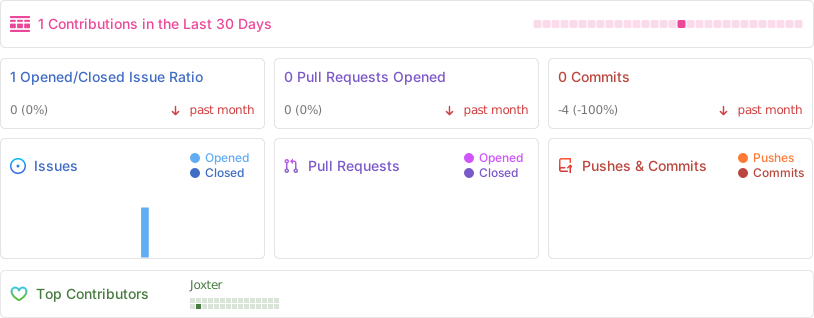
Project Stats
Roadmap
See the open issues for
a list of proposed features (and known issues).
Contributing
Contributions are what make the open source community such an amazing place to
be learn, inspire, and create. Any contributions you make are greatly
appreciated.
- If you have suggestions for adding or removing projects, feel free to
open an issue to
discuss it, or directly create a pull request after you edit the README.md
file with necessary changes. - Please make sure you check your spelling and grammar.
- Create individual PR for each suggestion.
Creating A Pull Request
- Fork the Project
- Create your Feature Branch (
git checkout -b feature/AmazingFeature) - Commit your Changes (
git commit -m 'feat: Add some AmazingFeature') - Push to the Branch (
git push origin feature/AmazingFeature) - Open a Pull Request
License
Distributed under the MIT License. See
LICENSE
for more information.
Authors
- Komeil Mehranfar
- Frontend Engineer at iO
Acknowledgements
References
- Inspired by Jonas Ohlsson Aden
Contributors
Showing top 1 contributor by commit count.

Related Repositories

mayerui/sudoku
C++实现的跨平台数独游戏,命令行操作易上手,可以在开发间隙用来放松身心。数百行代码,初学者也可以轻松掌握。

dotnet/dotnet-console-games
Game examples implemented as .NET console applications primarily for providing education and inspiration. :)

Kyubyong/sudoku
Can Neural Networks Crack Sudoku?

kaajjo/LibreSudoku
LibreSudoku - Sudoku app for android built with Kotlin + Jetpack Compose + Material3

gruhn/typescript-sudoku
Playing Sudoku in TypeScript while the type checker highlights mistakes.

robatron/sudoku.js
A Sudoku puzzle generator and solver JavaScript library