

Clumsy
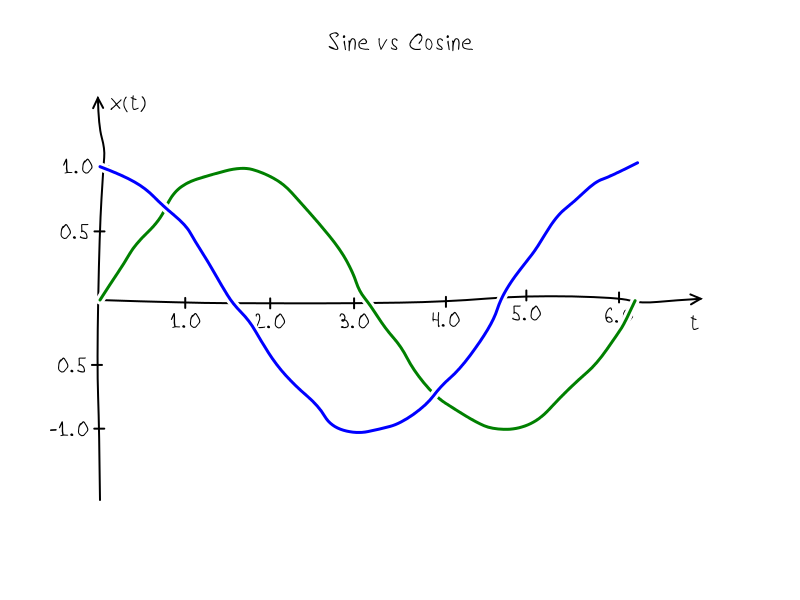
A library written on node.js for creating math figures on HTMLCanvas in XKCD style.
[![NPM Version][npm-image]][npm-url] [![NPM Downloads][downloads-image]][downloads-url] [![Build Status][travis-image]][travis-url] The project is written primarily in JavaScript, distributed under the MIT License license, first published in 2015. Key topics include: animation, axis, canvas, drawing.
Clumsy



Clumsy.js is a library for creating math figures on HTMLCanvas in XKCD style.
This library can be used with Node.js libraries canvas and gifencoder:
shell$ npm install canvas gifencoder
Contents
-
- new Clumsy(canvas)
- methods:
- axis
- background
- clean
- draw
- fillTextAtCenter
- overdraw
- padding
- seed
- range
- tabulate
- properties:
- background
- color
- defaultBoxAscent
- lineWidth
- radius
- step
It needs to create Canvas before drawing and pass this canvas to constructor of object Clumsy. By default clumsy object have padding in 100px and ranges [-1, 1] in both directions. This can be changed by special methods:
<a name="drawing" /> ## Drawing a figurejs// Adds canvas module from npm repository for example var Canvas = require('canvas'); // Adds this module var clumsy = require('clumsy'); // And some helpers for interaction with canvas and gifencoder modules var helpers = require('clumsy/helpers'); // Inits objects var canvas = new Canvas(800, 600) var clumsy = new Clumsy(canvas); // Sets padding and ranges before drawing clumsy.padding(50); clumsy.range(0, 2*Math.PI, -1.5, 1.5);
Pass arrays with points to method draw. Each point must consider x and y field, e.g. {x: 0, y: 0} - begin coordinate system.
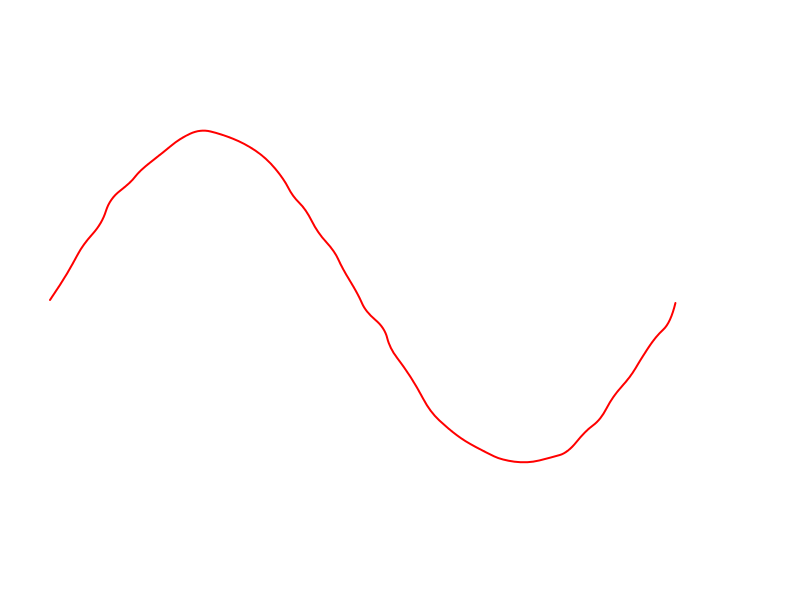
jsvar Canvas = require('canvas'); var clumsy = require('clumsy'); var helpers = require('clumsy/helpers'); var canvas = new Canvas(800, 600) var clumsy = new Clumsy(canvas); clumsy.padding(50); clumsy.range(0, 2*Math.PI, -1.5, 1.5); clumsy.color('red'); clumsy.lineWidth(2); var sine = clumsy.tabulate(0, 2*Math.PI, 0.01, Math.sin); clumsy.draw(sine); helpers.saveAsPng(clumsy); // save as png of same name
The result:
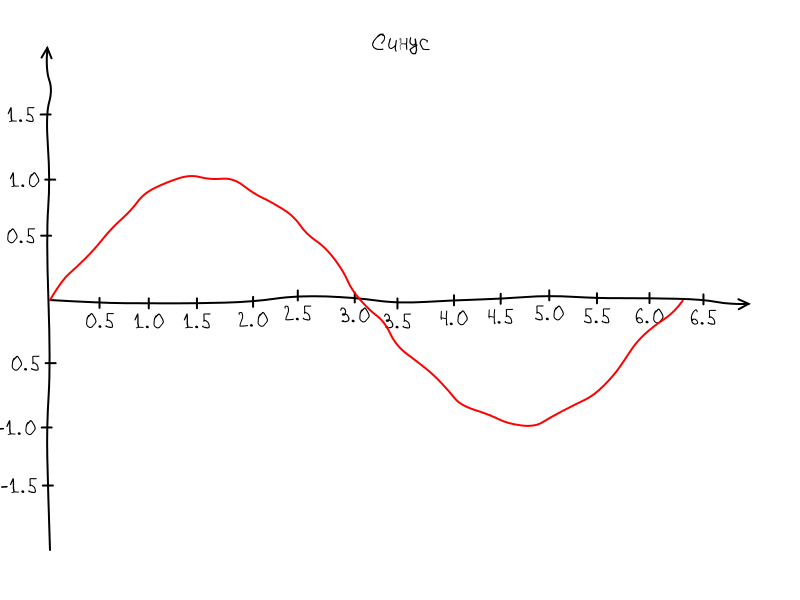
javascriptvar Canvas = require('canvas'); var Clumsy = require('clumsy'); var helpers = require('clumsy/helpers'); var canvas = new Canvas(800, 600) var clumsy = new Clumsy(canvas); clumsy.font('24px VoronovFont'); clumsy.padding(50); clumsy.range(0, 7, -2, 2); clumsy.lineWidth(2); clumsy.axis('x', 0, 7, 0.5); clumsy.axis('y', -2, 2, 0.5); clumsy.color('red'); var sine = clumsy.tabulate(0, 2*Math.PI, 0.01, Math.sin); clumsy.draw(sine); clumsy.fillTextAtCenter('Синус', clumsy.canvas.width/2, 50); helpers.saveAsPng(clumsy);
The result:
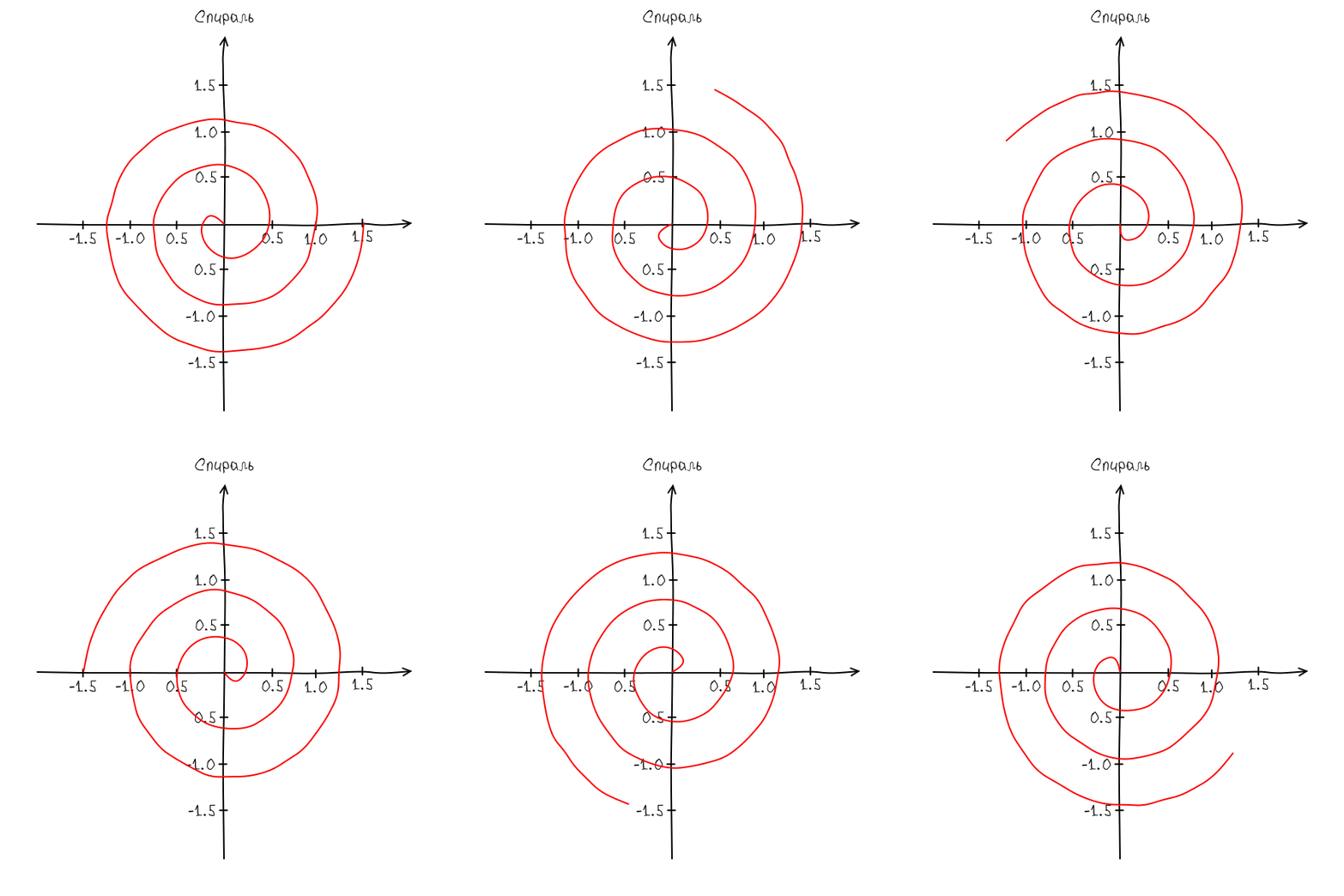
This module also can be used for animation of figure. The best way is prepare a separate script with drawing function.
The function must receive two arguments: a clumsy object and an animation param. So without any other dependencies this script can be used for rendering by both ways in a browser or node.js
Drawing script spiral.js:
jsfunction Spiral(clumsy, phase){ clumsy.font('24px VoronovFont'); clumsy.clean('white'); clumsy.padding(50); clumsy.range(-2, 2, -2, 2); clumsy.lineWidth(2); clumsy.radius(5); clumsy.color('black'); clumsy.axis('x', -2, 2, 0.5); clumsy.axis('y', -2, 2, 0.5); var spiral = clumsy.tabulate(0, 3, 0.01, function(t){ var r = 0.5 * t; return { x: r * Math.cos(2 * Math.PI * t + phase), y: r * Math.sin(2 * Math.PI * t + phase) }; }) clumsy.color('red'); clumsy.draw(spiral); clumsy.fillTextAtCenter('Спираль', clumsy.canvas.width/2, 30); } if(typeof module != 'undefined' && module.exports){ module.exports = Spiral; }
Preview script for browser:
html<!DOCTYPE html> <meta charset="utf-8"> <title>spiral</title> <script src="https://rawgit.com/kreshikhin/clumsy/master/clumsy.js"></script> <link rel="stylesheet" href="http://webfonts.ru/import/voronov.css"></link> <canvas id="canvas" width=600 height=600> <script type="text/javascript" src="spiral.js"></script> <script type="text/javascript"> var canvas = document.getElementById('canvas'); var clumsy = new Clumsy(canvas); clumsy.font('12px VoronovFont'); var phase = 0; setInterval(function(){ clumsy.seed(123); clumsy.clear('white'); Spiral(clumsy, phase); phase += Math.PI / 10; }, 50); </script>
Building script for node.js:
jsvar Canvas = require('canvas'); var GIFEncoder = require('gifencoder'); var path = require('path'); var fs = require('fs'); var Clumsy = require('clumsy'); var helpers = require('clumsy/helpers'); var Spiral = require('./spiral.js'); var canvas = new Canvas(600, 600); var clumsy = new Clumsy(canvas); clumsy.font('24px VoronovFont'); var encoder = helpers.prepareEncoder(GIFEncoder, canvas); var phase = 0; var n = 10; encoder.start(); for(var i = 0; i < n; i++){ clumsy.seed(123); clumsy.clear('white'); Spiral(clumsy, phase); phase += 2 * Math.PI / n; encoder.addFrame(clumsy.ctx); }; encoder.finish();
The result:
API
<a name="newclumsy" /> ### new Clumsy(canvas)Creates new clumsy object.
canvas- an instance of HTMLCanvas
<a name="axis" /> ### axis(axis, start, end, [step | options]); Draws axis.jsvar clumsy = new Clumsy(canvas);
axismay be 'x', 'y', {x: 1, y: 1}start,end- range of axisstep- step of scaleoptions- sets of options allowed by method:zero- coordinates of zero point of the axisstep- a step of the scalelimits- limits of scale, [start + step, end - step] by defaulthide_zero- hides zero if truetick_size- size of scale ticks in px, default is 5pxmark- a function that generate label for ticks
<a name="clean" /> ### clean([color]) Updates the background color (if argument is not undefined) and cleans the canvas.js// Draws axis from -1 to 1 without a scale clumsy.axis('x', -1, 1); // Draws axis from -1 to 1 with a scale and step 0.2 clumsy.axis('x', -1, 1, 0.2); // Draws axis with custom options: clumsy.axis('x', -1, 1, { zero: {x: 0, y: 0}, // default step: 0.1, limits: [start + step, end - step], hide_zero: true, // hide zero mark tick_size: 5, // in px mark: function(t){ // default return parseInt(t) + '.' + parseInt(Math.abs(t*10) % 10) } });
color- new background color.
<a name="draw" /> ### draw(curve)jsclumsy.clean();
Draws a curve by array of point in {x: x, y: y} format.
curveis [{x: x0, y: y0}, ... {x: xn-1, yn-1}]
<a name="fillText" /> ### fillTextAtCenter(x, y, text)js// Draws line from (0,0) to (1,1). clumsy.draw([{x: 0, y:0}, {x: 1, y:1}]);
Draws text at center (x, y).
- x, y - coordinates of text center
- text - a text for drawing
<a name="overdraw" /> ### overdraw(curve)jsclumsy.fillTextAtCenter(100, 100, "Hello World!");
Draws a curve with clearing canvas under the curve by background color.
curveis [{x: x0, y: y0}, ... {x: xn-1, yn-1}]
<a name="padding" /> ### padding(size) ### padding(vertical, horizontal) ### padding(left, right, bottom, top)js// Draws line from (0,0) to (1,1) clumsy.draw([{x: 0, y:0}, {x: 1, y:1}]); // Overdraws line from (0,1) to (0,1) clumsy.draw([{x: 1, y:0}, {x: 0, y:1}]);
Sets paddings from the edges of the canvas.
size- size of all paddingsveritcal,horizontal- vertical and horizontal paddingsleft,right,bottom,top- vertical and horizontal paddings
<a name="range" /> ### range(start, end) ### range(start0, end0, start1, start1)js// Sets all padding in 100px clumsy.padding(100); // Sets vertical paddings are 100px and horizontal are 200px clumsy.padding(100, 200); // Sets left, right, bottom and top paddings clumsy.padding(50, 100, 150, 200);
Sets ranges of the coordinate system.
<a name="seed" /> ### seed([seed]) Sets the seed of generator of pseudo random numbers.js// Sets same range for horizontal and vertical scales clumsy.range(-10, 10); // Sets horizontal [-10,10] and vertical [-20,20] ranges clumsy.range(-10, 10, -20, 20);
js// Sets the seed clumsy.seed(123456); // Gets current seed var seed = clumsy.seed();
properties
Properties with setters/getters:
js// In pixels clumsy.step(10); clumsy.radius(10); clumsy.defaultBoxAscent(16); clumsy.lineWidth(1); // CSS color clumsy.background('white'); clumsy.color('black'); // CSS font clumsy.font('12px Arial'); // Seed number for the built-in pseudo random generator clumsy.seed(12345);
License
Contributors
Showing top 2 contributors by commit count.


Related Repositories

3b1b/manim
Animation engine for explanatory math videos

animate-css/animate.css
🍿 A cross-browser library of CSS animations. As easy to use as an easy thing.

MisterBooo/LeetCodeAnimation
Demonstrate all the questions on LeetCode in the form of animation.(用动画的形式呈现解LeetCode题目的思路)

juliangarnier/anime
JavaScript animation engine

algorithm-visualizer/algorithm-visualizer
:fireworks:Interactive Online Platform that Visualizes Algorithms from Code

aseprite/aseprite
Animated sprite editor & pixel art tool (Windows, macOS, Linux)