

Chatgpt python
Unofficial Python SDK for OpenAI's ChatGPT
Library that allows developers to easily integrate the ChatGPT into their Python projects. The project is written primarily in Python, distributed under the GNU General Public License v3.0 license, first published in 2022. Key topics include: chatgpt, davinci, gpt-3, gpt3-library, openai.
Install or update
bashpip install -U chatgpt
Config
Create a file with your credentials
Create the file config.json in your working directory:
json{ "email": "email@example.org", "password": "xxx" }
With proxy
json{ "email": "email@example.org", "password": "xxx", "proxy": "socks5://user:pass@host:port" }
With other parameters
json{ "email": "email@example.org", "password": "xxx", "timeout":300, "cache_file_path":"/path/filename", "access_token_seconds_to_expire":1800 }
Environment variable
You can specify the default configuration folder for chatgpt by setting the CHATGPT_HOME environment variable to the desired directory path.
bashexport CHATGPT_HOME="/home/$USER/.config/chatgpt"
Usage
CLI
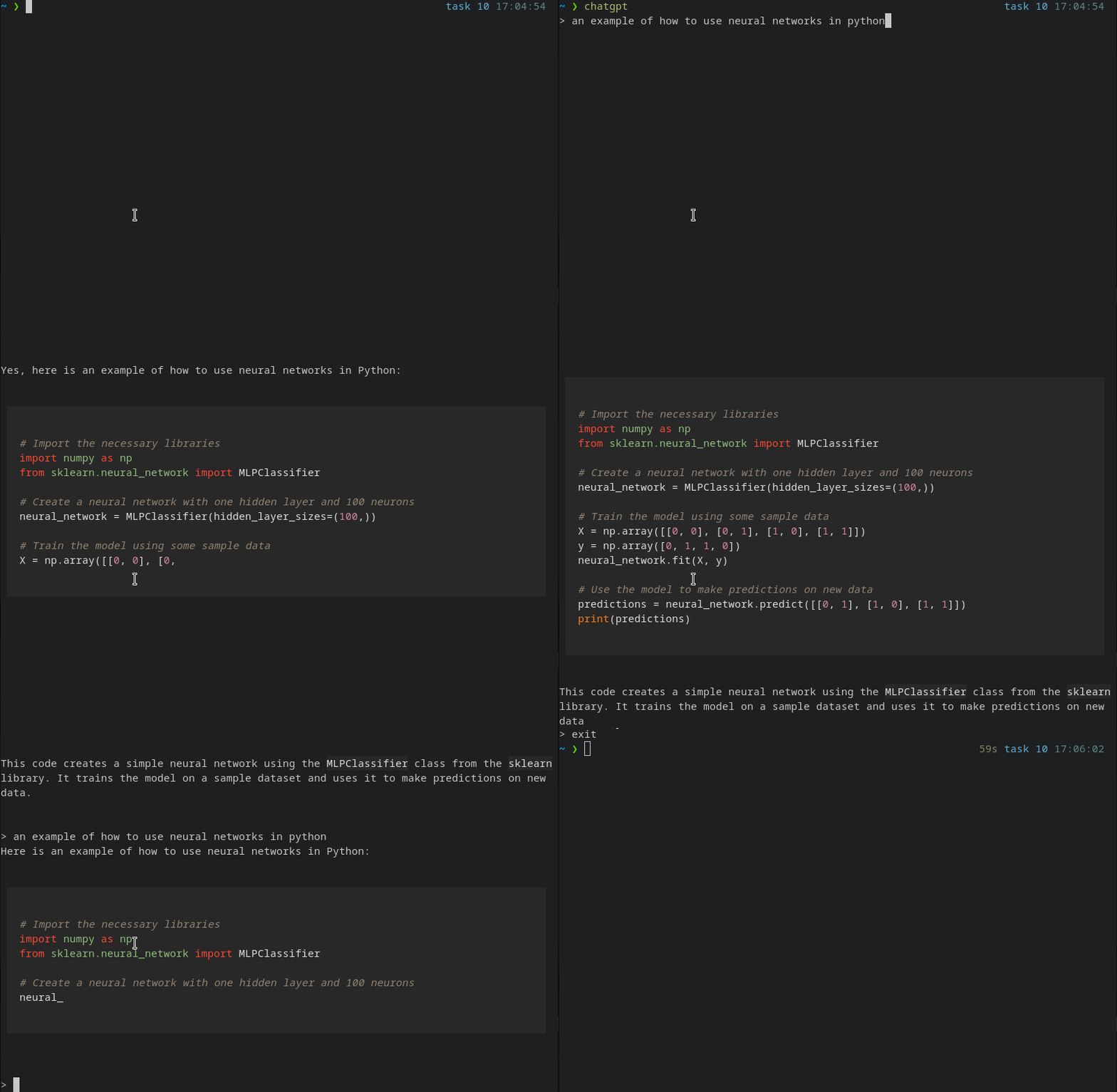
You can launch the CLI with:
bashchatgpt
or
bashpython -m chatgpt
These are the available commands:
reset: forget the context of the current conversation.clear: clear the terminal.exit: exit the CLI.
SDK
python#!/usr/bin/env python # -*- coding: utf-8 -*- import sys from chatgpt import Conversation conversation = Conversation() # Stream the message as it arrives. for chunk in conversation.stream("We are going to start a conversation. I will speak English and you will speak Portuguese."): print(chunk, end="") sys.stdout.flush() # Wait until the message is fully received. print(conversation.chat("What's the color of the sky?")) # The AI will forget it was speaking Portuguese conversation.reset() print(conversation.chat("What's the color of the sun?"))
it is recommended to use stream instead of chat.
Exceptions:
pythonfrom chatgpt import ChatgptError, ChatgptErrorCodes try: for chunk in conversation.stream("Hello, world!"): print(chunk, end="") sys.stdout.flush() except ChatgptError as chatgpt_error: message = chatgpt_error.message code = chatgpt_error.code if code == ChatgptErrorCodes.INVALID_ACCESS_TOKEN: print("Invalid token")
Chatgpt Error codes:
INVALID_ACCESS_TOKEN: This error code indicates that the access token provided to the chatbot's API is not valid or has expired.CHATGPT_API_ERROR: This error code indicates that an error has occurred while making a request to the chatbot's API.CONFIG_FILE_ERROR: This error code indicates that there is a problem with the configuration file for the chatbot.UNKNOWN_ERROR: This error code is used when the cause of the error is unknown or cannot be determined.LOGIN_ERROR: This error code indicates that there was a problem with the login process, such as an incorrect username or password.TIMEOUT_ERROR: This error code indicates that a request to the chatbot's API has timed out.CONNECTION_ERROR: This error code indicates that there is a problem with the connection to the chatbot's API.
Contributors
Showing top 4 contributors by commit count.


Related Repositories

NousResearch/hermes-agent
The agent that grows with you

f/prompts.chat
f.k.a. Awesome ChatGPT Prompts. Share, discover, and collect prompts from the community. Free and open source — self-host for your organization with complete privacy.

langflow-ai/langflow
Langflow is a powerful tool for building and deploying AI-powered agents and workflows.

langchain-ai/langchain
The agent engineering platform.

microsoft/generative-ai-for-beginners
21 Lessons, Get Started Building with Generative AI

ChatGPTNextWeb/NextChat
✨ Light and Fast AI Assistant. Support: Web | iOS | MacOS | Android | Linux | Windows