

UWP
Some controls and common codes
参见 :[win10 uwp 水印图床](https://blog.csdn.net/lindexi_gd/article/details/52808347?utm_source=blogxgwz5) The project is written primarily in C#, distributed under the MIT License license, first published in 2016. Key topics include: mvvm, nuget, uwp, uwp-apps, uwp-toolkit.
UWP
| Package Name | Release (NuGet) |
|---|---|
lindexi.uwp.Framework |  |
lindexi.MVVM.Framework |  |
lindexi.wpf.Framework |  |
Lindexi.Src.GitCommand |  |
Lindexi.Src.GitCommand.Source |  |
Lindexi.Src.WhitmanRandomIdentifier |  |
Lindexi.Src.WhitmanRandomIdentifier.Source |  |
Lindexi.Tool.AutoSyncGitRepo |  |
Lindexi.Control.WPFFlipDrawingCanvas |  |
Lindexi.Src.DirectoryToZipStream |  |
Lindexi.Src.DirectoryToZipStream.Source |  |
中文
常用代码和控件
控件

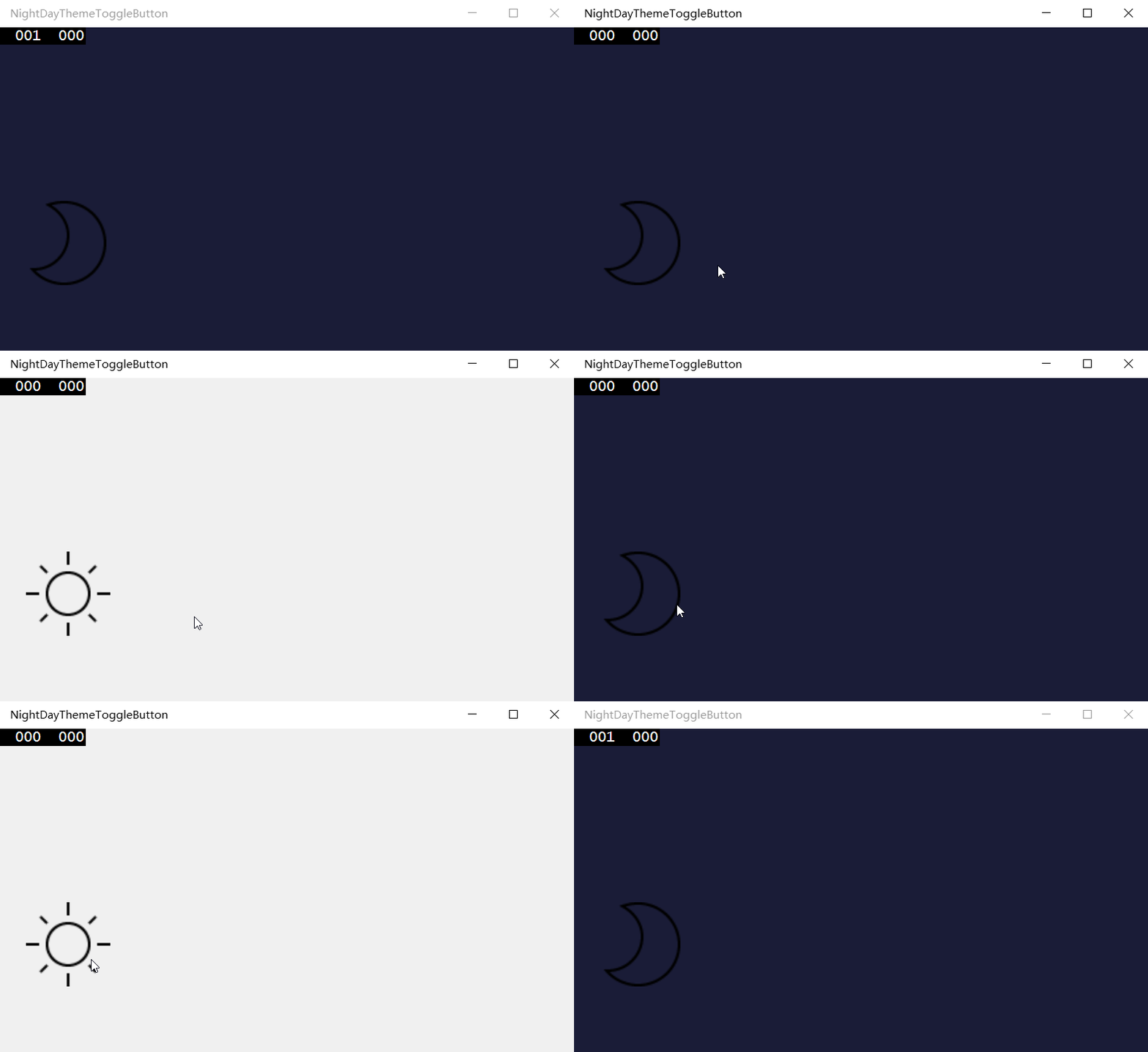


软件
win10 uwp 水印图床
参见 :win10 uwp 水印图床
安装 https://www.microsoft.com/store/apps/9nblggh562r2
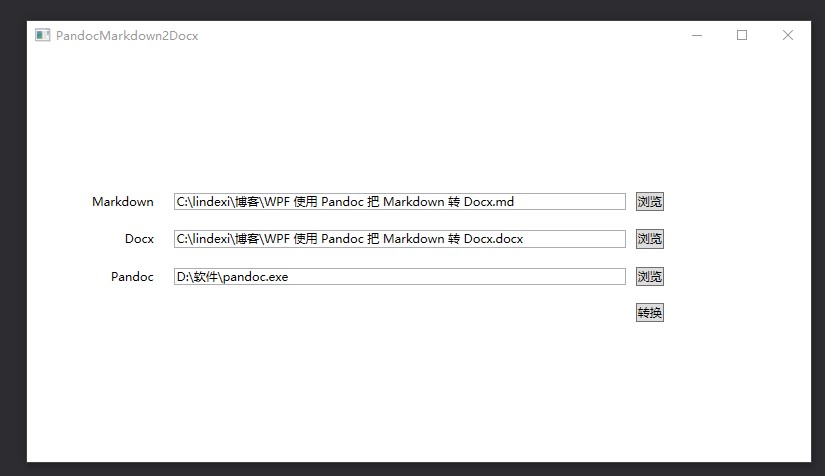
使用 Pandoc 将 Markdown 转 Docx 文件
MatterMost 博客RSS订阅服务
代码 博客订阅
使用方法,用 docker 发布
csharpdocker build .
然后 post 内容作为 json 写明需要订阅的博客和对应的 MatterMost 链接
csharp{ "MatterMostUrl": "http://mattermost.lindexi.com/hooks/sd7rhrij9ty98kerzdu8pfrbcy", "BlogList": [ "https://blog.lindexi.com/feed.xml", "https://blog.lindexi.com/feed.xml", "http://feed.cnblogs.com/blog/u/148394/rss/", "https://blog.walterlv.com/feed.xml", "https://xinyuehtx.github.io/feed.xml", "http://feed.cnblogs.com/blog/u/261865/rss/", "http://feed.cnblogs.com/blog/u/481512/rss/", "https://blog.sdlsj.net/feed/", "http://feed.cnblogs.com/blog/u/113198/rss/", "http://feed.cnblogs.com/blog/u/114368/rss/", "http://feed.cnblogs.com/blog/u/138780/rss/", "https://blog.ultrabluefire.cn/feed/", "https://codedefault.com/rss/sn.xml", "http://feed.cnblogs.com/blog/u/42514/rss/", "https://www.itmangoto.cn/feed/", "http://feed.cnblogs.com/blog/u/325447/rss/", "http://feed.cnblogs.com/blog/u/552614/rss/", "https://yangshunjie.com/rss.xml", "http://feed.cnblogs.com/blog/u/127175/rss/" ] }
将内容推送到 http://ip/api/rss 请将 ip 替换为 docker 运行的 ip 地址
多次推送内容会添加订阅博客
注意:我用的是内存数据库,关闭容器将会丢失订阅配置
EncryptionSyncFolder
win10 uwp 同步文件夹
代码
-
图床是把图片上传到云,然后获取图片链接的开发包,我将繁琐的过程写成一个简单的类。
上传的服务器现在有sm.ms和七牛图床。其中七牛sdk UWP,
我只有简单文件上传,好多还没写。七牛图床上传到Nuget,搜索
lindexi.uwp.ImageShack.Thirdqiniucs或
控制台Install-Package lindexi.uwp.ImageShack.Thirdqiniucs -
汉堡菜单
-
图片存放本地
输入Uri打开,第一次从网络打开,之后在本地打开。
先判断本地存在图片,不存在就从网络下载
BitmapImage img = await ImageStorage.GetImage(uri);上传到Nuget,可以搜索
lindexi.uwp.src.ImageStorage或控制台
Install-Package lindexi.uwp.src.ImageStorage
轻量 MVVM 框架
提供轻量的 MVVM 框架,可以在 WPF 和 UWP 使用
| Package Name | Release (NuGet) |
|---|---|
lindexi.uwp.Framework | |
lindexi.MVVM.Framework | |
lindexi.wpf.Framework | |
如果是 UWP 程序,通过 NuGet 安装方法如下
csharpInstall-Package lindexi.uwp.Framework
如果是 WPF 程序,通过 NuGet 安装方法如下
csharpInstall-Package lindexi.wpf.Framework
如果是 Xamarin 项目,可以只安装 lindexi.MVVM.Framework 但是要求项目支持 .NETStandard 2.0 以上
参见:
win10 uwp 轻量级 MVVM 框架入门 2.1.5.3199
WPF 跨线程 UI 的方法
通过 VisualTraget 在 WPF 使用多个 UI 线程
English
Some controls and common codes
This rep is not finished yet, and I don't know when I will make it...
Contributors
Showing top 7 contributors by commit count.


![github-actions[bot]](https://avatars.githubusercontent.com/in/15368?v=4)


![dependabot[bot]](https://avatars.githubusercontent.com/in/29110?v=4)

Related Repositories

AvaloniaUI/Avalonia
Develop Desktop, Embedded, Mobile and WebAssembly apps with C# and XAML. The future of .NET UI

BeyondDimension/SteamTools
🛠「Watt Toolkit」是一个开源跨平台的多功能 Steam 工具箱。

didi/LogicFlow
A flow chart editing framework focus on business customization. 专注于业务自定义的流程图编辑框架,支持实现脑图、ER图、UML、工作流等各种图编辑场景。

knockout/knockout
Knockout makes it easier to create rich, responsive UIs with JavaScript

unoplatform/uno
Open-source platform for building cross-platform native Mobile, Web, Desktop, and Embedded apps from a single C#/XAML codebase. Work from any IDE/CLI with Hot Reload, Visual Designer, MCPs, and Skills built for modern .NET workflows. 200M+ NuGet downloads.

KunMinX/Jetpack-MVVM-Best-Practice
难得一见 Jetpack MVVM 最佳实践。在 "以简驭繁" 代码中,对 "视图控制器" 乃至 "标准化开发模式" 形成正确、深入理解。