

Cfn diagram
CLI tool to visualise CloudFormation/SAM/CDK stacks as visjs networks, draw.io or ascii-art diagrams.
CLI tool to visualise CloudFormation/SAM/CDK templates as diagrams. The project is written primarily in JavaScript, first published in 2020. It has gained significant community traction with 1,021 stars and 90 forks on GitHub. Key topics include: aws-tools, cloudformation, sam, visualisation.
cfn-diagram

CLI tool to visualise CloudFormation/SAM/CDK templates as diagrams.
Installation
npm i -g @mhlabs/cfn-diagram
Usage
Usage: cfn-dia [options] [command]

Options:
  -v, --vers                          Output the current version
  -h, --help                          Display help for command

Commands:
  draw.io|d [options]                 Generates a draw.io diagram from a CloudFormation template
  html|h [options]                    Generates a vis.js diagram from a CloudFormation template
  browse|b [options]                  Browses and generates diagrams from your deployed templates
  help [command]                      Display help for command

Draw.io Options:
  -t, --template-file [templateFile]  Path to template or cdk.json file
  -c, --ci-mode                       Disable terminal/console interactivity
  -o, --output-file [outputFile]      Name of output file
  -co, --cdk-output [outputPath]      CDK synth output path
  -s, --skip-synth                    Skips CDK synth
  -e, --exclude-types [excludeTypes]  List of resource types to exclude when using CI mode

Html Options:
  -t, --template-file [templateFile]  Path to template or cdk.json file
  -c, --ci-mode                       Disable terminal/console interactivity
  -o, --output-path [outputPath]      Name of output file
  -co, --cdk-output [outputPath]      CDK synth output path
  -s, --skip-synth                    Skips CDK synth
Output formats
Draw.io
Usage: cfn-dia draw.io|d [options]

Generates a draw.io diagram from a CloudFormation template

Options:
  -t, --template-file [templateFile]     Path to template or cdk.json file (default: "template.yaml or
                                         cdk.json")
  -c, --ci-mode                          Disable terminal/console interactivity (default: false)
  --stacks [stacks]                      Comma separated list of stack name(s) to include. Defaults to
                                         all.
  -o, --output-file [outputFile]         Name of output file (default: "template.drawio")
  -co, --cdk-output [outputPath]         CDK synth output path (default: "cdk.out")
  -s, --skip-synth                       Skips CDK synth (default: false)
  -e, --exclude-types [excludeTypes...]  List of resource types to exclude when using CI mode
  -h, --help                             display help for command
Use it in combination with the Draw.io Integration for VS Code to instantly visualise your stacks.
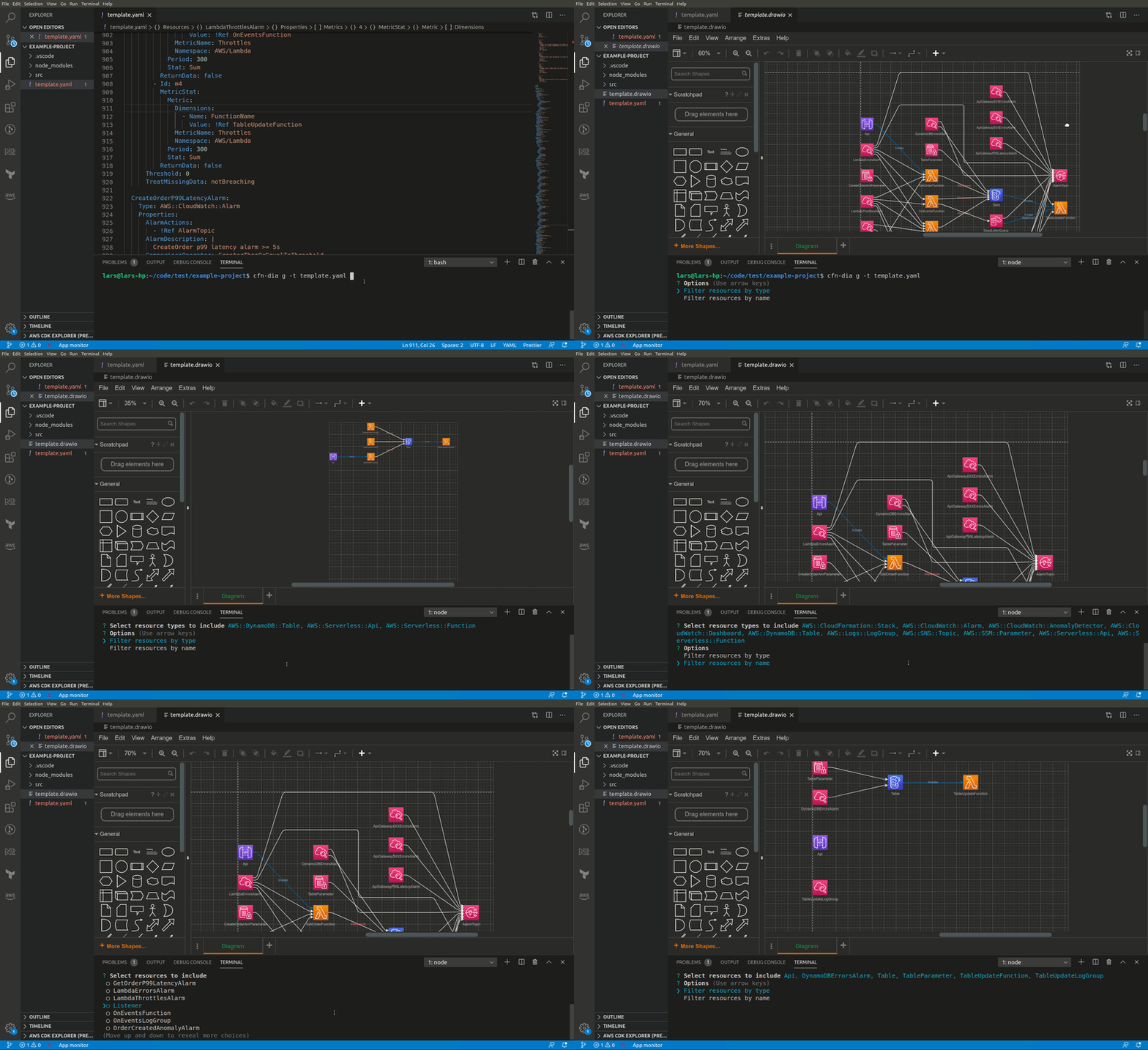
Example
cfn-dia draw.io -t template.yaml
Features
- Select only the resource types you want to see. This lets you skip granlar things like roles and policies that might not add to the overview you want to see
- Navigate through a new differnet layouts
- Works for both JSON and YAML templates
- Filter on resource type and/or resource names
- Works with CloudFormation, SAM and CDK
HTML
Usage: cfn-dia html|h [options]

Generates a vis.js diagram from a CloudFormation template

Options:
  -t, --template-file [templateFile]  Path to template or cdk.json file (default: "template.yaml or
                                      cdk.json")
  --stacks [stacks]                   Comma separated list of stack name(s) to include. Defaults to all.
  -all --render-all                   If set, all nested stacks will be rendered. By default only root
                                      template is rendered (default: false)
  -c, --ci-mode                       Disable terminal/console interactivity (default: false)
  -o, --output-path [outputPath]      Name of output file (default: "/tmp/cfn-diagram")
  -co, --cdk-output [outputPath]      CDK synth output path (default: "cdk.out")
  -s, --skip-synth                    Skips CDK synth (default: false)
  -h, --help                          display help for command
The HTML output uses vis.js to generate an interactive diagram from your template.
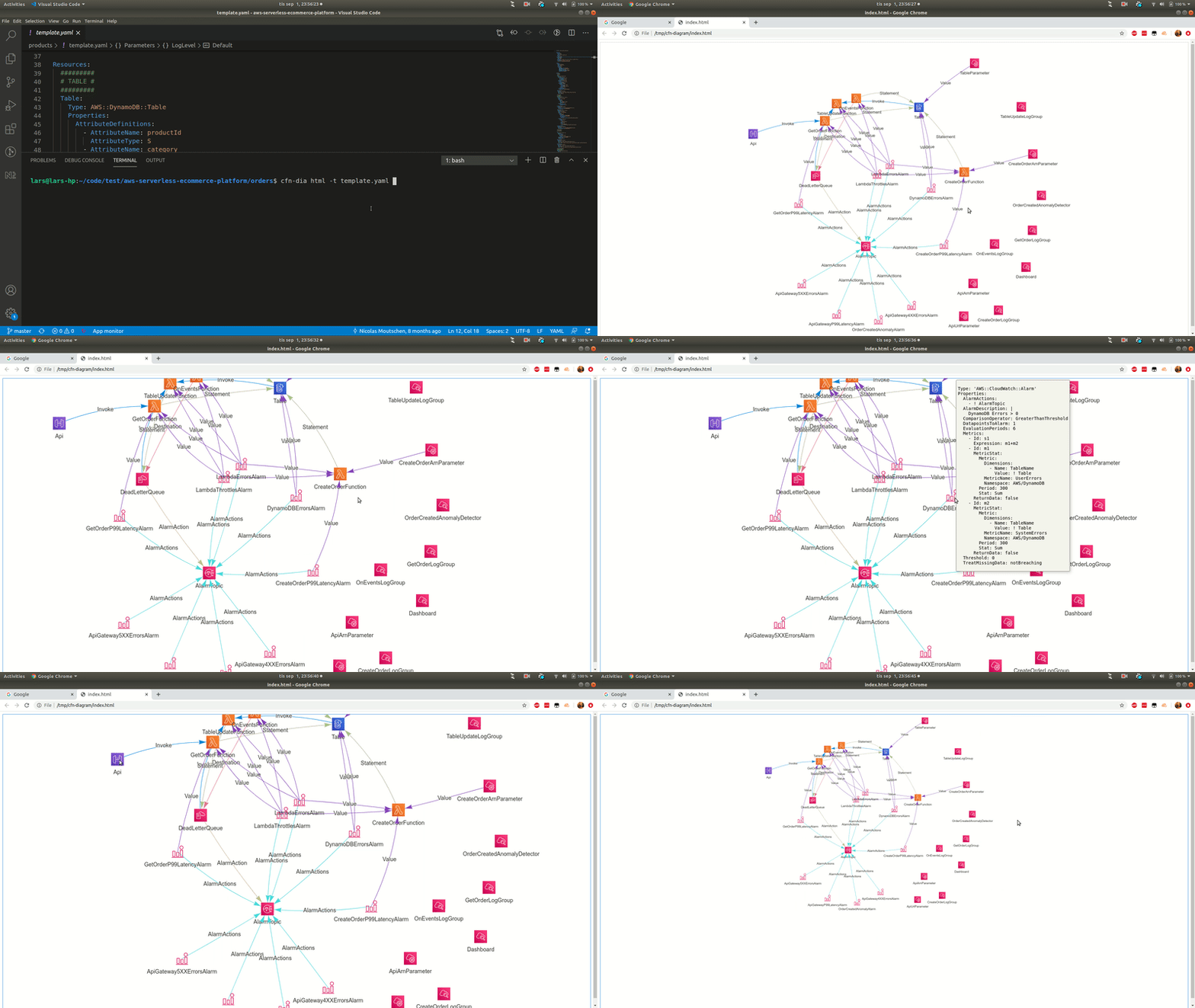
Example
cfn-dia html -t template.yaml
or, for CDK stacks, go to project directory (where cdk.json is located) and enter
cfn-dia html
Large stacks, in particular multi-stack CDK projects, tend to generate huge diagrams. You can pass the stack names you want to render using the --stacks argument followed by a comma separated list of stack names.
Ascii-art
Usage: cfn-dia ascii-art|a [options]

Generates an ascii-art diagram from a CloudFormation template

Options:
  -t, --template-file [templateFile]     Path to template or cdk.json file (default: "template.yaml or cdk.json")
  --stacks [stacks]                      Comma separated list of stack name(s) to include. Defaults to all.
  -co, --cdk-output [outputPath]         CDK synth output path (default: "cdk.out")
  -s, --skip-synth                       Skips CDK synth (default: false)
  -w, --watch                            Watch for changes in template and rerender diagram on change (default: false)
  -e, --exclude-types [excludeTypes...]  List of resource types to exclude when using CI mode
  -h, --help                             display help for command                           display help for command
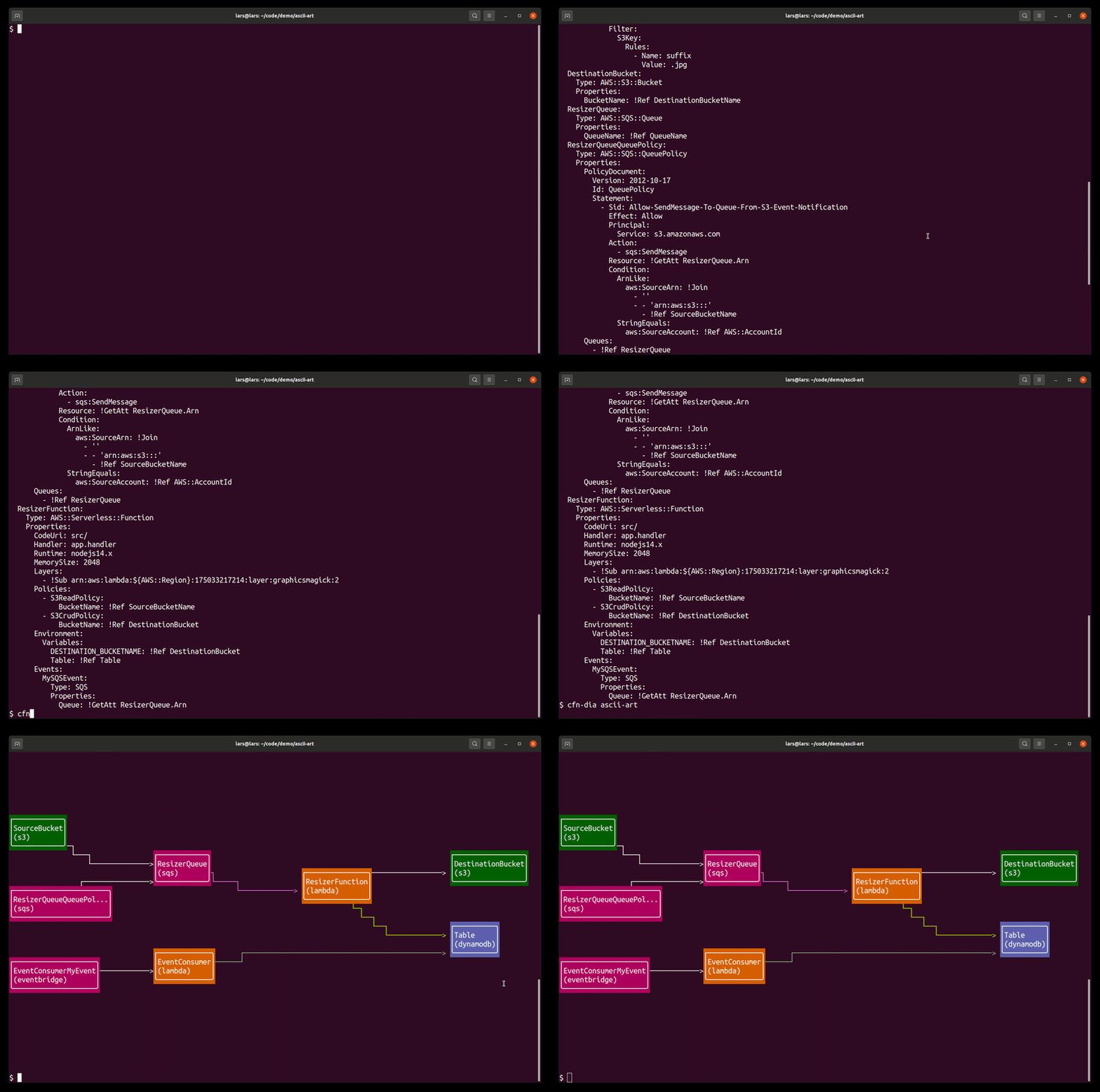
Renders a simple Ascii-art diagram of your template directly in the console. Useful to gain a quick overview of smaller stacks.
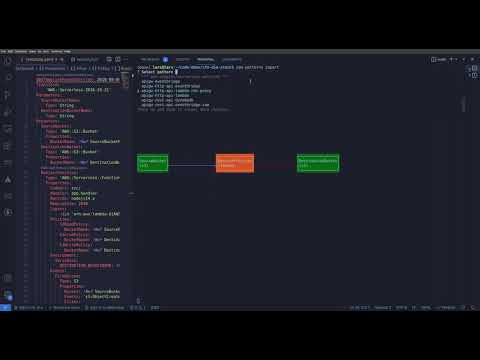
Video demo of using the --watch option:
Mermaid
Usage: cfn-dia mermaid|m [options]

Generates a mermaid graph from a template

Options:
  -t, --template-file [templateFile]  Path to template or cdk.json file (default: "template.yaml or cdk.json")
  -all --render-all                   If set, all nested stacks will be rendered. By default only root template is rendered (default: false)
  -o, --output-path [outputPath]      Name of output file
  -co, --cdk-output [cdkOutputPath]   CDK synth output path (default: "cdk.out")
  -s, --skip-synth                    Skips CDK synth (default: false)
  -h, --help                          display help for command
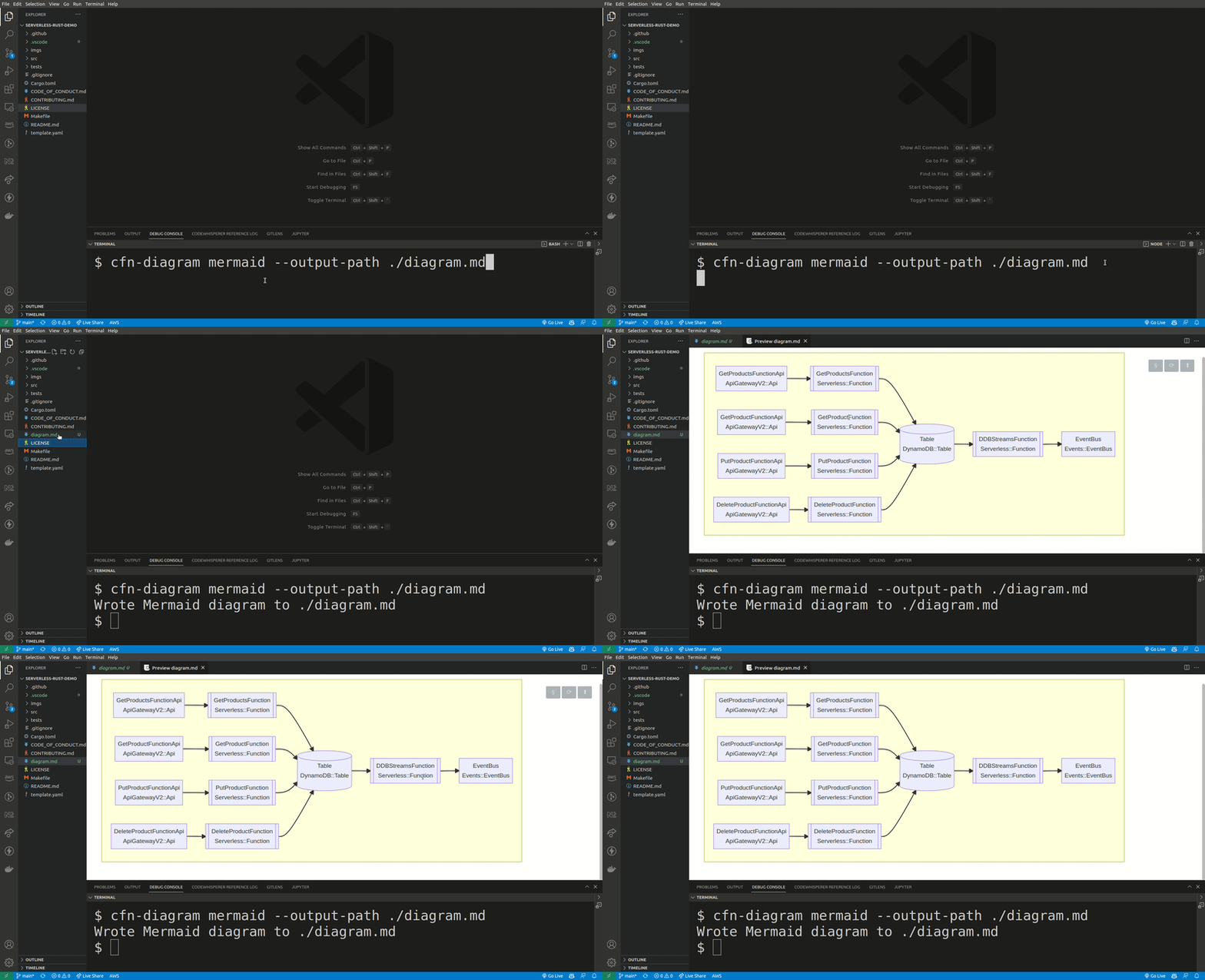
Renders a mermaid diagram of your template directly in the console or to a file. Useful to gain a quick overview of smaller stacks and to generate as part of your CI/CD flow for up-to-date documentation.
CI-mode
This functionality lives in its own CLI, cfn-diagram-ci. This is beacuse it requires headless Chromium to be installed which makes the package size very large
It uses pageres to generate a screenshot of a HTML diagram. This can be used in a CI/CD pipeline to keep an always up-to-date diagram in your readme-file.
Installation
npm install -g @mhlabs/cfn-diagram-ci
Example
cfn-dia-ci html -t template.yaml
Known issues
- Some icons are missing. Working on completing the coverage.
- When using WSL you might experience
Error: spawn wslvar ENOENTwhen trying to use HTML output. To resolve, install wslu. See issue #9.
Contributors
Showing top 8 contributors by commit count.

![dependabot[bot]](https://avatars.githubusercontent.com/in/29110?v=4)


Related Repositories

ljacobsson/evb-cli
Pattern generator and debugging tool for Amazon EventBridge
ljacobsson/cw-logs-insights-gpt
Chrome extension that generates CloudWatch Logs Insights queries from ChatGPT prompts
ljacobsson/samp-cli
CLI tool that offers advanced productivity and debugging features to AWS SAM users
ljacobsson/iam-policies-cli
A CLI tool for building simple to complex IAM policies