

Sddm
Custom SDDM login themes inspired by Nothing OS, Pixel UI, and Noctalia, designed for a clean and modern Linux desktop experience
A collection of custom themes for SDDM (Simple Desktop Display Manager), featuring designs inspired by Nothing OS and Google Pixel UI. The project is first published in 2025. Key topics include: hyprland, kde, linux, login-screen, sddm.
My SDDM Themes
A collection of custom themes for SDDM (Simple Desktop Display Manager), featuring designs inspired by Nothing OS and Google Pixel UI.
Available Themes
1, Noctalia SDDM Theme
Noctalia SDDM is a cozy, elegant login theme for SDDM , designed to complement the Noctalia Shell experience. It mimics the warm, dark aesthetic of the Rose Pine color palette, featuring rounded corners, smooth scaling, and a clean, modern interface tailored for Hyprland and KDE users.
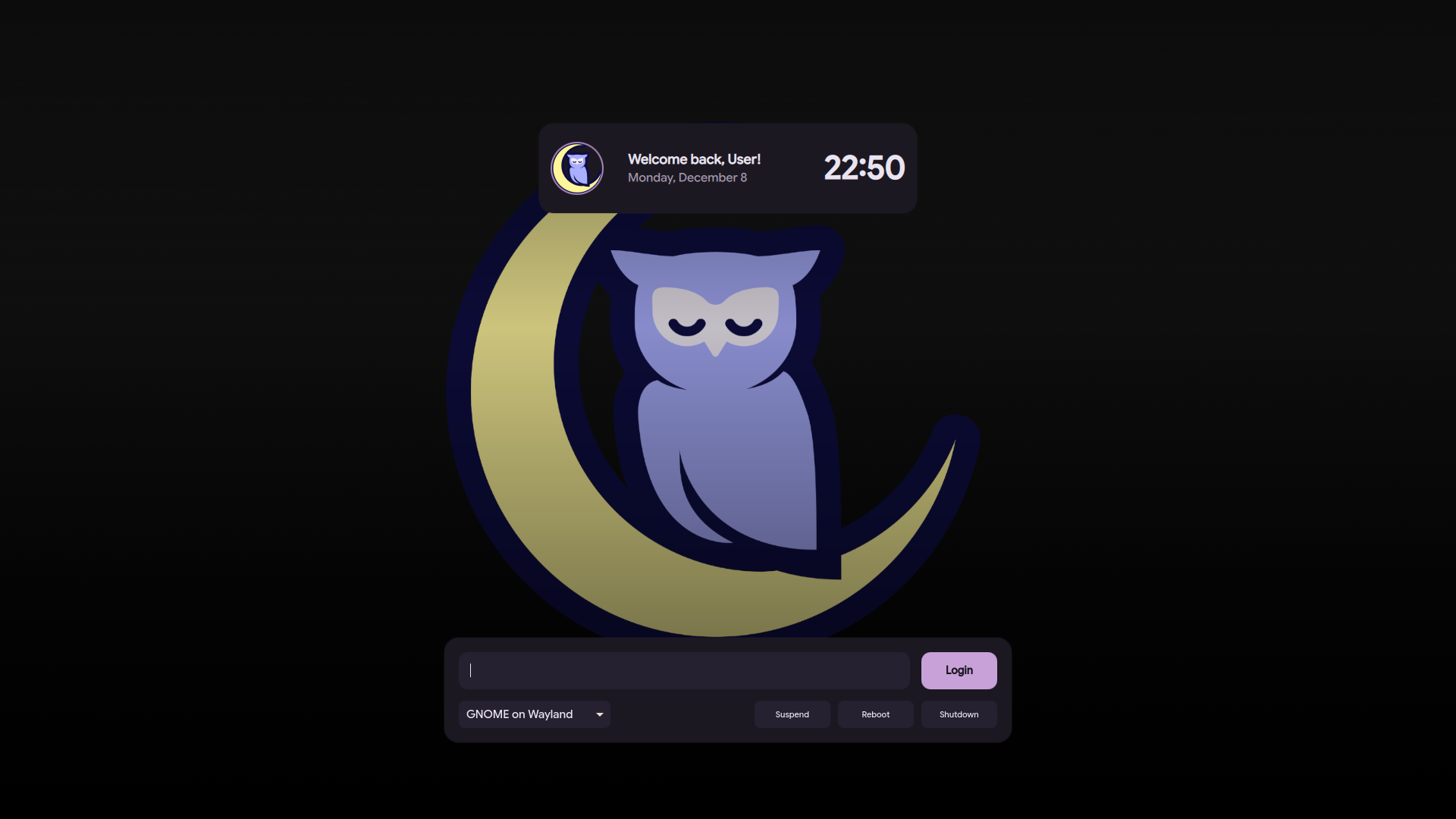
➡️ View "Noctalia" Theme Branch
2. Nothing OS Theme
A minimalist, monochrome login theme inspired by the unique aesthetic of Nothing OS. It features dot-matrix typography and a clean, futuristic look.
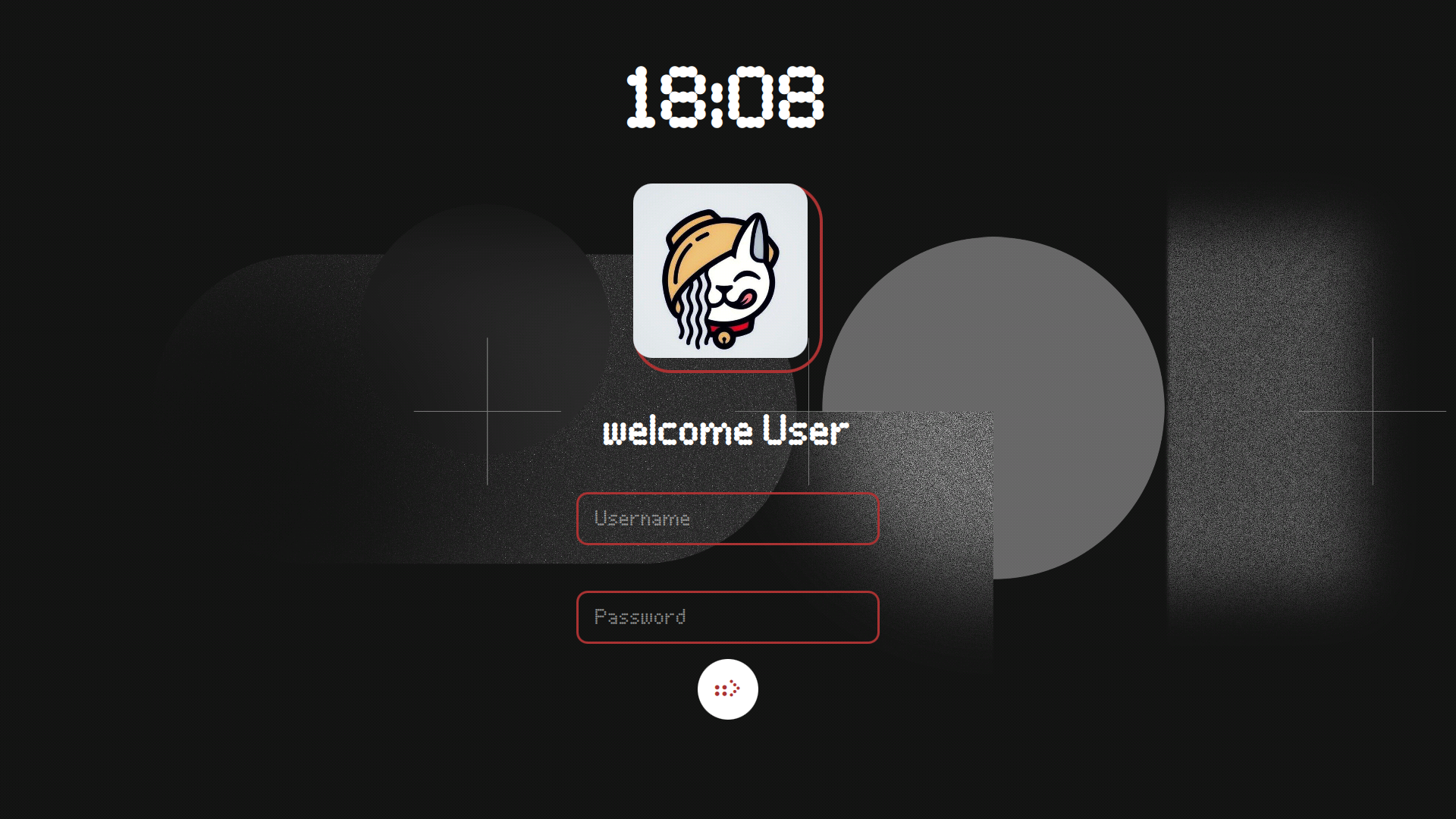
➡️ View "Nothing" Theme Branch
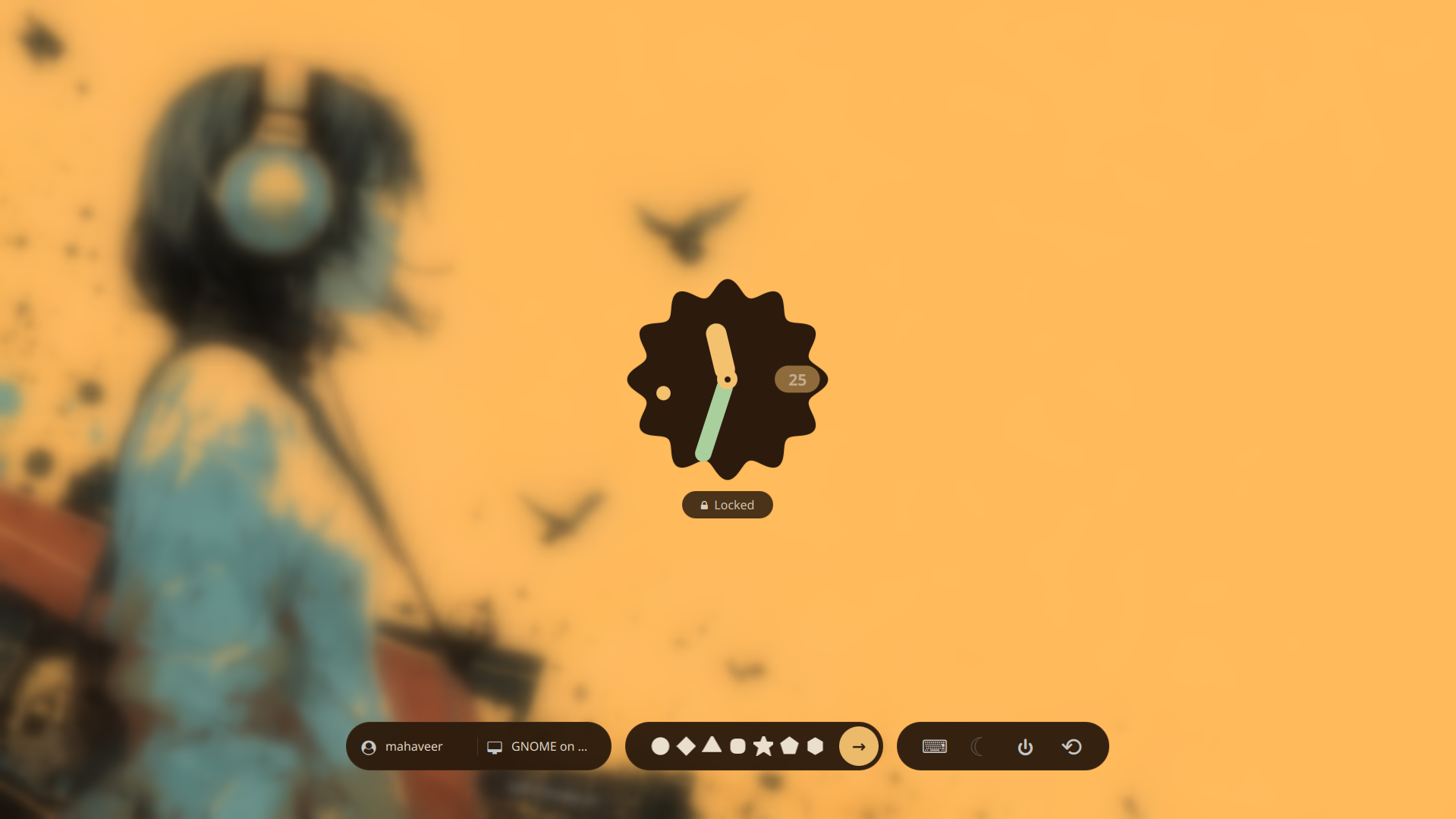
3. Pixel UI Theme
A modern and vibrant theme based on the Android 16 Pixel UI design language. It brings the familiar, polished look of Pixel devices to your login screen.
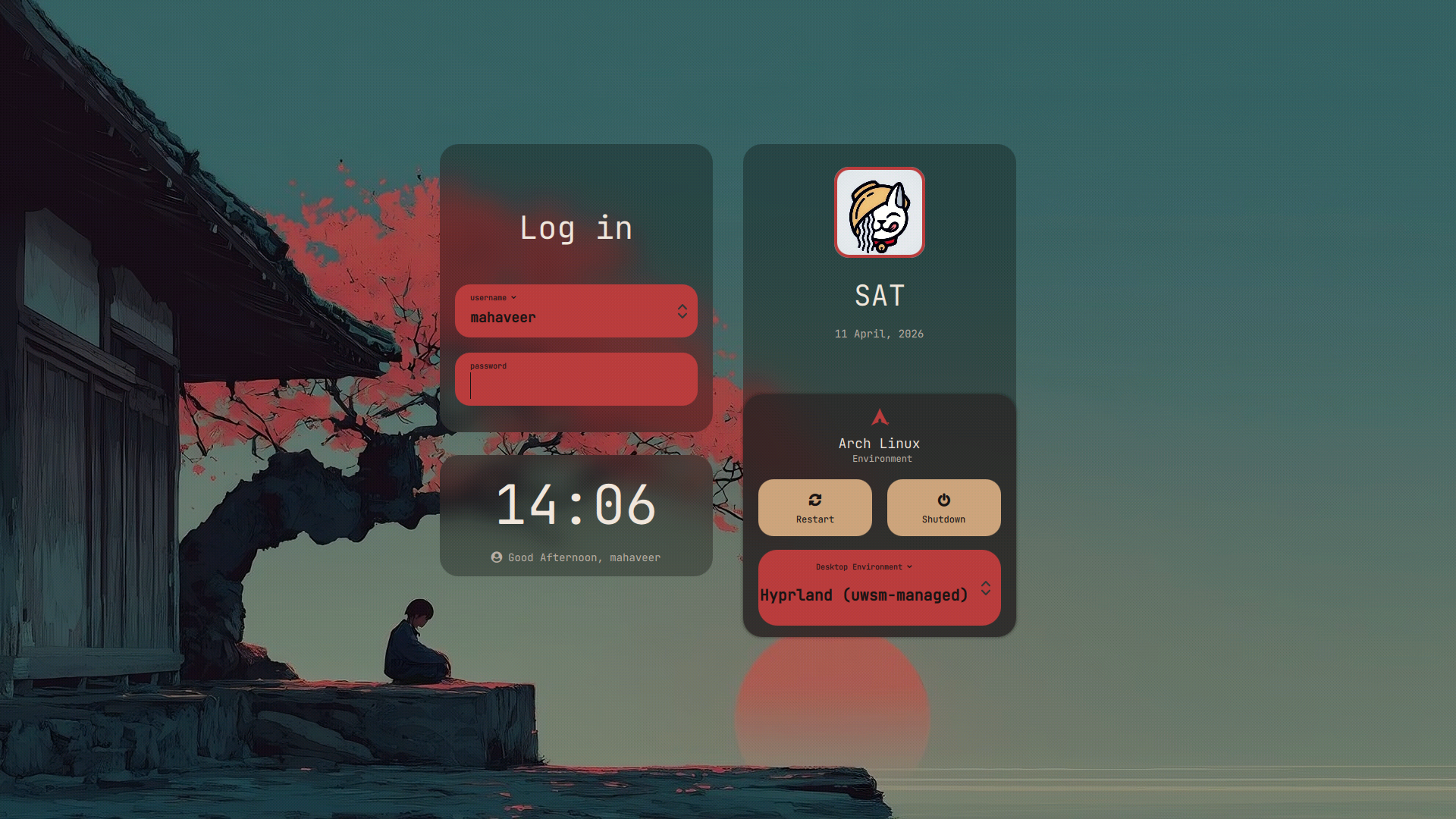
4. Ronin Theme
A stunning, samurai-inspired login theme featuring interactive power control UI, multi-user session dropdowns, and complex frosted-glass card layering mapped seamlessly against a deep crimson aesthetic.
Installation
To install a specific theme:
- Click the View Branch link for the theme you want.
- Clone that specific branch or download the files.
- Place the theme folder into your SDDM themes directory (usually
/usr/share/sddm/themes/). - Update your
/etc/sddm.confto apply the new theme.
Contributors
Showing top 1 contributor by commit count.

Related Repositories

end-4/dots-hyprland
Usability-first dotfiles

caelestia-dots/shell
A fluid, morphing shell for your Linux desktop

prasanthrangan/hyprdots
// Aesthetic, dynamic and minimal dots for Arch hyprland

noctalia-dev/noctalia
A sleek and minimal desktop shell thoughtfully crafted for Wayland.

AvengeMedia/DankMaterialShell
Desktop shell for wayland compositors built with Quickshell & GO, optimized for niri, hyprland, sway, MangoWC, labwc, and MiracleWM.

hyprland-community/awesome-hyprland
Awesome list for Hyprland [maintainer=@yavko]