

Dockview
Zero dependency docking layout manager supporting tabs, groups, grids and splitviews. Supports React, Vue, Angular, and vanilla TypeScript.
Zero dependency layout manager supporting tabs, groups, grids and splitviews. Supports React, Vue, Angular and Vanilla TypeScript The project is written primarily in TypeScript, distributed under the MIT License license, first published in 2020. It has gained significant community traction with 3,267 stars and 160 forks on GitHub. Key topics include: angular, dock, docking, docking-layout, docking-library.



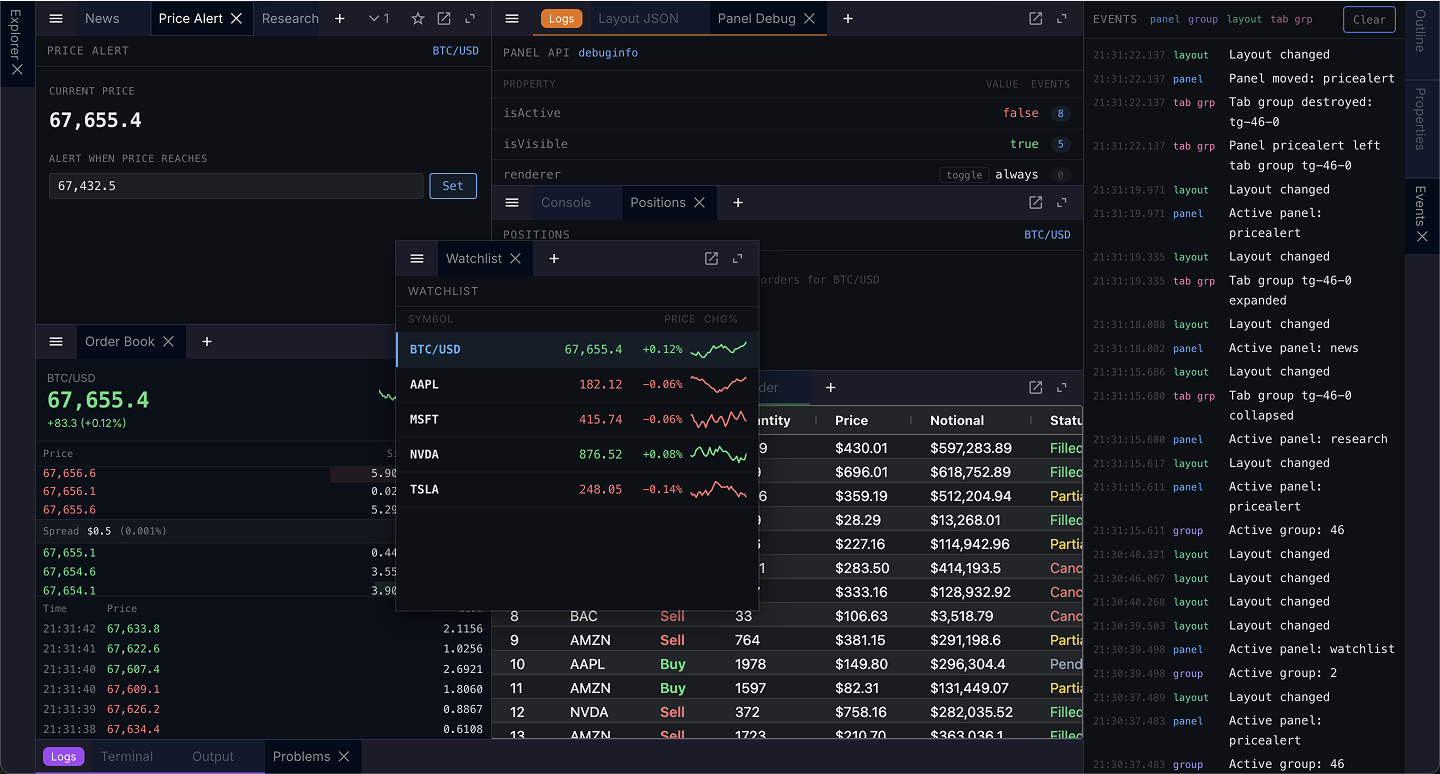
Please see the website: https://dockview.dev
Features
- Serialization / deserialization with full layout management
- Support for split-views, grid-views and 'dockable' views
- Themeable and customizable
- Tab and Group docking / Drag n' Drop
- Touch & mobile support
- Popout Windows
- Floating Groups
- Extensive API
- Supports Shadow DOMs
- High test coverage
- Documentation website with live examples
- Transparent builds and Code Analysis
- Security at mind - verified publishing and builds through GitHub Actions
Packages
| Package | Description | Version |
|---|---|---|
dockview-core | Core layout engine — zero dependencies, vanilla TypeScript | |
dockview-react | React bindings (peer: react ≥16.8) |  |
dockview-vue | Vue 3 bindings (peer: vue ≥3.4) |  |
dockview-angular | Angular bindings (peer: @angular/core ≥21) |  |
Installation
bashnpm install dockview-react # React npm install dockview-vue # Vue npm install dockview-angular # Angular npm install dockview-core # Vanilla TypeScript
Quick Start (React)
tsximport { DockviewReact } from 'dockview-react'; import 'dockview-react/dist/styles/dockview.css'; const components = { default: (props) => <div>Hello {props.params.title}</div>, }; function App() { const onReady = (event) => { event.api.addPanel({ id: 'panel_1', component: 'default', params: { title: 'World' }, }); }; return ( <DockviewReact className="dockview-theme-dark" onReady={onReady} components={components} /> ); }
For Vue and Angular examples see the documentation.
Development
This project is an NX monorepo using Yarn v1 workspaces.
bashyarn install # Install dependencies yarn build # Build all packages yarn test # Run tests yarn lint # Run ESLint yarn format # Run Prettier
Build order is managed automatically by NX:
dockview-core → dockview-react
dockview-core → dockview-vue
dockview-core → dockview-angular
Contributing
Contributions are welcome! Please open an issue or submit a pull request.
License
MIT — see LICENSE for details.
Want to verify our builds? Go here.
Contributors
Showing top 12 contributors by commit count.


![dockview-release-bot[bot]](https://avatars.githubusercontent.com/in/3669193?v=4)


Related Repositories

justjavac/free-programming-books-zh_CN
:books: 免费的计算机编程类中文书籍,欢迎投稿

angular/angular
Deliver web apps with confidence 🚀

storybookjs/storybook
Storybook is the industry standard workshop for building, documenting, and testing UI components in isolation

leonardomso/33-js-concepts
📜 33 JavaScript concepts every developer should know.

ionic-team/ionic-framework
A powerful cross-platform UI toolkit for building native-quality iOS, Android, and Progressive Web Apps with HTML, CSS, and JavaScript.

prettier/prettier
Prettier is an opinionated code formatter.