

Mydicebot.github.io
★MyDiceBot★ - Ultimate Bitcoin Dice Bot. Bet More, Earn More!
* [https://mydicebot.com](https://mydicebot.com) * [MyDiceBot](https://mydicebot.com) is World #1 Cross-Platform Dicing Bot. * Multiple platforms are supported, including __Windows, Mac, Linux, Web, Terminal/Console, Android__ and __Raspberry Pi__. * Multiple blockchains are supported. * Multiple programming languages are supported such as __Lua, Javascript__ and __Python__. * [Open Source](https://github.com/mydicebot/mydicebot.github.io) and __Free Forever__. The project is written primarily in JavaScript, distributed under the GNU General Public License v3.0 license, first published in 2018. Key topics include: 999dice, 999doge, betking, bitcoin, bitsler.

★MyDiceBot★ - Ultimate Bitcoin Dice Bot






- https://mydicebot.com
- MyDiceBot is World #1 Cross-Platform Dicing Bot.
- Multiple platforms are supported, including Windows, Mac, Linux, Web, Terminal/Console, Android and Raspberry Pi.
- Multiple blockchains are supported.
- Multiple programming languages are supported such as Lua, Javascript and Python.
- Open Source and Free Forever.
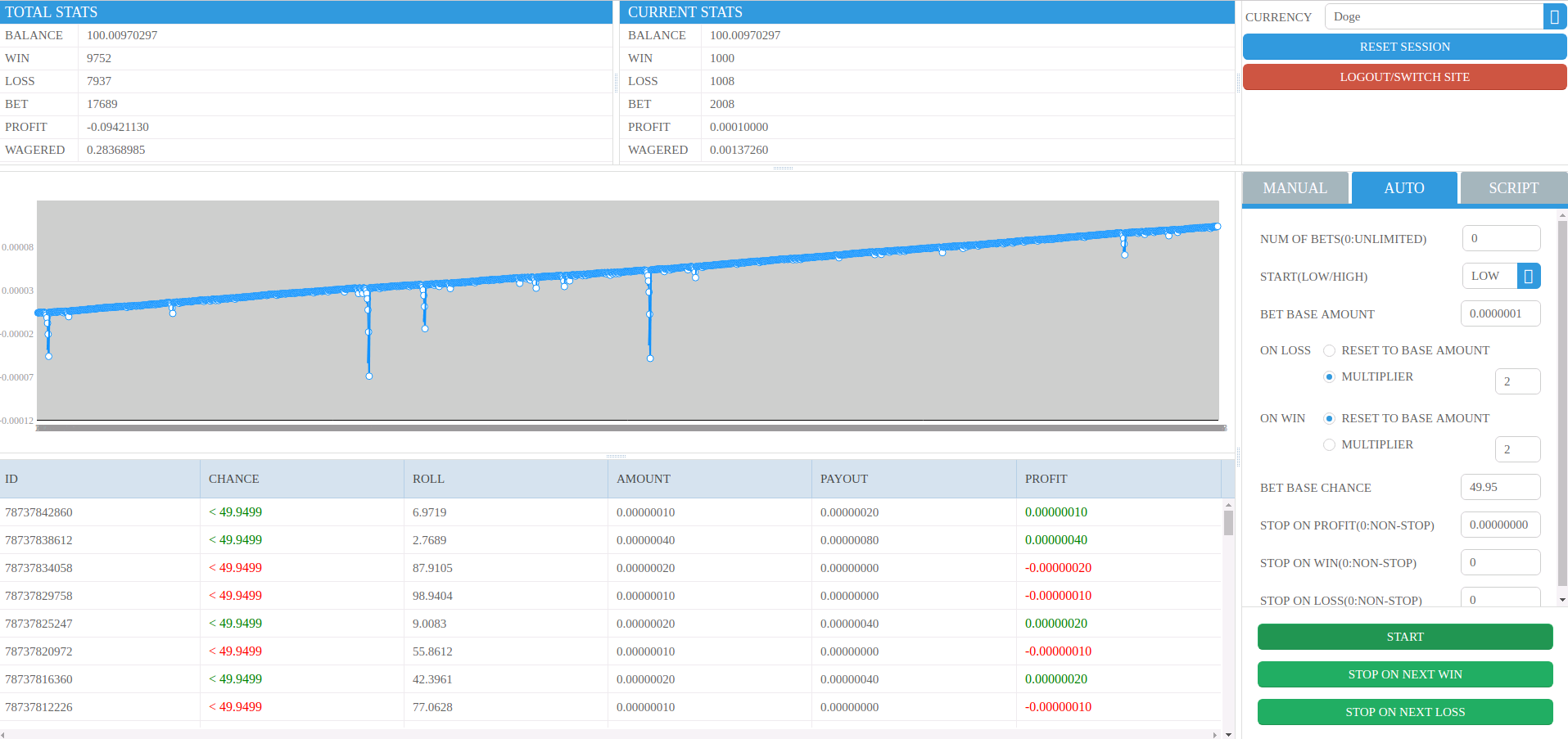
Desktop
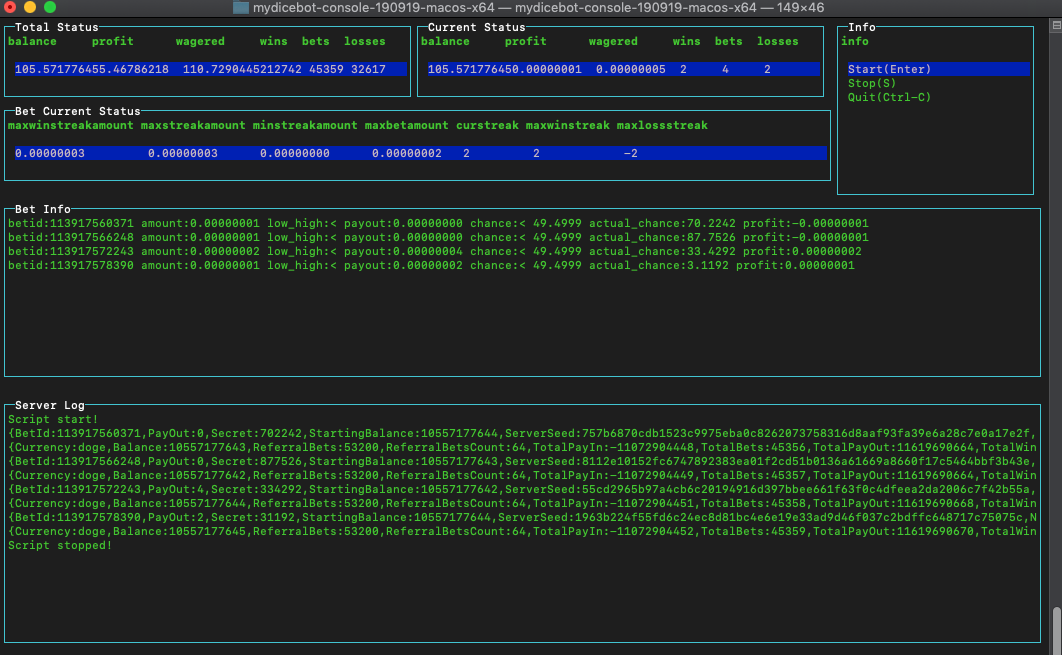
Terminal/Console
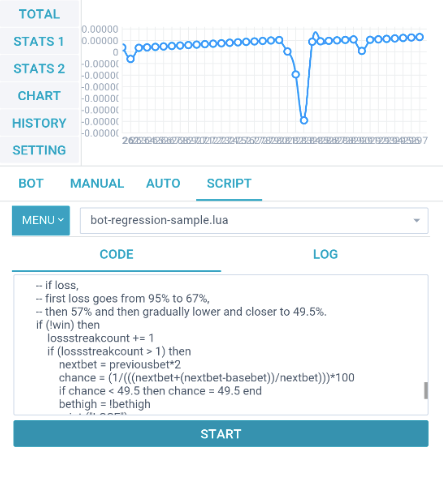
Mobile
Raspberry Pi
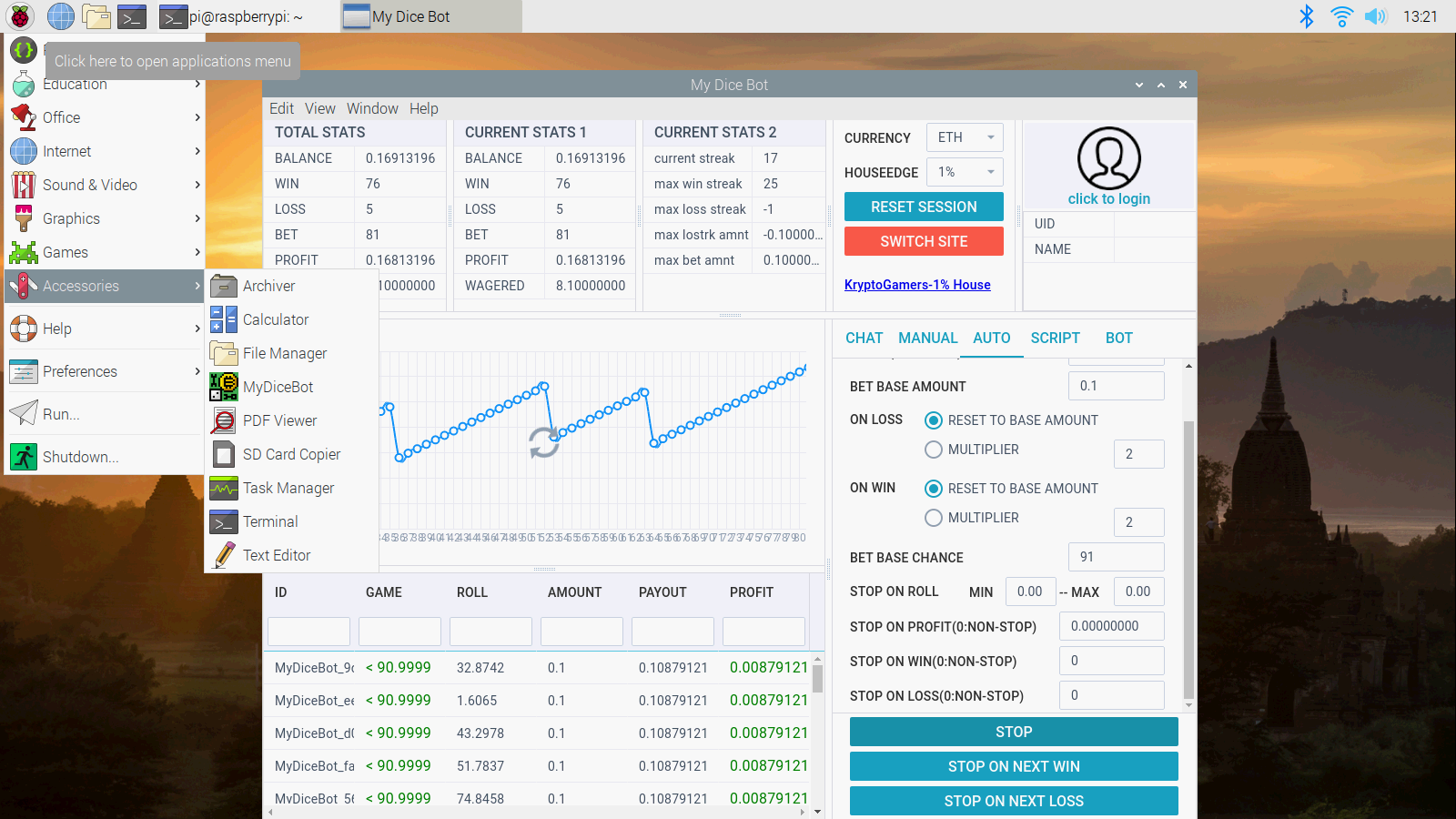
Table Of Content
- Download
- Supporting Dice Sites (alphabet sequence)
- Faucet
- Mining
- Exchange
- Quick Start
- How to Run
- Startup Options
- Features
- Manual Bet
- Auto Bet
- Script Bet
- Report Issue
- License
- Thanks
- Quote
- Disclaimer
- Legal
- Contact
- Donation
Download

- Binaries: https://mydicebot.com/contents/download/
- Source Code: https://github.com/mydicebot/mydicebot.github.io
Supporting Dice Sites (alphabet sequence)
Traditional
- 999Dice
- 999Doge
- Bitsler
- Crypto.Games
- DuckDice
- Freebitco.in
- PrimeDice
- ParaDice
- Stake
- WinDice
- WolfBet
- YoloDice
Blockchain - STEEM
TODO
- BetKing (coming soon)
- BitDice (coming soon)
- BitVest (coming soon)
- Dice-Bet (coming soon)
- KingDice (coming soon)
- MegaDice (coming soon)
- NitroDice (coming soon)
- NitrogenSports (coming soon)
- SafeDice (coming soon)
- (More will be coming soon)
Telegram Bot
Faucet
Mining
Exchange
Quick Start
-
Download MyDiceBot Binaries here: MyDiceBot Releases.
-
Different execution methods on different platforms.
-
Linux (Open Terminal)
chmod +x mydicebot-linux./mydicebot-linux -
Mac (Open Terminal)
chmod +x mydicebot-macos./mydicebot-macos -
Windows (Open Command Prompt)
mydicebot-win.exe
-
-
Choose Dice Site, Input username/password/2FA/APIKey, then Login.
-
Bet and WIN.
How to run from source code directly
Ensure you install the latest version of docker and docker-compose
bashgit clone https://github.com/mydicebot/mydicebot.github.io.git mydicebot cd mydicebot bash start.sh
Features
- Supported platforms: Windows, Mac, Linux, Web, Terminal/Console, Android and Raspberry Pi
- Supported programming languages: Lua, Javascript and Python
- Supported multiple dice-sites
- Supported multiple strategies
- New account registration
- Existing account login
- Betting statistics
- Manual bet
- Auto bet
- Script bet (compatible with Seuntjies DiceBot scripts)
- Script gist
- Chat room MyDiceBot on Discord
Manual Bet
- You can control every bet by yourself.
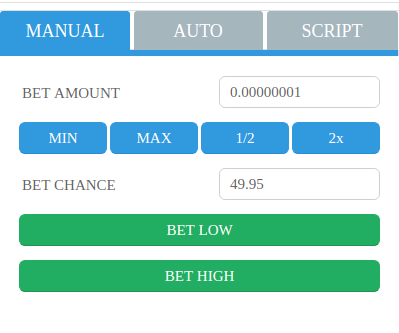
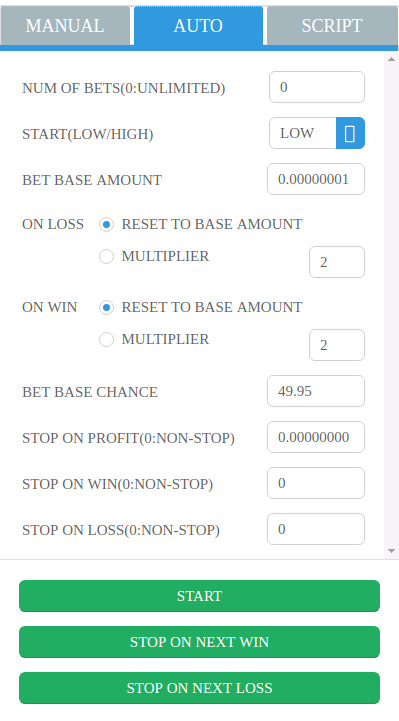
Auto Bet
- Essential configurations are provided for betting automatically.
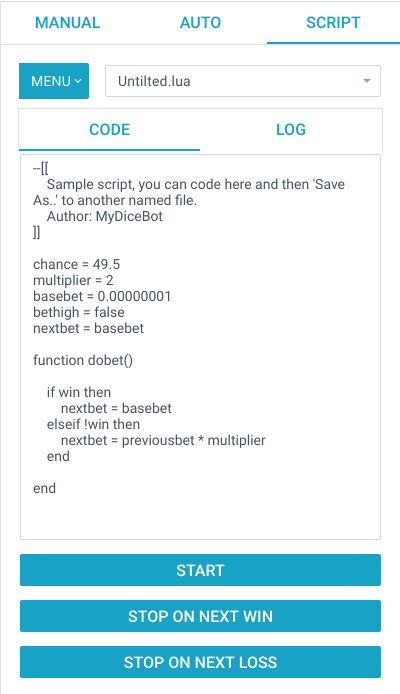
Script Bet
- Lua programming language
- JavaScript programming language
- Python programming language
- Compatible with the variables and functions of Seuntjie DiceBot's Lua script
- Import script from gist (Github) easily
Internal Variables
- Single Bet Info
| Variable | Type | Permission | Purpose |
|---|---|---|---|
| basebet | double | Read Write | Shows the amount of the first bet. Only set for first bet. |
| previousbet | double | Read Only | Shows the amount of the previous bet. Only set after first bet. |
| nextbet | double | Read Write | The amount to bet in the next bet. You need to assign a value to this variable to change the amount bet. Defaults to previousbet after first bet. Needs to be set before betting can start. |
| chance | double | Read Write | The chance to win when betting. Defaults to value set in advanced settings if not set. Need to set this value to change the chance to win/payout when betting. |
| bethigh | bool | Read Write | Whether to bet high/over (true) or low/under(false). Defaults to true (bet high/bet over) |
| win | bool | Read Only | Indicates whether the last bet you made was a winning bet (true) or a losing bet (false). |
| currentprofit | double | Read Only | Shows the profit for the last bet made. This is not the amount returned. betting 1 unit at x2 payout, when winning, currentprofit will show 0.00000001 (returned =0.00000002), when losing, profit will show -0.00000001 |
| currentstreak | double | Read Only | Shows the current winning or losing streak. When positive (>0), it's a winning streak. When negative (<0) it's a losing streak. Can never be 0. Only set after first bet. |
| currentroll | double | Read Only | Show current roll information |
| lastbet | object | Read Only | This is an object containing more details about the previous bet, including the lucky number that was rolled, chance, amount, profit etc. |
- Current Session Info
| Variable | Type | Permission | Purpose |
|---|---|---|---|
| balance | double | Read Only | Lists your balance at the site you're logged in to. |
| bets | int | Read Only | Shows the number of bets for the current session. |
| wins | int | Read Only | Shows the number of wins for the current session. |
| losses | int | Read Only | Shows the number of losses for the current session. |
| profit | double | Read Only | Shows your session profit. Session is defined as the time since opening the current instance of bot or the last time you reset your stats in the bot. |
| currencies | string array | Read Only | List the currencies that can be used at the current site, usually in the currency short code (btc, ltc, etc.). |
| currency | string | Read Write | Can be used to change the currency to bet in using any value from the currencies list. Only values from the currencies list can be used. |
Internal Functions
| Function | Purpose |
|---|---|
| dobet() | The loop of bets |
| stop() | Stop the bet |
| start() | Start the bet (from very beginning) after stop() |
| resume() | Resume the bet (from current stopping) after stop() |
| resetsession() | Reset the session |
| resetstats() | Reset the session |
| resetseed() | Reset the client seed |
| sound(path_of_the_sound) | Sound notificaiton |
| message(text, type='debug', expire=time_interval_value_in_ms) | Message notification on the screen. Four types: "info", "success", "debug", or "error". Expire interval is 4000 ms by default, -1 for not hiding the message. |
| betinterval(ms) | Bet Interval in milliseconds |
Sample Code
- Strategy: Basic Martingale
- Using Lua
luachance = 49.5 multiplier = 2 basebet = 0.00000010 bethigh = false function dobet() if profit >= 0.1 then stop() end if win then nextbet = basebet else nextbet = previousbet * multiplier end end
- Using Javascript
javascriptchance = 49.5; multiplier = 2; baseBet = 0.00000001; betHigh = false; function dobet() { if (win) { nextBet = basebet; } else { nextBet = previousbet * multiplier; } }
- Using Python
pythonchance = 49.5 multiplier = 2 basebet = 0.00000001 bethigh = False nextbet = basebet def dobet(event): if win: nextbet = basebet else: nextbet = previousbet * multiplier
Script Gist
- https://gist.github.com/mydicebot
- Import script from gist (github) in MyDiceBot app directly
- Vote/Comment/Fork scripts on gist (github)
Report Issue
License
- GPL-3.0
Thanks
- Special thanks to the open source project of Seuntjies DiceBot.
- If you need simulation functions or advanced-autobet functions, we recommand Seuntjies DiceBot.
Quote
- "Gambling is gambling no matter what you do or how good your strategy is. The house always wins if you keep playing. Winners know when to stop."
- "Like any human, we make mistakes, and like any program, the bot is bound to have a few bugs. Use the bot at your own risk. "
Disclaimer
- This is still gambling. The bot is not guaranteed to win.
- Please do not gamble more than you can afford to lose.
- The bot has a lot of settings, and we cannot test each and every combination.
- The bot might behave unpredictable and unreliably with certain combinations of settings.
- Certain actions from the server might also result in unexpected behavior.
- We cannot be held responsible for any losses incurred while using the bot.
Legal
- It is your obligation to ensure compliance with any legislation relevant to your country of domicile regarding online gambling.
Contact
- github: https://github.com/mydicebot/mydicebot.github.io/issues
- steemit: https://steemit.com/@mydicebot
- bitcointalk: ★MyDiceBot★ - Ultimate Bitcoin Dice Bot. Bet More, Earn More!
- discord: https://discord.gg/S6W5ec9
Donation
- BTC: 19Yw3Hs8zAidGEUNeEUM2r4tXLnrJDy7kN
- ETH: 0x3d652737ad9906344C0fb9C693bD3917FDaa37dC
- BCH: qpwukqk0a557yytlg9x9tl77qjh8lje03gyd73qgm6
- DOGE: D9wMjdtGqsDZvjxWMjt66JLjE9E9nMAKb7
- steemit: @mydicebot
Contributors
Showing top 3 contributors by commit count.


