

Mesh navigation
The Mesh Navigation Stack: Efficient Mobile Robot Navigation in Uneven Terrain
Tutorials • Documentation • Videos • Move Base Flex • Mesh Tools The project is written primarily in C++, distributed under the BSD 3-Clause "New" or "Revised" License license, first published in 2019. Key topics include: 3d-path-planning, control, locomotion, mesh, navigation.


The Mesh Navigation bundle (MeshNav) provides software for efficient robot navigation on 2D manifolds, which are represented in 3D as triangle meshes. It enables safe navigation in various complex outdoor environments by using a modularly extensible layered mesh map. Layers can be loaded as plugins representing specific geometric or semantic metrics of the terrain. This allows the incorporation of obstacles in these complex outdoor environments into path and motion planning. The layered Mesh Map is integrated with Move Base Flex (MBF), which provides a universal ROS action interface for path planning, motion control, and for recovery behaviors. We also provide additional planner and controller plugins that run on the layered mesh map.
<center><a href="https://www.youtube.com/watch?v=gvKsW5MEC4Y&list=PLZCjrqh-MUkTzEJxnscuDPakxjo-xKMTO&index=1"><img title="Demo Gif" src="docs/images/demo.gif?raw=true" alt="Demo Gif" width="600"></a></center>Installation
You need a working ROS 2 installation; we target humble and jazzy at the moment. Go into a ROS 2 workspace's source directory cd $YOUR_ROS_WS/src. Then clone the source code
bashgit clone git@github.com:naturerobots/mesh_navigation.git
Get MeshNav's ROS 2 dependencies
- Clone source dependencies: Run
vcs import --input mesh_navigation/source_dependencies.yamlin your ROS 2 workspace source directory. - Get packaged dependencies: Run
rosdep install --from-paths . --ignore-src -r -yfrom within your ROS 2 workspace source directory.
Build: Go to workspace root cd $YOUR_ROS_WS and run
bashcolcon build --packages-up-to mesh_navigation
Getting Started
Recommended entrypoint for new users: Start with the mesh_navigation_tutorials, a ready-to-use mesh navigation stack including simulated environments, RViz setup, and configuration files. As part of the tutorials, we also provide a collection of virtual worlds that work even without a robot or powerful hardware.
MeshNav Plugins
MeshNav inherits the generic navigation interfaces from Move Base Flex (MBF), which provides a universal, map-agnostic ROS action interface for path planning, motion control, and recovery behaviors. This flexible architecture makes MeshNav extensible and interoperable with other navigation approaches. We also provide additional planner and controller plugins that run on the layered mesh map. MeshNav provides a plugin system so that you can write your own plugins for mesh layers and mesh-based planning & control. This project already provides several implementations you can use out of the box.
Mesh Layers
Mesh layers are plugins that compute cost or feature values for each triangle or vertex in the mesh. They enable the robot to evaluate terrain properties and use this information to make informed navigation decisions. Each layer can represent different geometric or semantic characteristics of the environment.
| HeightDiff | Roughness | Steepness | Ridge |
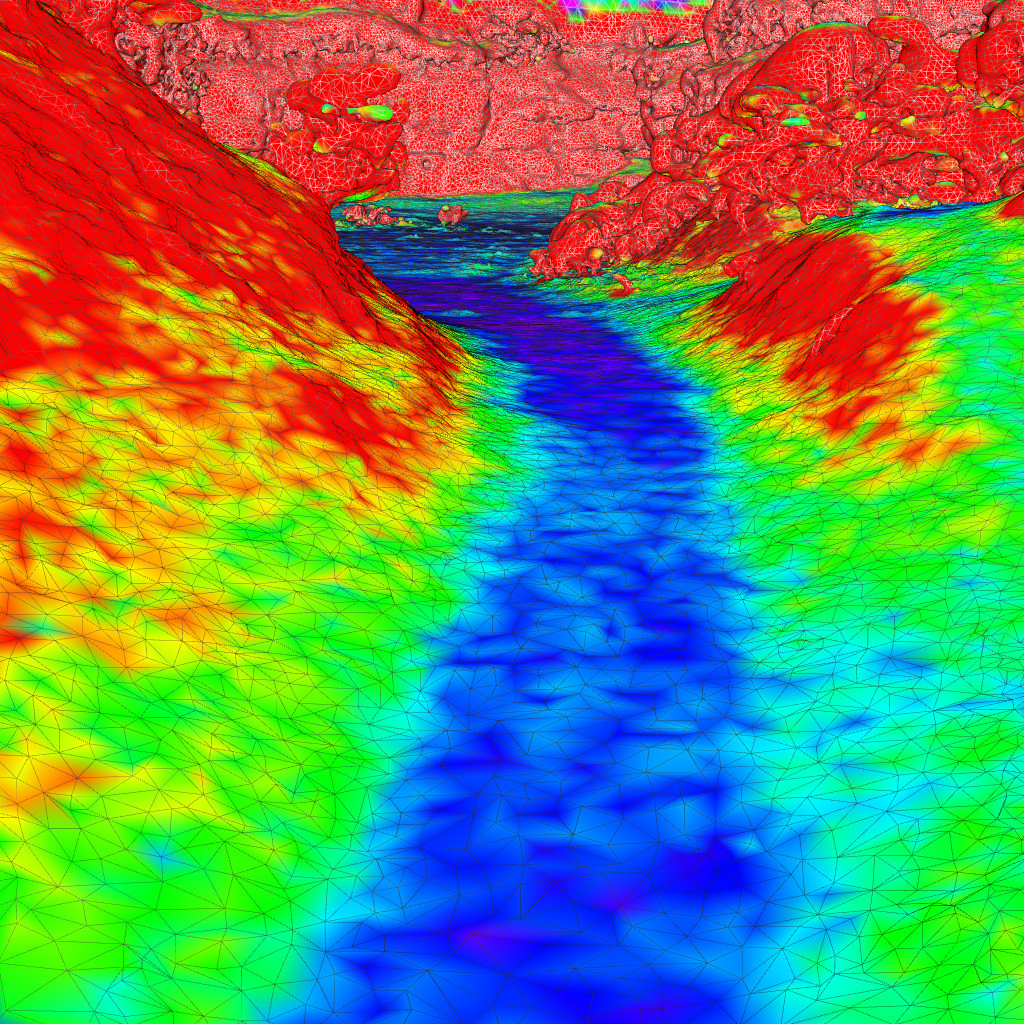 | 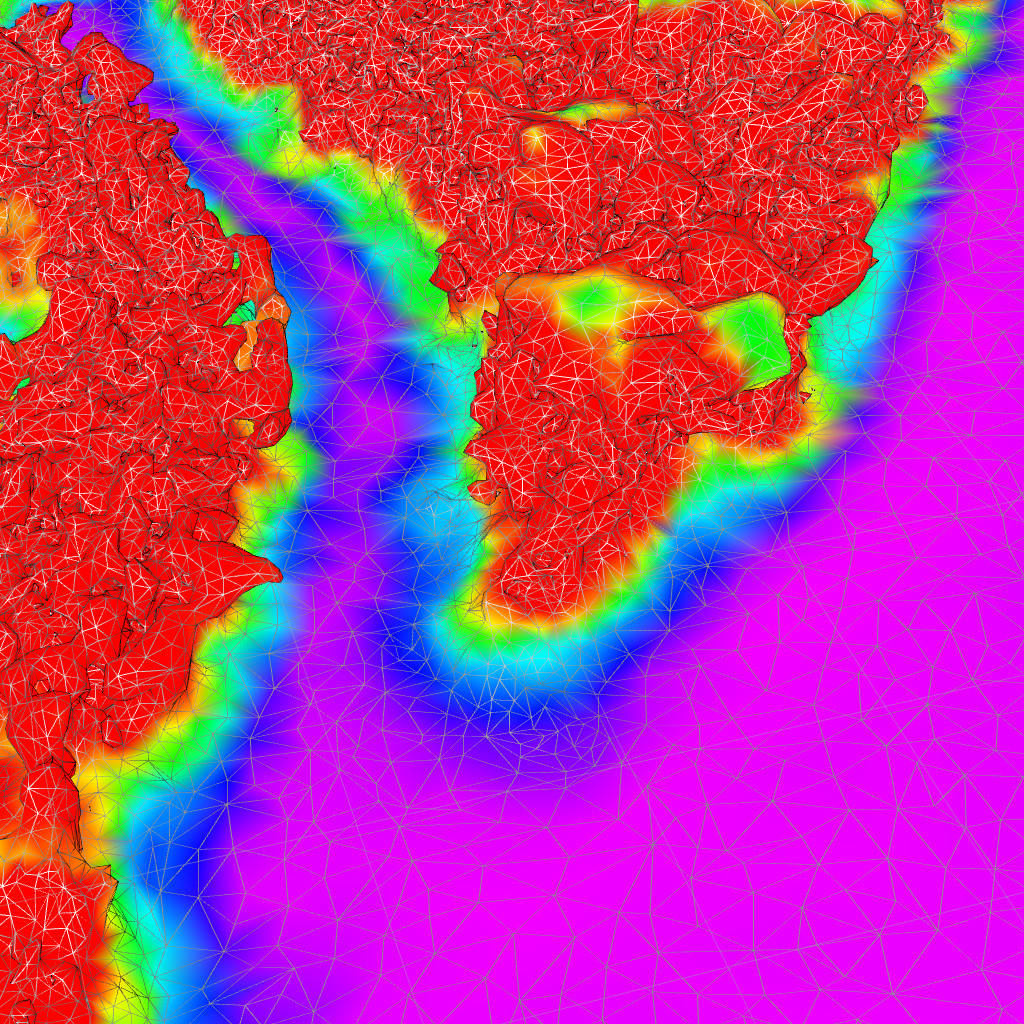 | 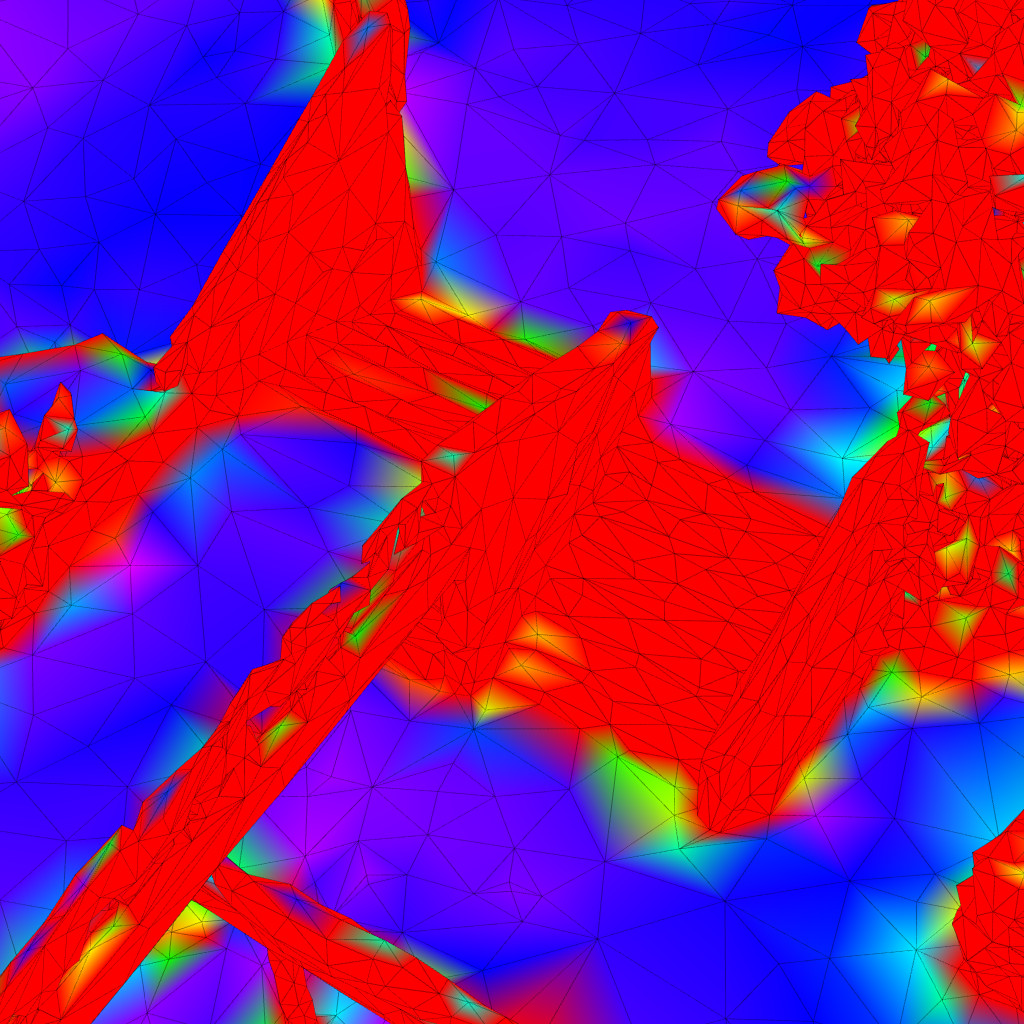 | 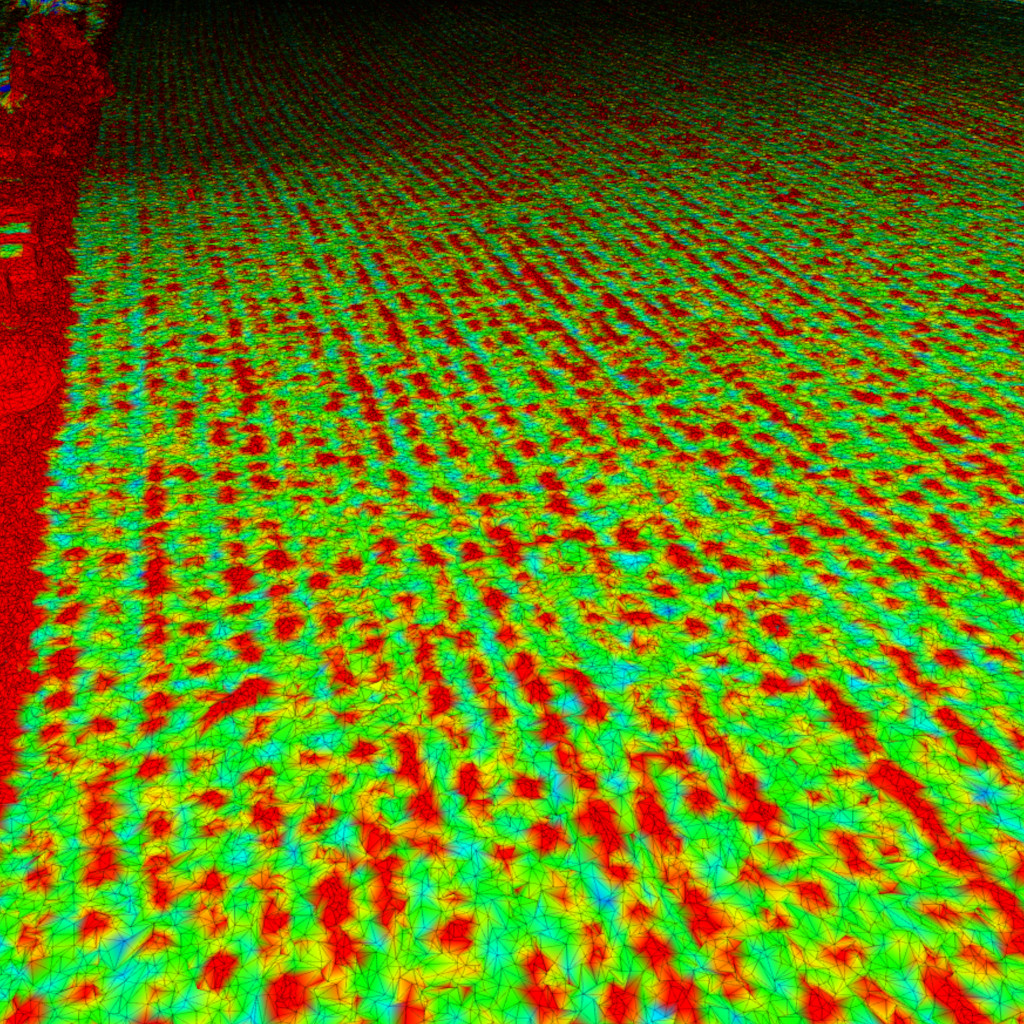 |
| Clearance | Inflation | Border | Obstacle |
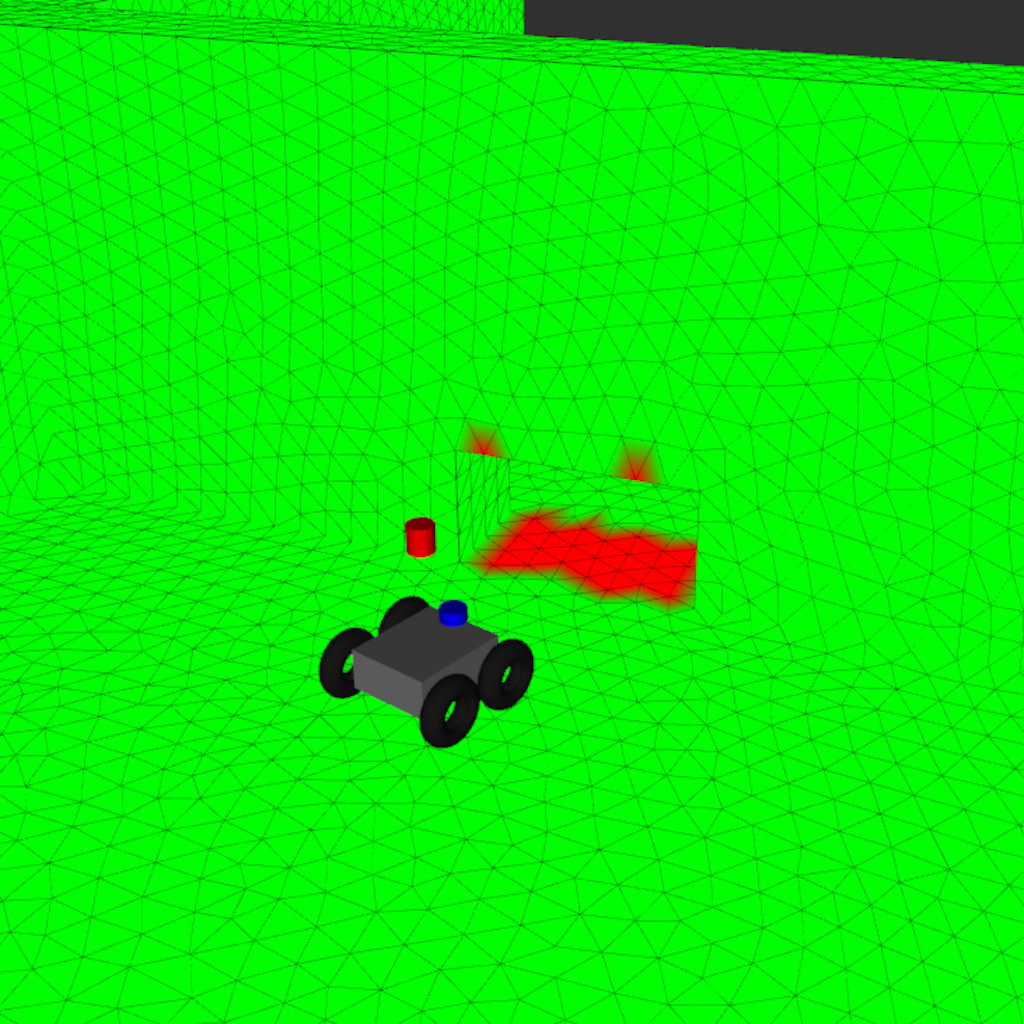 | 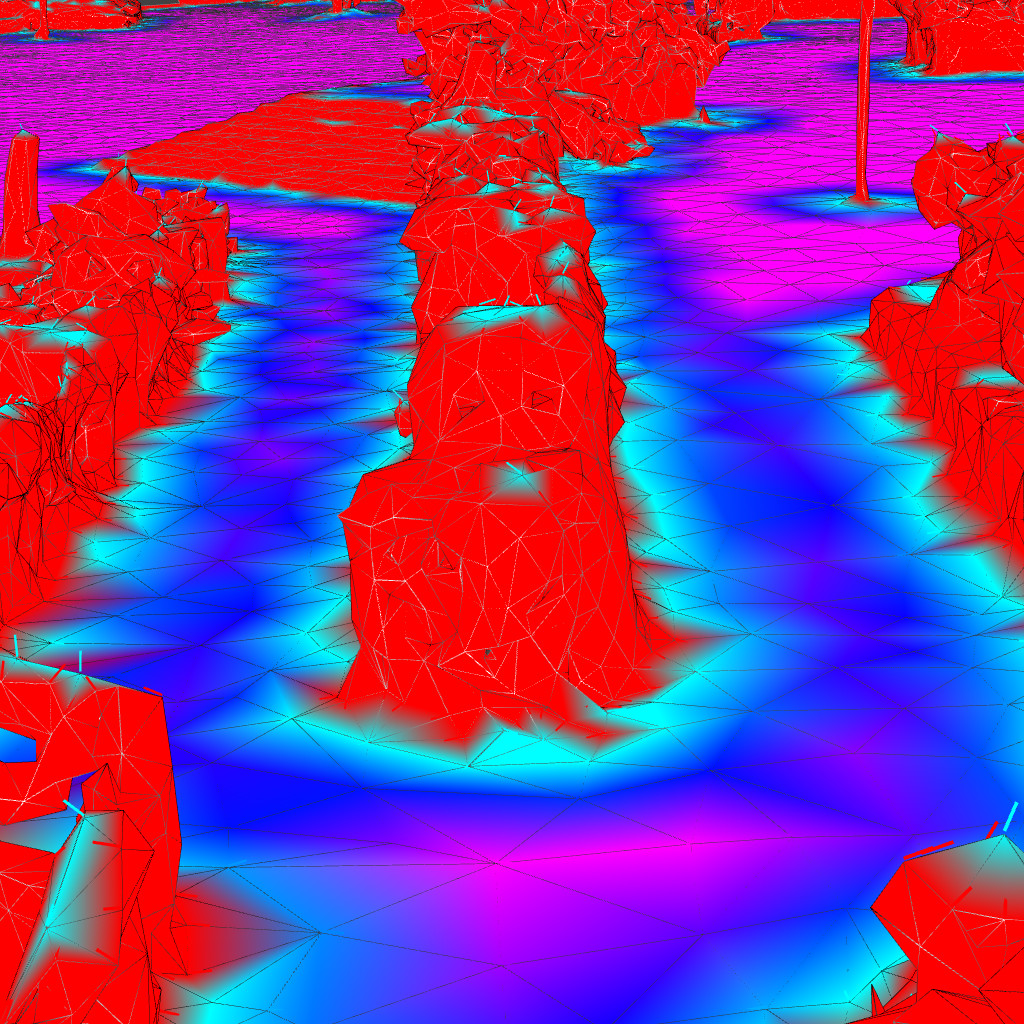 | 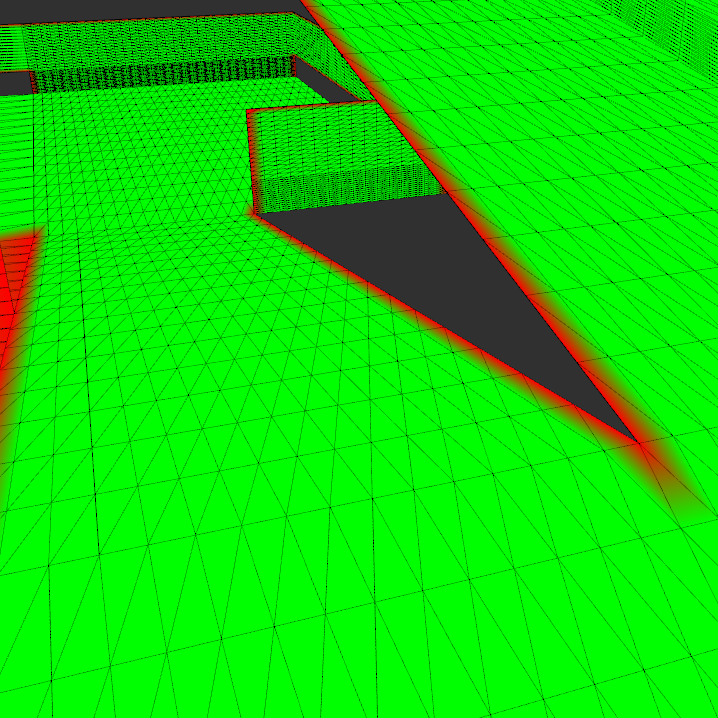 | 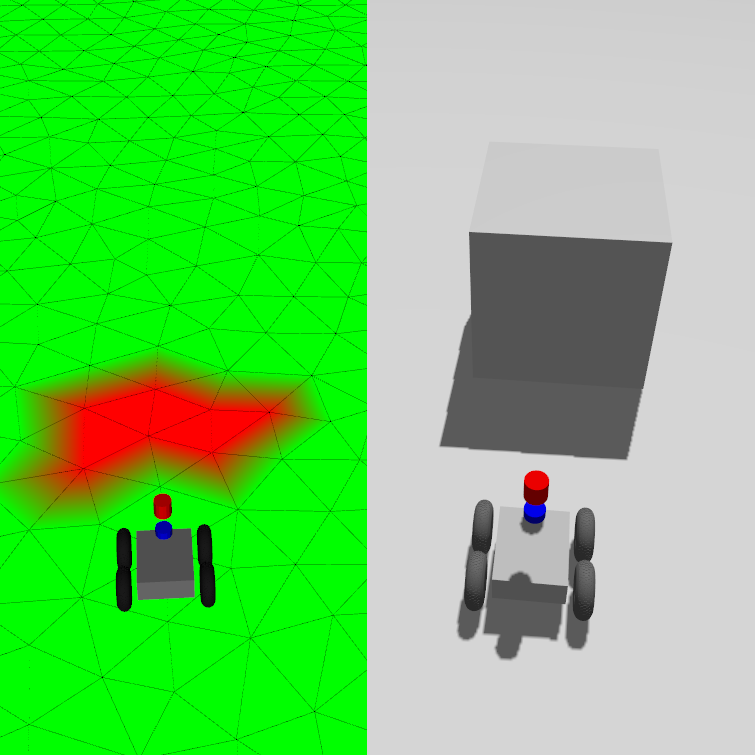 |
The layered approach allows combining multiple cost factors (e.g., steepness, roughness, obstacles) in a dependency graph structure to create comprehensive traversability assessments for safe navigation in complex terrain.
Planners & Controllers
MeshNav includes several planners and controllers specifically designed to work with mesh maps. These plugins leverage the 3D mesh structure to compute paths and control commands that respect the terrain geometry.
Global Planners
| Dijkstra | Continuous Vector Field Planner (CVP) |
|---|---|
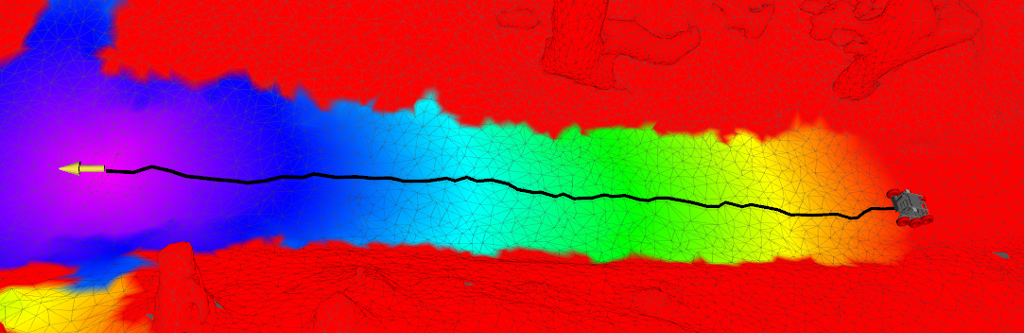 | 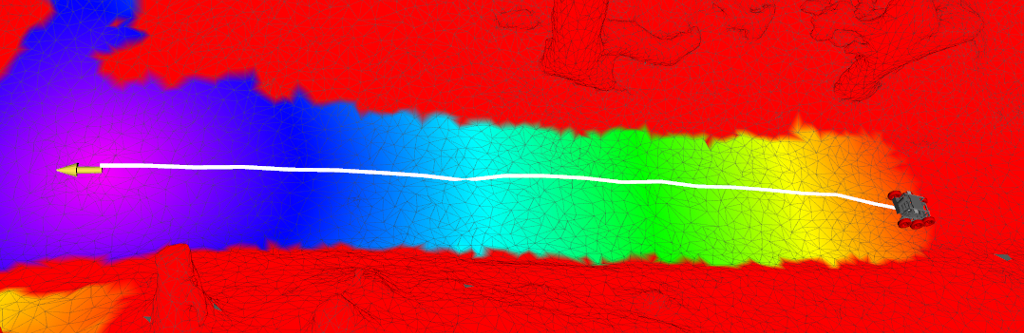 |
dijkstra_mesh_planner/DijkstraMeshPlanner | cvp_mesh_planner/CVPMeshPlanner |
Both planners compute globally optimal paths across the mesh surface, taking into account the accumulated costs from all active mesh layers.
Local Controllers
| Vector Field Controller | MeshMPPI |
|---|---|
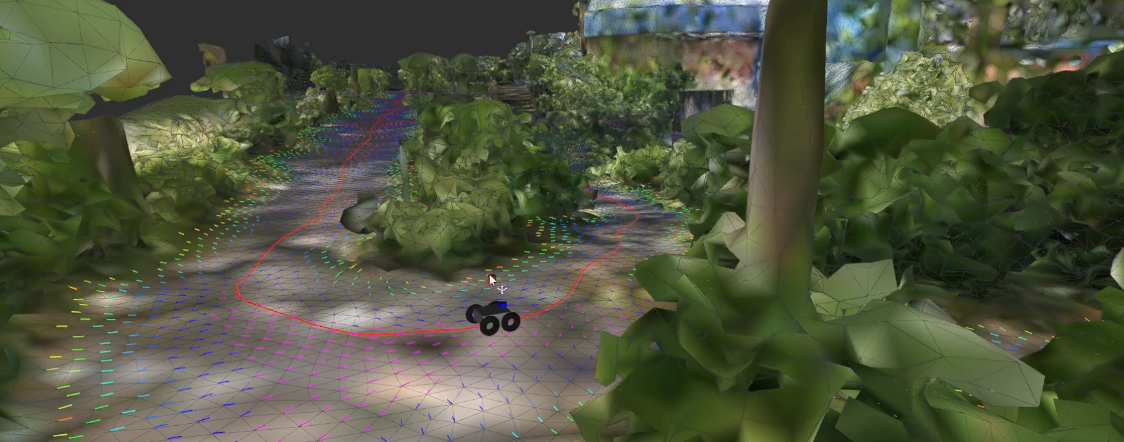 | 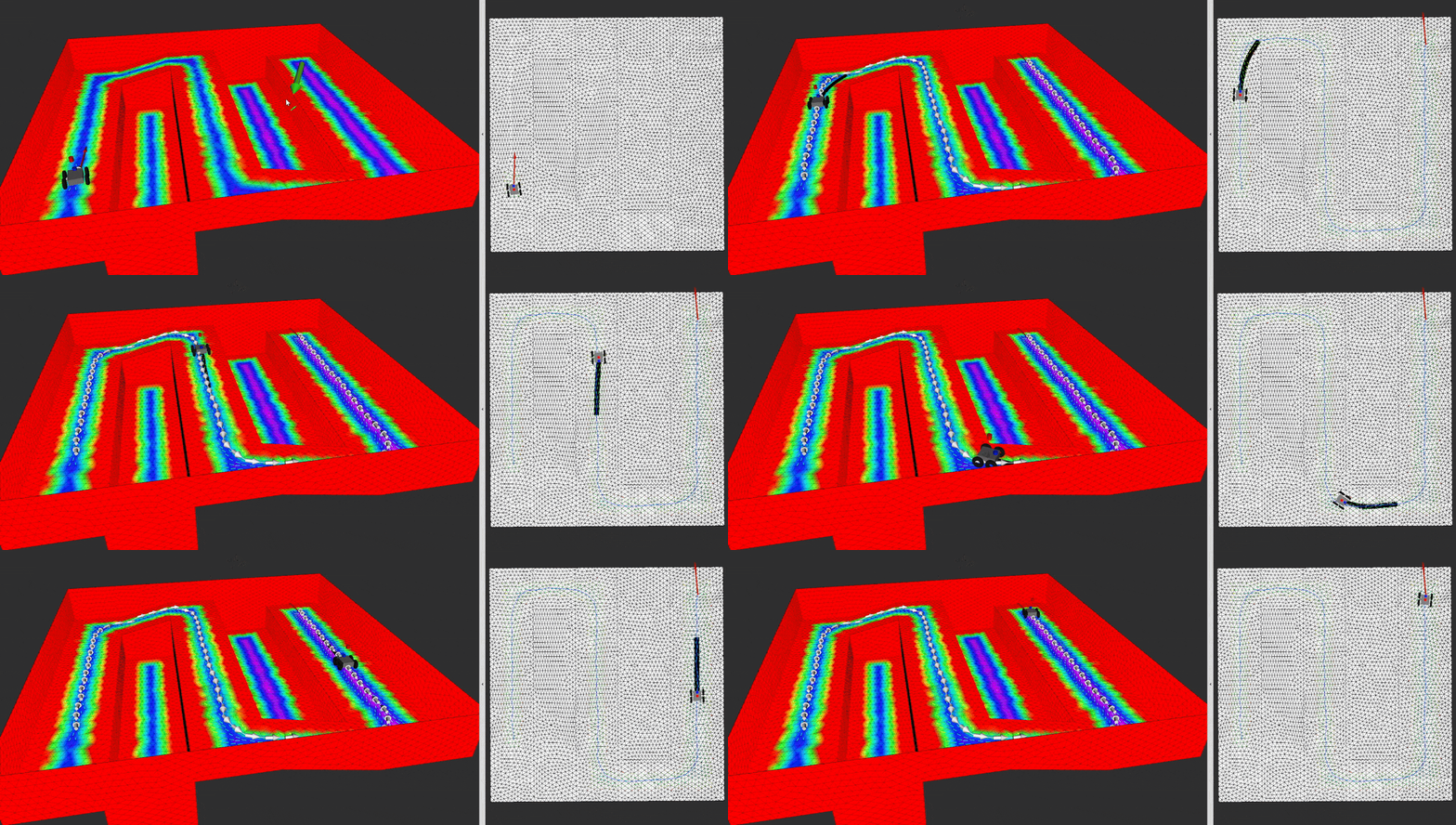 |
mesh_controller/MeshController | mesh_mppi/DiffDriveMPC/ mesh_mppi/BicycleMPC |
The controllers generate velocity commands to follow the planned path while reacting to local obstacles and terrain features.
>> Explore Planners & Controllers <<
Related Publications
Please reference the following papers when using the navigation stack in your scientific work.
3D Navigation Mesh Generation for Path Planning in Uneven Terrain
bib@inproceedings{puetz20163dnav, title = {3D Navigation Mesh Generation for Path Planning in Uneven Terrain}, author = {Pütz, Sebastian and Wiemann, Thomas and Sprickerhof, Jochen and Hertzberg, Joachim}, booktitle = {9th IFAC Symposium on Intelligent Autonomous Vehicles (IAV)}, series = {IFAC-PapersOnLine}, volume = {49}, number = {15}, pages = {212--217}, year = {2016}, doi = {10.1016/j.ifacol.2016.07.734} }
Continuous Shortest Path Vector Field Navigation on 3D Triangular Meshes for Mobile Robots
bib@inproceedings{puetz21cvp, title = {Continuous Shortest Path Vector Field Navigation on 3D Triangular Meshes for Mobile Robots}, author = {Pütz, Sebastian and Wiemann, Thomas and Kleine Piening, Malte and Hertzberg, Joachim}, booktitle = {2021 IEEE International Conference on Robotics and Automation (ICRA)}, year = {2021}, doi = {10.1109/ICRA48506.2021.9560981} }
Navigation Control & Path Planning for Autonomous Mobile Robots
bib@phdthesis{puetz2022diss, title = {Navigation Control \& Path Planning for Autonomous Mobile Robots} author = {Sebastian Pütz}, school = {Universität Osnabrück}, year = {2022}, doi = {10.48693/69} }
Related Work
Mesh Tools
We developed the Mesh Tools as a package consisting of message definitions, RViz plugins and tools, as well as a
persistence layer to store such maps. These tools make the benefits of annotated triangle maps available in ROS and
allow to publish, edit and inspect such maps within the existing ROS software stack.
Mesh Localization
For the necessary localization of the robot relative to the mesh, we recommend using RMCL. We presented the combination of both software packages at ROSCon 2023:
<a href="https://vimeo.com/879000775" target="_blank" ><img src="docs/images/roscon2023_talk.png" alt="MeshNav ROSCon 2023 Video" width="300px"/></a>
Maintain and Contribute
We are happy to receive improvements to the mesh navigation stack. Just open an issue. PRs are welcome!
Maintainers:
- Alexander Mock (Nature Robots)
- Justus Braun (Osnabrück University)
Authors:
- Sebastian Pütz (Nature Robots)
- Alexander Mock (Nature Robots)
- Matthias Holoch (Nature Robots)
- Justus Braun (Osnabrück University)
Contributors
Showing top 6 contributors by commit count.


Related Repositories

dfl-rlab/dddmr_navigation
dddmr_navigation is the 3D navigation solution for mobile robots includes mapping/localization/perception/path planning/controller/navigation stack

luigifreda/3dmr
3D Multi-Robot Exploration, Patrolling and Navigation.

realkushagrakhare/3D_Path_Planning
AI project for 3D Path Planning. Other details and running instructions can be found on the Readme.md file