

Compilation visualizer
Unity Tool showing a timeline of assembly compilation. This is especially helpful when trying to optimize compile times and dependencies between assemblies. Besides showing a graphical view of compilation, selecting an assembly shows both dependencies and dependents of that assembly.
This tool visualizes the assembly compilation process in Unity3D. It hooks into the Editor-provided events and nicely draws them on a timeline. That's especially helpful when trying to optimize compile times and dependencies between assemblies. The project is written primarily in C#, distributed under the MIT License license, first published in 2020. It has gained significant community traction with 1,122 stars and 46 forks on GitHub. Key topics include: assembly, compact, compilation-visualizer, unity.
Compilation Visualizer for Unity


What's this?
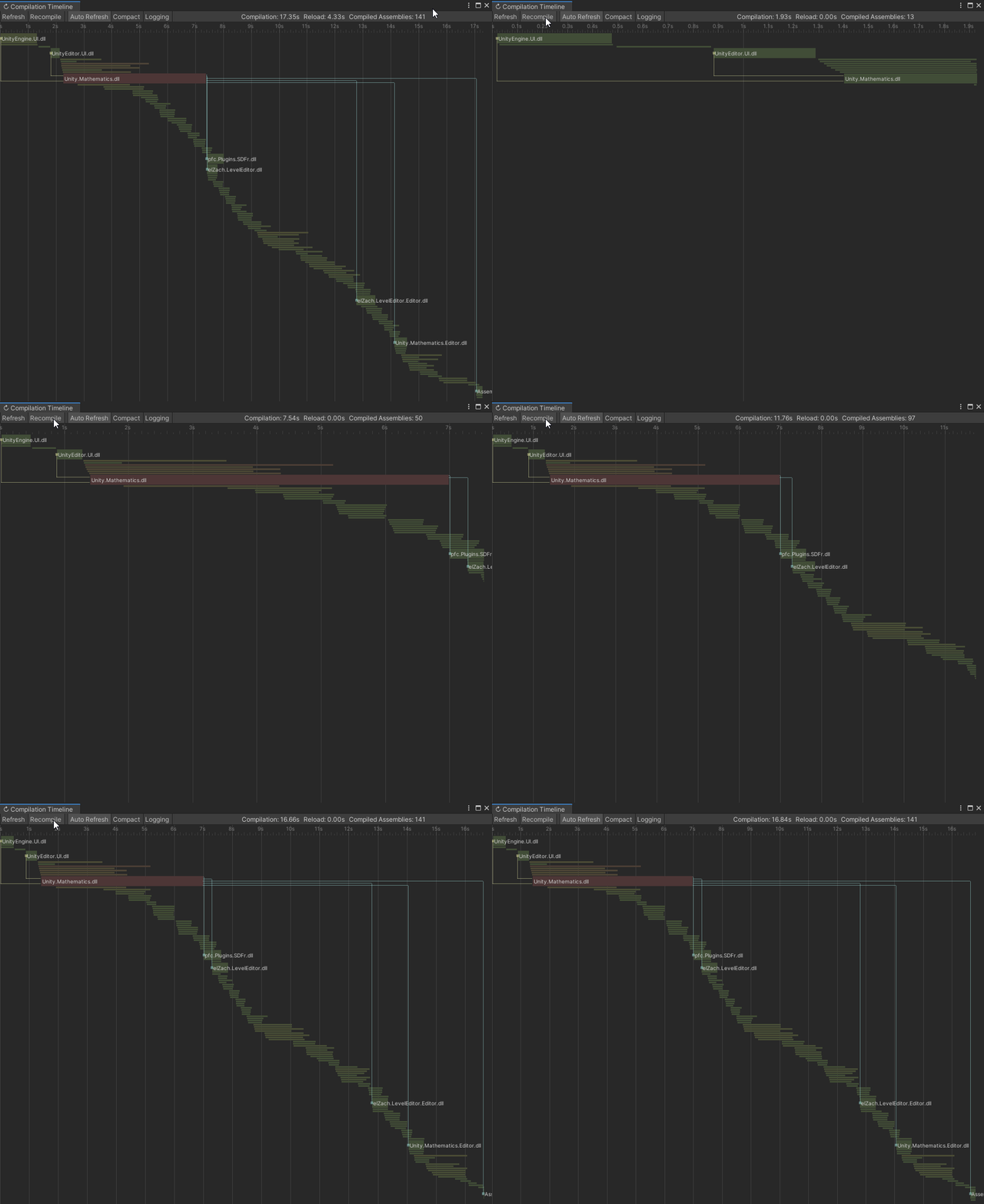
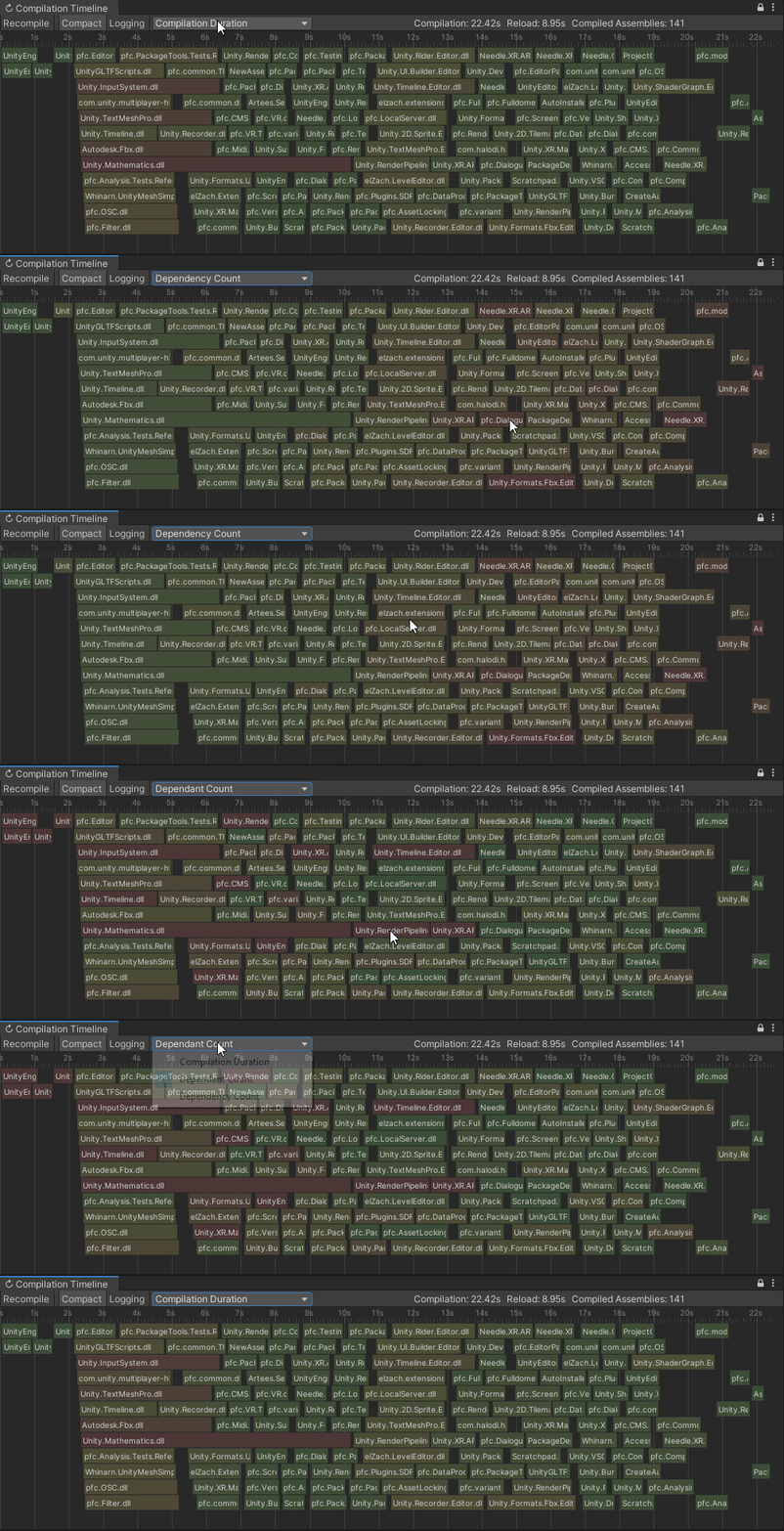
This tool visualizes the assembly compilation process in Unity3D. It hooks into the Editor-provided events and nicely draws them on a timeline. That's especially helpful when trying to optimize compile times and dependencies between assemblies.
Besides showing a graphical view of compilation, selecting an assembly shows both dependencies and dependents of that assembly.
The screenshots show full compilations; but the timeline works as well for partial compilations (e.g. you changed a single script and Unity only recompiles the relevant parts of the dependency chain).
Quick Start
Compilation Visualizer is available on OpenUPM: https://openupm.com/packages/com.needle.compilation-visualizer/
If you're on Unity 2019.4+:
- open
Edit/Project Settings/Package Manager - add a new Scoped Registry or add the package to the existing OpenUPM scope:
Name: OpenUPM URL: https://package.openupm.com/ Scope(s): com.needle.compilation-visualizer - click <kbd>Save</kbd>
- open Package Manager
- click <kbd>+</kbd>
- select <kbd>Add from Git URL</kbd>
- paste
com.needle.compilation-visualizer - click <kbd>Add</kbd>.
You can open the Compilation Visualizer by selecting Window > Analysis > Compilation Timeline. It will automatically update whenever something is compiled.
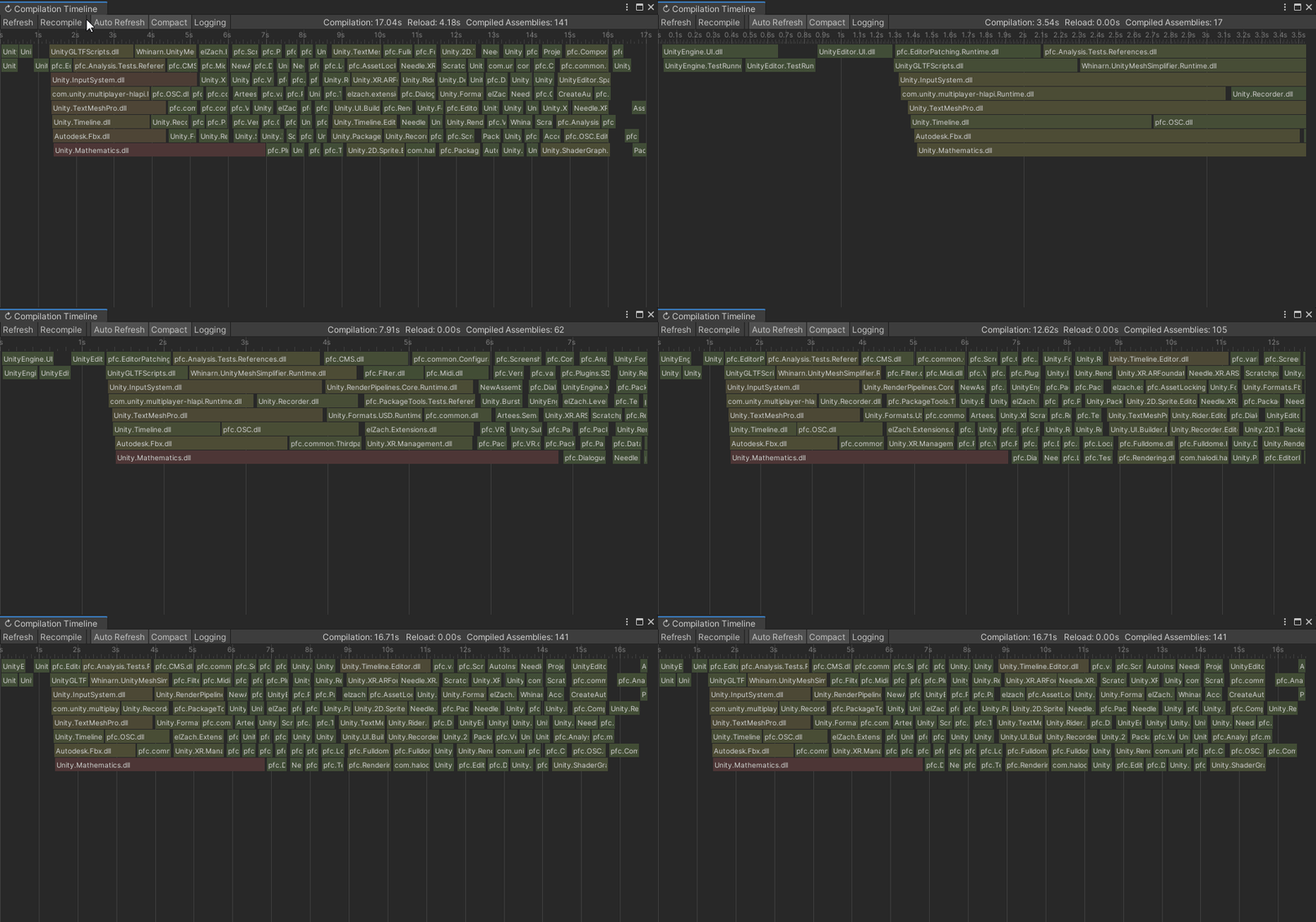
Recompile
If you want to trigger a recompile, you can either use the <kbd>Recompile</kbd> button, or Right Click > Reimport a script or folder with scripts to cause that to be recompiled.
You can also compile player scripts only, by clicking <kbd>Compile Player Scripts</kbd>. Use the dropdown button to switch to another platform.
On 2021.2+, Unity changed how compilation results are cached. The <kbd>Recompile</kbd> and <kbd>Compile Player Scripts</kbd> will clear those caches to allow measuring a full compilation run.
Navigation
<kbd>Left Click</kbd> to select a specific assembly. This will show dependencies and dependants.
<kbd>Hover</kbd> over an assembly to get additional details.
<kbd>Alt + Scroll Wheel</kbd> to zoom in/out.
<kbd>Alt + Right Click</kbd> to reset zoom.
<kbd>Compact</kbd> will toggle between a waterfall view of all assemblies, and a compact collapsed view that tries to save space.
<kbd>Logging</kbd> turns on a lot of extra logs that will be put into the Console when clicking on an assembly.
<kbd>Show Reloads</kbd> adds an extra section in the timeline to see how much time went into compilation and how much into the following Domain Reload.
EditMode tests
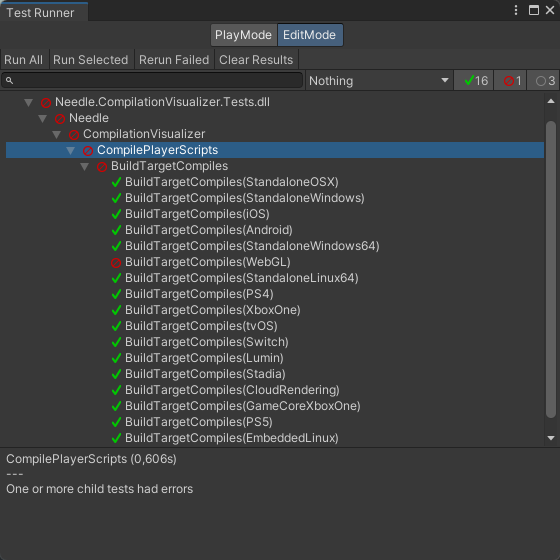
Compilation Visualizer can run edit mode tests to ensure your project compiles on all platforms, catching common mistakes with ifdefs and API compatibility.
To use these tests, simply add it to the "testables" section in your project manifest.json:
  "testables": [
    "com.needle.compilation-visualizer"
  ],
Then, when you open Window > General > Test Runner you can click <kbd>Run All</kbd> or double-click CompilePlayerScripts.
Screenshots
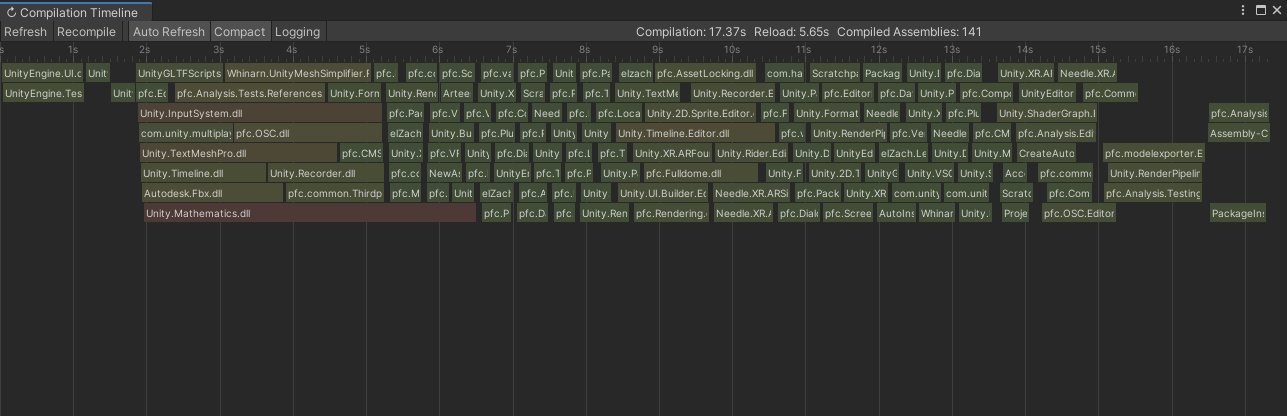
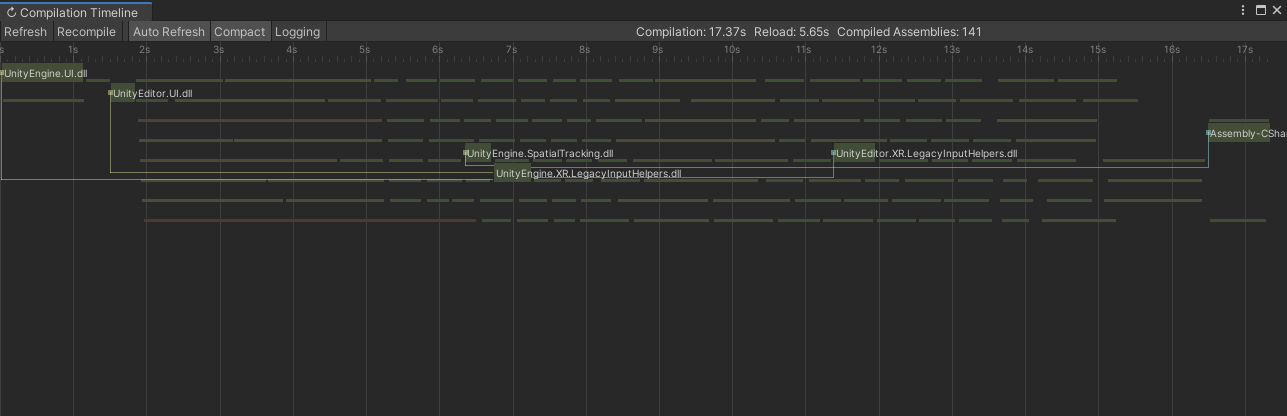
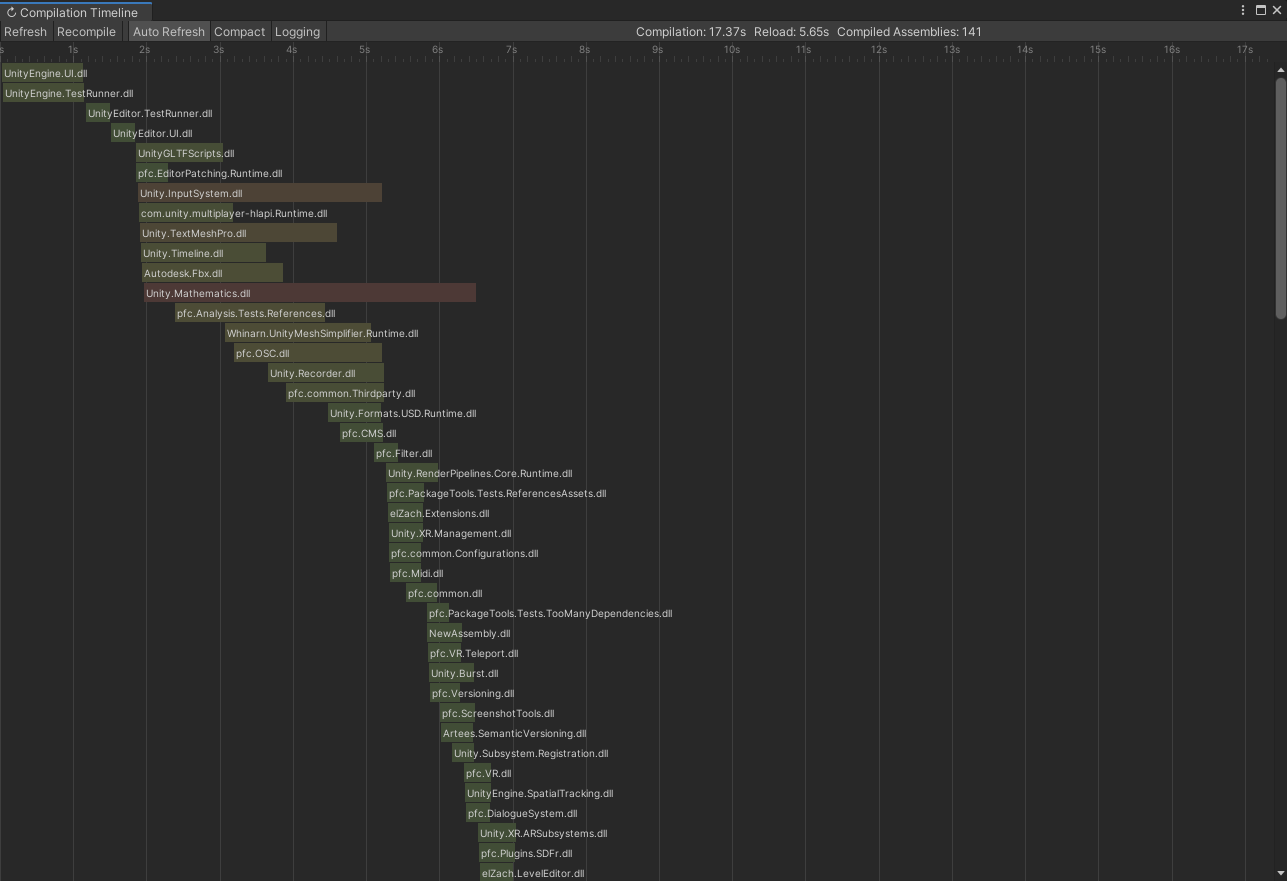
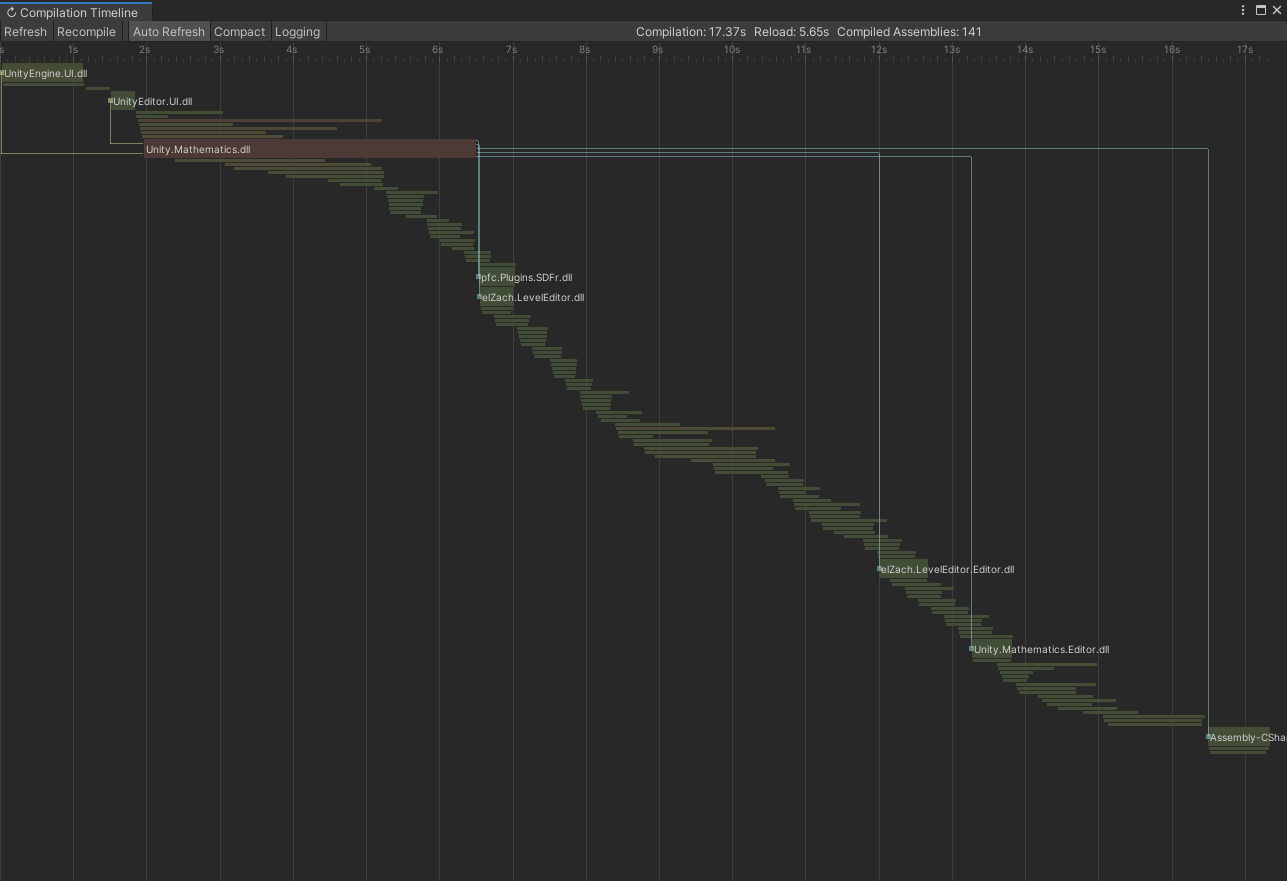
Compatibility to 2018.4, 2019.1, 2019.2
While most functionality works great those versions, some minor things are different:
- slightly less accurate total compilation time on 2018.4 — 2019.1+ has events for the entire compilation while on 2018.4 the last finished assembly compilation is used as end date.
- no PackageInfo for now on 2018.4/2019.1 as
PackageInfo.FindForAssetdoesn't exist.
Known Issues
On 2021.2, sometimes UnityEditor.UI.dll and UnityEditor.TestRunner.dll are included in Player Builds for reasons.
Contact
<b>needle — tools for unity</b> •
@NeedleTools •
@marcel_wiessler •
@hybridherbst
Contributors
Showing top 5 contributors by commit count.




Related Repositories

compiler-explorer/compiler-explorer
Run compilers interactively from your web browser and interact with the assembly

mytechnotalent/Reverse-Engineering
A FREE comprehensive reverse engineering tutorial covering x86, x64, 32-bit/64-bit ARM, 8-bit AVR and 32-bit RISC-V architectures.

Gallopsled/pwntools
CTF framework and exploit development library

gurugio/lowlevelprogramming-university
How to be low-level programmer

cyrus-and/gdb-dashboard
Modular visual interface for GDB in Python

Dman95/SASM
SASM - simple crossplatform IDE for NASM, MASM, GAS and FASM assembly languages