

Nixopus
Run production apps without thinking about infrastructure. On your server or ours. Fully agentic.
First open-source deployment platform with an autonomous AI agent to deploy, monitor, and heal your apps. Self-host on your own infrastructure or use [Nixopus Cloud][dashboard-link] to go live in minutes. The project is written primarily in Go, distributed under the Other license, first published in 2025. It has gained significant community traction with 1,446 stars and 132 forks on GitHub. Key topics include: agents, ai, ai-agents, ci-cd, coolify.
First open-source deployment platform with an autonomous AI agent to deploy, monitor, and heal your apps.<br/>
Self-host on your own infrastructure or use Nixopus Cloud to go live in minutes.




TOC
<br/> </details>Demo
See Nixopus in action, from deploying apps to day-to-day operations on your infrastructure.
https://github.com/user-attachments/assets/6d6f24ef-47d5-4fe2-ab63-65f0ed5f7782
<div align="right">
Getting Started & Join Our Community
Nixopus is the deployment platform where an AI agent handles your entire deploy lifecycle, from analyzing your codebase and generating configs to shipping your app and fixing failures. Connect your repo, tell the agent to deploy, and go live. Learn more in the introduction or jump to the quickstart.
 | No installation required! Sign up and deploy your first app on Nixopus Cloud. |
|---|---|
 | Join our Discord community! Connect with developers and other Nixopus users. |
[!IMPORTANT]
Star Us, You will receive all release notifications from GitHub without any delay ~ ⭐️
How It Works
- Connect your repo - link your GitHub account and select a repository.
- Tell the agent to deploy - from the dashboard or your editor, the agent analyzes your codebase, generates the right config, and deploys.
- Go live - your app gets a URL with HTTPS. Automatic SSL, routing, and domain management.
- Agent keeps watching (in development) - if something fails, the agent reads the logs, creates a PR with a fix, and redeploys.
Features
AI-Powered Lifecycle
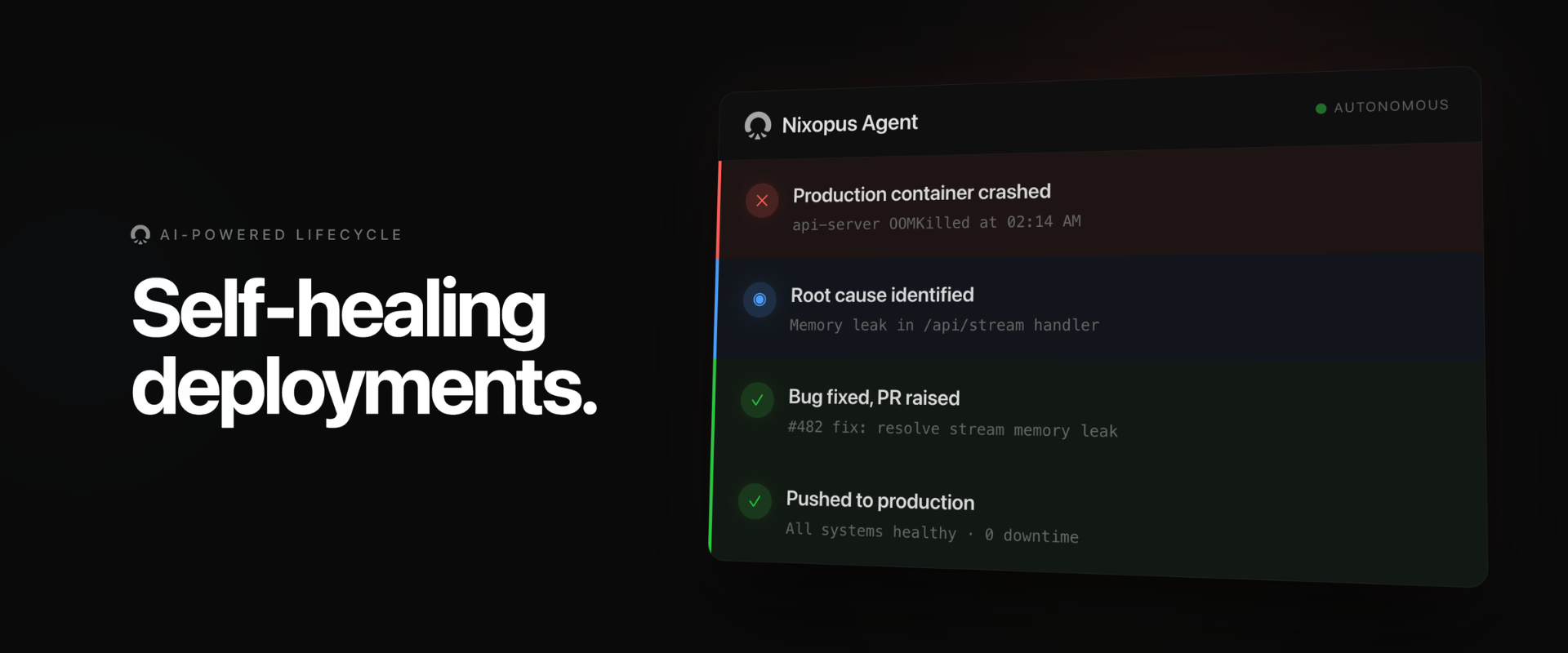
The agent generates configs, deploys, and fixes failures, autonomously. On other platforms, a failed deployment means reading logs, copying the error to an AI tool, getting a fix, pushing, redeploying. Repeat. Nixopus closes that loop. The agent detects the failure, diagnoses it, raises a PR with the fix, and redeploys without you.
Chat Interface
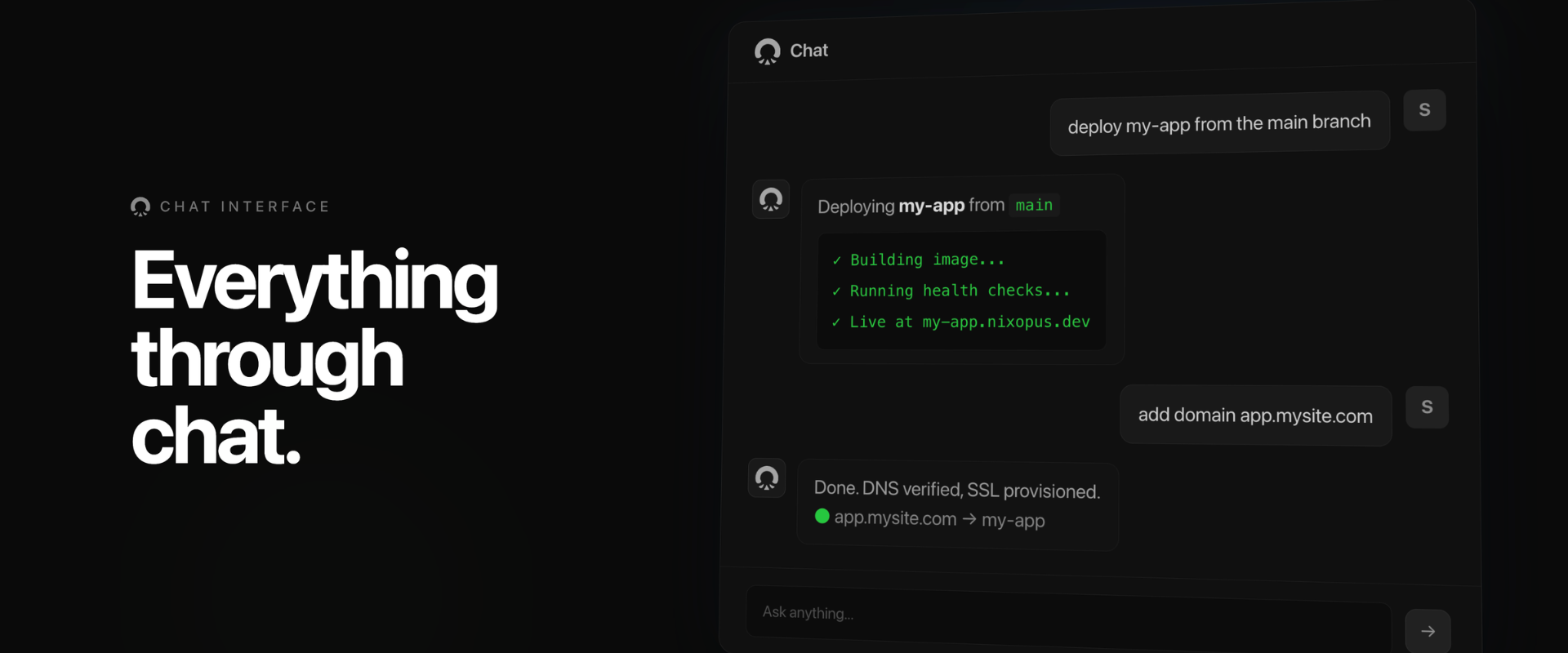
Deploy, add domains, check logs, roll back, troubleshoot. One conversational interface. Talk to the agent in natural language from the dashboard or your editor. Tag resources with @App, @Container, or @Domain to give it focus.
Editor Extension
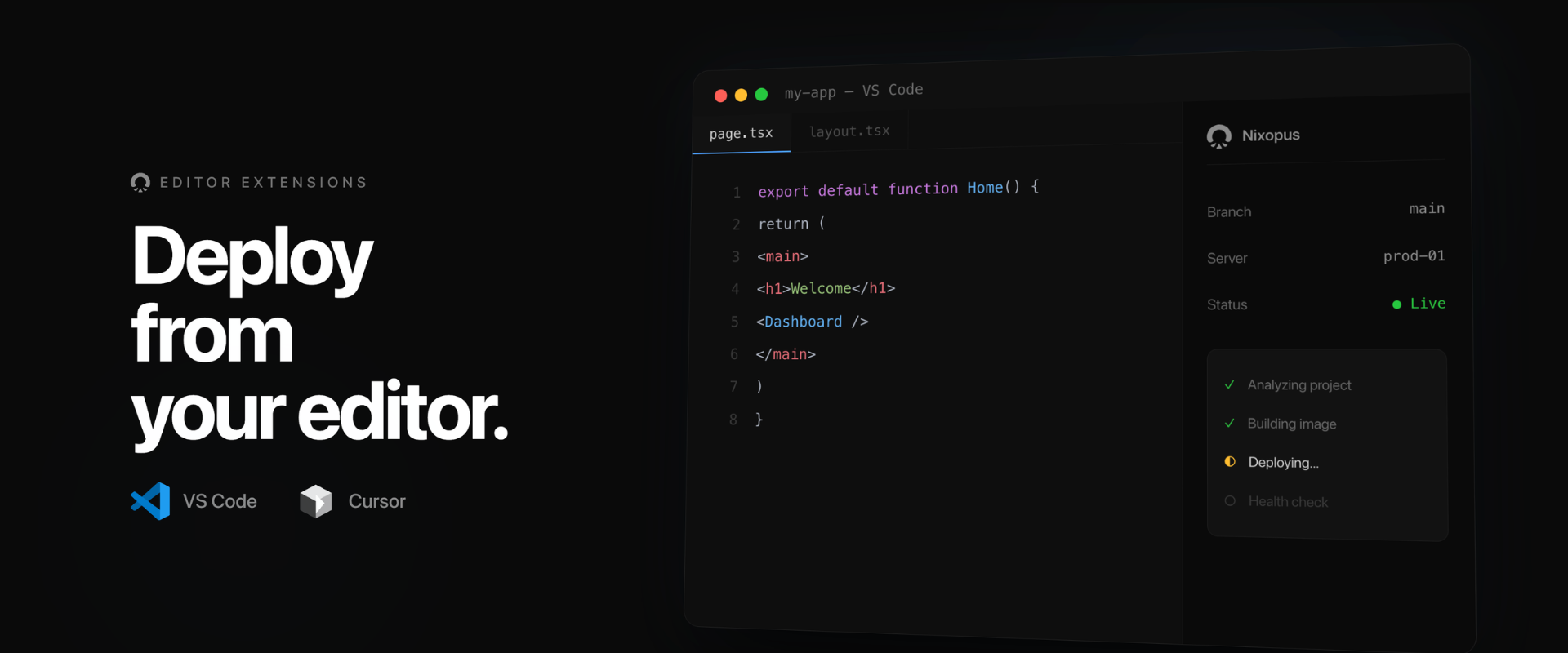
Deploy from VS Code or Cursor without opening a browser. The extension puts the same agent in your sidebar. Chat, deploy, and manage your apps without leaving the editor.
Multi-Server Orchestration
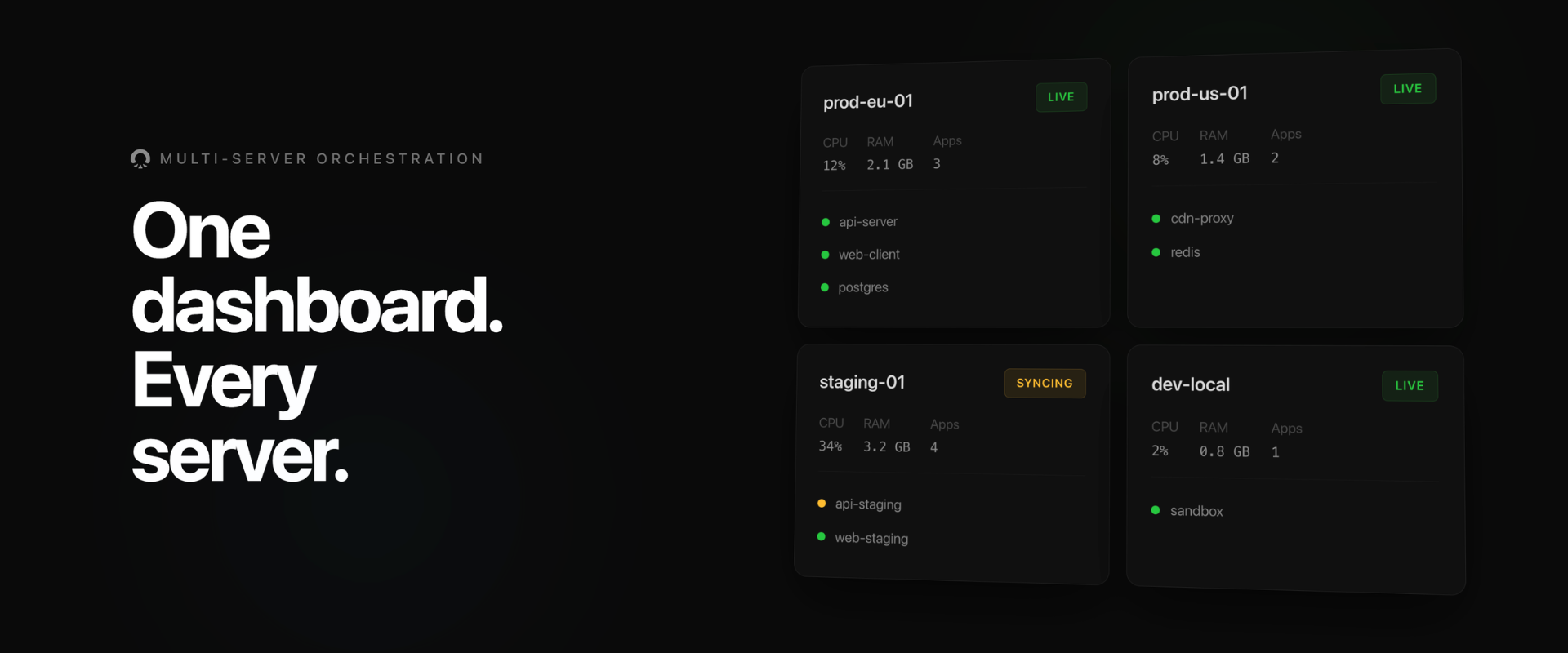
One dashboard. Every server. Connect multiple servers and manage them all from one place. Monitor CPU, RAM, and running apps across your entire fleet. Multi-machine deployments, load balancing, and automated scaling are on the roadmap.
Full Machine Access
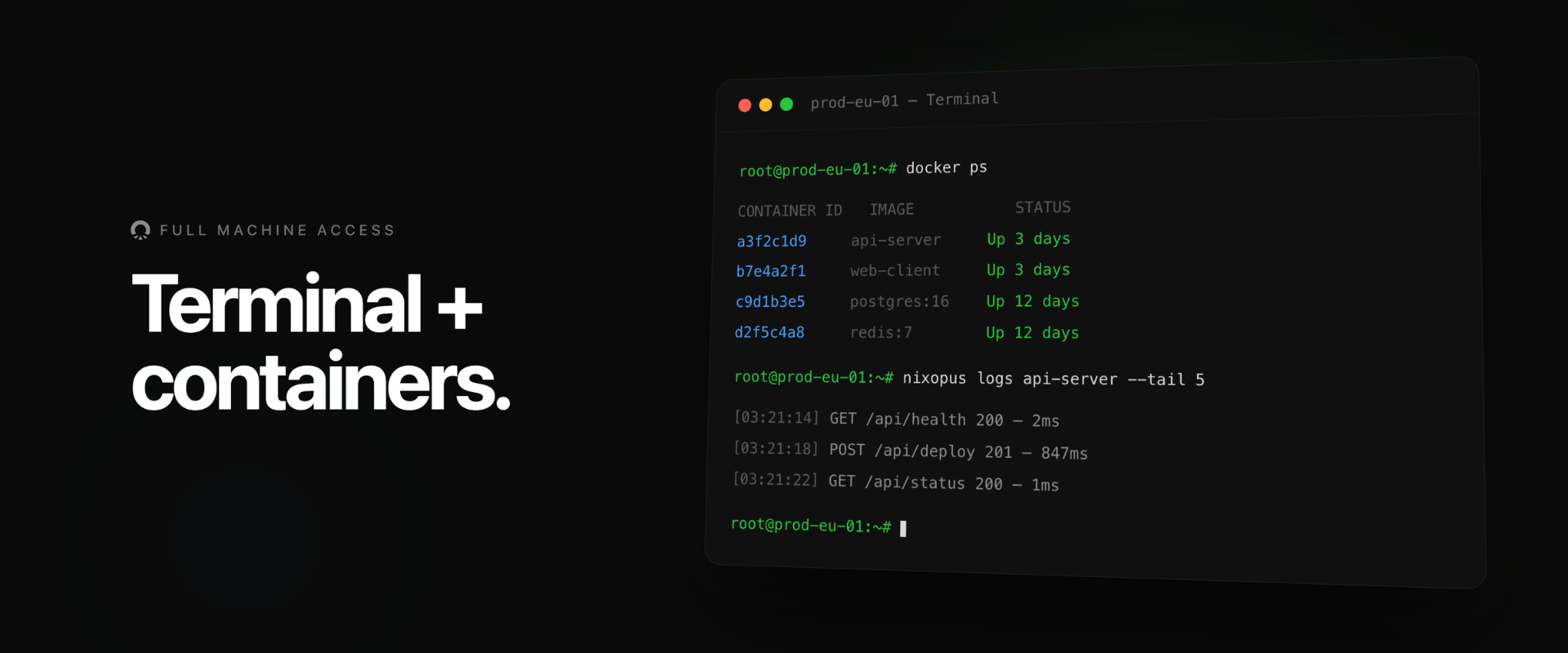
Terminal and containers right in the dashboard. SSH into your server, inspect running containers, stream logs, and debug from the browser. No separate terminal or jump host required.
Framework Agnostic
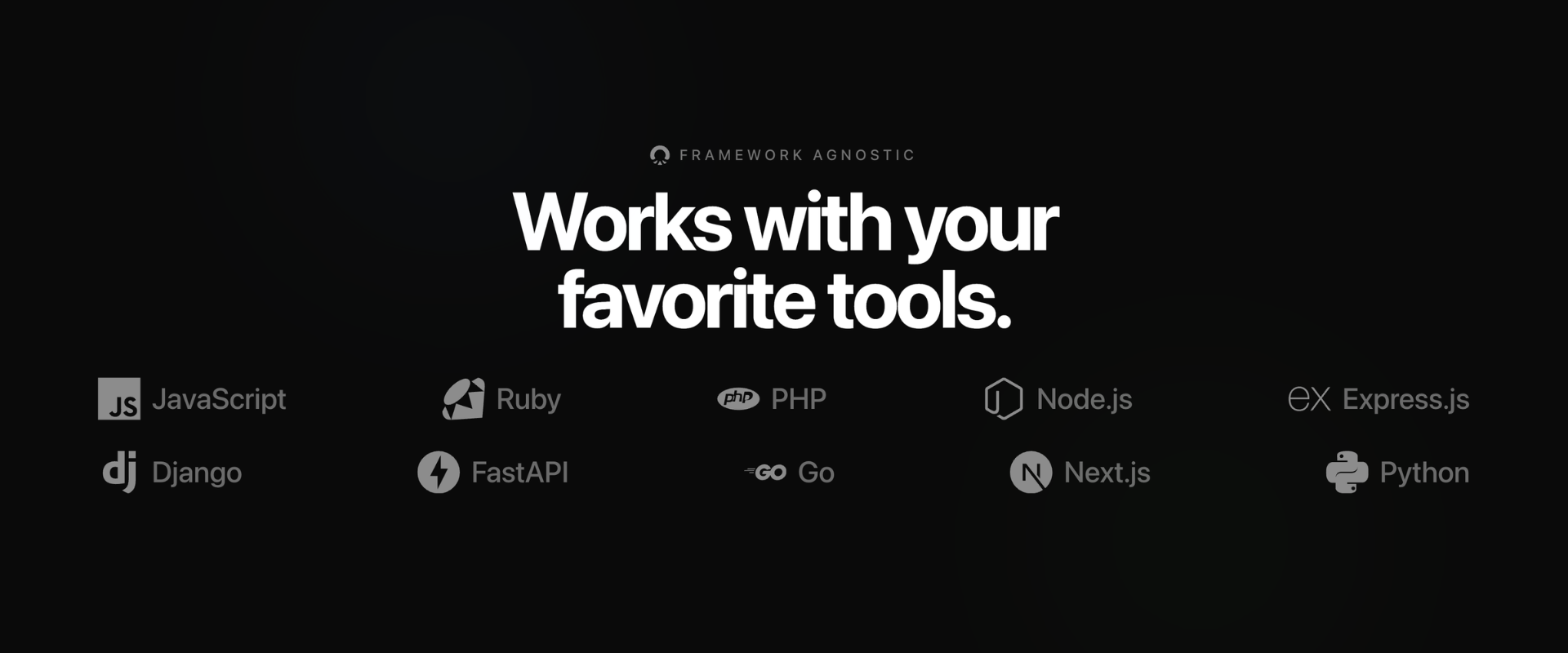
Next.js, Django, Rails, Go, FastAPI, Compose stacks. Anything that runs in a container. If it fits a container image, it ships on Nixopus. The agent detects your stack and generates the right build configuration automatically.
* What's more
Beyond these features, Nixopus also includes:
- Auto TLS: Every deployment gets TLS via Caddy. SSL provisioned and renewed automatically via Let's Encrypt. See configuration.
- Custom Domains: Point your domain at Nixopus with automatic DNS verification and SSL. Tell the agent "add domain app.mysite.com."
- Instant Rollbacks: Roll back to any previous deployment. Previous images are retained, so rollbacks don't require a full rebuild.
- Open Source & Self-Hostable: Your code, your data, your infrastructure. Self-hosting is free forever with full feature parity. No lock-in.
More features are being added as Nixopus evolves.
For a complete and up-to-date list of every feature across all categories, see FEATURES.md.
<div align="right">
Self Hosting
Run the full Nixopus stack on a machine you control.
[!TIP]
Learn more in the Self-Hosting Installation Guide.
Quick Install
bashcurl -fsSL install.nixopus.com | sudo bash
Or with a custom domain and admin email:
bashcurl -fsSL install.nixopus.com | sudo DOMAIN=panel.example.com ADMIN_EMAIL=admin@example.com OPENROUTER_API_KEY=sk-or-xxxxx bash
Or use a different LLM provider:
<br/>bashcurl -fsSL install.nixopus.com | sudo LLM_PROVIDER=anthropic ANTHROPIC_API_KEY=sk-ant-xxxxx bash
Configuration
All parameters are optional. Pass them as environment variables before the install command:
| Environment Variable | Required | Description | Default |
|---|---|---|---|
DOMAIN | No | Domain for automatic HTTPS | (empty, IP mode) |
HOST_IP | No | Public IP of the machine | (auto-detected) |
ADMIN_EMAIL | No | Admin account email | (empty) |
CADDY_HTTP_PORT | No | HTTP port | 80 |
CADDY_HTTPS_PORT | No | HTTPS port | 443 |
NIXOPUS_HOME | No | Installation directory | /opt/nixopus |
LLM_PROVIDER | No | LLM provider for the AI agent: openrouter, openai, anthropic, google, deepseek, or groq | openrouter |
OPENROUTER_API_KEY | No | OpenRouter API key (default provider, gives access to Claude, GPT-4, Gemini, and more via one key) | (empty) |
OPENAI_API_KEY | No | OpenAI API key | (empty) |
ANTHROPIC_API_KEY | No | Anthropic API key | (empty) |
GOOGLE_GENERATIVE_AI_API_KEY | No | Google AI API key | (empty) |
DEEPSEEK_API_KEY | No | DeepSeek API key | (empty) |
GROQ_API_KEY | No | Groq API key | (empty) |
<br/>[!NOTE]
The complete list of environment variables can be found in the Configuration Guide.
Requirements
| Requirement | Minimum |
|---|---|
| Machine | Fresh VPS from any cloud provider (Hetzner, DigitalOcean, AWS, etc.) |
| Architecture | x86_64 (amd64) or aarch64 (arm64) |
| RAM | 1 GB minimum (2 GB+ recommended) |
| Disk | 2 GB free minimum |
| Access | Root (the installer must run as root) |
| Docker | Installed automatically if not present (Docker Engine + Compose V2) |
<div align="right">[!NOTE]
Use a fresh, dedicated VPS, not a machine already running other production services. The first user to sign up becomes the admin. After that, registration is closed and you invite users manually.
Contributing
Contributions of all types are more than welcome; if you are interested in contributing code, feel free to check out our GitHub Issues to get stuck in to show us what you're made of.
<a href="https://github.com/raghavyuva/nixopus/graphs/contributors" target="_blank"> <table> <tr> <th colspan="2"> <br><img src="https://contrib.rocks/image?repo=raghavyuva/nixopus"><br><br> </th> </tr> </table> </a> <div align="right">[!TIP]
We welcome all contributions that help make Nixopus better. Whether it's bug fixes, new features, documentation, or feedback, every contribution counts.
About the Name
Nixopus is derived from the combination of "octopus" (representing flexibility and multi-tasking) and the Linux penguin mascot (Tux). While the name might suggest a connection to NixOS, Nixopus is an independent project with no direct relation to NixOS or its ecosystem.
<div align="right"><details><summary><h4>License</h4></summary>
AGPL-3.0-or-later. Commercial license available for enterprises and teams — see docs.nixopus.com/license.
</details>Copyright © 2025 Nixopus.
<!-- LINK GROUP -->Contributors
Showing top 12 contributors by commit count.



![github-actions[bot]](https://avatars.githubusercontent.com/in/15368?v=4)


Related Repositories

Significant-Gravitas/AutoGPT
AutoGPT is the vision of accessible AI for everyone, to use and to build on. Our mission is to provide the tools, so that you can focus on what matters.

langflow-ai/langflow
Langflow is a powerful tool for building and deploying AI-powered agents and workflows.

langchain-ai/langchain
The agent engineering platform.

Shubhamsaboo/awesome-llm-apps
100+ AI Agent & RAG apps you can actually run — clone, customize, ship.

dair-ai/Prompt-Engineering-Guide
🐙 Guides, papers, lessons, notebooks and resources for prompt engineering, context engineering, RAG, and AI Agents.

ruvnet/ruflo
🌊 The leading agent meta-harness for Claude. Deploy intelligent multi-agent swarms, coordinate autonomous workflows, and build conversational AI systems. Features adaptive memory, self-learning swarm intelligence, RAG integration, and native Claude Code / Codex Integration