

Lazytrivy
Vulnerability scanning just got lazier
lazytrivy is a terminal UI wrapper for [Trivy](https://github.com/aquasecurity/trivy) that lets you run Trivy scans without remembering all the command arguments. It now uses the latest Trivy binary directly (no Docker image required). The project is written primarily in Go, distributed under the Apache License 2.0 license, first published in 2022. Key topics include: aws-security, docker, golang, golang-cli, misconfigurations.

lazytrivy
lazytrivy is a terminal UI wrapper for Trivy that lets you run Trivy scans without remembering all the command arguments. It now uses the latest Trivy binary directly (no Docker image required).
Inspired by Jesse Duffield's superb tools (lazydocker, lazynpm, lazygit).
Features
- Image Scanning
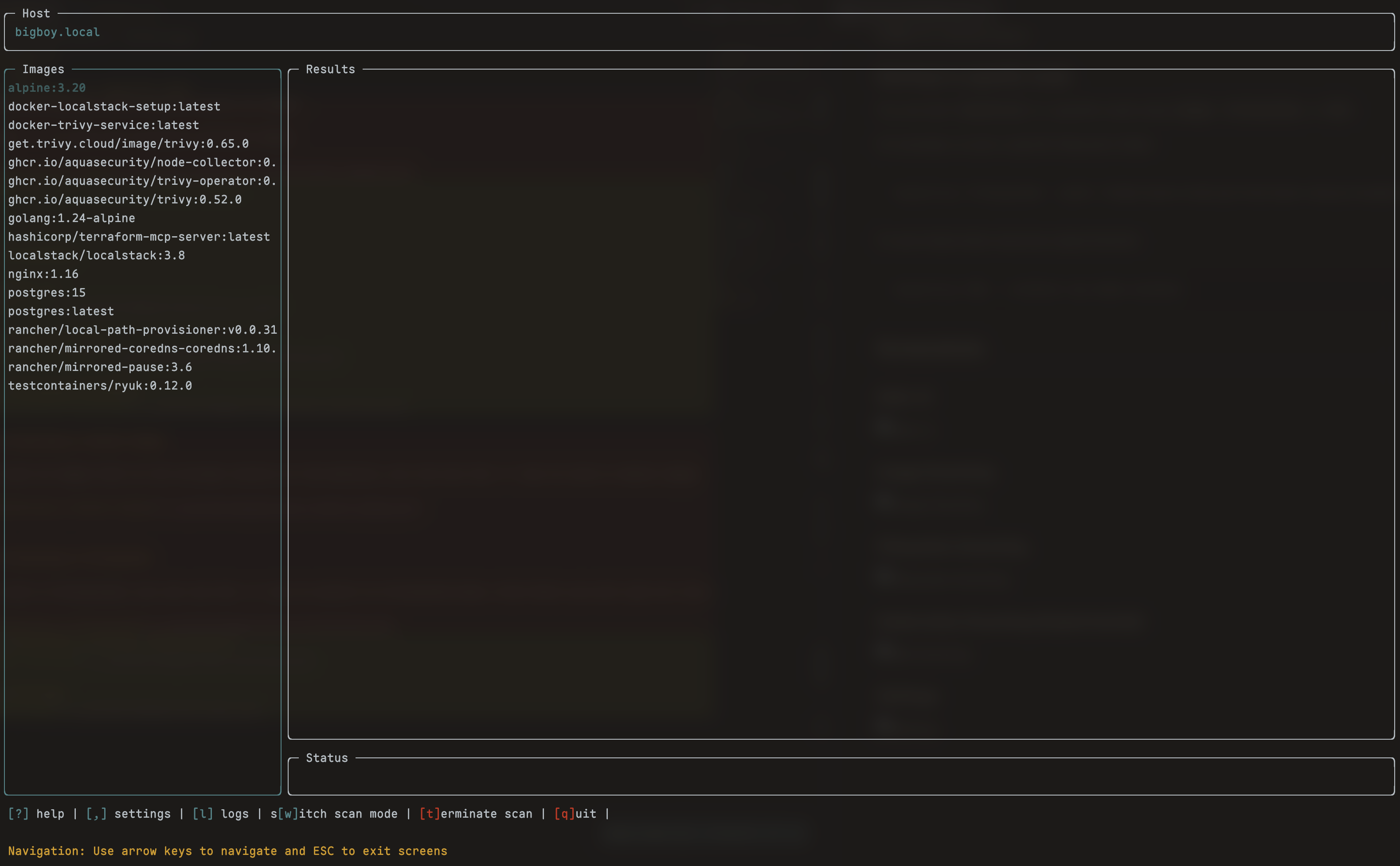
- Scan all images on your system
- Scan a single image
- Scan a remote image
- File System Scanning
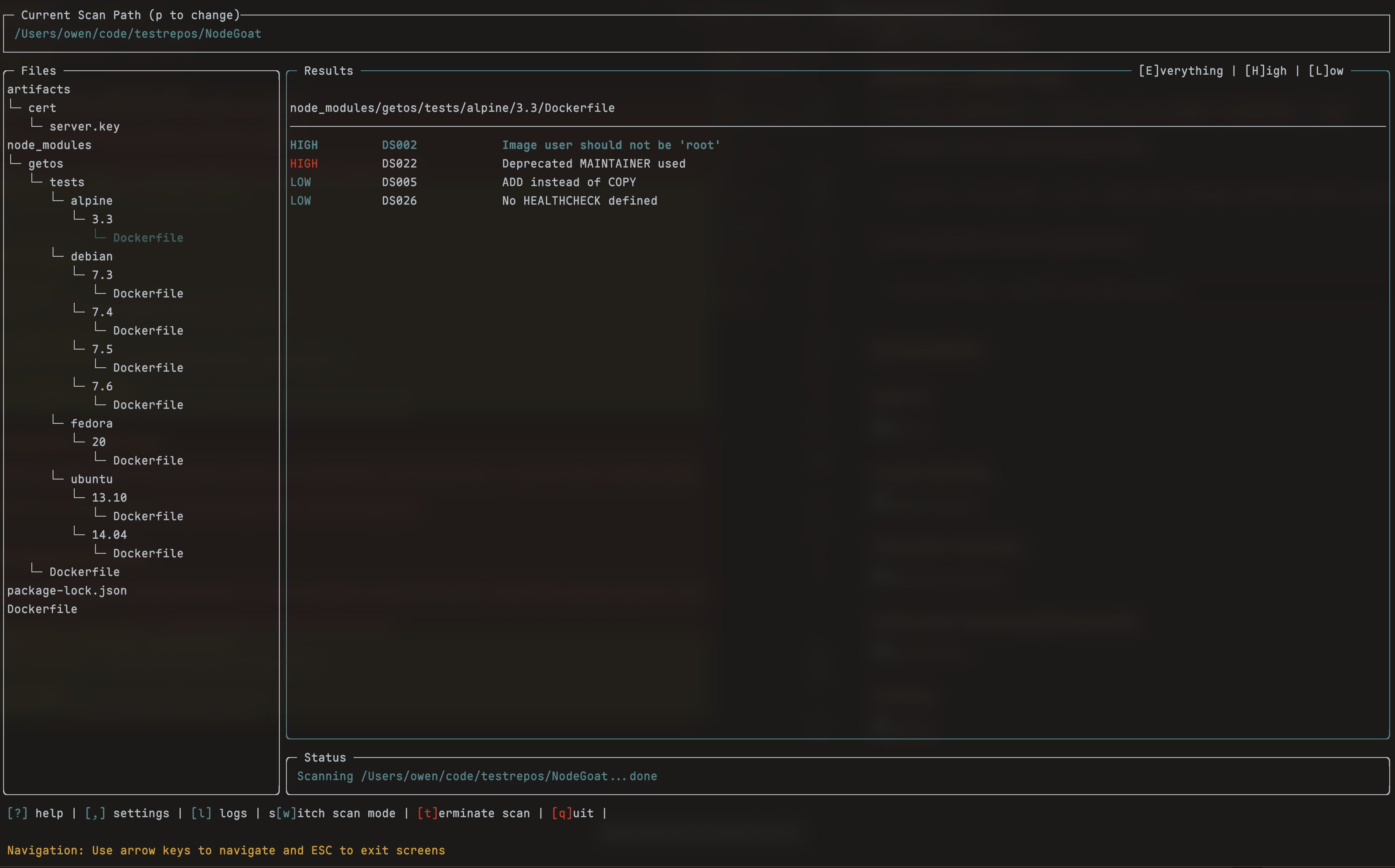
- Scan a filesystem for vulnerabilities, misconfigurations, and secrets
- Kubernetes Scanning (Experimental)
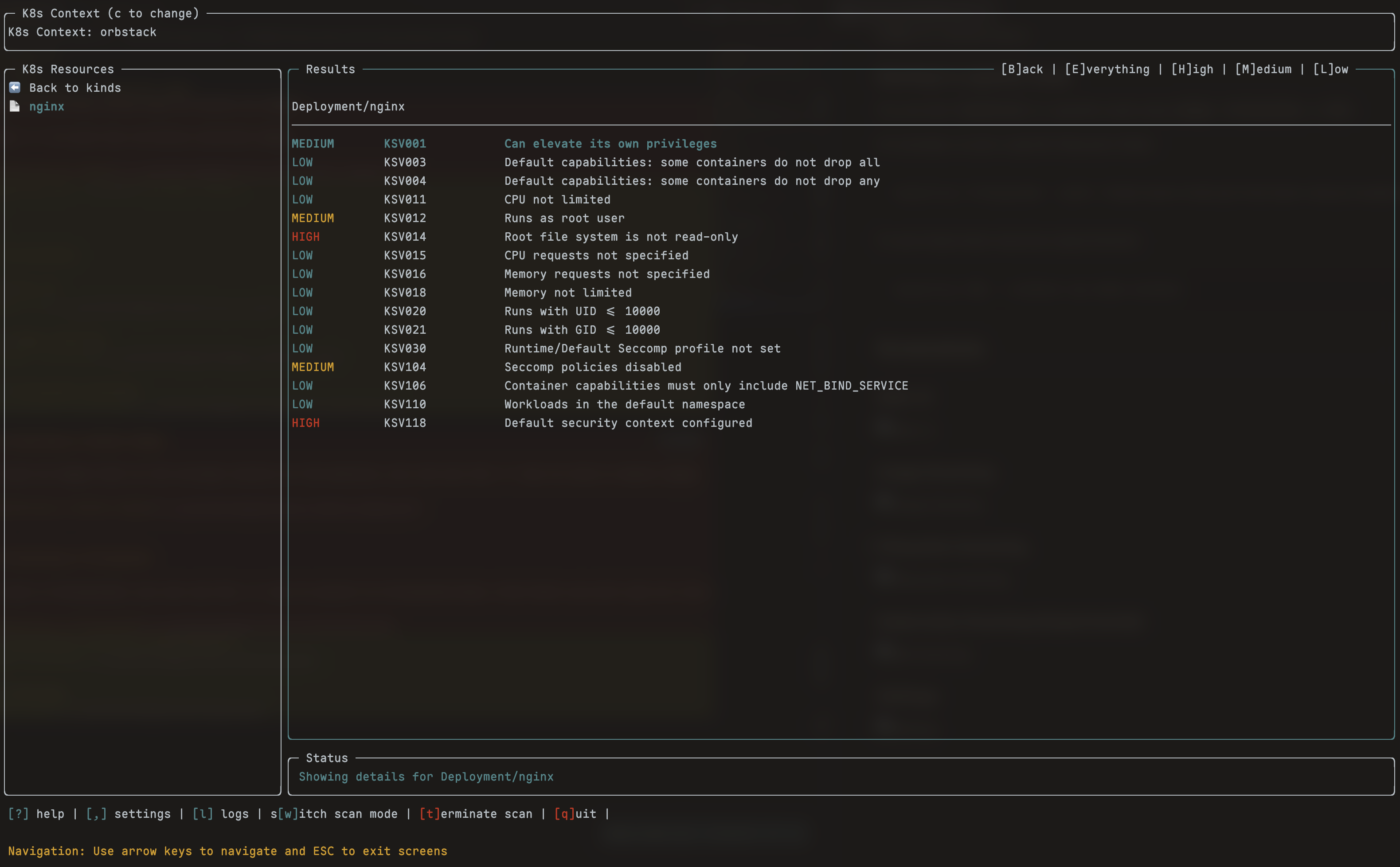
- Scan K8s resources for vulnerabilities and misconfigurations (experimental, subject to user feedback)
What does it do?
lazytrivy provides a fast, interactive terminal UI for running Trivy scans. It displays results in a clear, navigable interface and helps you select images, filesystems, or Kubernetes resources to scan. Trivy is run directly (no Docker required), so you always get the latest features and performance.
Trivy will periodically download the latest vulnerability database. lazytrivy maintains a cache, but if you experience a delay, it's likely Trivy is updating its DB.
Installation
Install with Homebrew (Recommended)
brew tap owenrumney/tools
brew install --cask lazytrivy
Install with Go
If you have Go installed:
bashgo install github.com/owenrumney/lazytrivy@latest
Download from Releases
Get the latest releases from GitHub
Config
Optionally, add a config file at ~/.config/lazytrivy/config.yml:
yamlvulnerability: ignoreunfixed: false filesystem: scansecrets: true scanmisconfiguration: true scanvulnerabilities: true cachedirectory: ~/.cache debug: true trace: false
Config via UI
Settings can be adjusted via the UI by pressing the , key at any time.
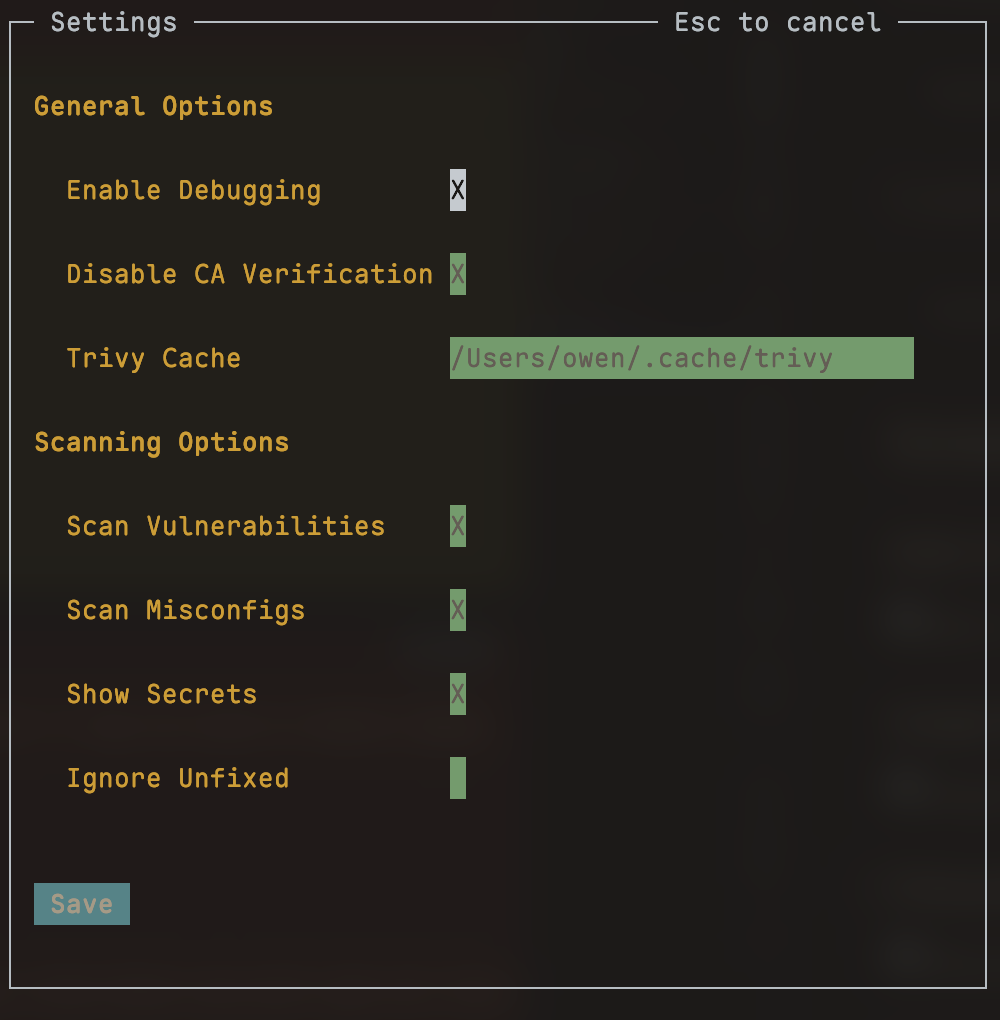
By setting debug to true, additional logs will be generated in /tmp/lazytrivy.log
Usage
lazytrivy is easy to use. Run it with:
bashlazytrivy --help
Available Commands:
imageLaunch lazytrivy in image scanning modefilesystemLaunch lazytrivy in filesystem scanning modek8sLaunch lazytrivy in Kubernetes scanning mode (experimental)helpHelp about any command
Flags:
--debugLaunch with debug logging--traceLaunch with trace logging
Use lazytrivy [command] --help for more information about a command.
Viewing logs
Logs are generated in $HOME/.lazytrivy/logs/lazytrivy.log (default level: info). Use the --debug flag for more details, or --trace for verbose output.
Starting in a specific mode
You can start lazytrivy in a specific mode using image, filesystem, or k8s:
For example, to scan a specific filesystem folder:
bashlazytrivy filesystem --path /home/owen/code/github/owenrumney/example
To scan Kubernetes resources (experimental):
bashlazytrivy k8s --context my-kube-context
Screenshots
Image Scanning
Filesystem Scanning
Kubernetes Scanning (Experimental)
Settings
Contributors
Showing top 3 contributors by commit count.

![dependabot[bot]](https://avatars.githubusercontent.com/in/29110?v=4)

Related Repositories

bridgecrewio/checkov
Prevent cloud misconfigurations and find vulnerabilities during build-time in infrastructure as code, container images and open source packages with Checkov by Bridgecrew.

RhinoSecurityLabs/pacu
The AWS exploitation framework, designed for testing the security of Amazon Web Services environments.

tenable/terrascan
Detect compliance and security violations across Infrastructure as Code to mitigate risk before provisioning cloud native infrastructure.

jassics/security-study-plan
Complete Practical Study Plan to become a successful cybersecurity engineer based on roles like Pentest, AppSec, Cloud Security, DevSecOps and so on...

Netflix/security_monkey
Security Monkey monitors AWS, GCP, OpenStack, and GitHub orgs for assets and their changes over time.

4ndersonLin/awesome-cloud-security
🛡️ Awesome Cloud Security Resources ⚔️