

Flame
Flame is self-hosted startpage for your server. Easily manage your apps and bookmarks with built-in editors.
Flame is self-hosted startpage for your server. Its design is inspired (heavily) by [SUI](https://github.com/jeroenpardon/sui). Flame is very easy to setup and use. With built-in editors, it allows you to setup your very own application hub in no time - no file editing necessary. The project is written primarily in TypeScript, distributed under the MIT License license, first published in 2021. It has gained significant community traction with 6,410 stars and 340 forks on GitHub. Key topics include: homepage, self-hosted, startpage.
Flame
Description
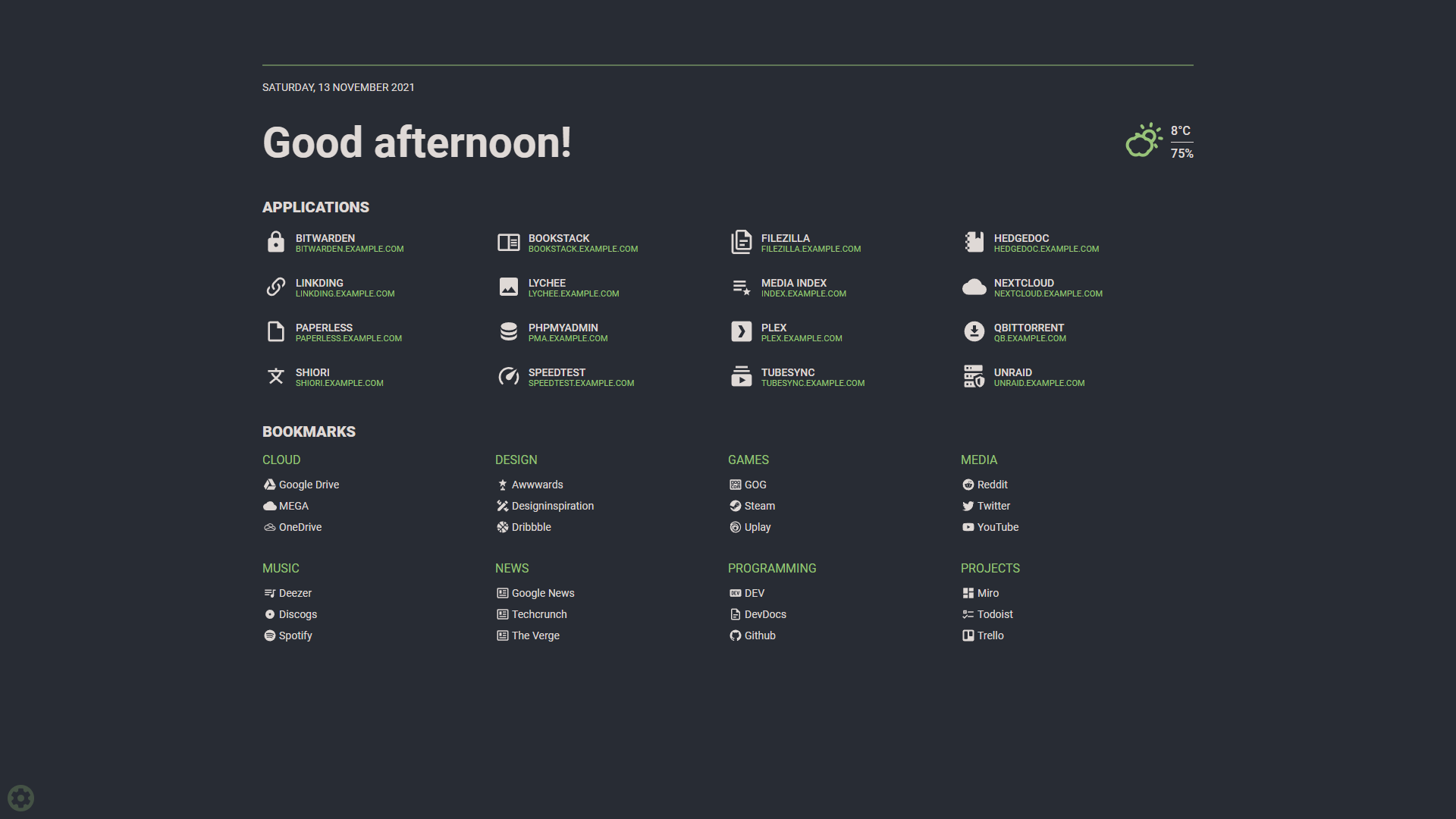
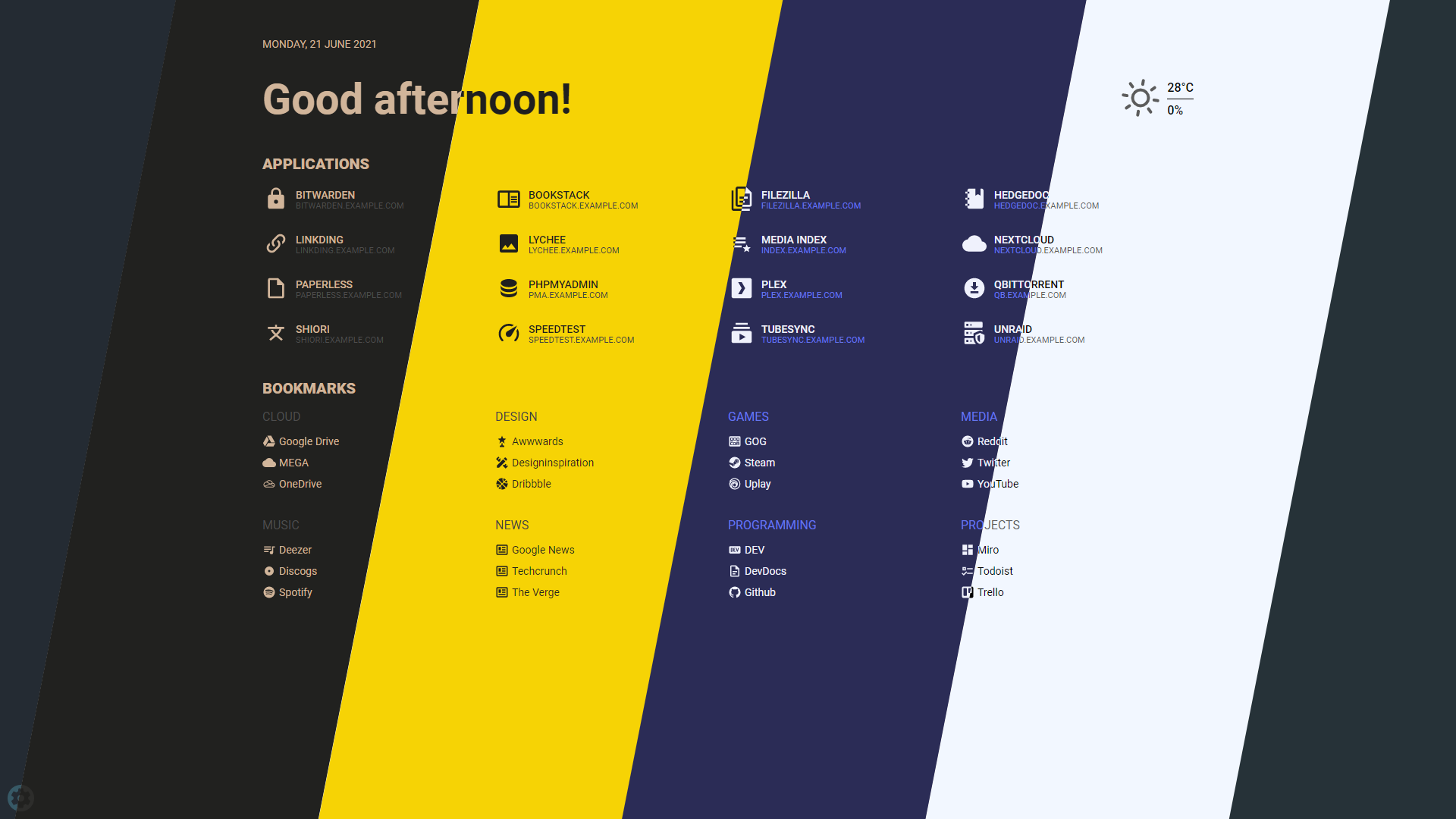
Flame is self-hosted startpage for your server. Its design is inspired (heavily) by SUI. Flame is very easy to setup and use. With built-in editors, it allows you to setup your very own application hub in no time - no file editing necessary.
Functionality
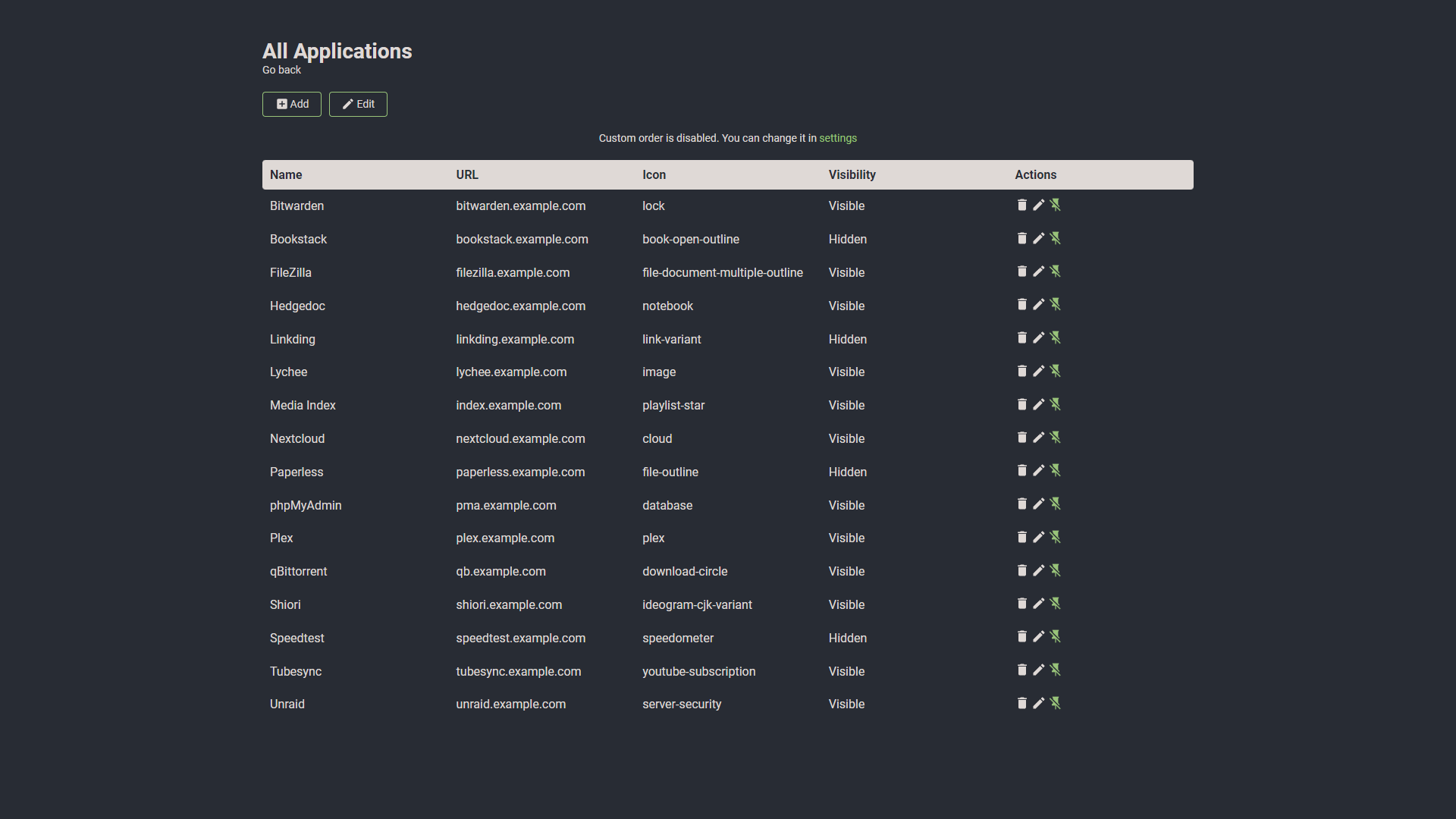
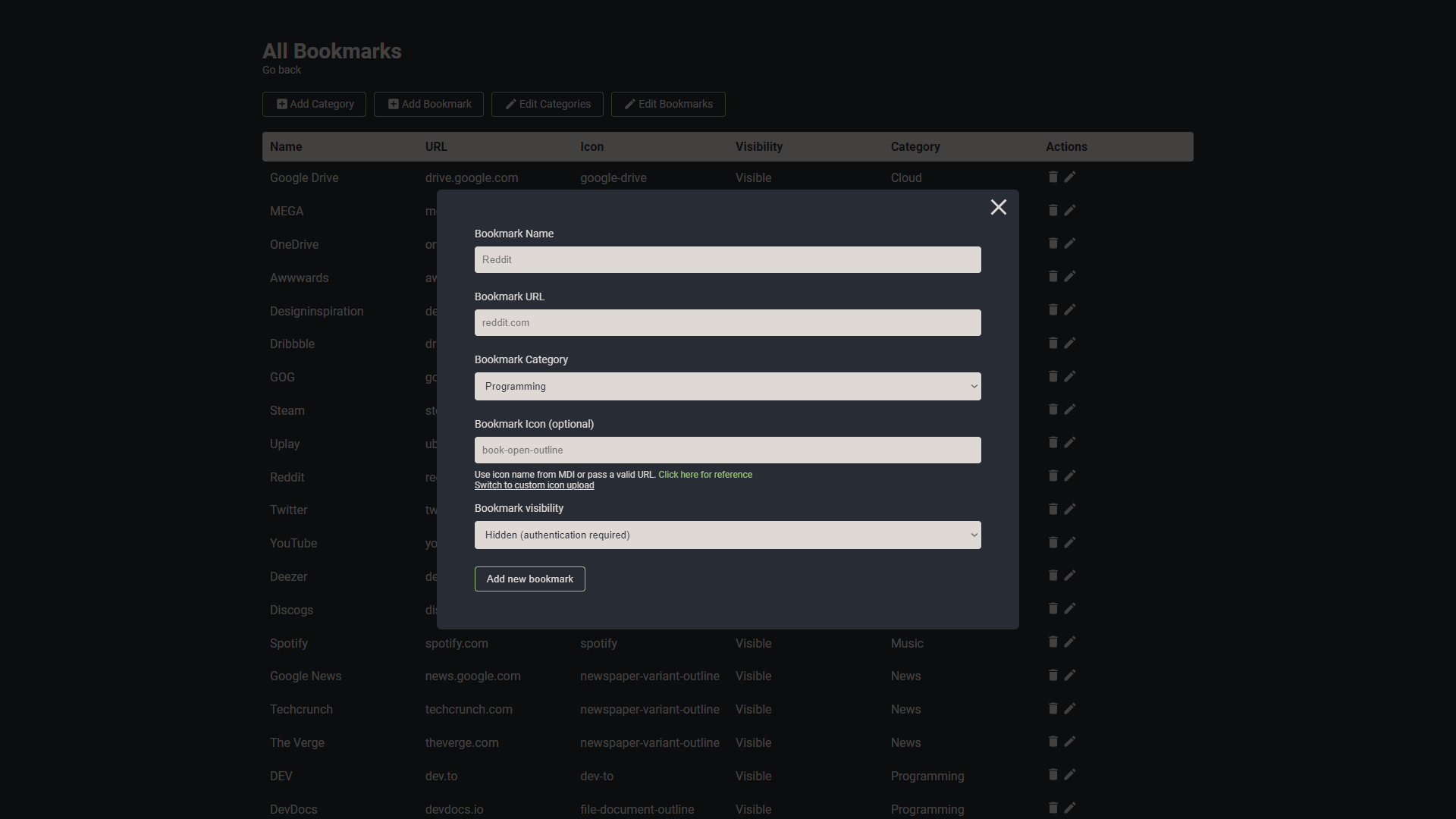
- 📝 Create, update, delete your applications and bookmarks directly from the app using built-in GUI editors
- 📌 Pin your favourite items to the homescreen for quick and easy access
- 🔍 Integrated search bar with local filtering, 11 web search providers and ability to add your own
- 🔑 Authentication system to protect your settings, apps and bookmarks
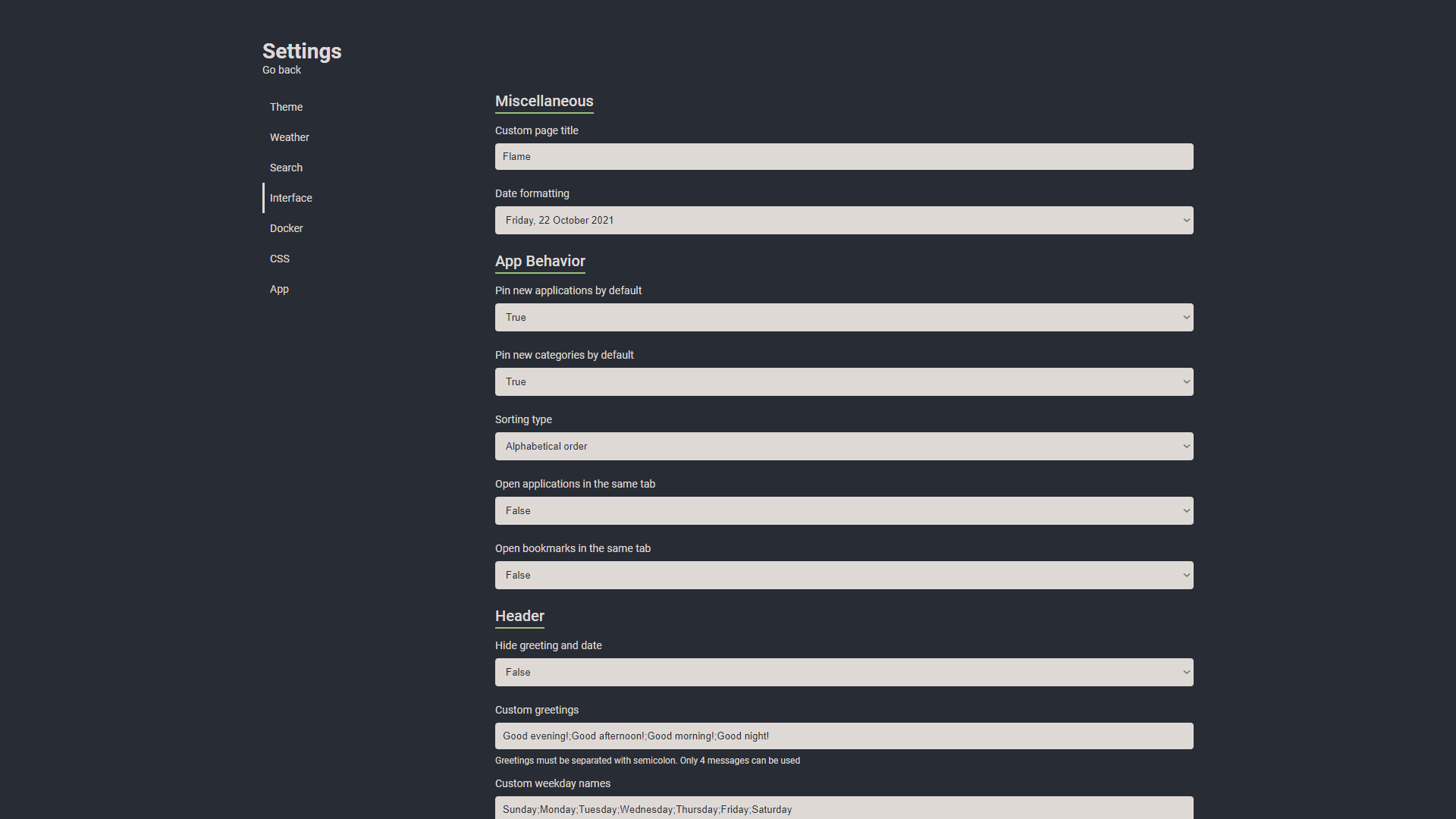
- 🔨 Dozens of options to customize Flame interface to your needs, including support for custom CSS, 15 built-in color themes and custom theme builder
- ☀️ Weather widget with current temperature, cloud coverage and animated weather status
- 🐳 Docker integration to automatically pick and add apps based on their labels
Installation
With Docker (recommended)
shdocker pull pawelmalak/flame # for ARM architecture (e.g. RaspberryPi) docker pull pawelmalak/flame:multiarch # installing specific version docker pull pawelmalak/flame:2.0.0
Deployment
sh# run container docker run -p 5005:5005 -v /path/to/data:/app/data -e PASSWORD=change_me pawelmalak/flame
Building images
sh# build image for amd64 only docker build -t flame -f .docker/Dockerfile . # build multiarch image for amd64, armv7 and arm64 # building failed multiple times with 2GB memory usage limit so you might want to increase it docker buildx build \ --platform linux/arm/v7,linux/arm64,linux/amd64 \ -f .docker/Dockerfile.multiarch \ -t flame:multiarch .
Docker-Compose
yamlversion: '3.6' services: flame: image: pawelmalak/flame container_name: flame volumes: - /path/to/host/data:/app/data - /var/run/docker.sock:/var/run/docker.sock # optional but required for Docker integration ports: - 5005:5005 secrets: - password # optional but required for (1) environment: - PASSWORD=change_me - PASSWORD_FILE=/run/secrets/password # optional but required for (1) restart: unless-stopped # optional but required for Docker secrets (1) secrets: password: file: /path/to/secrets/password
Docker Secrets
All environment variables can be overwritten by appending _FILE to the variable value. For example, you can use PASSWORD_FILE to pass through a docker secret instead of PASSWORD. If both PASSWORD and PASSWORD_FILE are set, the docker secret will take precedent.
bash# ./secrets/flame_password my_custom_secret_password_123 # ./docker-compose.yml secrets: password: file: ./secrets/flame_password
Skaffold
sh# use skaffold skaffold dev
Without Docker
Follow instructions from wiki: Installation without Docker
Development
Technology
- Backend
- Node.js + Express
- Sequelize ORM + SQLite
- Frontend
- React
- Redux
- TypeScript
- Deployment
- Docker
- Kubernetes
Creating dev environment
sh# clone repository git clone https://github.com/pawelmalak/flame cd flame # run only once npm run dev-init # start backend and frontend development servers npm run dev
Screenshots
Usage
Authentication
Visit project wiki to read more about authentication
Search bar
Searching
The default search setting is to search through all your apps and bookmarks. If you want to search using specific search engine, you need to type your search query with selected prefix. For example, to search for "what is docker" using google search you would type: /g what is docker.
For list of supported search engines, shortcuts and more about searching functionality visit project wiki.
Setting up weather module
- Obtain API Key from Weather API.
Free plan allows for 1M calls per month. Flame is making less then 3K API calls per month.
- Get lat/long for your location. You can get them from latlong.net.
- Enter and save data. Weather widget will now update and should be visible on Home page.
Docker integration
In order to use the Docker integration, each container must have the following labels:
ymllabels: - flame.type=application # "app" works too - flame.name=My container - flame.url=https://example.com - flame.icon=icon-name # optional, default is "docker" # - flame.icon=custom to make changes in app. ie: custom icon upload
"Use Docker API" option must be enabled for this to work. You can find it in Settings > Docker
You can also set up different apps in the same label adding ; between each one.
ymllabels: - flame.type=application - flame.name=First App;Second App - flame.url=https://example1.com;https://example2.com - flame.icon=icon-name1;icon-name2
If you want to use a remote docker host follow this instructions in the host:
- Open the file
/lib/systemd/system/docker.service, search forExecStartand edit the value
textExecStart=/usr/bin/dockerd -H tcp://0.0.0.0:${PORT} -H unix:///var/run/docker.sock
The above command will bind the docker engine server to the Unix socket as well as TCP port of your choice. “0.0.0.0” means docker-engine accepts connections from all IP addresses.
- Restart the daemon and Docker service
shellsudo systemctl daemon-reload sudo service docker restart
- Test if it is working
shellcurl http://${IP}:${PORT}/version
Kubernetes integration
In order to use the Kubernetes integration, each ingress must have the following annotations:
ymlmetadata: annotations: - flame.pawelmalak/type=application # "app" works too - flame.pawelmalak/name=My container - flame.pawelmalak/url=https://example.com - flame.pawelmalak/icon=icon-name # optional, default is "kubernetes"
"Use Kubernetes Ingress API" option must be enabled for this to work. You can find it in Settings > Docker
Import HTML Bookmarks (Experimental)
- Requirements
- python3
- pip packages: Pillow, beautifulsoup4
- Backup your
db.sqlitebefore running script! - Known Issues:
- generated icons are sometimes incorrect
bashpip3 install Pillow, beautifulsoup4 cd flame/.dev python3 bookmarks_importer.py --bookmarks <path to bookmarks.html> --data <path to flame data folder>
Custom CSS and themes
See project wiki for Custom CSS and Custom theme with CSS.
Contributors
Showing top 12 contributors by commit count.





![dependabot[bot]](https://avatars.githubusercontent.com/in/29110?v=4)


Related Repositories

glanceapp/glance
A self-hosted dashboard that puts all your feeds in one place

gethomepage/homepage
A highly customizable homepage (or startpage / application dashboard) with Docker and service API integrations.

lissy93/dashy
🚀 A self-hostable personal dashboard built for you. Includes status-checking, widgets, themes, icon packs, a UI editor and tons more!

bastienwirtz/homer
A very simple static homepage for your server.

linuxserver/Heimdall
An Application dashboard and launcher

homarr-labs/dashboard-icons
Your definitive source for dashboard icons.