

InfiAgent
Build your own Cowork, AI Scientist and other SoTA Agents just by editing config files. Support anthropic skills. An infinite-horizon agent framework designed for long-running, complex tasks.
**infiAgent** is a Build your own Cowork, AI Scientist and other SoTA Agents just by editing config files. Support anthropic skills. An infinite-horizon agent framework designed for long-running, complex tasks. The project is written primarily in Python, distributed under the GNU General Public License v3.0 license, first published in 2025. It has gained significant community traction with 1,180 stars and 51 forks on GitHub. Key topics include: agent, framework, sdk, sdk-python.
🌟 Introduction
infiAgent Also called MLA (Multi-Level Agent) is an agent framework designed for unlimited runtime without tool calling chaos or system crashes caused by cumulative task resources and conversation history. With MLA, you can build powerful general-purpose and semi-specialized agents simply by writing configuration files.
Key Features
- ✅ Days-Long Complex Tasks: Supports continuous execution over days without context accumulation or compression degradation. Any interruption (crash, network error, manual stop) can be fully recovered via Resume — true breakpoint continuation.
- ✅ Agent Skills Standard: Compatible with the Agent Skills open standard. Drop skill folders into the skills library and agents will discover, load, and execute them on demand.
- ✅ Flexible Agent Architecture: Supports both multi-level hierarchy (tree-structured orchestration for complex domain tasks — e.g., the
Researcherconfig enables long-running scientific research with paper generation) and flat architecture (single agent with one sub-agent + Skills for broad general-purpose tasks — e.g., the OpenCowork config). - ✅ Persistent Memory: File-directory-based memory system. Launch agents in the same workspace directory and they remember all historical tasks across sessions — no external database required.
Update & News🔥
If you pulled the image or code before the latest update date, please refer to the issues that have been fixed and, based on your needs, pull the image and code again.
-
[2026/03/31] Switchable Thinking / ReAct execution mode + task-history database retrieval: Runtime now supports a switchable cadence model. You can keep the original ThinkingAgent-style “plan first, then execute N steps” workflow, or disable thinking and fall back to an explicit ReAct loop where reflection text is persisted directly inside the message history. Historical task records are also indexed into a local SQLite database, and agents now get a built-in
task_history_searchtool by default. The SDK can expose only the most recent N historical tasks into prompt context, and agents are explicitly instructed to retrieve older task history from the database when recent context is not enough. -
[2026/03/30] SDK / mac / Web UI model configuration is now much easier for non-experts: The SDK now accepts structured model profiles directly instead of forcing every integration to hand-write
llm_config.yaml. The mac desktop app and Docker Web UI both now expose a source-based model editor: you configure the defaultbase_url/api_keyonce, then add multiple shared or per-slot models, and each row can either reuse the default source or switch to a custom URL / key. Raw YAML / JSON remain available as advanced fallbacks, but most users no longer need to manually type prefixes or JSON model objects. -
[2026/03/23] Docker Web UI now supports multi-user registration and account management: The latest
chenglinhku/mlav3:latestimage runs the SDK-based Web UI directly with the newwebuistartup command on port4242. Users can register from the login page, and the bootstrap admin account can manage users inside the Web UI. Please follow the updated Docker command in Quick Start /docs/DOCKER_GUIDE.md: mount~/.mla_v3to/root/mla_v3, publish4242, and usechenglinhku/mlav3:latest webui. The old standalone config page flow on9641is no longer required. -
[2026/03/19] CheapClaw released on top of the
infiagentSDK: CheapClaw now ships as an SDK-based application layer. It keeps most of OpenCowork's practical capabilities, including custom bots, multi-bot collaboration workflows, IM integrations, and Skills, while inheriting the fullinfiagentruntime model: a multi-agent system behind a single bot, low-cost long-horizon tasks, and task-scoped context isolation inside one bot. Different tasks under the same bot now keep isolated contexts, while messages routed to the same task continue in the same long-running context instead of sharing one bot-wide session. Click here to view CheapClaw. -
[2026/03/19] Finer-grained per-agent model configuration: Each sub-agent can now configure
execution_model,thinking_model,compressor_model,image_generation_model, andread_figure_modelindependently. This makes it possible, within a single agent loop, to split execution, thinking, compression, and multimodal/image understanding across different models, giving the application layer the finest-grained cost control. You can also configure model-leveltool_choiceoptions inllm_config.example.yaml. See the defaultOpenCoworkLevel 3alpha_agentdefinition for a concrete example. -
[2026/03/08] Desktop branch sync update: The current desktop branch now includes packaged Python backend build scripts, the bundled
infiagentPython SDK, configurable runtime cadence (action_window_steps,thinking_interval, scheduled/manualfresh), MCP runtime integration, per-task logs, desktop environment settings, and marketplace integration. The legacy standalone tool-server workflow has been replaced by in-processdirect-tools, and the built-in research system is now namedResearcher. -
[2026/02/09] Mac desktop version released! Click here to download!. Support download skills from offical market. It supports any API that is allowed to be called by tools, and runs fully locally with the support of the localization model.
<img width="1198" height="798" alt="image" src="https://github.com/user-attachments/assets/435c5bd9-ace1-46a8-9814-883d3ce507d4" /> -
[2026/02/07] Agent Skills Support! InfiAgent now supports the Agent Skills open standard. Skills are folders of instructions, scripts, and resources that agents can dynamically load to improve performance on specialized tasks. Docker users: place skill folders in
~/.mla_v3/skills_library/(mounted to/root/mla_v3/skills_library/inside the container). Local developers: place them in~/mla_v3/skills_library/. Windows users:%USERPROFILE%\mla_v3\skills_library\. The agent will automatically discover available skills and deploy them to the workspace on demand viaload_skilltool. -
[2026/02/07] Multi-Provider Model Support! You can now use models from different providers in the same configuration. Each model can optionally override
api_keyandbase_urlto use a different provider. Different sub-agents can use different models. Seellm_config.example.yamlfor configuration details. -
[2026/02/07] Web UI Enhancements: Added Resume button for recovering interrupted tasks (same as CLI
/resume). Added Agent System selector to freely switch betweenResearcher(academic research) and Open Cowork systems. User inputs now automatically include timestamps (consistent with CLI behavior). -
[2026/02/07] Multimodal Message Architecture: Separated multimodal and text-only message logic. For multimodal models, images from
image_readare embedded directly in the conversation context for native understanding. Text-only models retain the external vision tool approach. Configure viamultimodalandcompressor_multimodalinllm_config.yaml. -
[2026/01/17] We introduce a new configuration profile, Open Cowork, which delivers a computer-work assistant similar to Anthropic's Cowork. After entering a user-specified working directory, the assistant can perform a wide range of tasks, including but not limited to: organizing folders, creating PowerPoint presentations, processing and categorizing bills and invoices in multiple formats, conducting in-depth research, and writing project code. The system is built on the InfiAgent architecture, preserving its long-horizon execution capabilities and unbounded, file-system–level memory within the same workspace. Open Cowork supports CLI, Docker-based CLI, and Web UI modes. In Web UI, use the Agent System selector to switch between
Researcherand OpenCowork. A demonstration video is available for more details.
Open Cowork Demo Videos:
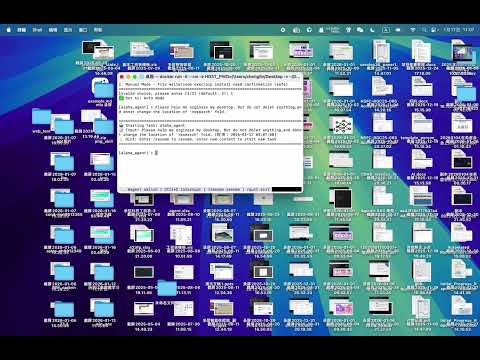
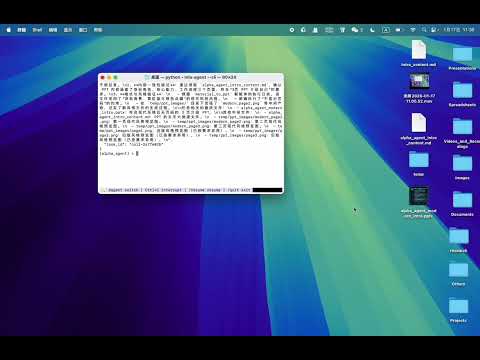
-
[2026/01/13] Supports breakpoint recovery for program errors (the original Ctrl+C resume function is retained). Please access the resume function using your CLI version and type /resume.
-
[2026/01/08] Our Paper "InfiAgent: An Infinite-Horizon Framework for General-Purpose Autonomous Agents" released
-
[2026/01/07] Web UI: This is a temporary fix for the "处理事件异常: 'int' object has no attribute 'get'". It will not affect subsequent agent output or operation, but the error will still be displayed. A full fix is pending.
-
[2026/01/06] Web UI: add an entry-agent selector next to Task ID so you can choose the root agent for the conversation, with an agent list and a visual agent tree for the selected root.
-
[2026/01/05] Resolves global freeze caused by prolonged unresponsiveness of the primary token. Please update code or pull latest docker image!
-
[2026/01/04] Support different Language of Agent output base on user input.
-
[2026/01/03] Optimize LiteLLM’s native retry mechanism by enhancing error-aware retry prompts to improve small-model call success rates; add connection timeout detection to reduce task interruption risks.
-
[2026/01/02] Install and how use vedio please click <a href="https://www.bilibili.com/video/BV142vQB2EDu/?share_source=copy_web&vd_source=8f099df5d40b73e936381e57d7fc05aa ">infiagent:全自动写作工具</a>
-
[2026/01/02] fix some bugs about reference manage, Please clone latest repo or pull latest docker image: chenglinhku/mlav3.
-
[2026/01/01] support web_ui and qwen api. Also fix some problem when using third part oepnai format api. please using latest chenglinhku/mlav3 docker image and see the example configs.
-
[2025/12/31] support gemini api key from google ai studio now. Please See the gemini config in dir.
Attention: Current coding task only support python project. Other language may supported later. In old version execute_command only support safe command like cd or grep,now it include every commands including rm. Please try to use it in docker mode if your task may edit system file.
🎬 Outputs
complete academic papers generated by MLA:
Demo 1:
<p align="center"> Demo animation removed from git to keep the repository lightweight. </p>Demo 2:
<p align="center"> <img src="assets/paper1.png" alt="Paper Generation Demo 2" width="800"> </p>Demo 3:
<p align="center"> <img src="assets/paper2.png" alt="Paper Generation Demo 3" width="800"> </p>MLA handles the entire research workflow - from literature search and experiment design to code execution, figure generation, and LaTeX paper writing. All automatically orchestrated through multi-level agents.
Large demo videos and GIFs are now distributed outside git history so clones stay smaller and faster.
📚 Table of Contents
- See It In Action
- Quick Start
- How It Works
- Interface Screenshots
- Configuration Guide
- CLI Interface
- SDK Integration
- Example Outputs
🚀 Quick Start
Vedio of Docker Mode:
<a href="https://www.bilibili.com/video/BV142vQB2EDu/?share_source=copy_web&vd_source=8f099df5d40b73e936381e57d7fc05aa ">infiagent:全自动写作工具</a>
Option 1: Docker (Recommended - No Python Required)
1. Install Docker
- Mac/Windows: Docker Desktop
- Linux:
curl -fsSL https://get.docker.com | sh
2. Pull Image
bashdocker pull chenglinhku/mlav3:latest
3. Choose Your Mode
Option A: Web UI Mode (Recommended)
The current Docker image starts the SDK-based Web UI directly. Use the Agent System selector to switch between Researcher and OpenCowork. The old standalone config page on 9641 is no longer required.
bashcd /your/workspace mkdir -p ~/.mla_v3 docker run -d --name mla-webui \ -e HOST_PWD=$(pwd) \ -e PORT=4242 \ -v $(pwd):/workspace$(pwd) \ -v ~/.mla_v3:/root/mla_v3 \ -p 4242:4242 \ chenglinhku/mlav3:latest webui
Then open browser: http://localhost:4242
- On a fresh volume, the bootstrap admin account is
admin/admin123 - You can also create a new user directly from the login page
- Click the
Configbutton inside Web UI to editllm_config.yaml,app_config.json, and agent configuration files - View logs with
docker logs -f mla-webui
If you want Docker runtime data to stay inside the project instead of ~/.mla_v3, replace the runtime mount with:
<p align="center"> <img src="assets/web_ui.png" alt="Paper Generation Demo 2" width="800"> </p>bashmkdir -p .mla_v3_docker # replace: -v ~/.mla_v3:/root/mla_v3 # with: -v $(pwd)/.mla_v3_docker:/root/mla_v3
📖 Web UI usage & UI details: see web_ui/README.md.
Option B: CLI Mode
bashcd /your/workspace mkdir -p ~/.mla_v3 docker run -it --rm \ -e HOST_PWD=$(pwd) \ -v $(pwd):/workspace$(pwd) \ -v ~/.mla_v3:/root/mla_v3 \ chenglinhku/mlav3:latest cli
Windows Users:
Windows users can mount any working folder into /workspace/<your_task_root> and reuse the same /root/mla_v3 runtime volume across runs.
powershell# CLI Mode (PowerShell) docker run -it --rm ` -e HOST_PWD="/docker_web" ` -v "${PWD}:/workspace/docker_web" ` -v "${HOME}\.mla_v3:/root/mla_v3" ` chenglinhku/mlav3:latest cli # Web UI Mode (PowerShell) docker run -d --name mla-webui ` -e HOST_PWD="/docker_web" ` -e PORT=4242 ` -v "${PWD}:/workspace/docker_web" ` -v "${HOME}\.mla_v3:/root/mla_v3" ` -p 4242:4242 ` chenglinhku/mlav3:latest webui # Then open browser: http://localhost:4242 # View logs: docker logs -f mla-webui
4. Configure API Key
Open browser: http://localhost:4242
Sign in, open the Config dialog, edit llm_config.yaml, fill in your API key, and save.
🎉 Done! Start using MLA CLI.
Option 2: Local Installation (Python Required)
1. Install the package
bash# Python 3.9+ is supported. Use Python 3.10+ if you need MCP support through the packaged dependency set. cd install_path python -m venv venv source venv/bin/activate # Windows: venv\Scripts\activate git clone https://github.com/ChenglinPoly/infiAgent.git cd infiAgent pip install -e .
2. Install Playwright
bashplaywright install chromium
3. Configure API Key
bashmla-agent --config-set api_key "your-api-key"
4. Start CLI
bashcd /your/workspace mla-agent --cli
🎯 How It Works
MLA's design philosophy is "Provide short but high-value context for the next step." To achieve this, the framework implements multiple innovations:
1. 🌲 Serial Multi-Agent System
MLA deploys agents in a tree-structured hierarchy (e.g., Grandparent → Parent → Child). This ensures:
- ✅ Single-purpose agents: Each agent has a focused role
- ✅ Minimal tool sets: Agents only access necessary tools
- ✅ Task alignment: Serial execution prevents parallel conflicts
- ✅ Clear delegation: Parent agents orchestrate child agents
Example Hierarchy:
alpha_agent (Level 3)
  ├── data_collection_agent (Level 2)
  │   └── web_search_agent (Level 1)
  ├── coder_agent (Level 2)
  └── material_to_document_agent (Level 2)
2. 🎯 Nested Attention Mechanism
Long documents (PDFs, novels, papers) are never directly loaded into context. Instead:
- ✅ Use
answer_from_pdf,answer_from_documenttools - ✅ Query-driven content extraction
- ✅ Only relevant excerpts or summaries enter context
- ✅ Application-layer attention allocation through tools
Traditional Approach:
Load entire 50-page PDF → Agent processes everything → Token overflow
MLA Approach:
Agent asks: "What is the methodology?"
→ Tool extracts relevant sections (2 pages)
→ Returns concise answer → Minimal token usage
3. 📁 File-Centric Architecture
"Files are everything." All outputs and interactions are saved to the file system:
- ✅ Web scraping → Saves as Markdown files
- ✅ PDF parsing → Extracts to structured documents
- ✅ Sub-agent results → Stored as files
- ✅ No immediate returns cluttering context
Benefits:
- Clear audit trail
- Reusable artifacts
- Context-free state representation
4. ⚡ Ten-Step Strategy (No Context Compression)
A key insight: The current file system state represents the effect of all historical actions.
- ✅ A separate thinking module updates file space state every 30 steps
- ✅ Agents only retain the last 10 actions (since last state update)
- ✅ No need for context compression
- ✅ Historical actions are reflected in file system, not conversation history
Traditional LLM Agents:
Step 1: Create file A
Step 2: Edit file B
...
Step 100: Context overflow → Compression needed → Information loss
MLA Approach:
Steps 1-10: Actions recorded
Step 10: Thinking module updates "Current State: Files A, B, C exist with..."
Steps 11-20: Only these + Current State kept
→ No compression, no information loss
5. 🔧 Batch File Operations
Inspired by Claude Code, MLA uses list-based tool parameters to save tokens:
- ✅ Read multiple files in one call
- ✅ Batch operations reduce cumulative overhead
- ✅ Significant token savings on repeated actions
Example:
python# Traditional: 3 separate calls file_read(path="file1.txt") file_read(path="file2.txt") file_read(path="file3.txt") # MLA: 1 batch call file_read(paths=["file1.txt", "file2.txt", "file3.txt"])
6. 💾 Long-Term Memory with Task ID
- ✅ Task ID = Workspace absolute path (not user-configurable)
- ✅ Same task ID allows unlimited conversation sessions
- ✅ Agents remember all historical tasks in the workspace
- ✅ Persistent memory across interruptions and restarts
Usage:
bash# First session mla-agent --task_id ~/research --user_input "Collect papers on Transformers" # → Stores conversation in ~/mla_v3/conversations/{hash}_research_* # Second session (days later) mla-agent --task_id ~/research --user_input "Summarize the collected papers" # → Agent remembers previous session and accesses collected files
7. 📊 Call Graph-Based Shared Context
The hierarchy_manager maintains a dynamic call relationship graph:
- ✅ Tracks parent-child agent relationships
- ✅ Injects call graph into shared context
- ✅ Prevents agents from overstepping boundaries
- ✅ Maintains task alignment across multi-agent system
Call Graph Example:
json{ "current_agent": "coder_agent", "parent": "alpha_agent", "siblings": ["data_collection_agent", "material_to_document_agent"], "allowed_tools": ["python_run", "file_write", "file_read"] }
This ensures coder_agent won't accidentally call web_search (not in its scope) or interfere with sibling agents.
📸 Interface Screenshots
CLI Interface
MLA provides a rich interactive CLI with real-time task monitoring, HIL handling, and agent switching:
System Selection:
<p align="center"> <img src="assets/cli_choose_system.png" alt="CLI System Selection" width="800"> </p>Tool Mode Configuration:
<p align="center"> <img src="assets/cli_choose_tool_mode.png" alt="CLI Tool Mode" width="800"> </p>Starting Tasks:
<p align="center"> <img src="assets/cli_start_task.png" alt="CLI Task Execution" width="800"> </p>Interactive CLI with prompt_toolkit and rich terminal UI - featuring multi-turn conversations, automatic HIL detection, and tool execution confirmation.
VS Code Plugin
Build powerful IDE extensions using MLA's JSONL mode:
<p align="center"> <img src="assets/vscode_plugin.png" alt="VS Code Plugin Screenshot" width="800"> </p>VS Code extension powered by MLA - seamless integration with workspace context and real-time streaming output.
⚙️ Configuration Guide
MLA uses YAML files for agent and tool configuration. Configuration files are located in:
config/
├── agent_library/
│   ├── Researcher/                 # Research-oriented multi-level system
│   │   ├── general_prompts.yaml    # Shared prompts
│   │   ├── level_-1_judge_agent.yaml  # Judge agent
│   │   ├── level_0_tools.yaml      # Tool definitions
│   │   ├── level_1_agents.yaml     # Low-level agents
│   │   ├── level_2_agents.yaml     # Mid-level agents
│   │   └── level_3_agents.yaml     # Top-level agents
│   └── OpenCowork/                 # General computer-work assistant
└── run_env_config/
    ├── llm_config.yaml             # LLM settings
    └── llm_config.example.yaml     # Example template
Key Configuration Files
1. llm_config.yaml - LLM Configuration
yaml# Global defaults api_key: "your-api-key" base_url: "https://openrouter.ai/api/v1" temperature: 0 max_tokens: 0 models: - openai/google/gemini-3-flash-preview # uses global api_key + base_url - name: openai/qwen-plus # override with different provider api_key: "your-dashscope-key" base_url: "https://dashscope.aliyuncs.com/compatible-mode/v1" figure_models: - openai/google/gemini-3-flash-preview compressor_models: - openai/google/gemini-3-flash-preview thinking_models: - openai/google/gemini-3-flash-preview read_figure_models: - openai/google/gemini-3-flash-preview # Multimodal configuration multimodal: true # Enable image embedding in messages for main model compressor_multimodal: true # Enable image embedding for compressor model
Note: Copy llm_config.example.yaml to llm_config.yaml to get started. Each model can optionally override api_key and base_url to use a different provider.
2. Agent Hierarchy
MLA organizes agents into levels:
- Level 3: Top-level orchestrators (e.g.,
alpha_agent) - Level 2: Functional specialists (e.g.,
data_collection_agent,coder_agent) - Level 1: Basic executors (e.g.,
web_search_agent) - Level 0: Tool definitions
- Level -1: Quality control (e.g.,
judge_agent)
3. Creating Custom Agents
Edit YAML files to customize agent behavior:
yamlnews_agent: type: llm_call_agent level: 1 model_type: "advanced" available_tools: - data_collection_agent - coder_agent ... system_prompt: | You are a newspaper agent.
💻 CLI Interface
Interactive Mode
Start the CLI for a conversational experience:
bashmla-agent --cli
Key Features:
- 🔄 Multi-turn conversations with persistent context
- 🤖 Agent switching with
@agent_namesyntax - 🔔 Automatic HIL detection with audio alerts
- ⚠️ Tool execution confirmation in manual mode
- ⏸️ Interrupt and resume support (Ctrl+C to pause)
- 🎨 Rich terminal UI powered by
prompt_toolkitandrich
Usage Examples:
bash# Direct task input (uses default agent) [alpha_agent] > Collect papers on Transformers # Switch agent and execute task [alpha_agent] > @data_collection_agent Search for recent NLP papers # Switch default agent only [alpha_agent] > @coder_agent ✅ Switched to: coder_agent [coder_agent] >
CLI Commands:
| Command | Description |
|---|---|
/help | Show help and available commands |
/agents | List all available agents |
/resume | Resume interrupted tasks |
/quit or /exit | Exit CLI mode |
Ctrl+C | Interrupt current task (stays in CLI) |
Ctrl+D | Exit CLI immediately |
Human-in-Loop (HIL) Handling:
When an agent requests human input, the CLI automatically detects it:
🔔🔔🔔 Detected HIL task! Press Enter to handle... 🔔🔔🔔
================================================================================
🔔 Human Interaction Task (HIL)
================================================================================
📝 Task ID: upload_file_20250124
📋 Instruction: Please upload the required dataset files...
================================================================================
💡 Enter your response (any text)
   Type /skip to skip this task
================================================================================

[alpha_agent] HIL Response > Files uploaded successfully
✅ HIL task responded
Tool Confirmation (Manual Mode):
When --auto-mode false is set, each tool execution requires confirmation:
⚠️⚠️⚠️ Detected tool execution request! Press Enter to confirm... ⚠️⚠️⚠️
================================================================================
⚠️  Tool Execution Confirmation Request
================================================================================
🔧 Tool Name: python_run
📝 Confirmation ID: confirm_12345
📋 Parameters:
     code: import numpy as np...
     timeout: 300
================================================================================
💡 Choose action:
   yes / y - Approve execution
   no / n  - Reject execution
================================================================================

[alpha_agent] Confirm [yes/no] > yes
✅ Approved tool execution: python_run
Screenshot: (User will provide)
Command-Line Mode
For scripting and automation:
bashmla-agent \ --task_id /path/to/workspace \ --user_input "Your task description" \ --agent_name alpha_agent
Common Parameters:
| Parameter | Description | Default |
|---|---|---|
--task_id | Workspace path (absolute) | Required |
--user_input | Task description | Required |
--agent_name | Agent to invoke | alpha_agent |
--agent_system | Agent library name | Researcher |
--cli | Interactive CLI mode | false |
--jsonl | JSONL output mode | false |
--force-new | Clear all state and start fresh | false |
--auto-mode | Tool execution mode (true/false) | Auto-detect |
Auto-Mode Examples:
bash# Automatic tool execution (no confirmation needed) mla-agent --task_id ~/project --user_input "Task" --auto-mode true # Manual confirmation for each tool mla-agent --task_id ~/project --user_input "Task" --auto-mode false
Runtime Tool Execution
bash# Tools are executed in-process through direct-tools. # No standalone mla-tool-server process is required.
🔌 SDK Integration
MLA provides two SDK options: Python SDK for direct integration and JSONL mode for IDE plugins.
Python SDK
Use the bundled infiagent SDK. The current SDK model is:
- instantiate
infiagent(...)once to describe runtime defaults - pass a concrete
task_idtorun(...)and other task APIs - optionally point the whole runtime at a dedicated
user_data_root
Minimal example:
pythonfrom infiagent import infiagent agent = infiagent( user_data_root="/abs/path/to/my_root", default_agent_system="Researcher", default_agent_name="alpha_agent", action_window_steps=30, thinking_interval=30, max_turns=100000, fresh_enabled=True, fresh_interval_sec=300, ) result = agent.run( "Write a survey paper on Transformers", task_id="/abs/path/to/tasks/transformer_survey", ) print(f"Status: {result['status']}") print(f"Output: {result['output']}")
If your user_data_root already contains:
config/llm_config.yamlconfig/app_config.jsonagent_library/...tools_library/...
you usually do not need to pass llm_config_path, agent_library_dir, or tools_dir again.
Common task APIs:
python# Ask a running or stopped task to refresh runtime config. agent.fresh( task_id="/abs/path/to/tasks/transformer_survey", reason="reload runtime config", ) # Append a new instruction to the same task. agent.add_message( "Keep the existing outline and only revise section 3.", task_id="/abs/path/to/tasks/transformer_survey", source="user", resume_if_needed=True, ) # Launch a separate background task in another Python process. agent.start_background_task( task_id="/abs/path/to/tasks/subtask_eval", user_input="Run the evaluation pipeline and summarize results", force_new=True, ) # Inspect task state for dashboards or lightweight watchdogs. snapshot = agent.task_snapshot( task_id="/abs/path/to/tasks/transformer_survey", ) # Reset a broken task loop while optionally preserving history. agent.reset_task( task_id="/abs/path/to/tasks/transformer_survey", reason="clear broken loop", preserve_history=True, )
Runtime introspection:
pythonruntime = agent.describe_runtime() print(runtime["user_data_root"]) print(runtime["agent_library_dir"]) print(runtime["tools_dir"]) systems = agent.list_agent_systems() print(systems["systems"])
Advanced runtime features supported by the SDK:
- task-scoped background execution and resume/fresh control
user_data_root-scoped conversations, logs, runtime state, and config- tool hooks before/after tool execution
- context hooks that can inspect or rewrite the final prompt before the LLM call
- per-instance MCP server injection through
mcp_servers=[...]
See the full guide: docs/SDK_GUIDE.md
Use Cases for Python SDK:
- 🔧 Building custom workflows
- 🤖 Embedding agents in existing applications
- 📊 Batch processing multiple tasks
- 🧭 Building external dashboards, watchdogs, and orchestration layers
- 🔬 Research experiments with programmatic control
JSONL Mode for IDE Plugins
MLA provides a JSONL streaming mode for real-time integration with IDEs and editors:
bashmla-agent \ --task_id $(pwd) \ --user_input "Optimize code performance" \ --jsonl 2>/dev/null
Output Format:
jsonl{"type":"start","call_id":"c-1760936557-474c43","project":"~/project","agent":"alpha_agent","task":"Optimize..."} {"type":"token","text":"[alpha_agent] Analyzing code..."} {"type":"progress","phase":"execution","pct":30} {"type":"token","text":"Calling tool: code_analyzer"} {"type":"result","ok":true,"summary":"Optimization complete"} {"type":"end","status":"ok","duration_ms":5432}
Event Types:
| Event Type | Description | Key Fields |
|---|---|---|
start | Task begins | call_id, agent, task |
token | Streaming text output | text |
progress | Progress update | phase, pct |
result | Task result | ok, summary |
end | Task completed | status, duration_ms |
error | Error occurred | message |
TypeScript/JavaScript Integration
typescriptimport { spawn } from 'child_process'; interface AgentEvent { type: 'start' | 'token' | 'progress' | 'result' | 'end' | 'error'; [key: string]: any; } function runAgent( workspacePath: string, userInput: string, onEvent: (event: AgentEvent) => void ): Promise<AgentEvent> { return new Promise((resolve, reject) => { const child = spawn('mla-agent', [ '--task_id', workspacePath, '--user_input', userInput, '--jsonl' ]); let buffer = ''; child.stdout.on('data', (data) => { buffer += data.toString(); const lines = buffer.split('\n'); buffer = lines.pop() || ''; lines.forEach(line => { if (!line.trim()) return; try { const event: AgentEvent = JSON.parse(line); onEvent(event); if (event.type === 'end') { resolve(event); } else if (event.type === 'error') { reject(new Error(event.message)); } } catch (e) { console.error('Failed to parse event:', line); } }); }); child.stderr.on('data', (data) => { // Log errors to stderr console.error(data.toString()); }); child.on('error', reject); }); } // Usage await runAgent('/path/to/workspace', 'Write unit tests', (event) => { switch (event.type) { case 'start': console.log(`Task started: ${event.task}`); break; case 'token': process.stdout.write(event.text); break; case 'progress': updateProgressBar(event.pct); break; case 'result': console.log(`\nResult: ${event.summary}`); break; } });
VS Code Extension Example
Build your own Cursor/VS Code extension using MLA:
Extension Features:
- 🤖 Agent commands in command palette
- 💬 Inline chat with workspace context
- 📝 Automatic code generation and refactoring
- 🔍 Literature search within editor
- 🔔 HIL task handling with UI prompts
Basic Extension Structure:
typescript// extension.ts import * as vscode from 'vscode'; import { runAgent } from './mla-client'; export function activate(context: vscode.ExtensionContext) { let disposable = vscode.commands.registerCommand( 'mla.executeTask', async () => { const workspace = vscode.workspace.workspaceFolders?.[0].uri.fsPath; const input = await vscode.window.showInputBox({ prompt: 'Enter task description' }); if (!workspace || !input) return; // Show progress await vscode.window.withProgress({ location: vscode.ProgressLocation.Notification, title: 'MLA Agent', cancellable: true }, async (progress, token) => { await runAgent(workspace, input, (event) => { if (event.type === 'token') { vscode.window.showInformationMessage(event.text); } else if (event.type === 'progress') { progress.report({ increment: event.pct }); } }); }); } ); context.subscriptions.push(disposable); }
Screenshot: (User will provide)
📊 Example Outputs
Academic Paper Output
MLA can generate complete research papers with the following structure:
upload/
├── paper.tex               # Main LaTeX document
├── references.bib          # Bibliography
├── figures/
│   ├── architecture.png
│   ├── results_comparison.png
│   └── ablation_study.png
└── supplementary/
    └── detailed_results.pdf
Quality Metrics:
- ✅ Passes peer review at EI/IEEE conferences
- ✅ Proper citation formatting
- ✅ High-quality figures (300 DPI)
- ✅ Coherent structure and flow
Other Capabilities
1. Scientific Computing
- ECM protein composition simulation
- Logistics company shift scheduling
- Student assignment grading with feedback
2. General Tasks
- Web scraping and data extraction
- Code generation and debugging
- Document conversion and processing
📖 Documentation
- Runtime tools are executed in-process via direct-tools; no standalone tool server is required.
- Human-in-the-Loop API - User interaction integration
- Configuration Examples - Agent YAML templates
🤝 Contributing
Contributions are welcome! Please feel free to submit issues or pull requests.
📄 License
see LICENSE for details.
📄 Citation
If you use InfiAgent in your research, please cite our paper:
bibtex@article{yu2026infiagent, title={InfiAgent: An Infinite-Horizon Framework for General-Purpose Autonomous Agents}, author={Yu, Chenglin and Wang, Yuchen and Wang, Songmiao and Yang, Hongxia and Li, Ming}, journal={arXiv preprint arXiv:2601.03204}, year={2026} }
🙏 Acknowledgments
📬 Contact
Author: @yuchenglin
Thanks to Contributors: @wangyuchen @wangsongmiao @yuyang @lijinjia
Email: yuchenglin96@qq.com/cl0415@connect.hku.hk/chenglin.yu@poly.edu.h
GitHub: MLA V3 Repository
Contributors
Showing top 6 contributors by commit count.


Related Repositories

Snailclimb/JavaGuide
Java 面试 & 后端通用面试指南,覆盖计算机基础、数据库、分布式、高并发、系统设计与 AI 应用开发

langgenius/dify
Production-ready platform for agentic workflow development.

TauricResearch/TradingAgents
TradingAgents: Multi-Agents LLM Financial Trading Framework

lobehub/lobehub
🤯 LobeHub is your Chief Agent Operator, organizing your agents into 7×24 operations by hiring, scheduling, and reporting on your entire AI team.

OpenHands/OpenHands
🙌 OpenHands: AI-Driven Development

dair-ai/Prompt-Engineering-Guide
🐙 Guides, papers, lessons, notebooks and resources for prompt engineering, context engineering, RAG, and AI Agents.