

Vimr
VimR — Neovim GUI for macOS in Swift
[Download](https://github.com/qvacua/vimr/releases) • [Documentation](https://github.com/qvacua/vimr/wiki) The project is written primarily in Swift, distributed under the MIT License license, first published in 2014. It has gained significant community traction with 6,968 stars and 229 forks on GitHub. Key topics include: cocoa, macos, neovim, neovim-clients, neovim-experience.
VimR — Neovim GUI for macOS
About
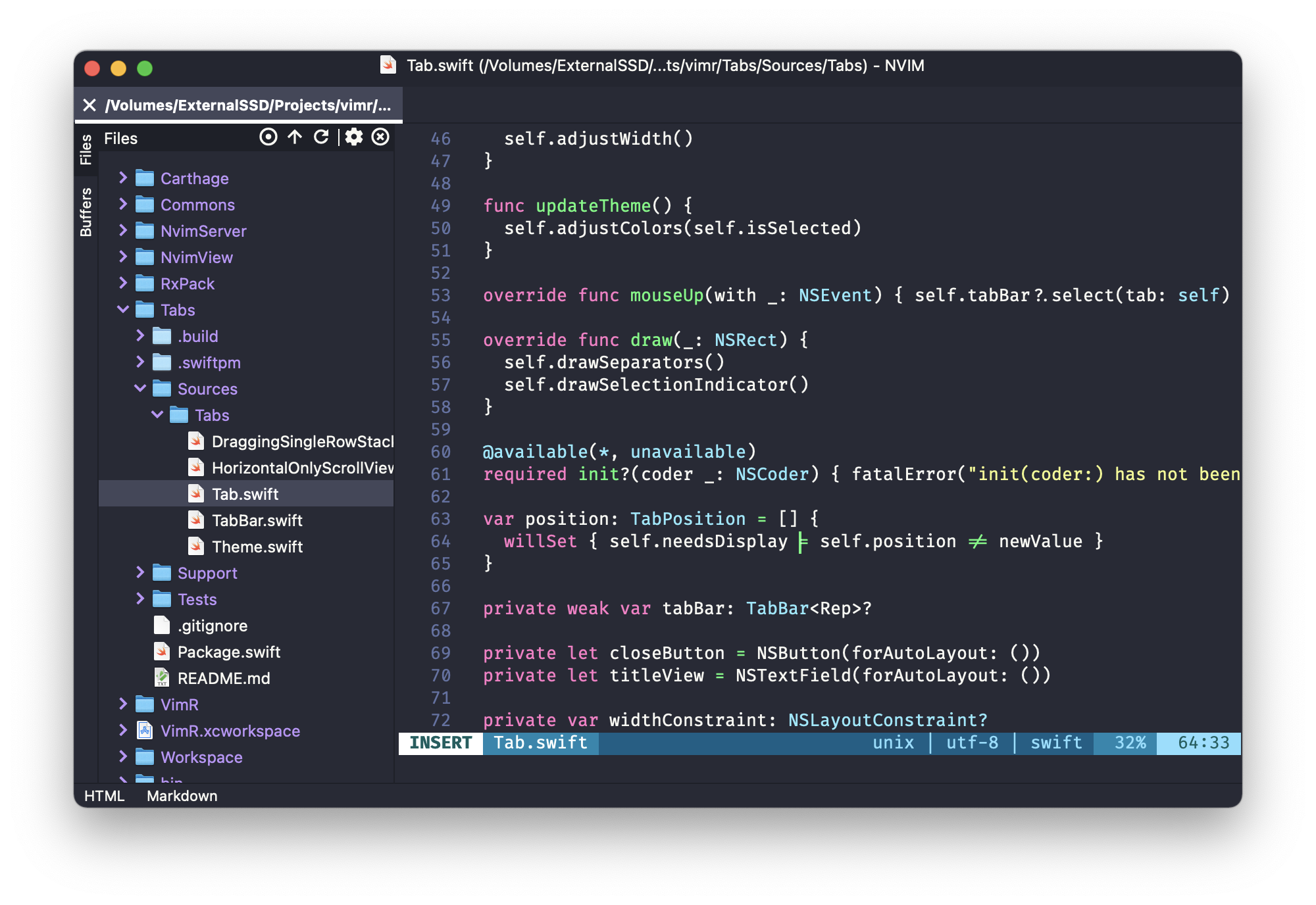
VimR is a Neovim GUI for macOS written in Swift.
The goal is to build an editor that uses Neovim inside with some of the convenient
GUI features similar to those present in other editors.
There are other Neovim GUIs for macOS,
see the list, so why VimR?
- Play around with Neovim,
- Play around with the main idea of Redux architecture, and
- (most importantly) have fun!
If you feel chatty, there is a chat room: https://matrix.to/#/#vimr:matrix.org
If you want to support VimR financially, use Github's Sponsor.
Download
Pre-built Universal signed and notarized binaries can be found under Releases.
Requirements
- macOS 13.0 or later
- Development: Xcode 26
Reusable Components
VimR is built with a modular architecture. The following Swift packages can be used independently:
- NvimView: SwiftPM module containing an NSView which bundles everything needed to embed Neovim in a Cocoa app, including the Neovim binary and runtime files.
- NvimApi: Synchronous and asynchronous API for Neovim.
- Commons: Common utilities and helpers used across the project.
- Tabs: Tab bar component.
- Workspace: Workspace management component.
- Ignore: Gitignore-style pattern matching using wildmatch.
Features
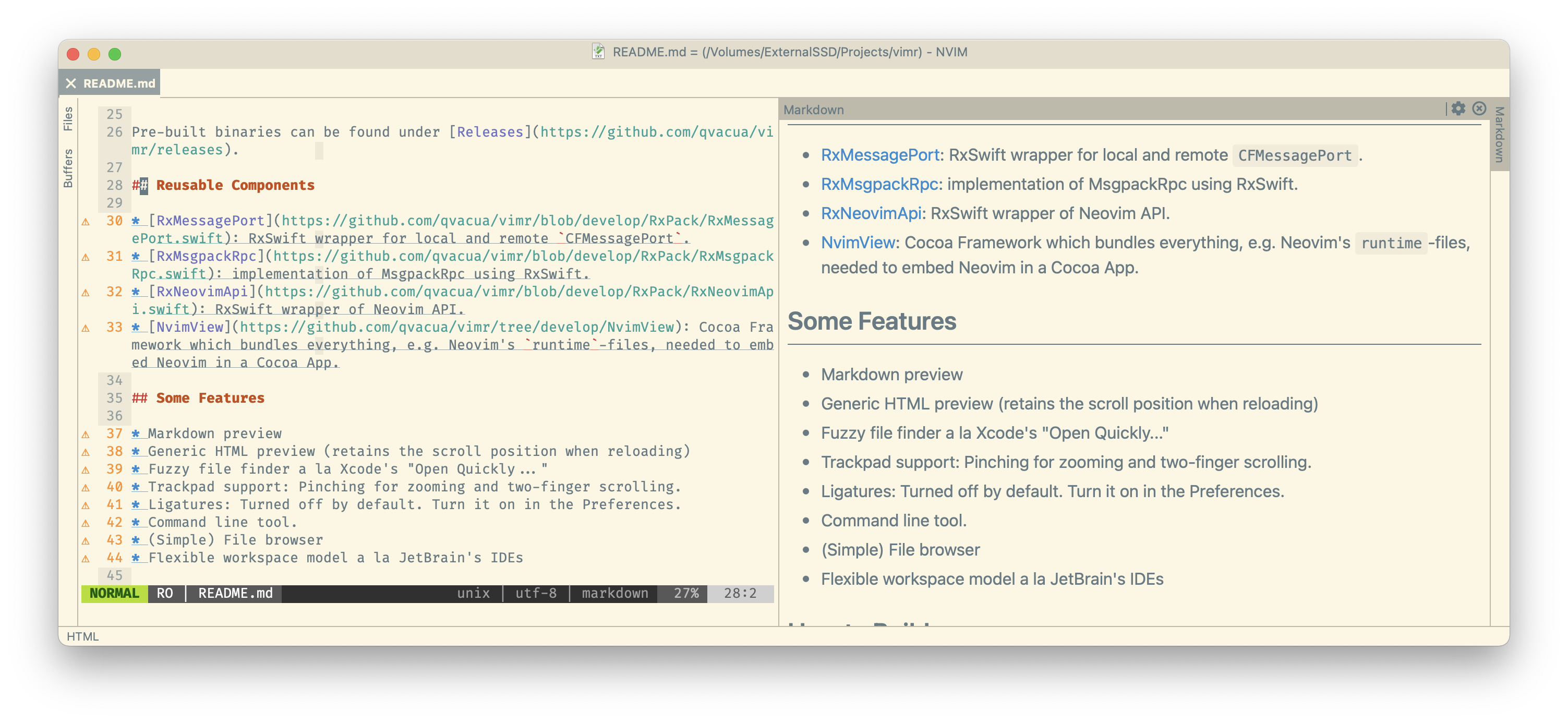
- Markdown preview
- Generic HTML preview (retains the scroll position when reloading)
- Fuzzy file finder a la Xcode's "Open Quickly..."
- Trackpad support: Pinching for zooming and two-finger scrolling.
- Ligatures: Turned off by default. Turn it on in the Preferences.
- Command line tool.
- (Simple) File browser
- Flexible workspace model a la JetBrain's IDEs
How to Build
Clone this repository. Install homebrew, then in the project root:
bashgit submodule update --init xcode-select --install # install the Xcode command line tools, if you haven't already brew bundle # install dependencies, e.g., build tools for Neovim clean=true notarize=false trust_plugins=true ./bin/build_vimr.sh
trust_plugins=true: Skips the interactive package plugin validation (SwiftLint), allowing the build to proceed in a non-interactive shell.notarize=false: Skips the Apple notarization process and performs an ad-hoc signature instead.
The built application will be located at ./build/Build/Products/Release/VimR.app.
For convenience, you can use the helper script to build and overwrite the application in /Applications:
bash./bin/build_and_install_local_release.sh
Development
See DEVELOP.md.
License
Contributors
Showing top 12 contributors by commit count.



Related Repositories

Carthage/Carthage
A simple, decentralized dependency manager for Cocoa

textmate/textmate
TextMate is a graphical text editor for macOS 10.12 or later

MacDownApp/macdown
Open source Markdown editor for macOS.

coteditor/CotEditor
Lightweight Plain Text Editor for macOS

wxWidgets/wxWidgets
Cross-Platform C++ GUI Library

ravynsoft/ravynos
An open-source OS project that aims to provide source and binary compatibility with macOS® and a similar user experience.