

React abac
Attribute Based Access Control for React
Attribute Based Access Control and Role Based Access Control for React. The project is written primarily in TypeScript, first published in 2019. Key topics include: abac, access-control, attribute-based-access-control, hooks-api-react, permissions.

react-abac
Attribute Based Access Control and Role Based Access Control for React.
Installing
npm install react-abac
Example
An example implementation can be found on codesandbox.io.

Tutorial
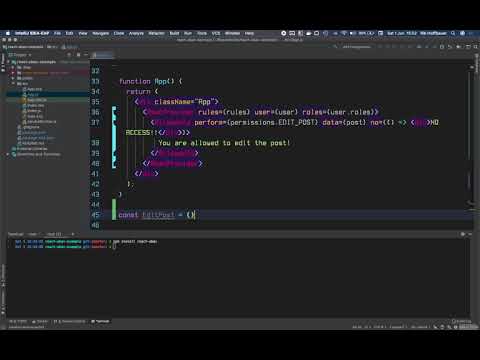
A short tutorial video is available.
Usage
typescriptimport * as React from "react"; import { AbacProvider, AllowedTo } from "react-abac"; interface User { uuid: string; roles: Role[]; permissions: permissions[]; } interface Post { owner: string; // user uuid } // an object with all permissions enum permissions { EDIT_POST = "EDIT_POST", } enum Role { ADMIN = "ADMIN", USER = "USER", } // rules describing what roles have what permissions const rules = { [Role.ADMIN]: { [permissions.EDIT_POST]: true, }, [Role.USER]: { // an abac rule // user can only edit the post if it is the owner of it [permissions.EDIT_POST]: (post, user) => post.owner === user.uuid, }, }; interface Props { user: User; post: Post; } const App = (props: Props) => ( // Add an AbacProvider somewhere near the root of your component tree // where you have access to the logged in user <AbacProvider user={props.user} roles={props.user.roles} rules={rules} permissions={props.user.permissions} > <EditPost post={props.post} /> </AbacProvider> ); const EditPost = (props: { post: { owner: string } }) => ( // restrict parts of the application using the AllowedTo component <AllowedTo // can be an array too, in which case the user must have all permissions perform={permissions.EDIT_POST} // optional, data to pass to abac rules as first argument data={props.post} // both no and yes props are optional no={() => <span>Not allowed to edit post</span>} //yes={() => <span>Allowed to edit post</span>} > {/* the yes prop will default to rendering the children */} <span>Allowed to edit post</span> </AllowedTo> );
See the ./example directory for a full example. This example is deployed here.
API reference
Functions
create
The create function allows you to create a new instance of the library, this allows you to run multiple instances completely separated from each other within the same application.
This is especially useful when developing a library that uses react-abac internally but you want consuming applications to use their own react-abac configuration.
Example usage
typescriptexport const { AllowedTo, secured, NotAllowedTo, AbacContextDefaults, AbacProvider, AbacContext, useAbac, } = create<Role, Permission, User>();
Components
AbacProvider
The AbacProvider is used to provide the AllowedTo component and the useAbac hook with access to the logged in user and the permission rules.
Props
| name | type | required | description |
|---|---|---|---|
| rules | object | yes | An object describing the permission rules, see the Rules section. |
| user | object | no | The logged in user. |
| roles | string[] | no | The roles of the logged in user. |
| permissions | string[] | no | The permissions of the logged in user. |
Example usage
typescriptinterface Props { user: User; post: Post; } const App = (props: Props) => ( // Add an AbacProvider somewhere near the root of your component tree // where you have access to the logged in user <AbacProvider user={props.user} roles={props.user.roles} rules={rules} permissions={props.user.permissions} > <EditPost post={props.post} /> </AbacProvider> );
AllowedTo
The AllowedTo component is used to restrict certain component trees based on whether the logged in user is allowed access.
Props
| name | type | required | description |
|---|---|---|---|
| perform | string or string[] | yes | A single permission or a list of permissions, if a list is provided all permissions are required. |
| yes | React.ComponentType | no | The jsx element to render if permission is granted. |
| no | React.ComponentType | no | The jsx element to render if permission is not granted. |
| data | any | no | Data to pass to abac rules as first argument. E.g. When editing a post you might want to pass the post model as data so the abac rule can check if the post is owned by the logged in user. |
Example usage
typescriptconst EditPost = (props: { post: { owner: string } }) => ( // restrict parts of the application using the AllowedTo component <AllowedTo // can be an array too, in which case the user must have all permissions perform={permissions.EDIT_POST} // optional, data to pass to abac rules as first argument data={props.post} // both no and yes props are optional no={() => <span>Not allowed to edit post</span>} //yes={() => <span>Allowed to edit post</span>} > {/* the yes prop will default to rendering the children */} <span>Allowed to edit post</span> </AllowedTo> );
NotAllowedTo
The NotAllowedTo component is used to restrict certain component trees based on whether the logged in user is not allowed access.
The same as the AllowedTo component but with the no and yes props switched.
See AllowedTo.
Hooks
useAbac
Properties
| name | type | description |
|---|---|---|
| userHasPermissions | <code>(permissions: string | string[], data?: any) => boolean</code> | Checks if the logged in user has one or more permissions. |
Example usage
typescriptconst EditPost = (props: { post: { owner: string } }) => { const { userHasPermissions } = useAbac(); if (!userHasPermissions(permissions.EDIT_POST, props.post)) { return <span>Not allowed to edit post</span>; } return <span>Allowed to edit post</span>; };
Decorators/Higher Order Components
secured
A decorator/hoc that can be used to allow or deny access to a component.
Options
| name | type | description |
| --- | --- | --- | --- |
| permissions | string or string[] | yes | A single permission or a list of permissions, if a list is provided all permissions are required. |
| mapPropsToData | (props: Props) => Data | Maps the props provided to the component to data passed to abac rules (like the data prop on the AllowedTo component) |
| noAccess | React.ComponentType<Props> | Component that should be rendered if no permission is granted |
Example usage
typescriptconst EditPost = (props: { post: Post }) => { return <span>Allowed to edit post</span>; }; secured({ permissions: permissions.EDIT_POST, mapPropsToData: (props) => props.post, noAccess: () => <div>You are not allowed to edit this post</div>, })(EditPost);
or
typescript@secured({ permissions: permissions.EDIT_POST, mapPropsToData: (props) => props.post, noAccess: () => <div>You are not allowed to edit this post</div>, }) class EditPost extends React.Component<{ post: Post }> { render() { return <span>Allowed to edit post</span>; } }
Concepts
Roles
A role describes what purpose (role) a user has within the system on a very high level. A user can have multiple roles.
It is recommended when using typescript to define the roles as an enum like so:
typescriptenum Role { ADMIN = "ADMIN", USER = "USER", }
When using javascript a regular object can be used.
javascriptconst Role = { ADMIN: "ADMIN", USER: "USER", };
Permissions
A permission describes an action you might want to restrict, such as editing a post.
Permissions can be attached to a role (e.g. ADMIN role has DELETE_POST permission) or directly to a user.
Feel free to use whatever naming conventions you find appropriate, e.g. EDIT_POST or post:edit.
It is recommended when using typescript to define the permissions as an enum like so:
typescriptenum Permission { EDIT_POST = "EDIT_POST", }
When using javascript a regular object can be used.
javascriptconst Permission = { EDIT_POST: "EDIT_POST", };
Rules
A rule describes the relationship between a Role and a Permission.
A rule can be:
- a
boolean- rbac, role either has permission or doesn't
- a
function- abac, user has permission based on user attributes and other data
Rules are described in an object like this:
typescriptconst rules = { [Role.USER]: { // only allow editing if post is owned by user [Permission.EDIT_POST]: (post, user) => post.owner === user.uuid, }, [Role.ADMIN]: { // always allow editing [Permission.EDIT_POST]: true, }, };
Contributors
Showing top 8 contributors by commit count.
![renovate[bot]](https://avatars.githubusercontent.com/in/2740?v=4)


![dependabot[bot]](https://avatars.githubusercontent.com/in/29110?v=4)


Related Repositories

apache/casbin
Apache Casbin: an authorization library that supports access control models like ACL, RBAC, ABAC.

authzed/spicedb
Open Source, Google Zanzibar-inspired database for scalably storing and querying fine-grained authorization data

Permify/permify
An open-source authorization as a service inspired by Google Zanzibar, designed to build and manage fine-grained and scalable authorization systems for any application. — Permify is now part of FusionAuth 🎉

ory/keto
The most scalable and customizable permission server on the market. Fix your slow or broken permission system with Google's proven "Zanzibar" approach. Supports ACL, RBAC, and more. Written in Go, cloud native, headless, API-first. Available as a service on Ory Network and for self-hosters.

openfga/openfga
A high performance and flexible authorization/permission engine built for developers and inspired by Google Zanzibar

octelium/octelium
A next-gen FOSS self-hosted unified zero trust secure access platform that can operate as a remote access VPN, a ZTNA platform, API/AI/MCP gateway, a PaaS, an ngrok-alternative and a homelab infrastructure.