

Morse encrypt
基于零宽字符和摩斯电码的隐藏文本加密 || Text hiding encryption、Morse code encryption、zero-width character encryption
**morse encrypt** is a 基于零宽字符和摩斯电码的隐藏文本加密 || Text hiding encryption、Morse code encryption、zero-width character encryption The project is written primarily in JavaScript, first published in 2018. Key topics include: text-encryption, zero-width-character.
Latest release: 1.0— v 1.0
June 5, 2020View Changelog →
隐藏字符加密
原理是利用零宽字符对加密文本进行转码,嵌入到普通文本当中,从而隐藏加密内容;表面看起来是一段普通文本,复制粘贴不会丢失
更新
- 添加unicode转码, 支持所有字符
- npm包使用
npm i zero-encrypt -S
jsvar encrypt = require('zero-encrypt') /* 基于摩斯电码加密 @param {String} str 待加密文本 @param {String} textBefore 前段明文 @param {String} textAfter 后段明文 */ encrypt.incode(str,textBefore, textAfter) /* 基于摩斯电码解密 @param {String} text 待解密字符串 */ encrypt.decode(text) /* unicode加密 @param {String} str 待加密文本 @param {String} textBefore 前段明文 @param {String} textAfter 后段明文 */ incodeByUnicode (str, textBefore, textAfter) /* unicode解密 @param {String} str 待解密字符串 */ decodeByUnicode (str)
存储隐藏信息
比如隐藏加密存储比特币钱包,或者在你的代码里埋下一个彩蛋
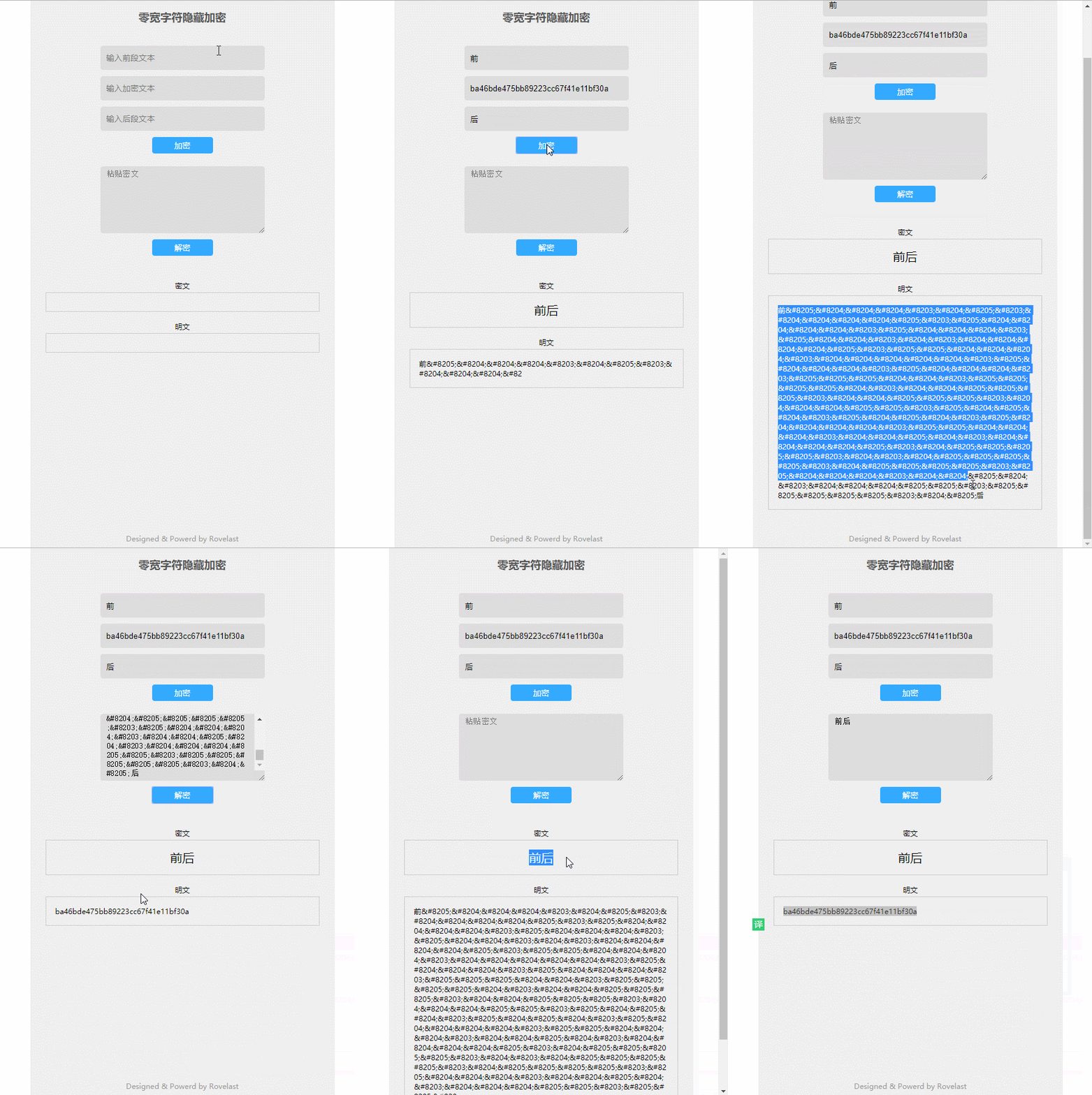
秘密传达消息
零宽字符在大部分应用都支持,pc版QQ会显示零宽字符,但移动端不显示 issue#7
你可以将密文加密到普通文本中,然后邮件发送,表面上看起来是普通文本,只有对方复制明文进行解密后才能看出隐藏信息
为文章添加隐藏水印
你可以在你写的文章插入隐藏字符,将作者信息嵌入其中,当别人复制你的文章时,并不会发现这片文章已经被你悄悄打下水印
比如下面这段话,复制粘贴到 http://zero.rovelast.com 进行解密
txt春风再美也比上你的笑,没见过你的人不会明了
自定义
在morse码基础上添加unicode转码支持全部字符
通过编辑`/src/utils/morse.js`文件,可在摩斯电码的基础上自定义自己独一无二的密码字典
Contributors
Showing top 2 contributors by commit count.

![dependabot[bot]](https://avatars.githubusercontent.com/in/29110?v=4)
Related Repositories

This article is auto-generated from rover95/morse-encrypt via the GitHub API.Last fetched: 6/22/2026