

Customizable gpt chatbot
Veldra — talk an agent into existence, then watch it grow. A self-hostable, local-first agent platform: describe what you need in plain language and it compiles a working agent tools, MCP, RAG, teams. The more you use it, the better it gets agents learn from your feedback and reshape as you talk.
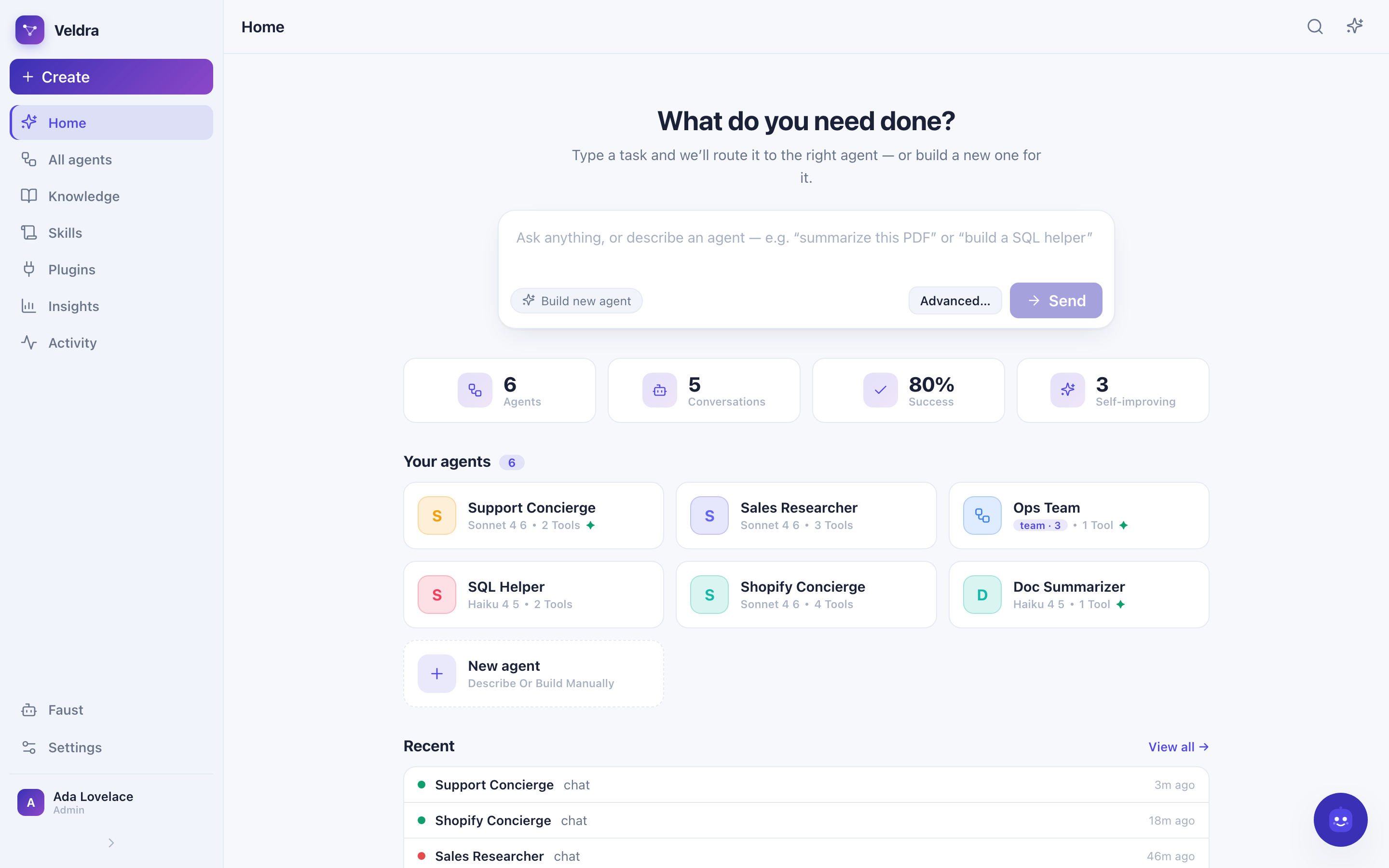
**A self-hostable, local-first agent-harness platform.** Describe what you need in plain language — Veldra compiles it into a *working agent*: its policy, tools, **skills**, a RAG knowledge base, a reasoning method, even a whole **team**. Route a task to the right agent automatically, connect external tools over **MCP**, and reshape anything later just by talking to it. Agents **learn from your feedback** and improve. The project is written primarily in Python, first published in 2023. Key topics include: agent-harness, artificial-intelligence, autogpt, chatbot, claude-skills.
Veldra
Talk an agent into existence.
A self-hostable, local-first agent-harness platform. Describe what you need in
plain language — Veldra compiles it into a working agent: its policy, tools,
skills, a RAG knowledge base, a reasoning method, even a whole team. Route a
task to the right agent automatically, connect external tools over MCP, and reshape
anything later just by talking to it. Agents learn from your feedback and improve.







The one load-bearing idea: an agent is data, not code — a versioned
AgentSpecrow in Postgres. "Build me an agent" = compile natural language →
validatedAgentSpec. "Change it" = a JSON-Patch you approve. The runtime is a
pure interpreter of that spec.
✨ Highlights
- Type a task — it routes or builds. A smart composer auto-selects the best
existing agent for what you typed, or builds a new agent from the prompt and drops
you straight into its chat. - A real workspace, with sign-in. A first-run install wizard (name the
workspace, check your providers, create the admin), then a sign-in gate. Invite
teammates with roles — admin / member / viewer. - Plugins & MCP connectors. Built-in tools (calculator, web scraper, RAG search,
HTTP, workspace files, …) are always on. Install external MCP connectors
(Shopify, Alibaba, or any Streamable-HTTP / SSE / stdio server) from a template
gallery — configure credentials, test the connection, enable per agent. Side-effecting
connector tools require explicit approval. - Agent teams. Describe a business and the orchestrator plans a coordinator +
specialists and wires them together (depth-capped delegation). - Editable knowledge bases. Upload PDFs/markdown or index a web page; edit a
document and it re-embeds; per-KB retrieval mode (semantic / keyword / hybrid),
embedding model, reranker, and vector store (pgvector / Qdrant). Citations
carrypage/section/char-span. - A visual workflow builder. start · end · llm · classifier · kb_search · if_else ·
condition · code (sandboxed) · tool · http · template · aggregator — per-node inspector
and typed variable passing. - Agents with a soul. Every agent has a persona — a character and voice (its
"soul") that shapes how it talks, distinct from what it does. And it grows little by
little: with auto-improve on, it reflects and stores a lesson not only from a 👎
but quietly from its own mistakes (a failed tool call, a dead-end) — like a colleague
who gets sharper the more they work with you. Lessons + persona are injected on every
future run, so experience accumulates. - Faust, the floating admin bot: rename / tag / re-policy / delete agents, inspect &
clear logs, manage documents — through audited admin tools. - Insights & Activity — usage / cost / reliability rollups and the full step trace
of every build / ask / edit.
📸 Screenshots
| 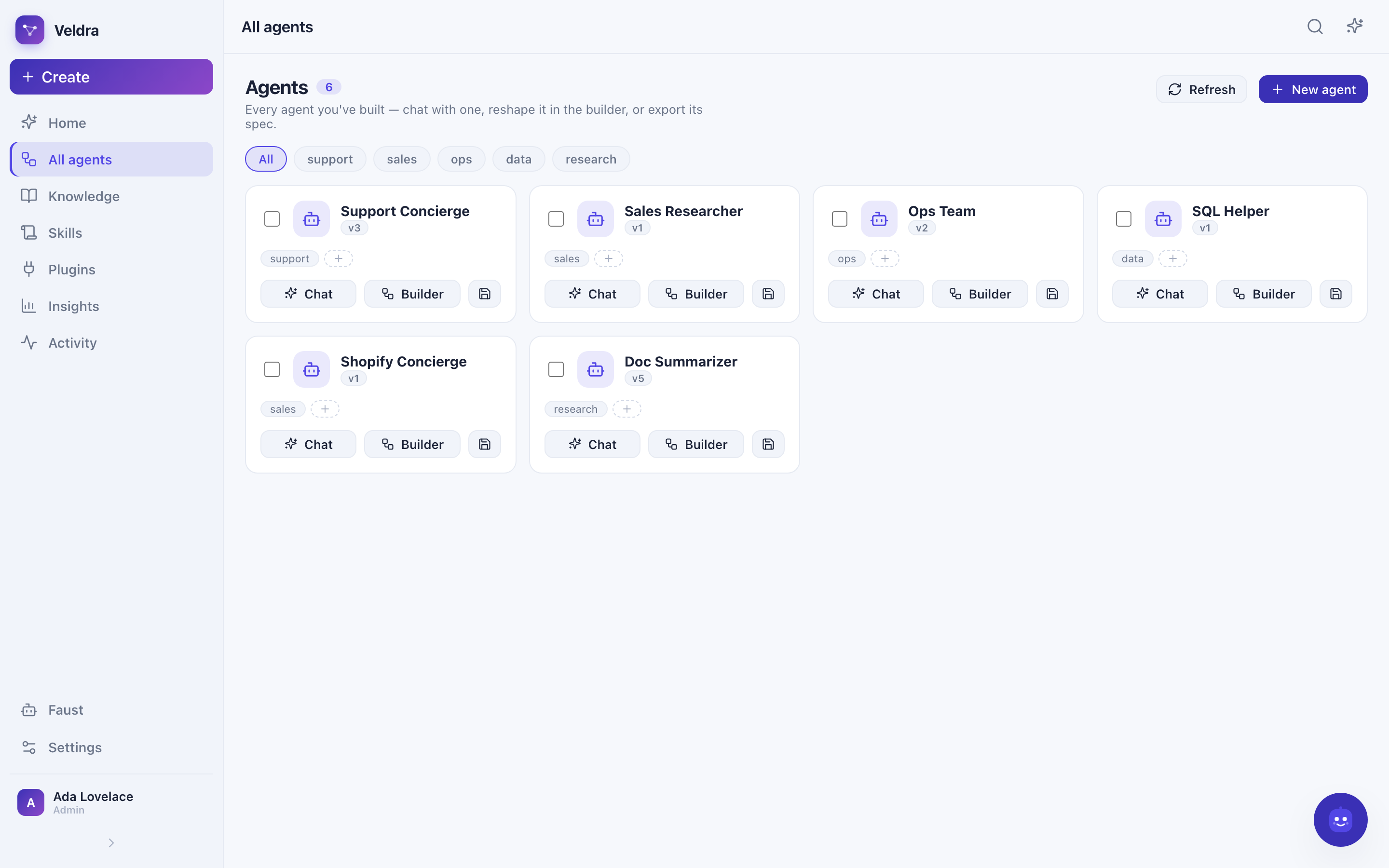 |
| Home — smart composer, KPI strip, agent board | All agents — gallery, tags, chat / builder |
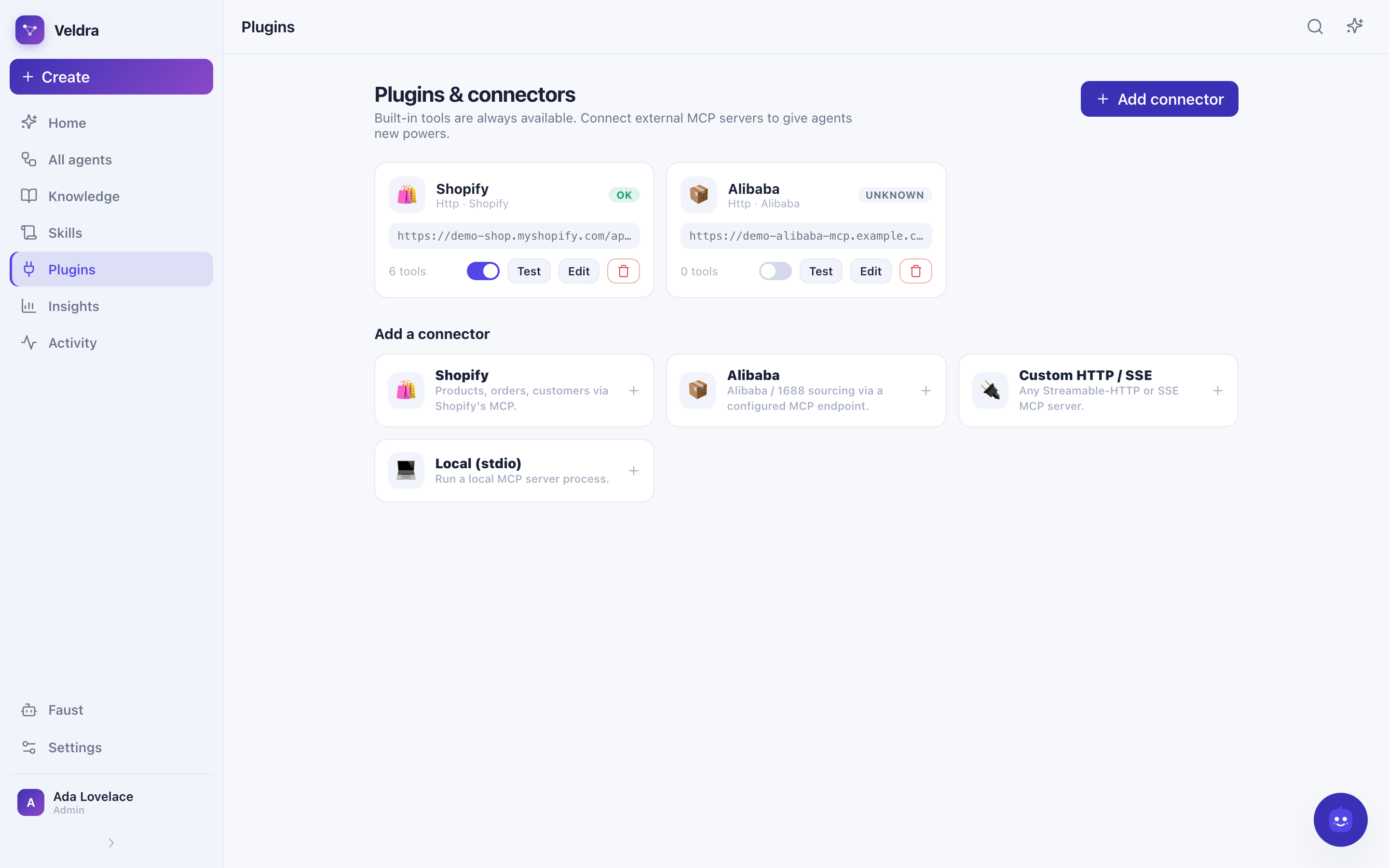 | 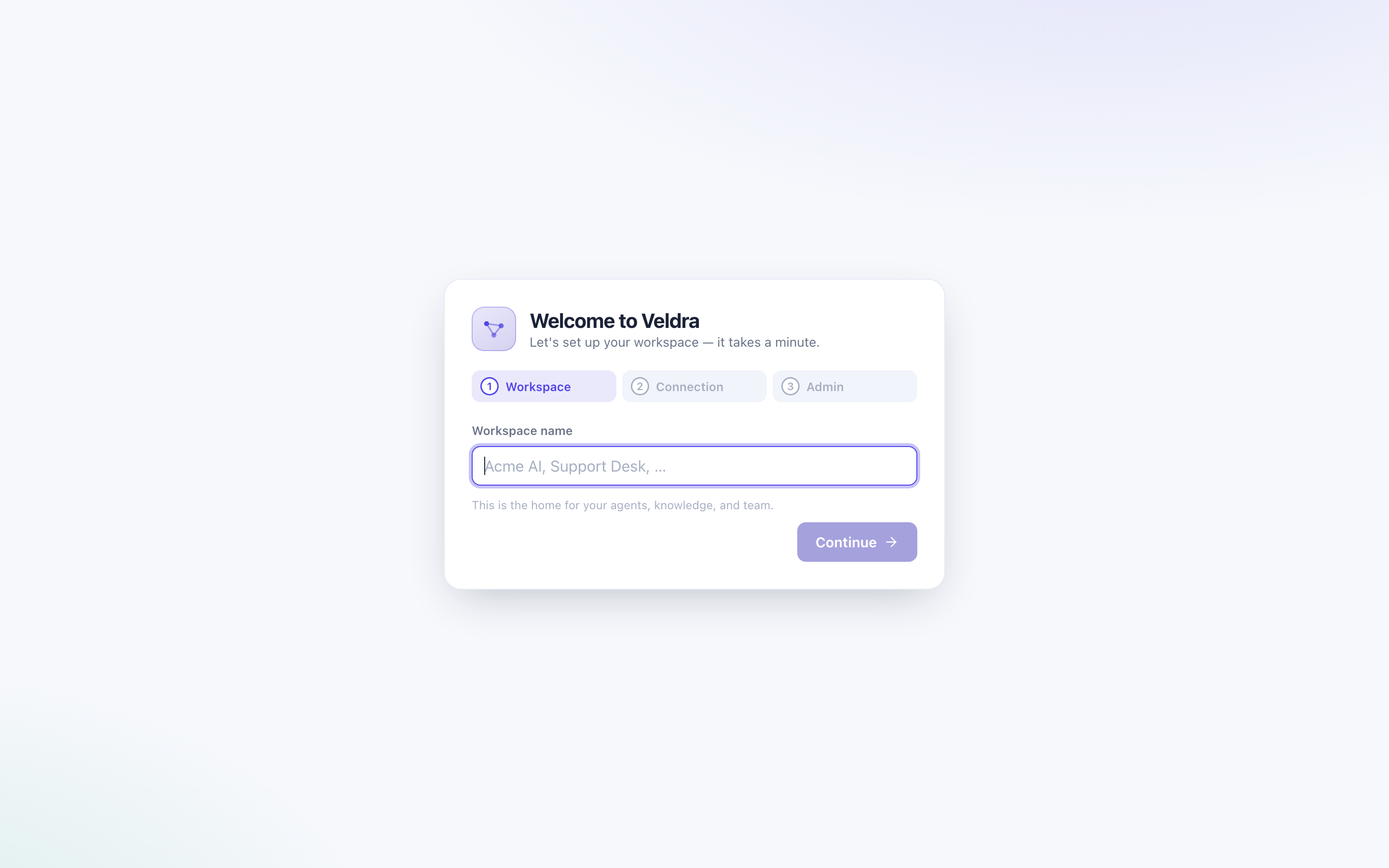 |
| Plugins — MCP connectors + template gallery | Install wizard — first-run setup |
🏗️ Architecture at a glance
mermaidflowchart LR UI["Vue 3 SPA<br/>(workspace UI)"] -->|"REST + SSE (bearer)"| API["FastAPI edge"] API --> AUTH["Auth + install wizard<br/>users · roles · sessions"] API --> ORCH["Orchestrator<br/>NL → AgentSpec · route · self-mod"] API --> RT["Runtime<br/>native · decision loop · workflow"] RT --> REG["Tool registry<br/>builtins + plugin (MCP) tools"] REG -->|stdio · HTTP · SSE| MCP[("External MCP<br/>Shopify · Alibaba · …")] ORCH --> DB[("Postgres + pgvector")] RT --> DB AUTH --> DB RT --> LLM[("LLM provider<br/>Ollama · OpenAI · Anthropic")] RT --> S3[("MinIO / S3")] API --> REDIS[("Redis")]
Everything is one FastAPI process (edge + orchestrator + runtime + RAG) plus the Vue
SPA. An agent is a stable agents row + an append-only stack of immutable
AgentSpec versions; the runtime is a pure interpreter of the current version.
🚀 Quick start — one command
Prereqs: Docker (and, for the local-first default, Ollama).
One command checks prereqs, pulls the local models, creates .env, brings up the whole
stack (Postgres+pgvector, Redis, MinIO, and the app), and waits for it to be healthy:
bashmake quickstart
Then open http://localhost:8000 → the install wizard walks you through it: name
your workspace, test the provider connection, and create your admin account. Sign in and
start building. make down stops everything, make logs tails the app.
</details>bashollama pull qwen3.5:0.8b # agent model (tools + thinking) ollama pull nomic-embed-text # embeddings (768-dim) make up # = docker compose -f deploy/docker-compose.yml up --build -d
🧑💻 Quick start — dev (hot reload)
Prereqs: also uv + Node 20.19+.
bashcp example.env .env make dev # infra in Docker + migrate; prints the run commands uv run uvicorn veldra_app.main:app --reload # API on :8000 cd apps/web && npm install && npm run dev # UI on :5173 (proxies /api → :8000)
Then describe what you want (e.g. "answer questions from these docs and always cite
the page") — Veldra builds the agent and you chat with it. Or use the CLI (set
VELDRA_AUTH_ENABLED=false for local, or VELDRA_SERVICE_TOKEN):
bashuv run veldra kb add ./whitepaper.pdf uv run veldra build "answer from my docs with citations" uv run veldra ask "what does section 3 say about pricing?"
🧩 What you can build
| Build this | How |
|---|---|
| A single agent | Type a task or a description — the orchestrator writes the policy, picks tools/skills/KB and a thinking method. |
| A whole team | "Build a team to run an online store" → a coordinator + specialists, wired via sub_agents. |
| Tool-using agents | Grant built-ins (kb.search, calc.eval, web.scrape, http.fetch, time.now, fs.*, json.query, regex.extract) or plugin tools from connected MCP servers. |
| Connected agents | Install MCP connectors (Shopify, Alibaba, or any HTTP/SSE/stdio server); their tools appear in the catalog and the orchestrator can grant them. |
| RAG agents | Attach an editable knowledge base; answers cite page / section. |
| Workflows | A typed workflow_graph the runtime executes — author by asking or on the visual canvas. |
| Self-improving agents | Turn on auto-improve; 👎 feedback → reflection → a stored lesson injected next time. |
🔌 Plugins & MCP connectors
Built-in tools are always available. To give agents new powers, an admin opens
Plugins → Add connector and picks a template:
| Connector | Transport | Configure |
|---|---|---|
| Shopify | Streamable HTTP | server URL + access token |
| Alibaba | Streamable HTTP | MCP endpoint + API key |
| Custom HTTP / SSE | HTTP / SSE | any MCP server URL (+ optional headers) |
| Local (stdio) | stdio | a command to run, e.g. npx -y some-mcp-server |
Credentials are stored server-side and never returned to the browser. Test
connection lists the server's tools; once enabled, they appear as <key>.<tool> in
the catalog. A connector tool set to permission_mode: ask requires explicit approval
before it runs.
🤖 Models / providers
The LLM layer is provider-pluggable via VELDRA_LLM_PROVIDER:
| Provider | value | Notes |
|---|---|---|
| Ollama (default) | ollama | Fully local, no key. VELDRA_OLLAMA_MODEL (+ optional VELDRA_OLLAMA_ORCHESTRATOR_MODEL). |
| OpenAI-compatible | openai | OpenAI, Groq, OpenRouter, vLLM, LM Studio — set VELDRA_OPENAI_BASE_URL, OPENAI_API_KEY, VELDRA_OPENAI_MODEL. |
| Anthropic | anthropic | Claude with adaptive thinking + effort. Needs ANTHROPIC_API_KEY. |
Embeddings are independently pluggable (VELDRA_EMBED_PROVIDER): local Ollama
nomic-embed-text (768-dim) by default, or OpenAI text-embedding-3-small (1536). The
dimension is fixed at first migration.
Agent loop modes (VELDRA_AGENT_MODE)
To stay reliable even on sub-1B local models, auto runs a constrained decision
loop for local/small models instead of fragile native tool-calling: each step the
model picks an action from an enum and fills exactly that tool's args via structured
output (goal-aware prompting, required-field fallback, a no-progress breaker, bounded
repair, graceful step-limit fallback). The final answer is a separate, streamed,
grounded composition. Claude/large models keep native tool-calling. Force either with
VELDRA_AGENT_MODE=decision|native. A repeatable suite (python -m evals.decision_loop.run)
asserts, on qwen3.5:0.8b: 100% answered, 0 hallucinated tools, each tool called
once with non-empty args, and RAG answers cited.
🔐 Auth & access
Multi-user, single workspace. First run shows the install wizard; thereafter a sign-in
gate. Sessions are opaque bearer tokens (stored only as a SHA-256 hash, revocable +
expiring); passwords use PBKDF2-SHA256 (stdlib, no native deps). Roles:
- admin — everything, plus team management + plugins + Faust.
- member — build / chat / edit agents, KBs, skills.
- viewer — read-only.
Set VELDRA_AUTH_ENABLED=false to resolve every request to the default workspace as a
system admin (CLI, evals, trusted local single-user dev). See example.env.
🗂️ Repository layout
apps/web/        Vue 3 + Vite + Pinia + TS — the workspace front-end
services/app/    one FastAPI process: edge (REST+SSE) · auth · orchestrator · runtime · rag
packages/        spec-schema · llm-providers · mcp-client · mcp-servers · thinking-methods
cli/             thin Typer client (veldra kb add | build | ask | agents | selfmod)
deploy/          docker-compose (postgres+pgvector, redis, minio) + Alembic migrations
evals/           nl_to_spec golden accuracy · decision_loop reliability suite
docs/            ARCHITECTURE.md + screenshots/
🩺 Troubleshooting
| Symptom | Fix |
|---|---|
| App can't reach Ollama from Docker | The container reaches your host at host.docker.internal; make sure Ollama is running and the models are pulled. |
port 5432 already in use | The Postgres container maps host port 5433 (to avoid clashing with a local Postgres). The app talks to it on the Docker network. |
| Embedding dimension mismatch | VELDRA_EMBED_DIM is fixed at first migration. Use an embedder of the same dimension, or re-index (or use Qdrant for mixed dims). |
| Stuck on the install wizard | It only shows when no users exist and VELDRA_AUTH_ENABLED=true. To bypass auth entirely, set it to false. |
| CLI gets 401 | With auth on, set VELDRA_AUTH_ENABLED=false for local use, or send VELDRA_SERVICE_TOKEN as a bearer token. |
| A connector shows "error" | Open Plugins, hit Test — the error from the MCP server is shown. Check the URL, credentials, and that the server is reachable. |
📖 Glossary
- AgentSpec — the validated, versioned JSON that is an agent (policy, model,
tools, skills, KBs, team, workflow). - Skill — a reusable Markdown playbook injected into an agent's instructions.
- Connector / Plugin — an external MCP server whose tools an agent can use.
- Decision loop — the constrained, structured-output agent loop for small models.
- Lesson — episodic memory learned from feedback, injected on future runs.
- Faust — the admin meta-agent that manages the workspace by chatting.
See docs/ARCHITECTURE.md for the full design, the provider
interface, and the roadmap. The previous Django GPT-3.5 chatbot is preserved on the
archive/v1-django tag.
Contributors
Showing top 1 contributor by commit count.

Related Repositories

lobehub/lobehub
🤯 LobeHub is your Chief Agent Operator, organizing your agents into 7×24 operations by hiring, scheduling, and reporting on your entire AI team.

Mintplex-Labs/anything-llm
Stop renting your intelligence. Own it with AnythingLLM. Everything you need for a powerful local-first agent experience

agentscope-ai/QwenPaw
Your Personal AI Assistant; easy to install, deploy on your own machine or on the cloud; supports multiple chat apps with easily extensible capabilities.

holaboss-ai/holaOS
Your super agent for work: local-first, learn your working context in mins and never forget it.

peteromallet/desloppify
Agent harness to make your slop code well-engineered and beautiful.

trustgraph-ai/TrustGraph
Write context once. Run agents anywhere. Discover the power of holonic context graphs and dramatically reduce your token usage.