

Smlfmt
A custom parser/auto-formatter for Standard ML
A custom parser and code formatter for Standard ML. `smlfmt` is fast, configurable, and usable for large projects. The project is written primarily in Standard ML, distributed under the MIT License license, first published in 2020. Key topics include: autoformat, formatter, parser, standard-ml.
smlfmt
A custom parser and code formatter for Standard ML. smlfmt is fast,
configurable, and usable for large projects.
All of the SML code in this repository (everything in
src) has been formatted by smlfmt. Take a look!
(Jan 1, 2026) Released v1.3.0.
(May 2, 2025) Released v1.2.0.
Features
- Full support for Standard ML according to the formal definition.
- Fast -- see performance results below.
- Usable for large projects.
- Whole-project formatting via
.mlbfiles using
MLton conventions,
including MLBasis path maps.
- Whole-project formatting via
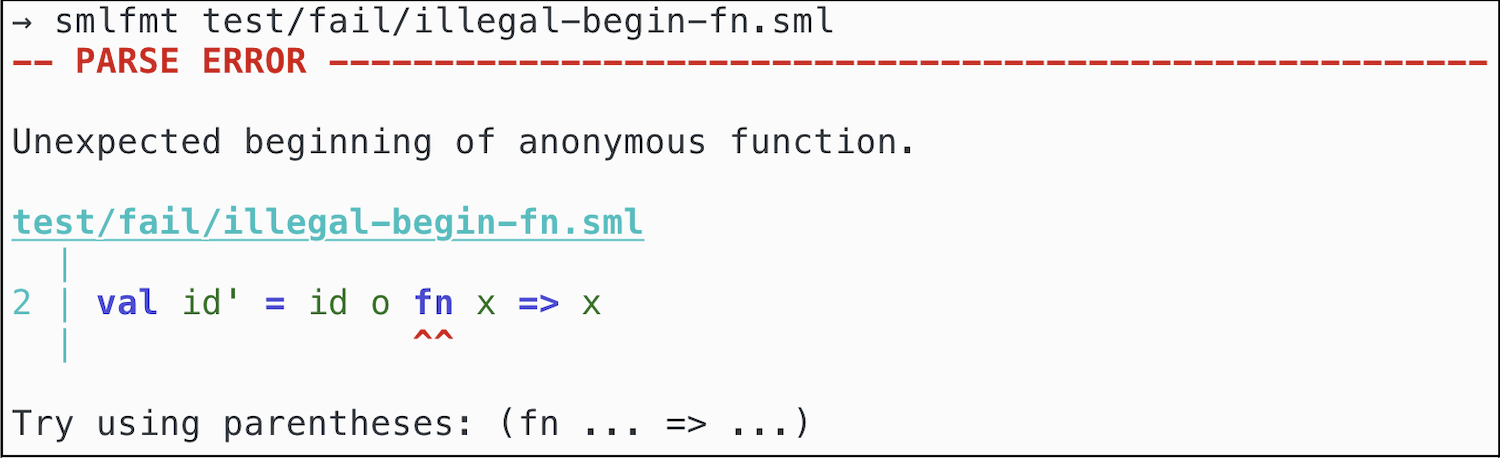
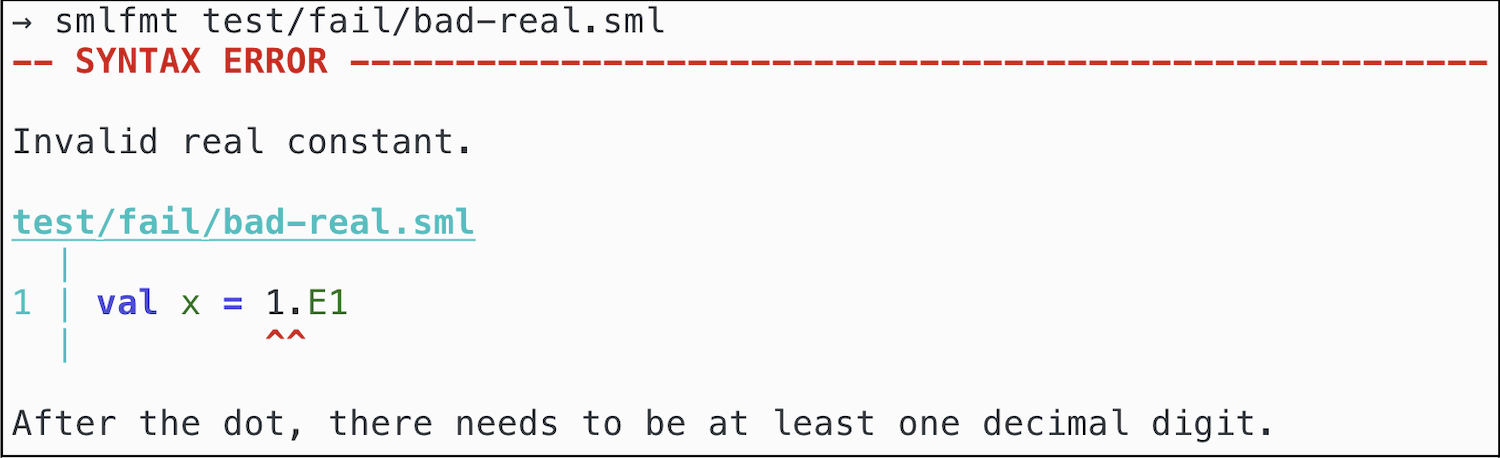
- Helpful error messages with visual code references and syntax highlighting.
- Support for various SuccessorML syntax extensions.
- Configurable indentation size and maximum width.
- Emacs integration (see smlfmt.el)
Performance
smlfmt is fast enough for live reformatting on large individual files, and can reformat large projects in seconds.
Here are measurements for smlfmt --preview-only INPUT > out on my MacBook Air (M2, 2022).
| Input | Size (LoC) | Time |
|---|---|---|
src/prettier-print/PrettierExpAndDec.sml | 1024 | 31 ms |
src/base/PrettyTabbedDoc.sml | 1349 | 29 ms |
src/parse/ParseExpAndDec.sml | 1363 | 28 ms |
MLton elaborate-core.fun | 3942 | 104 ms |
MLton x86-allocate-registers.fun | 11034 | 216 ms |
Entire smlfmt source code (smlfmt.mlb) | 20000 (approx.) | 305 ms |
Entire MLton source code (mlton.mlb) | 160000 (approx.) | 6.6s |
(Timings are averages reported by hyperfine.)
Examples: Error Messages
Build and run
You need mlton installed.
Do make and then pass a .sml file to format it in-place, for example:
bash$ make $ ./smlfmt --preview src/smlfmt.sml # modifies src/smlfmt.sml
You can also pass code through stdin and stdout.
bash$ echo "val x = 5 val y = 6" | ./smlfmt # formatted output written to terminal $ cat foo.sml | ./smlfmt > bar.sml # take foo.sml as input and write output to bar.sml $ ./smlfmt < foo.sml > bar.sml # same as above
To format many files all at once, pass a .mlb file. Use --force
to skip overwrite confirmations.
bash$ ./smlfmt --force src/smlfmt.mlb
Command-line options
--force skips interactive overwrite confirmations.
--preview also prints any formatted code to stdout,
with syntax highlighting (if shown on terminal supporting ANSI colors).
--preview-only is the same as --preview, but also skips writing to file.
(This is incompatible with --force.)
--read-only will only parse files (and report syntax errors). No interactive
confirmation, and no files will be modified.
(This is incompatible with --force.)
--check will verify that files are already formatted (for example, for CI).
No interactive confirmation, and no files will be modified.
(This is incompatible with --force.)
-mlb-path-var '<key> <value>' for handling path variables, similar to
MLton's path maps.
-mlb-path-map FILE to load a
MLton path map. Each line should be one
key-value entry.
-ribbon-frac <real> (default 1.0) controls pretty-printing. The
ribbon-frac (between 0 and 1) controls how dense each line is, excluding
indentation. Low ribbon-fracs will have very little non-whitespace content
on each line, whereas high ribbon-fracs will attempt to fill the line as
much as possible. Default = 1.0
-max-width <int> (default 80) controls pretty-printing.
This is the desired maximum number of columns in each line.
Note that it is not always possible to ensure that the output is within
the max width. (For example, deeply nested let...in...end expressions
will always indent further, and long comments/strings are not broken up.)
-indent-width <int> (default 2) is the desired number of spaces used in
the formatted output.
-tab-width <int> (default 4) informs the pretty-printer of the intended
tab-width for the input source. Typically this doesn't matter, but there are
some cases where a particular tab-width can influence the vertical alignment
of multiline comments and strings. (See discussion in issue #28 for more
details.)
-engine [pretty|prettier] (default prettier) selects which pretty printing
engine to use. The prettier engine is the newest version. The pretty
engine is the old version.
--debug-engine enables debugging output, for developers. This flag requires
that the --preview-only flag is also enabled.
-allow-top-level-exps [true|false] (default true) controls whether or
not top-level expressions (terminated by a semicolon) are allowed.
-allow-successor-ml [true|false] (default false) controls whether or not
SuccessorML features are allowed.
-allow-opt-bar [true|false] (default false) controls whether or not
SuccessorML optional bar syntax is allowed.
-allow-record-pun-exps [true|false] (default false) controls whether or not
SuccessorML record punning syntax is allowed.
-allow-or-pats [true|false] (default false) controls whether or not
SuccessorML or-pattern syntax is allowed.
-allow-extended-text-consts [true|false] (default false) controls whether
or not SuccessorML extended text constants are allowed. Enable this to allow
for UTF-8 characters within strings.
-allow-sig-withtype [true|false] (default false) controls whether or not
SuccessorML withtype in signatures syntax is allowed.
Contributors
Showing top 11 contributors by commit count.


