

HoneycombView
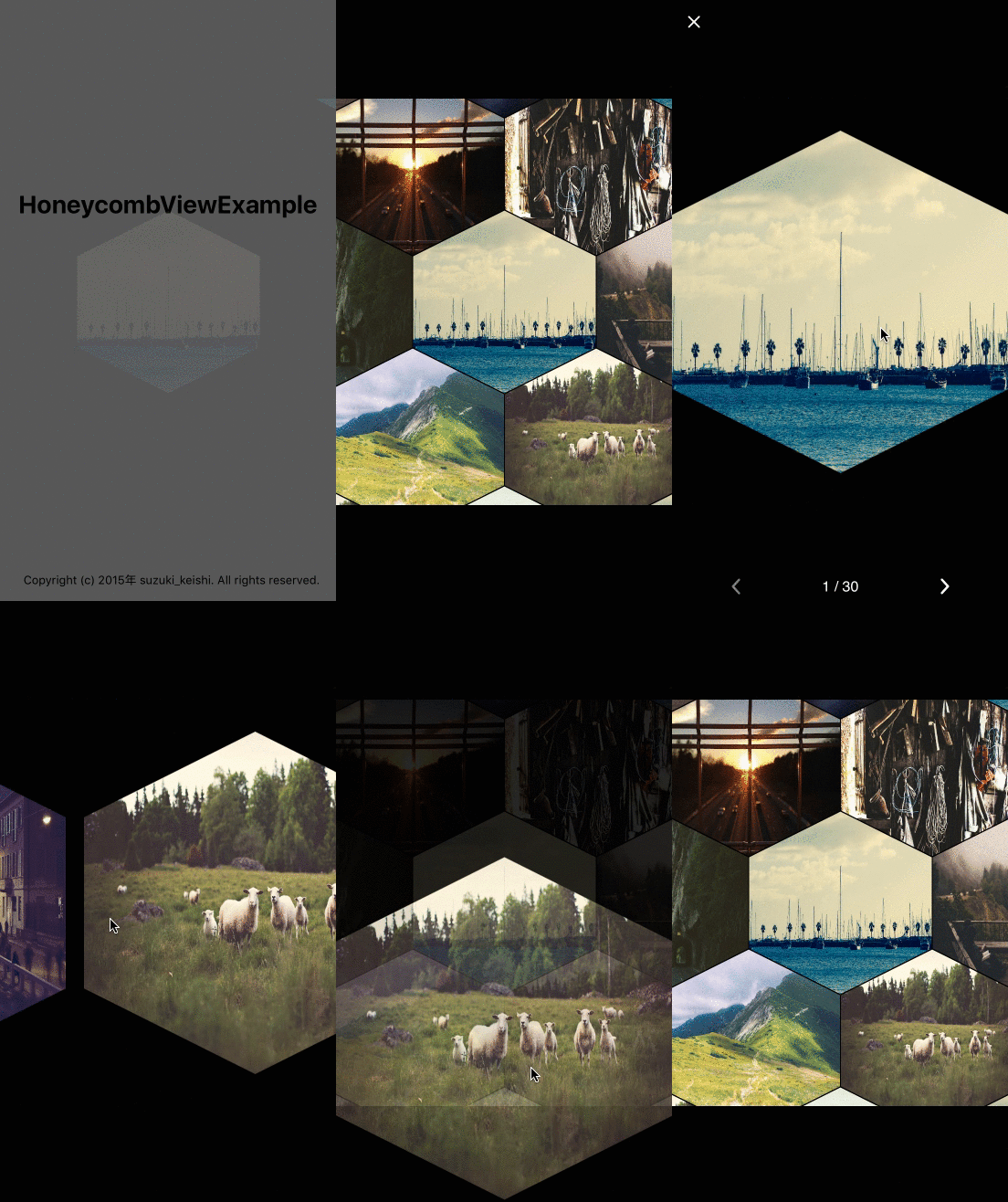
HoneycombView is the iOS UIView for displaying like Honeycomb layout written by swift
**HoneycombView** is a HoneycombView is the iOS UIView for displaying like Honeycomb layout written by swift The project is written primarily in Swift, distributed under the MIT License license, first published in 2015. Key topics include: honeycomb, swift, ui-components.
HoneycombView


iOS UIView for Honeycomb layout include with photoBrowser.
Requirements
- iOS 8.0+
- Swift 2.0+
- ARC
##Installation
####CocoaPods
HoneycombView is available on CocoaPods. Just add the following to your project Podfile:
pod 'HoneycombView'
use_frameworks!
####Carthage
To integrate HoneycombView into your Xcode project using Carthage, specify it in your Cartfile:
ogdlgithub "suzuki-0000/HoneycombView"
####Manually
Add the HoneycombView.swift directly into your project.
##Usage
The easiest way is to instantiate its class in ViewController, configure it, and add it to a view.
If you want to know more details, see the ViewController of the example project.
- With Images
swift// do some for images let images = [UIImage]() let honeycombView = HoneycombView(frame: CGRectMake(0, 0, view.frame.width, view.frame.height)) honeycombView.diameter = 160.0 honeycombView.margin = 1.0 honeycombView.configrationForHoneycombViewWithImages(images) view.addSubview(honeycombView) honeycombView.animate(duration: 2.0)
You can also use from URL(String) with NSCache.
- With Images from URL
swiftfor i in 0..<30{ let user = User(id: i, profileImageURL: "https://placehold.jp/150x150.png") users.append(user) } let honeycombView = HoneycombView(frame: CGRectMake(0, 0, view.frame.width, view.frame.height)) honeycombView.diameter = 100.0 honeycombView.margin = 1.0 honeycombView.configrationForHoneycombViewWithURL(users.map{ $0.profileImageURL }) view.addSubview(honeycombView)
Other parameter is for size of HoneycombView.
Set margin parameter to 0 if you don't need margin for honeycomb.
- diameter
- margin

Photos from
License
HoneycombView is available under the MIT license. See the LICENSE file for more info.
Contributors
Showing top 1 contributor by commit count.

Related Repositories

typelevel/natchez
functional tracing for cats

tersesystems/terse-logback
Structured Logging, Tracing, and Observability with Logback

iand675/hs-opentelemetry
OpenTelemetry support for the Haskell programming language

grafana/otel-profiling-go
Open Telemetry integration for Grafana Pyroscope and tracing solutions such as Grafana Tempo, Honeycomb, or Jaeger

Cymmetria/honeycomb
An extensible honeypot framework

Wooty-B/LX2K_Guide
A guide for fully setting up the SolidRun LX2K with novice users in mind.