Xiaomi airconditioningcompanion
Xiaomi Mi and Aqara Air Conditioning Companion integration for Home Assistant
This is a custom component for home assistant to integrate the Xiaomi Mi and Aqara Air Conditioning Companion: The project is written primarily in Python, distributed under the Apache License 2.0 license, first published in 2018. Key topics include: acpartner, airconditioning, aqara, custom-component, hacktoberfest.
Xiaomi Mi and Aqara Air Conditioning Companion





This is a custom component for home assistant to integrate the Xiaomi Mi and Aqara Air Conditioning Companion:
| Model ID | Model number | Product name | Shape |
|---|---|---|---|
acpartner.v1 | KTBL01LM | Aqara Air Conditioning Companion | square |
acaprtner.v2 | KTBL02LM | Xiaomi Mi Air Conditioner Companion | round |
acpartner.v3 | KTBL11LM | Aqara Air Conditioning Companion | square |
Unsupported devices: lumi.acpartner.mcn02
Please follow the instructions on Retrieving the Access Token to get the API token to use in the configuration.yaml file.
Credits: Thanks to Rytilahti for all the work.
Features
- Power (on, off)
- Operation Mode (Heat, Cool, Auto, Dehumidify, Ventilate)
- Fan Speed (Low, Medium, High, Auto)
- Swing Mode (On, Off)
- Target Temperature
- Capture and replay infrared commands
- Attributes
- ac_model
- ac_power (on, off)
- load_power (Wh)
- operation_mode
- fan_speed
- swing_mode
Install
You can install this custom component by adding this repository (https://github.com/syssi/xiaomi_airconditioningcompanion) to HACS in the settings menu of HACS first. You will find the custom component in the integration menu afterwards, look for 'Xiaomi Mi and Aqara Air Conditioning Companion Integration'. Alternatively, you can install it manually by copying the custom_component folder to your Home Assistant configuration folder.
Setup
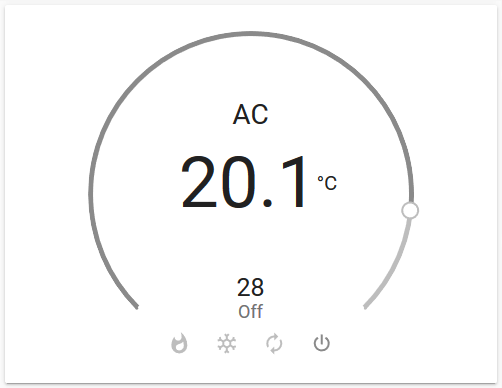
yaml# configuration.yaml climate: - platform: xiaomi_miio_airconditioningcompanion name: Aqara Air Conditioning Companion host: 192.168.130.71 token: b7c4a758c251955d2c24b1d9e41ce47d target_sensor: sensor.temperature_158d0001f53706 scan_interval: 60
Debugging
If the custom component doesn't work out of the box for your device please update your configuration to enable a higher log level:
yaml# configuration.yaml logger: default: warn logs: custom_components.xiaomi_miio_airconditioningcompanion: debug miio: debug
Platform services
Service xiaomi_miio_airconditioningcompanion.climate_learn_command
Capture an infrared command.
| Service data attribute | Optional | Description |
|---|---|---|
entity_id | no | Only act on a specific Xiaomi miIO fan entity. |
slot | yes | Storage slot. Defaults to slot ID 30. |
timeout | yes | Capturing timeout. Defaults to 10 seconds. |
Service xiaomi_miio_airconditioningcompanion.climate_send_command
Send captured infrared command or device configuration.
| Service data attribute | Optional | Description |
|---|---|---|
entity_id | no | Only act on a specific Xiaomi miIO fan entity. |
command | no | Infrared command. Must start with FE or 01. |
Contributors
Showing top 12 contributors by commit count.