

TerrariumPI
Home automated terrarium/aquarium or other enclosed environment with a Raspberry Pi
Software for cheap home automation of your reptile terrarium or any other enclosed environment. With this software you are able to control for example a terrarium so that the temperature and humidity is of a constant value. Controlling the temperature can be done with heat lights, external heating or cooling system. As long as there is one temperature sensor available the software is able to keep a constant temperature. The project is written primarily in Python, distributed under the GNU General Public License v3.0 license, first published in 2016. Key topics include: aquarium, automation, cooling, enclosure, gui.
TerrariumPI 4.16.0







Software for cheap home automation of your reptile terrarium or any other
enclosed environment. With this software you are able to control for example a
terrarium so that the temperature and humidity is of a constant value.
Controlling the temperature can be done with heat lights, external heating or
cooling system. As long as there is one temperature sensor available the
software is able to keep a constant temperature.
For humidity control there is support for a spraying system. The sprayer can be
configured to spray for an X amount of seconds and there is a minimal period
between two spray actions. Use at least one humidity sensors to get a constant
humidity value. In order to lower the humidity you can add a dehumidifier.
The software is that flexible that there is no limit in amount of sensors, relay
boards or door sensors. The usage can be endless. All power switches have
support for timers to trigger based on a time pattern.
Running now stable for more than
10 years!!!
If you are using this software for your animals or plants,
please post some pictures
Full documentation can be found at
https://theyosh.github.io/TerrariumPI/
Contact https://matrix.to/#/#terrariumpi:theyosh.nl
Think off:
- Terrarium (wet or dry)
- Aquarium
- Tanks with animals or plants
- Greenhouse
And all this is controlled with a nice web interface with
AdminLTE 3 based on Bootstrap 4 made interactive with
Svelte 4.
Table of Contents
- Features
- Translations
- Installation
- Updating
- Hardware
- Remote data
- Contributors
- Star history
- Screenshots
- About
Features
- Controlling electronic devices like lights, sprayers, heating, cooling, water
pump equipment etc - Support for dimming electronic devices
- Manual dimming through web interface
- Predefined on and off dimming durations
- Predefined on and off dimming percentages
- Predefined dimming steps for environment system (heater and cooler)
- Support for timers in power switches and environment
#72- Predefined start and stop times based on timer or weather
- Predefined on and off durations in minutes
- Support for Energenie USB, LAN and RF power switches
EG-PM(s)2 - Support for WeMo Wifi power switches
- Support for
Meross MSS425E Power Switches
(Requires Python 3 setup) - Support for Sonoff remote power devices
- Support for
multiple type of sensors- Temperature
- Humidity
- Moisture
- Conductivity
- Distance
- pH
- Light intensity
- UV A and B
- Fertility
- Volume
- Support for webcams and native Raspberry Pi cam out of the box
- Raspberry Pi cam can be streamed live with 6 seconds delay
- Archiving images based on motion or time interval
- Support for analog devices through a MCP3008
- Support for PH probe SKU SEN0161
- Support for MiFlora Bluetooth sensors
- Open door detection. This can be used in different environment parts
- Total power and water usage for costs calculation
- Lights control based on sun rise and sun set or timers
- Rain control based on humidity sensors and timers
- Temperature control based on temperature sensors or timers
- Variable day and night difference for min and max temperature
- Water tank level control based on ultrasonic sound range sensors or volume
sensors - Weather forecast from external source for lighting schema
- Supports https://openweathermap.org
- Temperatures in Celsius or Fahrenheit
- Distances in centimeters or inches
- Alarm detections
- Audio support through internal audio jack or USB sound cards
#42- Create playlists (loop and repeat)
- Volume control in the web interface
- Uploading audio files through web interface
- Audio meta data support (mediainfo)
- Remote temperature and humidity sensors through HTTP(S) JSON API's. JSON Data
format can be found on
Remote data wiki. - Display support
- LCD 16x2 or 20x4 screens either through I2C or
Serial - OLED based on SSD1306
- LCD 16x2 or 20x4 screens either through I2C or
- Calendar system when hardware is replacement and when new hardware needs to be
installed - Notifications system. Custom messages for custom actions with use of variables
in the messages- Get notifications through
- Display
- Webhooks
- Notifications for
- Environment part low and high alarm
- Sensor high and low measurements
- Power switch toggle on and off
- Open and close doors
- System error and warning messages
- Get notifications through
It is currently controling my reptile terrarium since 2014! And my
Madagascar Day Gecko is very happy with it!
Translations
The software has support for the following languages:
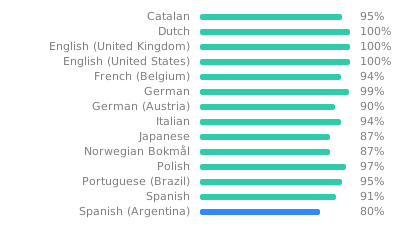
Your language not in the list or not up to date?
Create your own language translation
Installation
Base
The installation expects a Pi with working network and ssh. It is tested with
Raspberry Pi OS Lite 32bit.
Desktop images will not work. Installation seems to work, but it will not
work stable. So make sure you download the correct image for the Pi.
It is possible to use USB or SSD drives to speed things up:
https://www.tomshardware.com/how-to/boot-raspberry-pi-4-usb
Docker
There is a Docker image which can be used instead of the source code. This
should make the installation a bit more easier. More information can be found
at:
https://theyosh.github.io/TerrariumPI/install/#docker
You can skip the manual installation part.
Manual
- Get a working Raspberry Pi and login as user 'pi'
ssh pi@[raspberry_ip] - Install git
sudo apt -y install git - Clone this repository and submodules!
git clone --depth 1 https://github.com/theyosh/TerrariumPI.git - Enter the new TerrariumPI folder
cd TerrariumPI - Run the installer script and wait
sudo ./install.sh - Reboot Raspberry PI to get all the needed modules loaded
sudo reboot(if done manual)
Login
After either docker or manual installation, you should
have a web interface at http://[raspberry_ip]:8090 (login: admin/password)
All needed options and modules are setup by the installer script. This means
that I2C and 1Wire overlay are enabled by default.
Make sure that your Pi is secured when you put it to the Internet. Would be a
shame if TerrariumPI gets next victim of
'A smart fish tank left a casino vulnerable to hackers'
:P
Updating
This updating is based on that the software is installed with the steps in the
Installation above. When updating between release versions it will take more
time due to database updates and cleanups. This can be seen in the log file.
Docker
Stop the running container and pull the new image. Then you can start the
container again.
Manual
- Get a working Raspberry Pi and login as user 'pi'
ssh pi@[raspberry_ip] - Enter the TerrariumPI folder
cd TerrariumPI - Update the new code with git
git pull - Re-run the installation script in order to update software dependencies
sudo ./install.sh - Restart TerrariumPI:
sudo service terrariumpi restart
Now clear your browser cache and reload the web interface. A brand new
version should be running.
Hardware
This software requires a Raspberry Pi and some extra hardware in order to run
and work. The bare minimum and tested hardware is
- Raspberry PI with at least 4GB SD card running
Raspberry Pi OS Lite 32bit.- Zero (Should work/At own risk/limited support)
- Zero 2W
(Should work/At own risk/limited support) - Pi 2 (Should work/At own risk/limited support)
- Pi 3 (Works/full support)
- Pi 4 (Works/full support)
- Pi 5 does partly work (At own risk/limited support. Due to changes in
the hardware on the Pi PWM dimming is not working. And RPI cam is not
supported)
- Power relay board
- USB versions (Serial and Bitbang)
- GPIO versions
- PWM Dimmer versions
- Temperature/humidity/ultrasonic/PH sensors DHT11, DHT22, AM2303, DS1820,
HIH4000, HC-SR04, SEN0161, etc through- OWFS
- GPIO
- 1 Wire interface
- MCP3008 (RasPiO Analog Zero)
Full list of supported hardware
GPIO numbering
All hardware that connects to the GPIO pins use Physical GPIO numbering (1 -
40). The software will translate it to BCM if needed for a supported device or
sensor. More information about GPIO pin numbering
For the analog devices use numbers of the channel on the analog device which is
from 0 to 7 (8 channels). Also the software expect the analog MCP3008 on GPIO
ports 19,21,23,24 physical (default).
More information about GPIO pin numbering
New hardware
If there is some other hardware which is not working with TerrariumPI, open an
issue on Github and we will try
to support it. We can only test it on a Raspberry PI 4.
Remote data
It is possible to use external sensor data that is available through HTTP(S) in
JSON format. This way you can combine multiple Raspberry Pi's with TerrariumPI
running to one single system. By using multiple Raspberry PI's you can cover a
bigger area. But there are limitations.
Currently it is READONLY. So you can read out remote sensors and switches but
you cannot control the remote switches. But this way you can combine the power
switches total costs and power usage.
more information is here:
Remote data wiki
Contributors
Star History
Screenshots
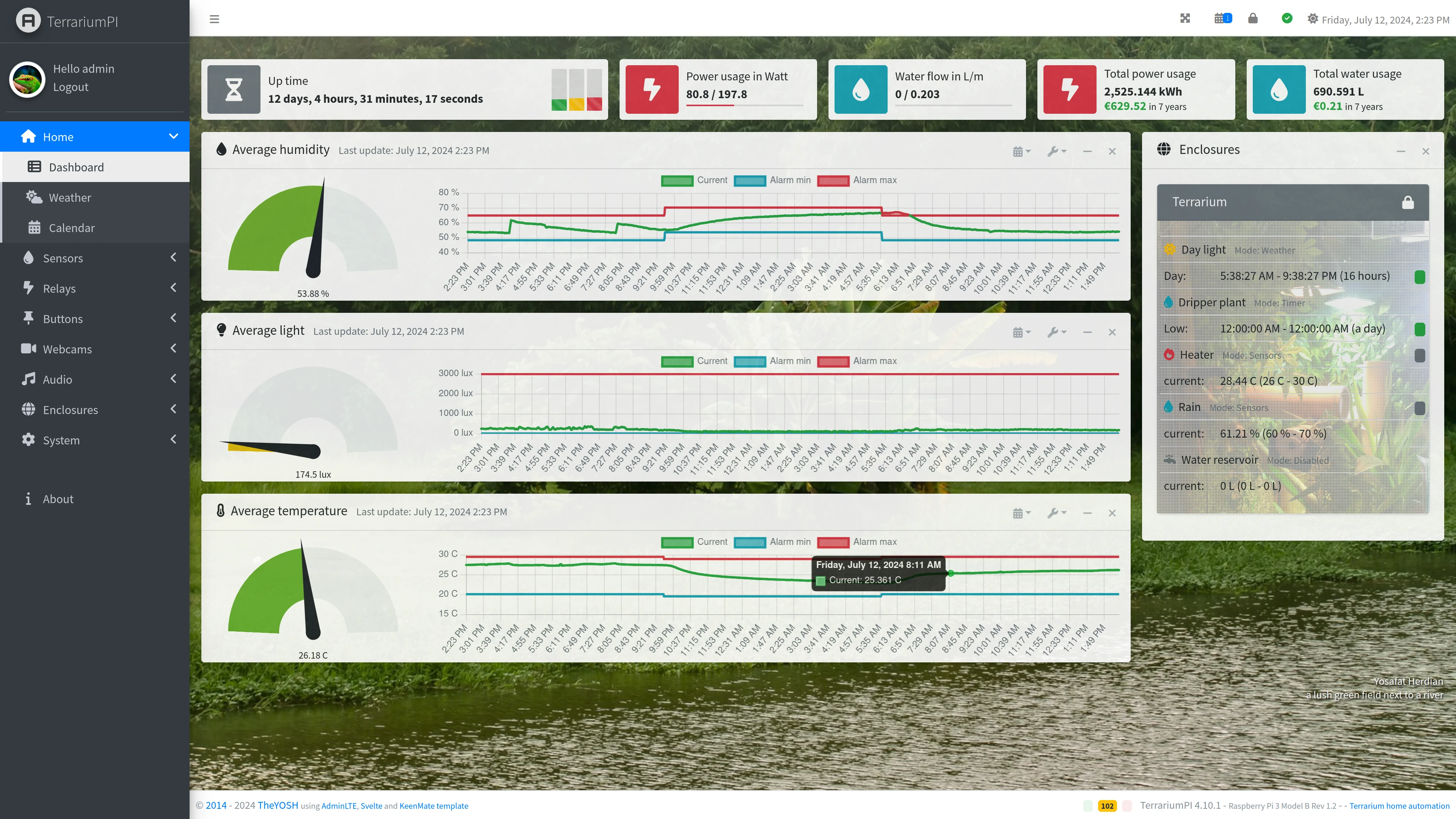
(made on a very big screen :P )
Dashboard
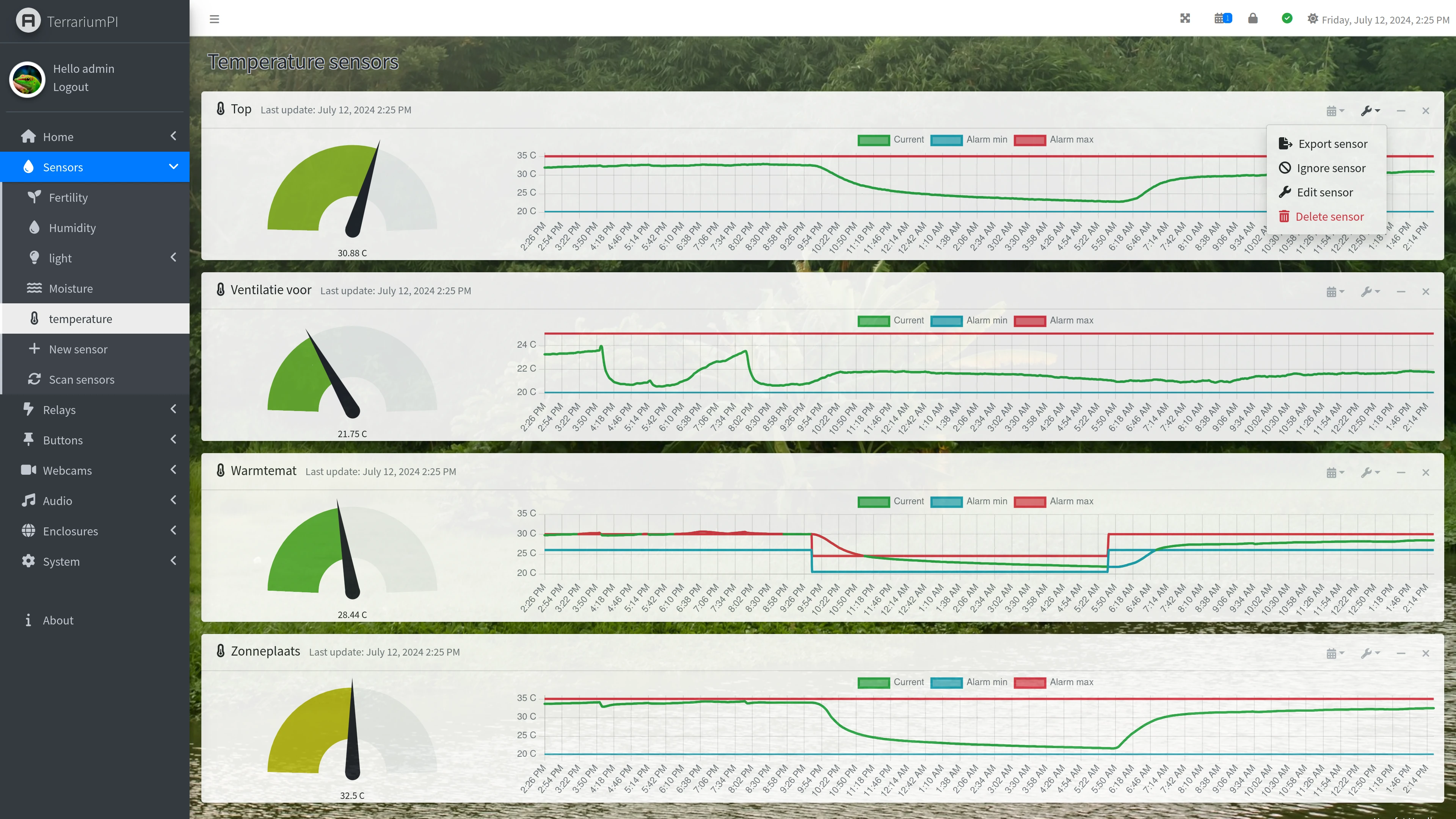
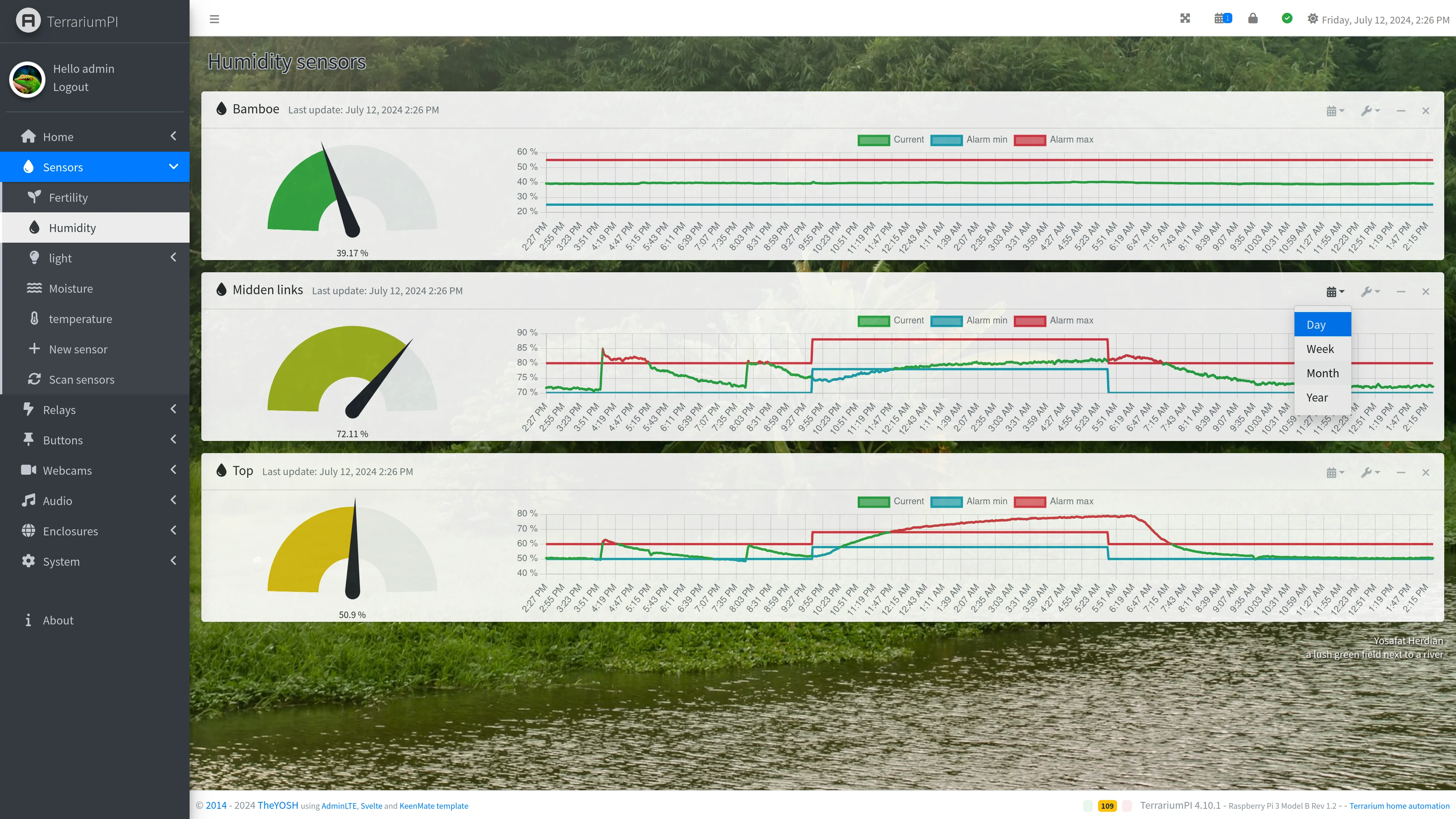
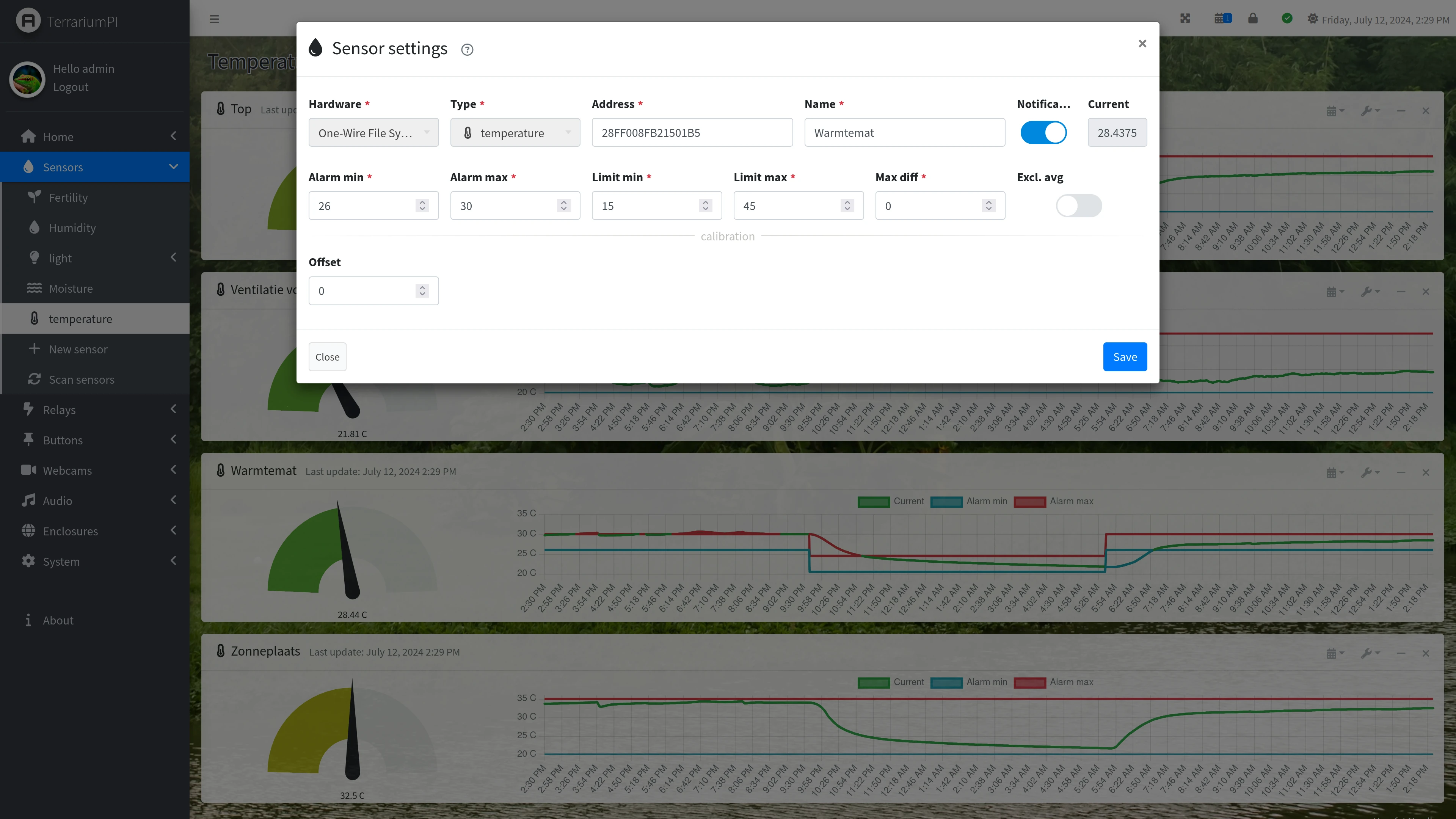
Sensors
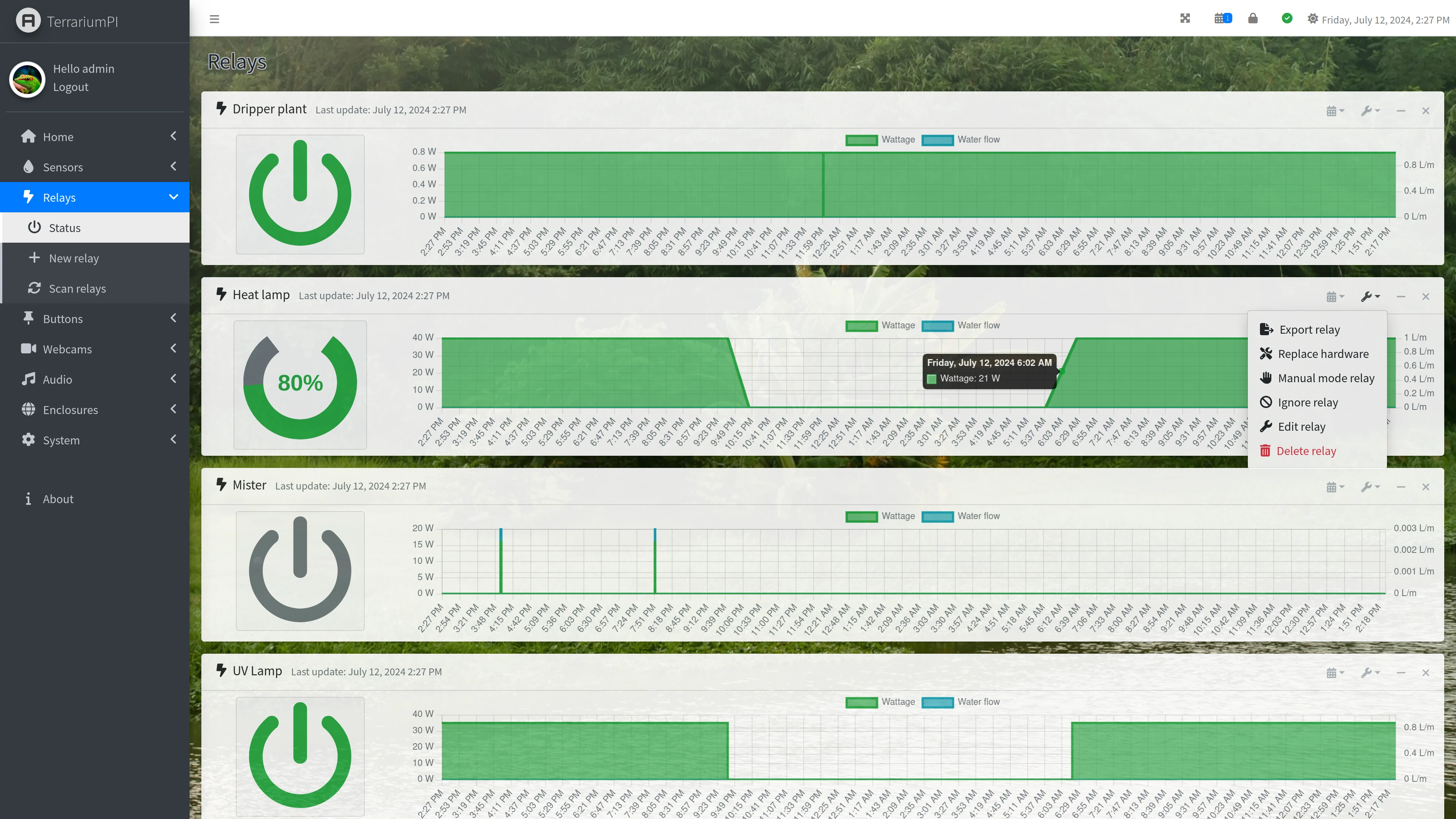
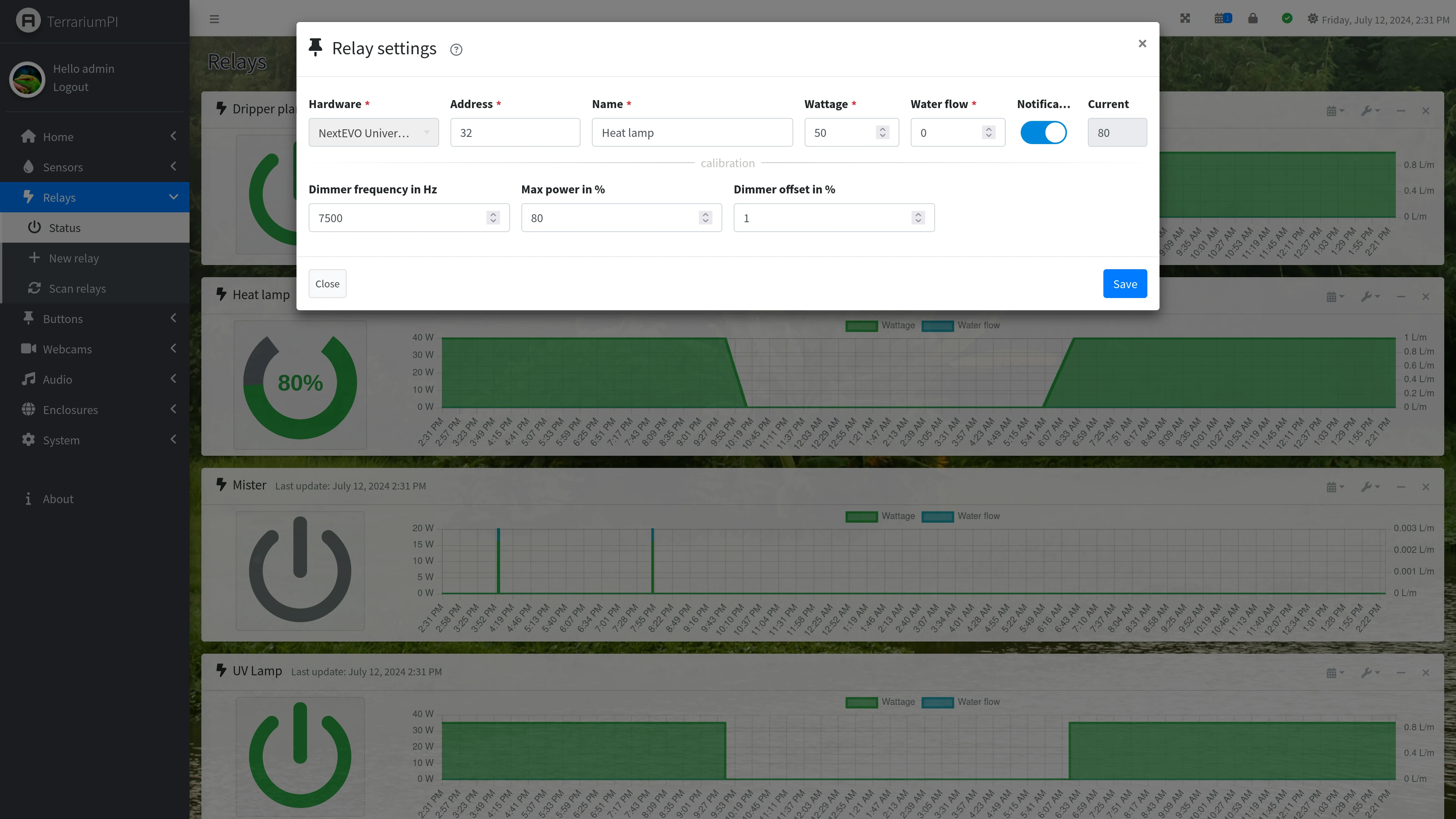
Relays
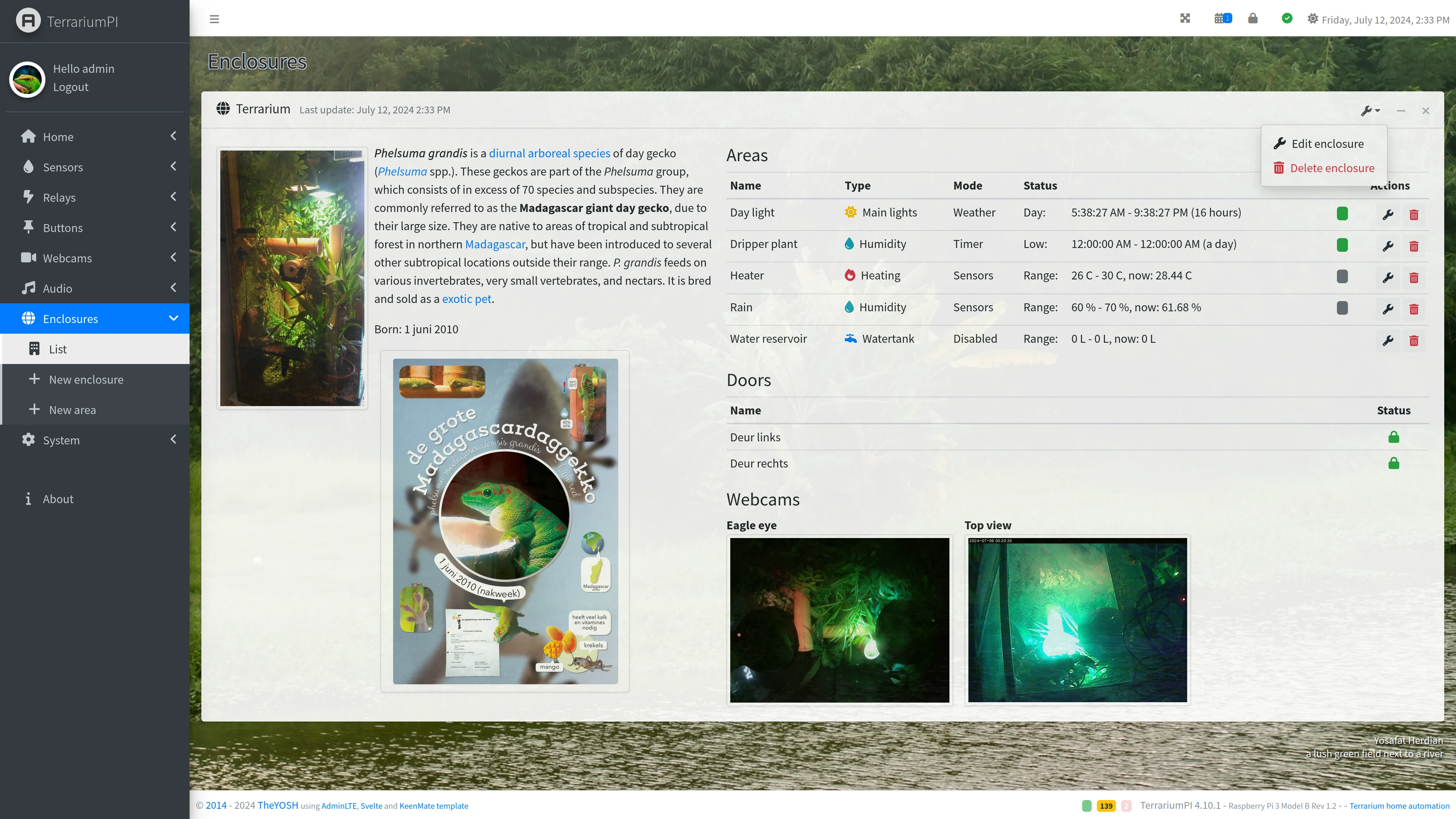
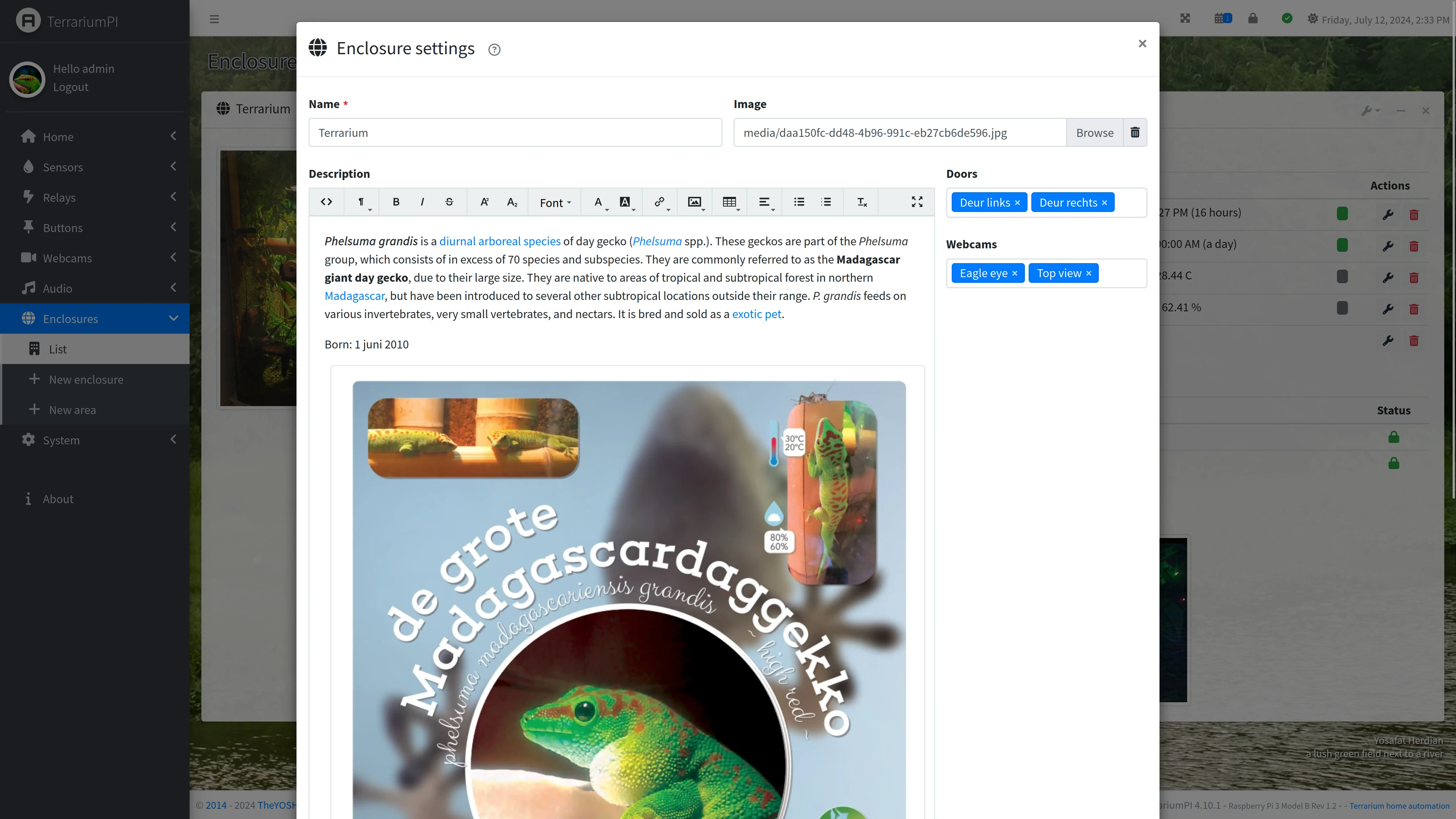
Enclosure setup

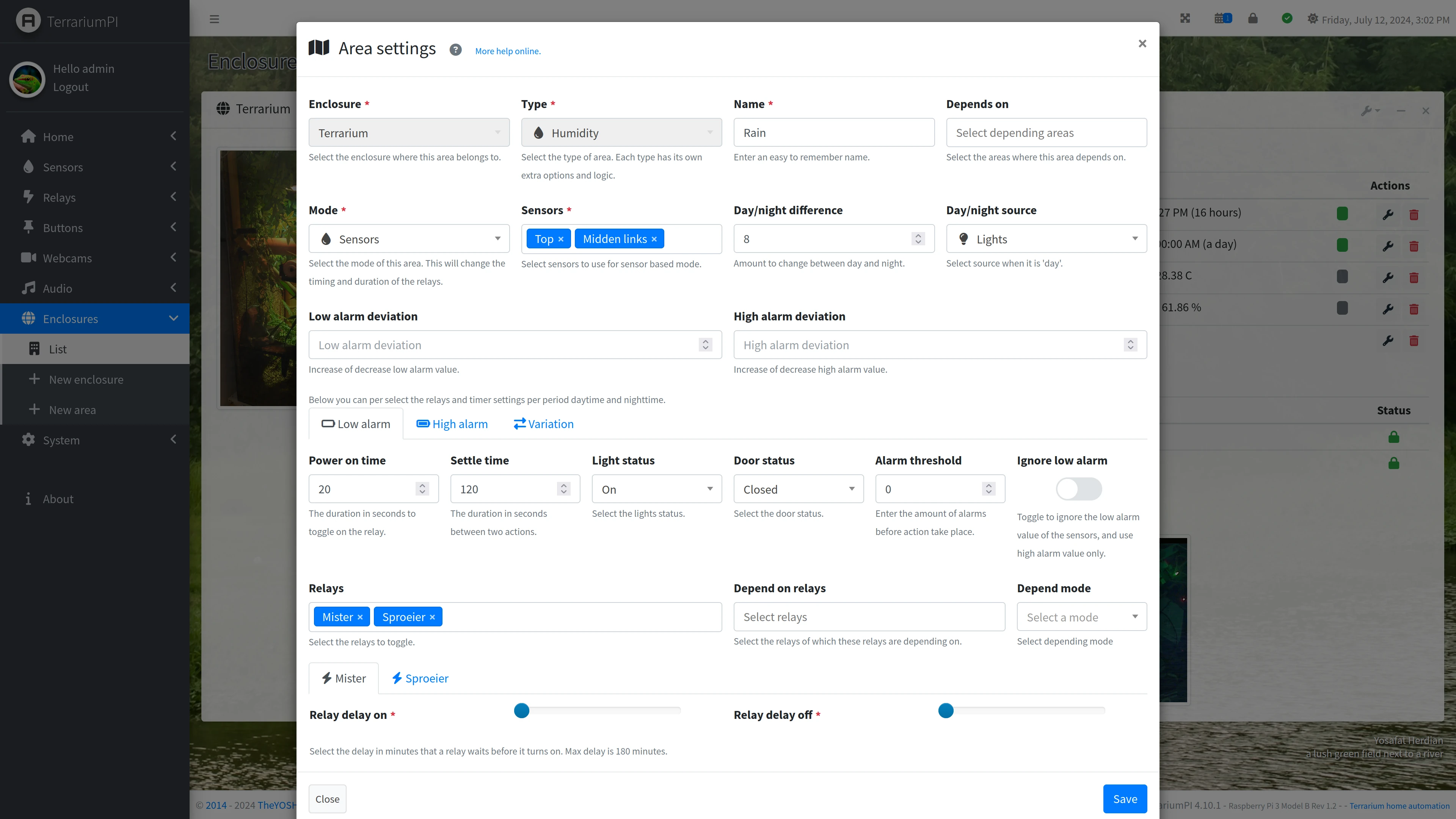
Area setup
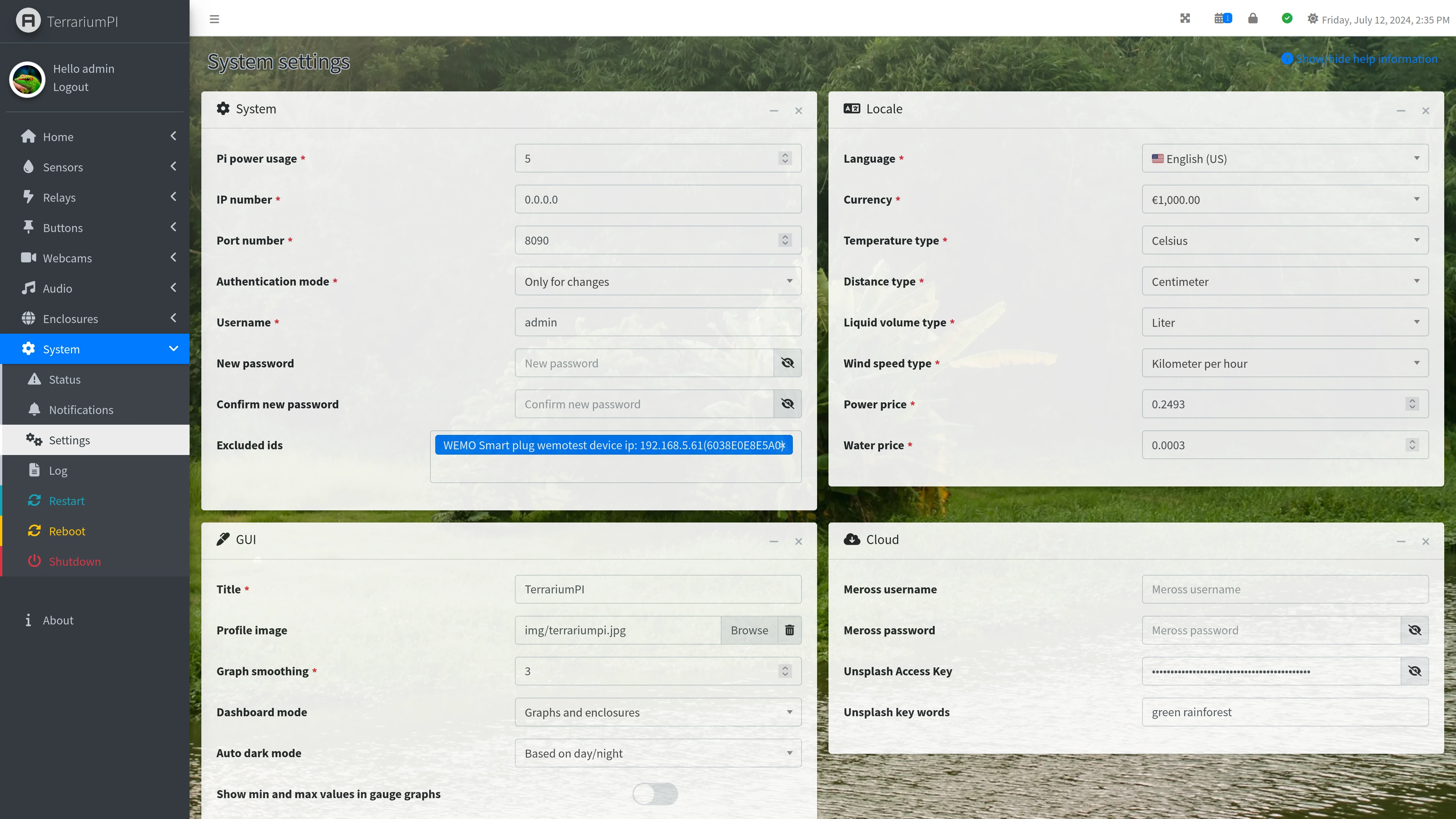
System settings
MOTD (Message Of The Day)
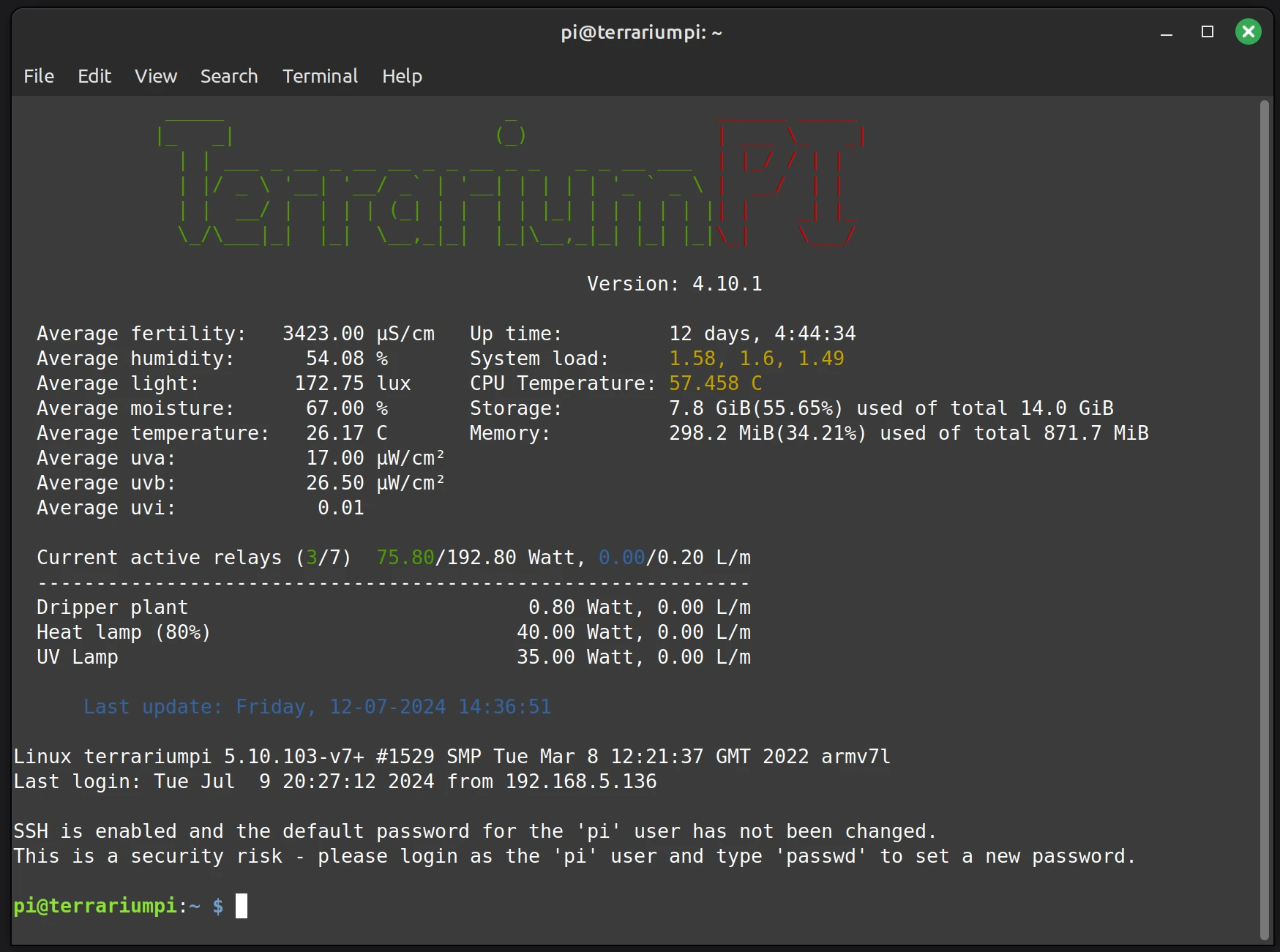
More screenshots can be found
here
About
A live version is running at: https://terrarium.theyosh.nl/index.html.
Contributors
Showing top 12 contributors by commit count.


![dependabot[bot]](https://avatars.githubusercontent.com/in/29110?v=4)


Related Repositories

FrenzyExists/wallpapers
My personal Pick of wallpapers

reef-pi/reef-pi
An opensource reef tank controller based on Raspberry Pi

cxreiff/lifecycler
Bevy Game Jam #5 submission. Terminal aquarium.

mcaminiti/homeassistant
Home Assistant Config

borneo-iot/borneo
The world's most advanced open-source aquarium LED PWM controller & mobile app.