

PVView
A small library that helps you to make an amazing parallax view
* [Installation](#installation) * [Requirements](#requirements) * [Concept](#concept) * [How to use](#how-to-use) * [More](#more) * [Action parameters](#action-parameters) * [Timing function](#timing-function) * [Action group](#action-group) * [Reverse a sequence of actions](#reverse-a-sequence-of-actions) * [Relative point and size](#relative-point-and-size) * [Customization](#customization) * [Customize action](#customize-action) * [Customize timing function](#customize-timing-function) * [Doc... The project is written primarily in Swift, distributed under the MIT License license, first published in 2019. Key topics include: animation, guide, interactive, introduction, ios-animation.
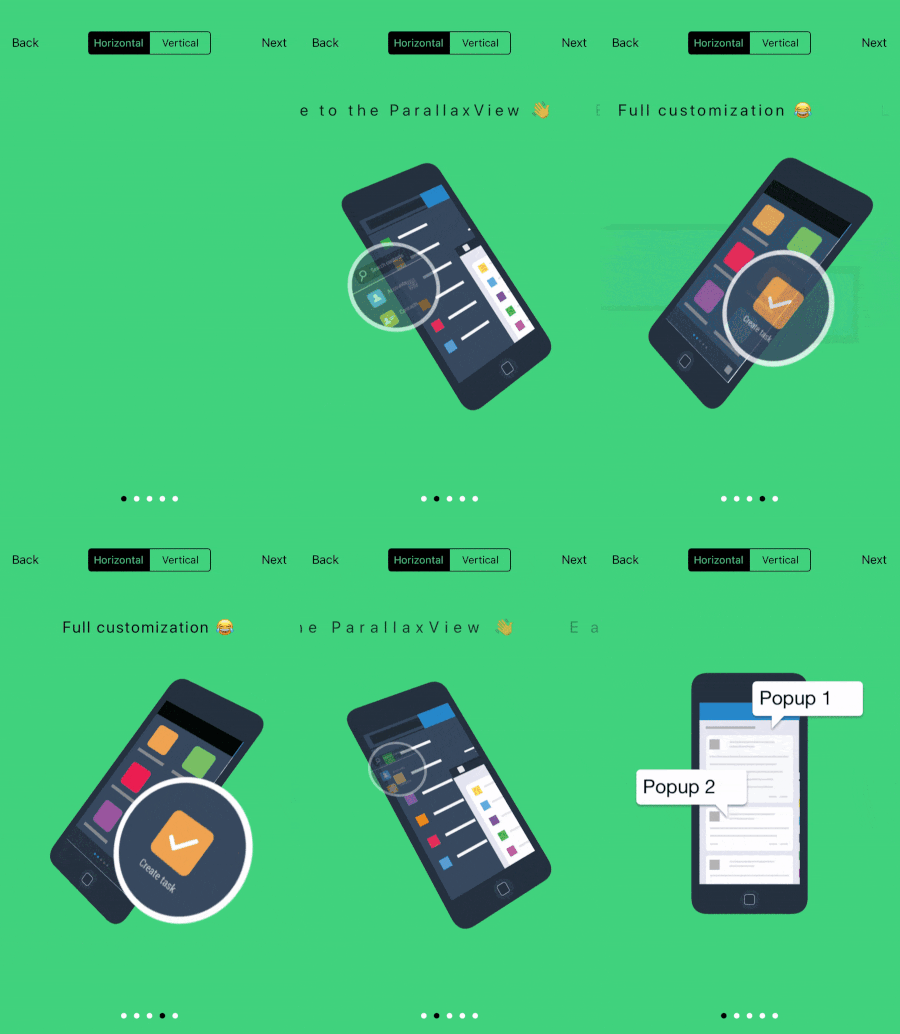
Installation
Using CocoaPods
Edit your Podfile and specify the dependency:
rubypod 'PVView', '~> 1.0.4'
Requirements
- iOS 9.0+
- Swift 5
Concept
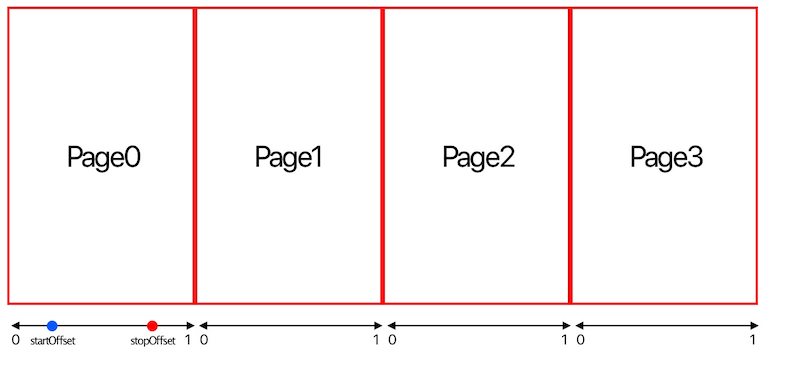
PVItemTypepresents a parallax itemPVActionTypepresents an action of an itemPVViewis separated by pages- Each page contains a set of
PVItemType, andPVViewonly updates actions of items on the current page - On a page, each
PVItemTypehas a set ofPVActionType - All
PVActionTypeare updated by progress. Progress in a page is always in [0...1] range - An action may has
startOffsetandstopOffset. These parameters describe offsets on a page where the action will begin and finish. (0 <=startOffset<stopOffset<= 1)
How to use
1. Import PVView in proper place.
swiftimport PVView
2. Create parallax item by implementing PVItemType protocol.
swiftenum YourItem: String, PVItemType { case item1 case item2 var identifier: String { return self.rawValue } }
3. Set PVView's delegate and implement PVViewDelegate protocol
Required delegate methods
There are 4 required methods of PVViewDelegate that you have to implement
- Specify how many pages in
PVViewby implementing
swiftfunc numberOfPages(in parallaxView: PVView) -> Int { return 2 }
- Specify what items on a page by implementing
swiftfunc parallaxView(_ parallaxView: PVView, itemsOnPage pageIndex: Int) -> [PVItemType] { return [YourItem.item1, .item2] }
- Then
PVViewwill ask you what view will be attached to the item via:
swiftfunc parallaxview(_ parallaxView: PVView, viewForItem item: PVItemType) -> UIView
Note: The view that is returned from this method will be cached for the item, and this method is only called when there is no view existed for the item in the cache
- Finally, specify what actions will be run on an item by implementing:
swiftfunc parallaxView(_ parallaxView: PVView, actionsOfItem item: PVItemType, onPage pageIndex: Int) -> [PVActionType] { if pageIndex == 0 { return [PVActionMove(fromOrigin: PVPoint(x: 50, y: 200), toOrigin: PVPoint(x: 250, y: 200))] } return [] }
Note: In these methods, you can use
currentPageIndexproperty ofPVViewto get index of page before the transition.
Optional delegate memthods
PVViewsupports both horizontal or vertical scrolling. Specify scroll direction ofPVViewby implementing below method (default will be horizontal):
swiftfunc direction(of parallaxView: PVView) -> PVView.PVDirection
- View of
PVItemTypewill be automatically added as a subview ofPVViewby default. You can specify a container view for a view ofPVItemTypeby implementing this method (return nil means container view isPVView)
swiftfunc parallaxView(_ parallaxView: PVView, containerViewForItem item: PVItemType, onPage pageIndex: Int) -> UIView?
- Before transition to a new page,
PVViewwill call below method, it is your chance to do something before appearing the new page (ex: adding some animations on previous items or hiding/showing some views...)
swiftfunc parallaxView(_ parallaxView: PVView, willBeginTransitionTo pageIndex: Int)
- After finish transition to a new page,
PVViewwill call below method, it is your chance to do something after appearing the new page (ex: setup initial state for actions of items...)
swiftfunc parallaxView(_ parallaxView: PVView, didEndTransitionFrom previousPageIndex: Int?)
- The last delegate method is:
swiftfunc parallaxView(_ parallaxView: PVView, didUpdate pageProgress: Double, onPage pageIndex: Int)
This method is called continuously during scrolling to report progress in a page
4. Starting PVView
swiftparallaxView.reload()
More
Action parameters
Action's parameters is present by PVParameters
startOffset: offset on page where the action will start atstopOffset: offset on page where the action will stop attimingFunction: an object that calculates action's progress base on a page progress
Example:
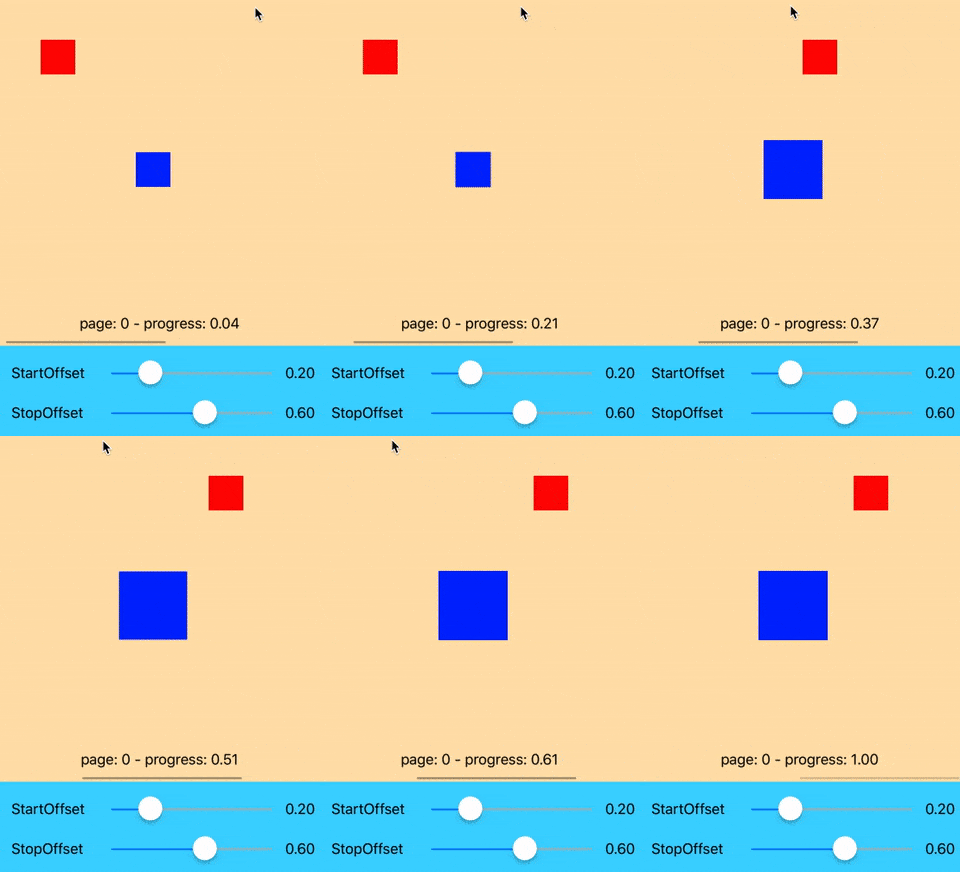
startOffset = 0.2, stopOffset = 0.6. The action will be started at progress = 0.2 and stoped at progress = 0.6
Timing function
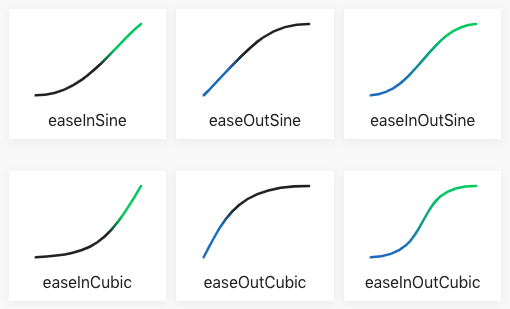
There is a built-in function called PVTimingFunction. It is same as CAMediaTimingFunction but provide us the evaluate method to calculate action's progress
You can init a PVTimingFunction by name that was defined in PVTimingFunctionName
To understand about those function names, please take a look at Ease functions
Action group
PVActionGroup presents a group of actions. Parameters of an action in the group is the parameters of the group.
Because PVActionGroup is a PVActionBasicType, so you can easily reverse all actions in the group by calling reverse method of the group
Reverse a sequence of actions
Sometime you want to reverse all actions in a sequence. There is a built in method can help:
swiftpublic extension Sequence where Element: PVActionBasicType { func reversedActions(with newParameters: PVParameters = .default) -> [Element] { return self.map { $0.reverse(with: newParameters) } } }
Relative point and size
You can create an action with relative points using PVPoint, absolute point will be calculated base on size of the container view
swiftPVActionMove(fromPosition: PVPoint(x: 2, y: 0.2, isRelative: true)
You can create an action with relative sizes using PVSize, absolute size will be calculated base on size of the container view
swiftPVActionSize(from: PVSize(width: 0.2, height: 0.2, isRelative: true), to: PVSize(width: 0.4, height: 0.4, isRelative: true))
Customization
Customize action

You can easy custom any actions you want by implementing PVActionType
swiftpublic protocol PVActionType { func update(_ progress: Double, target: UIView) }
or implement PVActionBasicType that is inherited from PVActionType
swiftpublic protocol PVActionBasicType: PVActionType { var parameters: PVParameters { get } func step(_ progress: Double, target: UIView) func reverse(with newParameters: PVParameters) -> Self }
Example: I wrote a custom action called LetterSpacingAction. This action will change spacing of characters in a UILabel:
swiftstruct LetterSpacingAction: PVActionBasicType { let parameters: PVParameters let fromSpacing: Double let toSpacing: Double let maxWidth: CGFloat init(fromSpacing: Double, toSpacing: Double, maxWidth: CGFloat, parameters: PVParameters = .default) { self.fromSpacing = fromSpacing self.toSpacing = toSpacing self.maxWidth = maxWidth self.parameters = parameters } func step(_ progress: Double, target: UIView) { guard let label = target as? UILabel else { return } let current = fromSpacing + (toSpacing - fromSpacing) * progress label.attributedText = NSAttributedString(string: label.text ?? "", attributes: [.kern : current]) label.frame = CGRect(origin: label.frame.origin, size: label.sizeThatFits(CGSize(width: maxWidth, height: CGFloat.greatestFiniteMagnitude))) } func reverse(with newParameters: PVParameters) -> LetterSpacingAction { return LetterSpacingAction(fromSpacing: toSpacing, toSpacing: fromSpacing, maxWidth: maxWidth, parameters: newParameters) } }
Customize timing function
You can create any timing functions by implementing PVTimingFunctionType
swiftpublic protocol PVTimingFunctionType { func evaluate(_ input: Double) -> Double }
Example: Creating an EaseOutSine function:
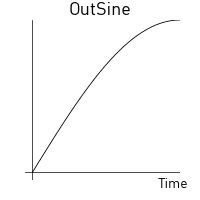
swiftstruct EaseOutSineFunction: PVTimingFunctionType { func evaluate(_ input: Double) -> Double { return sin(input * Double.pi / 2) } }
Documentation
Coming soon...😅
Contributing
This is an open source project, i can't wait to see a lot of your awesome ideas 😘
License
This code is distributed under the terms and conditions of the MIT license.
Contributors
Showing top 1 contributor by commit count.

Related Repositories

3b1b/manim
Animation engine for explanatory math videos

animate-css/animate.css
🍿 A cross-browser library of CSS animations. As easy to use as an easy thing.

MisterBooo/LeetCodeAnimation
Demonstrate all the questions on LeetCode in the form of animation.(用动画的形式呈现解LeetCode题目的思路)

juliangarnier/anime
JavaScript animation engine

algorithm-visualizer/algorithm-visualizer
:fireworks:Interactive Online Platform that Visualizes Algorithms from Code

aseprite/aseprite
Animated sprite editor & pixel art tool (Windows, macOS, Linux)