

Particle life app
🦠 Simulator for a particle system showing life-like behaviour.
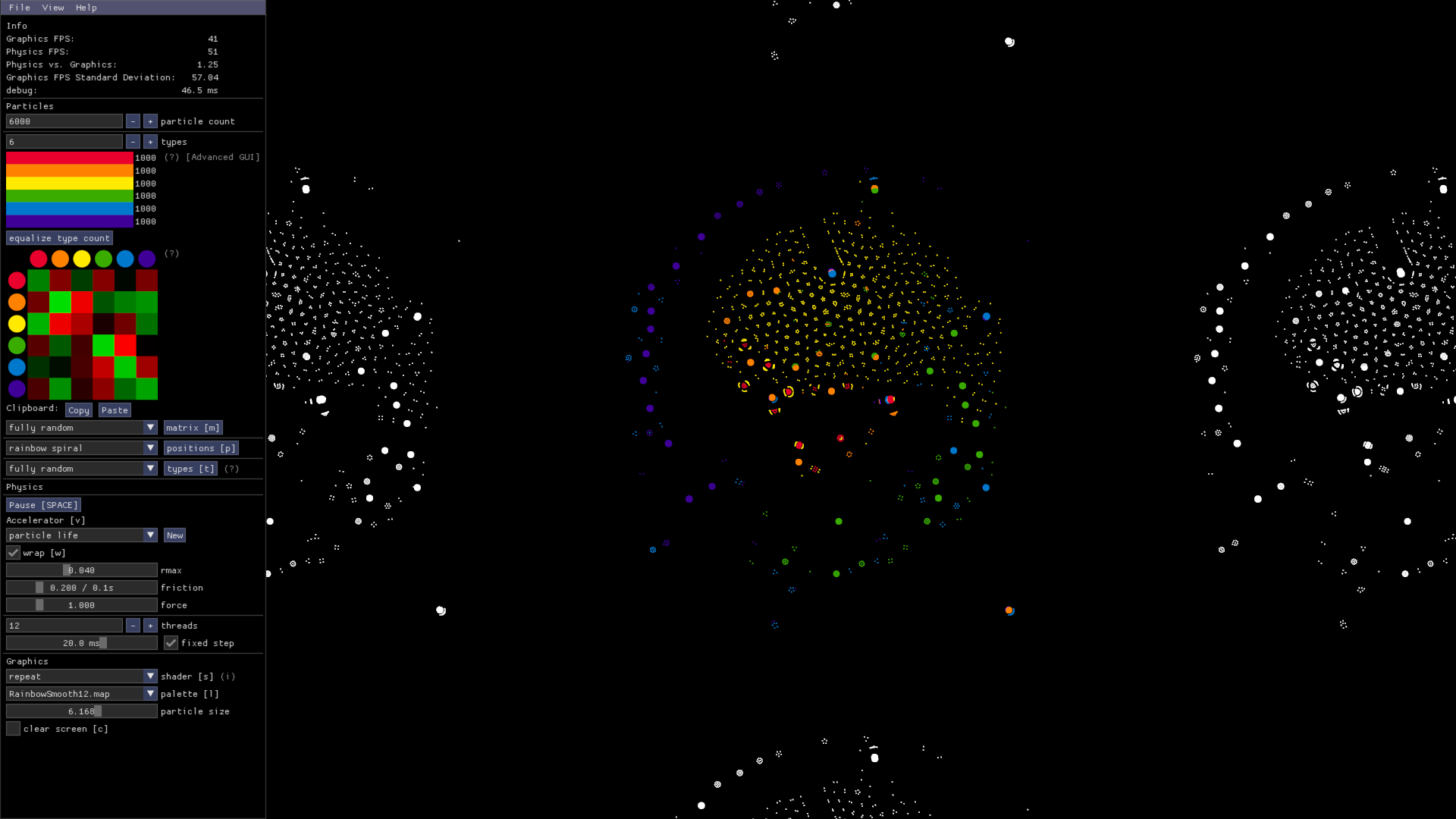
An interactive desktop app that simulates Particle Life. **Particle Life** is a simple particle system that exhibits complex emergent behavior. The project is written primarily in Java, distributed under the GNU General Public License v3.0 license, first published in 2022. It has gained significant community traction with 1,012 stars and 97 forks on GitHub. Key topics include: artificial-life, java, multiagent-systems, particle-life, particle-system.
🦠 Particle Life App
An interactive desktop app that simulates Particle Life.
Particle Life is a simple particle system that exhibits complex emergent behavior.
Get Started
📦 Installation (Windows)
🎬 Video
📄 Docs
💬 Discord Server
Preview
Run This App From Source
You can easily run this app from the source code.
-
Make sure you have the required tools installed:
Git
JDK ("Java") with a version between 17 and 25.
(Check your version withjava -version.) -
Download the source code and navigate into the folder:
bashgit clone https://github.com/tom-mohr/particle-life-app.gitbashcd particle-life-app -
Run the app:
bash./gradlew runAfter some time, the program should launch and you should see particles on your screen.
Feel free to mess with the code!
Note: Your local JDK is only needed to run Gradle, i.e. the ./gradlew command.
Since this project uses Gradle version 9.2, you need at least JDK 17 installed locally.
The app itself will run with Java 21, which Gradle will download automatically.
Troubleshooting
If you encounter any problems, ask for help in the #tech-support channel on the Discord server.
How to make a release (on Windows)
- Confirm that everything is working correctly and check in with others
that the current state of the main branch is ready for release. - Choose a new version string.
You can find the current version string ingradle.properties.
The version name should comply with semantic versioning.
Talk to others if you are unsure about what to choose here. - Update the current version string in
gradle.properties. - Run
./gradlew zipAppfrom the project root.
This generates the zip fileparticle-life-app.zipin./build/zipApp/.
It includes the Windows executable (.exe) along with other files. - Go to the Releases section of this GitHub repo and click
Draft a new release. - Click
Choose a tagand type the new version name, but prefixed withv, e.g.v1.2.3.
ClickCreate a new tag. - Set the release title to match the tag name.
- Use the description to summarize the changes of all commits since the last release.
- Add the generated
particle-life-app.zipas an asset to the release. - Click
Publish release.
Contributors
Showing top 8 contributors by commit count.


Related Repositories

chrxh/alien
ALIEN is a CUDA-powered artificial life simulation program.

Chakazul/Lenia
Lenia - Mathematical Life Forms

juniorrojas/algovivo
An energy-based formulation for soft-bodied virtual creatures

ViciousSquid/Dosidicus
Transparent cognitive sandbox disguised as a Tamagotchi-style digital pet - watch brains grow & rewire through Hebbian learning & Neurogenesis

maxencefaldor/cax
Cellular Automata Accelerated in JAX (Oral at ICLR 2025)

amiantos/lifesaver
Conway's Game of Life implemented as an artistic, abstract macOS screensaver and tvOS app using SpriteKit