

Termdown
Countdown timer and stopwatch in your terminal
------------------------------------------------------------------------ The project is written primarily in Python, distributed under the GNU General Public License v3.0 license, first published in 2014. It has gained significant community traction with 1,530 stars and 112 forks on GitHub. Key topics include: countdown, python, stopwatch, terminal, timer.
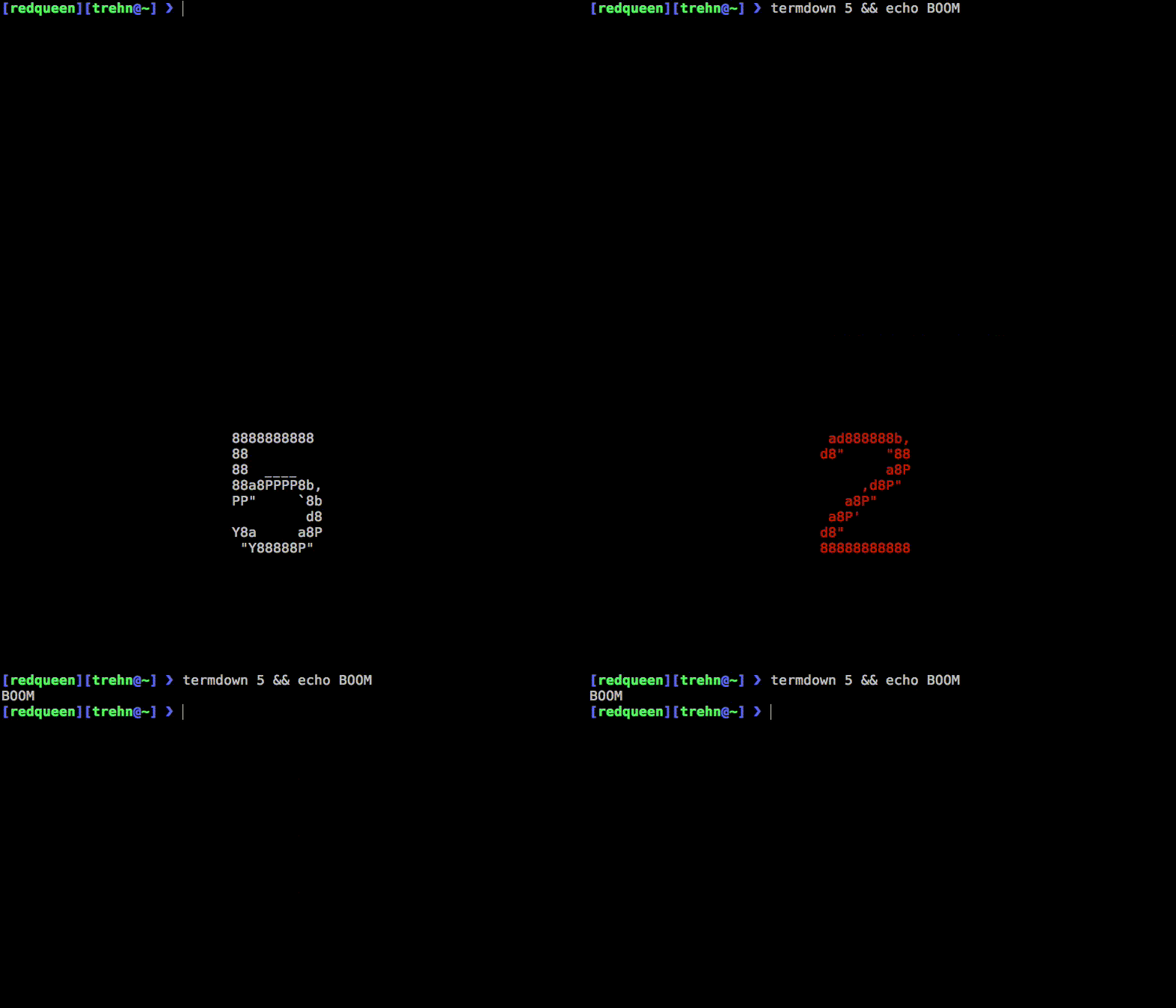
usage: termdown [-h] [-a] [-b] [-B] [-c N] [-e] [-f FONT] [--font-charset CHARSET] [--font-size N] [-p TEXT]
                [-q N] [-s] [-t TEXT] [-T TITLE] [-W] [-v VOICE] [-o PATH] [--exec-cmd CMD] [--no-art]
                [--no-text-magic] [-z] [-Z TIME_FORMAT] [-D DATE_FORMAT] [--version]
                [timespec]

    Starts a countdown to TIME. Example values for TIME:
    10, '1h 5m 30s', '12:00', '2020-01-01', '2020-01-01 14:00 UTC'.

    If TIME is not given, termdown will operate in stopwatch mode
    and count forward.

    Hotkeys:
    	E	Show end time (countdown mode only)
    	L	Lap (stopwatch mode only)
    	R	Reset
    	SPACE	Pause (will delay absolute TIME)
    	+	Plus (will add 10 seconds)
    	-	Minus (will subtract 10 seconds)
    	Q	Quit

positional arguments:
  timespec              TIME to countdown to. Example values: 10, '1h 5m 30s', '12:00', '2020-01-01', '2020-01-01 14:00 UTC'. If not given, operates in stopwatch mode.

options:
  -h, --help            show this help message and exit
  -a, --alt-format      Use colon-separated time format
  -b, --blink           Flash terminal at end of countdown
  -B, --no-bell         Don't ring terminal bell at end of countdown
  -c, --critical N      Draw final N seconds in red and announce them individually with --voice or --exec-cmd (defaults to 3)
  -e, --end             Display target datetime of unpaused countdown
  -f, --font FONT       Choose from https://www.ascii-art.site/FontList.html or provide a full path to an OTF/TTF file
  --font-charset CHARSET
                        Provide a string of characters of increasing visual density (e.g. " .oO#@") to render OTF/TTF pixels
  --font-size N         Set font size when using OTF/TTF
  -p, --voice-prefix TEXT
                        Add TEXT to the beginning of --voice and --exec annunciations (except per-second ones)
  -q, --quit-after N    Quit N seconds after countdown (use with -b or -t) or terminate stopwatch after N seconds
  -s, --no-seconds      Don't show seconds (except for last minute of countdown and first minute of stopwatch)
  -t, --text TEXT       Text to display at end of countdown
  -T, --title TITLE     Text to display on top of countdown/stopwatch
  -W, --no-window-title
                        Don't update terminal title with remaining/elapsed time
  -v, --voice VOICE     Spoken countdown (at fixed intervals with per-second annunciations starting at --critical; requires `espeak` on Linux or `say` on macOS; choose VOICE from `say -v '?'` or `espeak --voices`)
  -o, --outfile PATH    File to write current remaining/elapsed time to
  --exec-cmd CMD        Runs CMD every second. '{0}' and '{1}' in CMD will be replaced with the remaining/elapsed number of seconds and a more sparse annunciation as in --voice, respectively. For example, to get a callout at five seconds only, use: --exec-cmd "if [ '{0}' == '5' ]; then say -v Alex {1}; fi"
  --no-art              Don't use ASCII art for display
  --no-text-magic       Don't try to replace non-ASCII characters (use with -t)
  -z, --time            Show current time instead of countdown/stopwatch
  -Z, --time-format TIME_FORMAT
                        Format for --time/--end (defaults to "%H:%M:%S", ignores --no-seconds)
  -D, --date-format DATE_FORMAT
                        Format for --end (defaults to "%Y-%m-%d")
  --version             Show version and exit
pip install termdown


Contributors
Showing top 12 contributors by commit count.



Related Repositories

iwgang/CountdownView
Android Countdown View

poetaman/arttime
arttime is a CLI application that blends beauty of ASCII / text art with functionality of clock / timer / pattern-based time manager in terminal ⏰

pqina/flip
⏳ The online version of the classic flip clock

suzuki-0000/CountdownLabel
Simple countdown UILabel with morphing animation, and some useful function.

ndresx/react-countdown
A customizable countdown component for React.

albert-gonzalez/easytimer.js
Easy to use Timer/Stopwatch/Countdown library compatible with AMD, ES6 and Typescript