

Github profile summary cards
A tool to generate your GitHub summary card for profile README
A tool to generate your github summary card for profile README. Inspired by profile-summary-for-github The project is written primarily in TypeScript, distributed under the MIT License license, first published in 2020. It has gained significant community traction with 3,550 stars and 473 forks on GitHub. Key topics include: github-action, github-profile-readme, hacktoberfest, profile-readme, profile-summary.
Themes
| default | 2077 | dracula | github | github_dark |
| gruvbox | monokai | nord_bright | nord_dark | radical |
| solarized | solarized_dark | tokyonight | vue | zenburn |
| transparent | ||||
How to use (API)
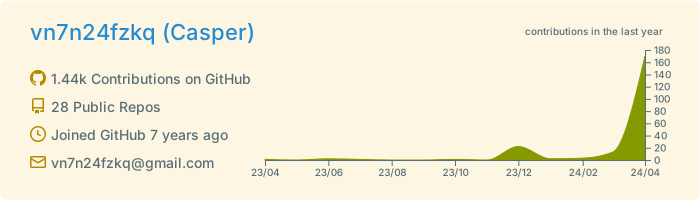
Profile details card
http://github-profile-summary-cards.vercel.app/api/cards/profile-details?username={username}&theme={theme_name}
- Accept url parameters
- theme
- Theme name
- username
- Username
- theme
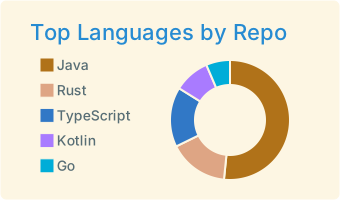
Top languages used in repository card
http://github-profile-summary-cards.vercel.app/api/cards/repos-per-language?username={username}&theme={theme_name}&exclude={exclude}
- Accept url parameters
- theme
- Theme name
- username
- Username
- exclude:
- A comma separated list of languages to exclude, e.g., exclude=java,rust,jupyter%20Notebook
- You can represent a space in the language list by using '%20' when you want to include a space.
- You can found the supported languages in here
- A comma separated list of languages to exclude, e.g., exclude=java,rust,jupyter%20Notebook
- theme
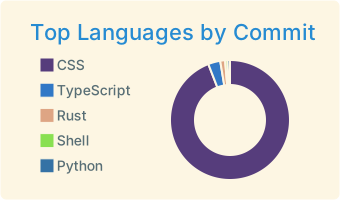
Top languages in commits card
http://github-profile-summary-cards.vercel.app/api/cards/most-commit-language?username={username}&theme={theme_name}&exclude={exclude}
- Accept url parameters
- theme
- Theme name
- username
- Username
- exclude:
- A comma separated list of languages to exclude, e.g., exclude=java,rust,jupyter%20Notebook
- You can represent a space in the language list by using '%20' when you want to include a space.
- You can found the supported languages in here
- A comma separated list of languages to exclude, e.g., exclude=java,rust,jupyter%20Notebook
- theme
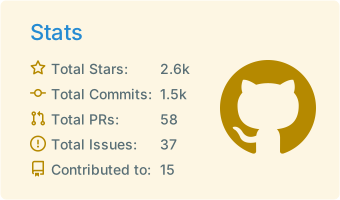
GitHub stats card
http://github-profile-summary-cards.vercel.app/api/cards/stats?username={username}&theme={theme_name}
- Accept url parameters
- theme
- Theme name
- username
- Username
- theme
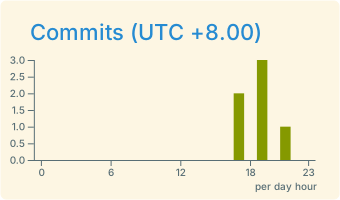
Productive time card
http://github-profile-summary-cards.vercel.app/api/cards/productive-time?username={username}&theme={theme_name}&utcOffset={utcOffset}
- accept url parameters
- theme
- username
- utcOffset
How to use (GitHub Actions)
This action generate your github profile summary cards and make a commit to your repo.
You can also trigger action by yourself after add this action.
:star: Follow tutorial ( Recommendation ) :star:
First step
-
You need create a Personal access token with correct permissions.
Personal token -
Add personal access token to repo secret.
Use template ( create a repository )
-
Action already setup in this template, you just need click
use this template buttonto create your profile readme. -
After replace GITHUB_TOKEN with your repo secret and trigger action you can use everything in
profile-summary-card-outputfolder.
Add to exist repository
- Add this action to repo and replace GITHUB_TOKEN in action yml file with your repo secret.
GitHub Actions usage
After the action finished. You can see all of summary cards are in folder which named profile-summary-card-output.
Note: Some summary cards might not be updated in time, because github raw file has cache time.
ymlname: GitHub-Profile-Summary-Cards on: schedule: # execute every 24 hours - cron: "* */24 * * *" workflow_dispatch: jobs: build: runs-on: ubuntu-latest name: generate-github-profile-summary-cards permissions: contents: write steps: - uses: actions/checkout@v4 - uses: vn7n24fzkq/github-profile-summary-cards@release env: # default use ${{ secrets.SUMMARY_GITHUB_TOKEN }}, you should replace with your personal access token GITHUB_TOKEN: ${{ secrets.SUMMARY_GITHUB_TOKEN }} with: USERNAME: ${{ github.repository_owner }} # BRANCH_NAME is optional, default to main, branch name to push cards BRANCH_NAME: "main" # UTC_OFFSET is optional, default to zero UTC_OFFSET: 8 # EXCLUDE is an optional comma seperated list of languages to exclude, defaults to "" EXCLUDE: "" # AUTO_PUSH is optional, a boolean variable default to true, whether automatically push generated files to desired branch AUTO_PUSH: true
Development (Devbox)
This project uses devbox to ensure a reproducible development environment (Node.js 22, Python 3).
1. Setup
sh# Install devbox curl -fsSL https://get.jetpack.io/devbox | bash # Enter shell (installs all dependencies automatically) devbox shell
2. Local Testing
We provide a script to generate cards locally for visual verification.
Prerequisite: You must have a GITHUB_TOKEN.
sh# Set token (or add to .env) export GITHUB_TOKEN=your_token_here # Run local test generator npm run test:local
Outputs will be saved to debug_output/ folder.
3. Run Vercel API Locally
shnpm i -g vercel vercel dev
Deploy your own API on Vercel
Quickly deploy your own version!
Contributors
Showing top 12 contributors by commit count.

![dependabot[bot]](https://avatars.githubusercontent.com/in/29110?v=4)


Related Repositories

lowlighter/metrics
📊 An infographics generator with 30+ plugins and 300+ options to display stats about your GitHub account and render them as SVG, Markdown, PDF or JSON!

TideDra/zotero-arxiv-daily
Recommend new arxiv papers of your interest daily according to your Zotero libarary.

JamesIves/github-pages-deploy-action
🚀 Automatically deploy your project to GitHub Pages using GitHub Actions. This action can be configured to push your production-ready code into any branch you'd like.

mxschmitt/action-tmate
Debug your GitHub Actions via SSH by using tmate to get access to the runner system itself.

peter-evans/create-pull-request
A GitHub action to create a pull request for changes to your repository in the actions workspace

stefanzweifel/git-auto-commit-action
Automatically commit and push changed files back to GitHub with this GitHub Action for the 80% use case.