

Compact Log Format Viewer
A cross platform tool to read & query JSON aka CLEF log files created by Serilog
A cross platform tool to read & query JSON aka CLEF log files created by Serilog The project is written primarily in TypeScript, distributed under the MIT License license, first published in 2019. Key topics include: clef, dotnet-core, dotnetcore, electron, electron-app.
Compact Log Format Viewer :mag: :chart_with_upwards_trend:
A cross platform tool to read & query JSON aka CLEF log files created by Serilog
<img src="https://raw.githubusercontent.com/warrenbuckley/Compact-Log-Format-Viewer/master/LogViewer.Client/build/logo.png?v=2" width="100" height="100">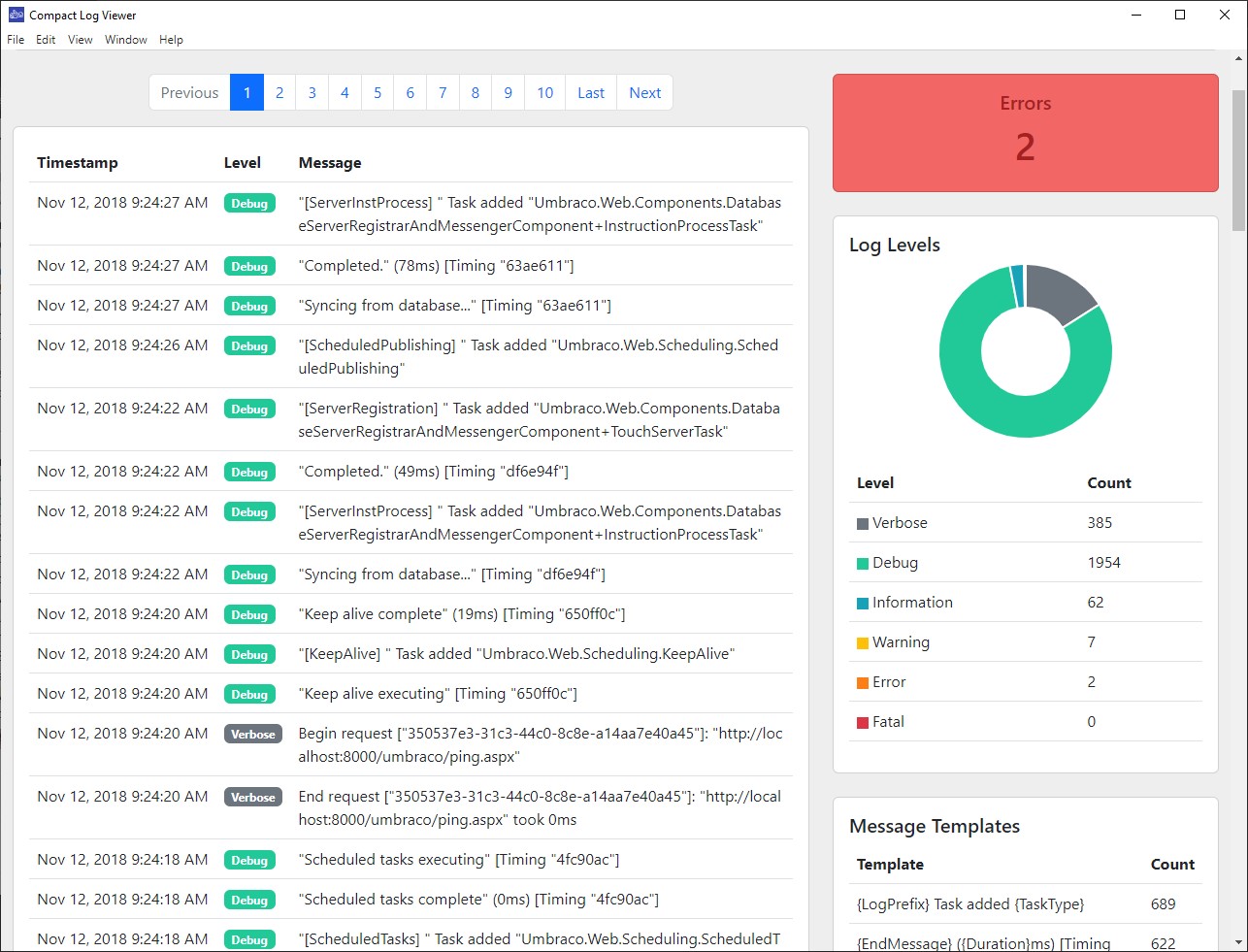
Download
Releases are available on this GitHub Repository along on the Windows Store
Windows
<a href='https://www.microsoft.com/store/apps/9N8RV8LKTXRJ?cid=storebadge&ocid=badge'><img src='English_get-it-from-MS_InvariantCulture_Default.png' alt='English badge' style='height: 38px;' height="38" /></a>
MacOS
The metrics for the MacOS usage was too little & I don't currently build/release any other Apple apps, so my Apple Developer subscription lapsed. I assumed the application would still be available to download but that I would not be able to push any new updates. However it seems Apple just removes the listing :(
For now I recommend you build it manually. In future I may do auto-updates via GitHub releases instead of app stores.
Building
You will need the following installed:
- node/npm
- .NET Core SDK 2.2+
For OSX & Windows you can download the SDK here or install Visual Studio for Mac/Windows which includes the dotnet CLI tool<br/>
https://dotnet.microsoft.com/download<br/>
https://visualstudio.microsoft.com/vs/
Build Steps 🔨📐
- Clone Repo
- Open terminal in root of project
dotnet publish LogViewer.Server --runtime osx-x64 --output LogViewer.Server/bin/dist/osx --configuration release -p:PublishSingleFile=truegenerates a self contained application for our WebAPIdotnet publish LogViewer.Server --runtime win-x64 --output LogViewer.Server/bin/dist/win --configuration release -p:PublishSingleFile=truesame but creates the Windows version- Change terminal directory to
LogViewer.Clientfolder - Install TypeScript if missing
npm install -g typescript npm installtsc --watchThis will compile the TypeScript files & continue to watch them- Open a new terminal in
LogViewer.Client npm run startWill run the Electron app for development with Chrome DevTools open/launched
Note: If you
npm run startbefore you have compiled the TypeScript files then Electron will complain about not finding the entry point file. Additionally if you have also not rundotnet publishthen the underlying WebAPI which we communicate with will not be running.
3rd Party Libraries 💖💖
This package uses the following libraries:
Contributors
Showing top 8 contributors by commit count.
![dependabot[bot]](https://avatars.githubusercontent.com/in/29110?v=4)


![dependabot-preview[bot]](https://avatars.githubusercontent.com/in/2141?v=4)

