

Trinity
android video record editor muxer sdk
[中文文档](https://github.com/wlanjie/trinity/blob/master/README-zh.md) The project is written primarily in C, distributed under the Apache License 2.0 license, first published in 2019. Key topics include: aac, android, audio, c, camera.
trinity
If the trinity project is helpful to you, you can use paypal to support the author
https://www.paypal.me/wlanjie





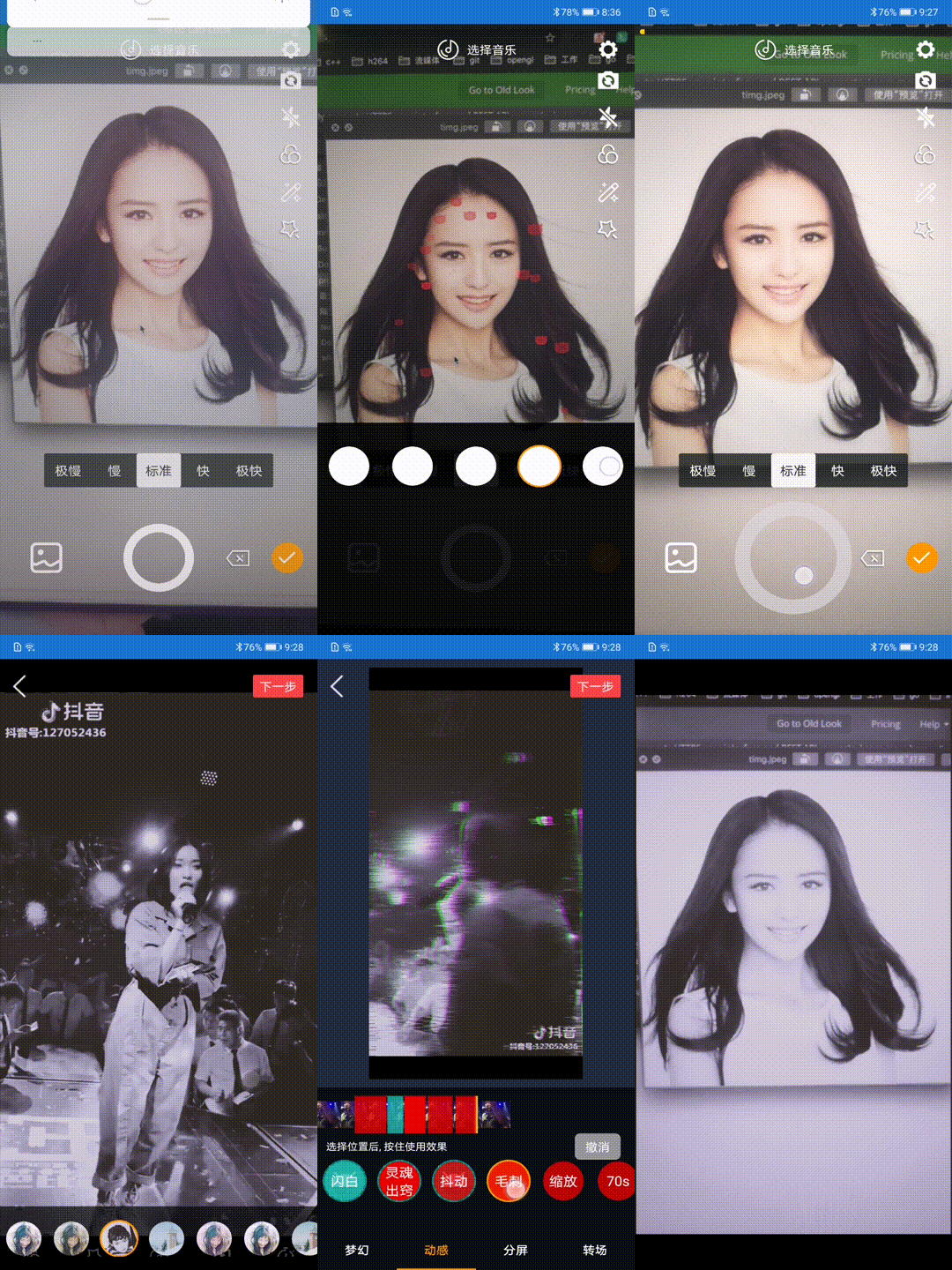
trinity is an open source shooting and short video processing tool, written in kotlin and c++, which implements most of the popular features of short video editing software.
Apk download
- Please check actions options ci build result
QQ exchange group
125218305
Contact me
- email: wlanjie888@gmail.com
git commit specification
- Follow git cz
Code Specification
- Kotlin indent using 2 spaces indent
- C++ code follows google c++ style guide
System version
Support Android 4.3 And above
Development environment
- Android Studio 3.5
- NDK r20
- kotlin 1.3.41
Open source library used
- fdk-aac
- ffmpeg 3.4
- libx264
- xlogger
- mnnkit
Features
<table> <tr> <td rowspan="16">Video shooting<br/> </tr> <tr> <td>Function Description</td> <td>Whether to support</td> </tr> <tr> <td>Multi-session recording</td> <td align="center">√</td> </tr> <tr> <td>Custom duration</td> <td align="center">√</td> </tr> <tr> <td>Custom camera configuration</td> <td align="center">√</td> </tr> <tr> <td>Camera switch</td> <td align="center">√</td> </tr> <tr> <td>flash</td> <td align="center">√</td> </tr> <tr> <td>Focus adjustment</td> <td align="center">√</td> </tr> <tr> <td>Manual focus</td> <td align="center">√</td> </tr> <tr> <td>Mute</td> <td align="center">√</td> </tr> <tr> <td>Beauty</td> <td align="center">x</td> </tr> <tr> <td>Microdermabrasion</td> <td align="center">√</td> </tr> <tr> <td>Custom resolution and bit rate</td> <td align="center">√</td> </tr> <tr> <td>Record background sound</td> <td align="center">√</td> </tr> <tr> <td>Recording speed</td> <td align="center">√</td> </tr> <tr> <td>Hard and soft coding</td> <td align="center">√</td> </tr> <tr> <td rowspan="6">Video editing<br/> </tr> <tr> <td>Multi-segment editing</td> <td align="center">√</td> </tr> <tr> <td>Replace fragment</td> <td align="center">√</td> </tr> <tr> <td>Set clip time</td> <td align="center">√</td> </tr> <tr> <td>Background music</td> <td align="center">√</td> </tr> <tr> <td>Hard decode</td> <td align="center">√</td> </tr> <tr> <td rowspan="14">Special effects<br/> </tr> <tr> <td>Filter</td> <td align="center">√</td> </tr> <tr> <td>Flash white</td> <td align="center">√</td> </tr> <tr> <td>Two split screen</td> <td align="center">√</td> </tr> <tr> <td>Three-point screen</td> <td align="center">√</td> </tr> <tr> <td>Quarter screen</td> <td align="center">√</td> </tr> <tr> <td>Six split screen</td> <td align="center">√</td> </tr> <tr> <td>Nine points screen</td> <td align="center">√</td> </tr> <tr> <td>Blur split screen</td> <td align="center">√</td> </tr> <tr> <td>Gaussian blur</td> <td align="center">√</td> </tr> <tr> <td>Soul out</td> <td align="center">√</td> </tr> <tr> <td>shake</td> <td align="center">√</td> </tr> <tr> <td>glitch</td> <td align="center">√</td> </tr> <tr> <td>70s</td> <td align="center">√</td> </tr> <tr> <td rowspan="6">Face recognition<br/> </tr> <tr> <td>Rose eye markup</td> <td align="center">√</td> </tr> <tr> <td>Princess</td> <td align="center">√</td> </tr> <tr> <td>Sticker makeup</td> <td align="center">√</td> </tr> <tr> <td>Falling pig</td> <td align="center">√</td> </tr> <tr> <td>Cat head</td> <td align="center">√</td> </tr> </table>Face effect
<img src="roseEye.png" width = "318" height = "665" alt="玫瑰眼妆" align=center />Special effects debugging
Use xcode to debug special effects in the project, you need to install glfw before use
brew install glfw
Then use xcode to openlibrary/src/main/cpp/opengl.xcodeprojJust
Switch effect call code
image_process.OnAction("param/blurScreen", 0);
Automated test
- Use uiautomator2 for automatic testing
Use as follows:
pythoncd trinity python trinity.py
Then use
adb devices
Just enter the device name in the terminal
Performance
<img src="memory.png" width = "402" height = "283" alt="性能" align=center />Use
<font color=red>Note: The permission judgment is not made in the SDK. The caller needs to apply for permission when using it. The time involved in the SDK is milliseconds.</font>
Add jcenter dependency
gradledependencies { implementation 'com.github.wlanjie:trinity:0.2.9.1' }
Load Libraries in Application class
companion object {
    init {
      System.loadLibrary("trinity")
      System.loadLibrary("c++_shared")
      System.loadLibrary("marsxlog")
    }
  }
Permission requirements
xml<uses-permission android:name="android.permission.CAMERA" /> <uses-permission android:name="android.permission.RECORD_AUDIO" /> <uses-permission android:name="android.permission.WRITE_EXTERNAL_STORAGE" /> <uses-permission android:name="android.permission.READ_EXTERNAL_STORAGE" />
Recording
Configuration parameter
- Create a recording preview view
kotlinval preview = findViewById<TrinityPreviewView>(R.id.preview)
- Create a recording interface instance
kotlinmRecord = TrinityRecord(preview)
- Destroy the recording interface instance
kotlinmRecord.release()
Callback settings
- Set video rendering callback
kotlinmRecord.setOnRenderListener(this)
- Set recording progress callback
kotlinmRecord.setOnRecordingListener(this)
- Set camera callback
kotlinmRecord.setCameraCallback(this)
Open preview
- Start preview
kotlinmRecord.startPreview()
- End preview
kotlinmRecord.stopPreview()
- Set preview type
kotlin// Set the display type // Include crop display, the original proportion is displayed in black mRecord.setFrame(mFrame)
Recording control / management
- Switch camera
kotlinmRecord.switchCamera()
- Get the current camera
kotlin// return the current camera id val facing = mRecord.getCameraFacing()
- Switch flash
kotlinmRecord.flash(mFlash)
- Setting up zoom
kotlin// Set the focal length zoom, 0-100 100 is the maximum zoom mRecord.setZoom(0)
- Set exposure
kotlin// Set the camera exposure, 100 is the maximum exposure mRecord.setExposureCompensation(0)
- Manual focus
kotlin// Set manual focus, parameters are x and y mRecord.focus(mPointF)
- Set the angle of the recorded video
kotlin/** * @param rotation Rotation angle includes 0 90 180 270 */ mRecord.setRecordRotation(0)
- Set up silent recording
kotlinmRecord.setMute(false)
- Double speed recording
kotlin/** * @param speed contains 0.25 0.5 1.0 2.0 4.0 times the speed */ mRecord.setSpeed(mSpeed)
Start recording
- Start recording a video
kotlin/** * Start recording a video * @param path Recorded video save address * @param width The width of the recorded video. The SDK will do a 16-times integer operation. The width of the final output video may be inconsistent with the setting. * @param height The height of the recorded video. The SDK will do a 16-times integer operation. The width of the final output video may be inconsistent with the setting. * @param videoBitRate The bit rate of the video output. If it is set to 2000, it is 2M. The final output and the set may be different. * @param frameRate frame rate of video output * @param useHardWareEncode whether to use hard coding, if set to true, and hard coding is not supported, it will automatically switch to soft coding * @param audioSampleRate audio sample rate * @param audioChannel number of audio channels * @param audioBitRate audio bit rate * @param duration * @return Int ErrorCode.SUCCESS is success, others are failures * @throws InitRecorderFailException */ mRecord.startRecording("/sdcard/a.mp4", 720, 1280, 2000, // 2M bit rate 30, false, 44100, 1, // Mono 128, // 128K Rate Int.MAX_VALUE)
- End recording
kotlinmRecord.stopRecording()
Video editing
Initialization
- Create editor instance
kotlinmVideoEditor = TrinityCore.createEditor(this)
- Set preview screen
kotlinval surfaceView = findViewById<SurfaceView>(R.id.surface_view) mVideoEditor.setSurfaceView(surfaceView)
Import video
- Add a snippet
kotlinval clip = MediaClip(file.absolutePath) mVideoEditor.insertClip(clip)
- Add fragments based on subscripts
kotlinval clip = MediaClip(file.absolutePath) mVideoEditor.insertClip(0, clip)
- Delete a clip
kotlin/** * Delete a segment in accordance with the subscript */ mVideoEditor.removeClip(index)
- Get the number of fragments
kotlinval count = mVideoEditor.getClipsCount()
- Get a clip based on the subscript
kotlin/** * If the fragment does not exist, returns a null */ val clip = mVideoEditor.getClip(index)
- Replace a snippet based on a subscript
kotlinmVideoEditor.replaceClip(index, clip)
- Get all clips
kotlin/** * Returns a collection of all clips */ val clips = mVideoEditor.getVideoClips()
- Total time to get all clips
kotlinval duration = mVideoEditor.getVideoDuration()
- Get the progress of the currently playing clip
kotlinval current = mVideoEditor.getCurrentPosition()
- Get start and end time of specified clip
kotlinval timeRange = mVideoEditor.getClipTimeRange(index)
- Find subscripts of clips based on time
kotlinval index = mVideoEditor.getClipIndex(time)
Background music
- Add background music
kotlin/** * @param config background music json content * The specific json content is as follows: * { * "path": "/sdcard/trinity.mp3", * "startTime": 0, * "endTime": 2000 * } * json parameter explanation: * path: the local address of the music * startTime: the start time of this music * endTime: the end time of this music 2000 means this music only plays for 2 seconds */ val actionId = mVideoEditor.addMusic(config)
- Updated background music
kotlin/** * @param config background music json content * The specific json content is as follows: * { * "path": "/sdcard/trinity.mp3", * "startTime": 2000, * "endTime": 4000 *} * json parameter explanation: * path: the local address of the music * startTime: the start time of this music * endTime: the end time of this music 4000 means this music is played for 2 seconds from the start time to the end time */ val actionId = mVideoEditor.addMusic(config)
- Remove background music
kotlin/** * Remove background music * @param actionId must be the actionId returned when adding background music */ mVideoEditor.deleteMusic(actionId)
Add special effects
- Add ordinary filters
kotlin/** * Add filters * For example: the absolute path of content.json is /sdcard/Android/com.trinity.sample/cache/filters/config.json * The path only needs /sdcard/Android/com.trinity.sample/cache/filters * If the current path does not contain config.json, the addition fails * The specific json content is as follows: * { * "type": 0, * "intensity": 1.0, * "lut": "lut_124 / lut_124.png" * } * * json parameter explanation: * type: reserved field, currently has no effect * intensity: filter transparency, no difference between 0.0 and camera acquisition * lut: the address of the filter color table, must be a local address, and it is a relative path * Path splicing will be performed inside sdk * @param configPath filter parent directory of config.json * @return returns the unique id of the current filter */ val actionId = mVideoEditor.addFilter(config)
- Update filters
kotlin/** * Update filters * @param configPath config.json path, currently addFilter description * @param startTime filter start time * @param endTime filter end time * @param actionId Which filter needs to be updated, must be the actionId returned by addFilter */ mVideoEditor.updateFilter(config, 0, 2000, actionId)
- Delete filter
kotlin/** * Delete filter * @param actionId Which filter needs to be deleted, it must be the actionId returned when addFilter */ mVideoEditor.deleteFilter (actionId)
- Add vibrato effect
kotlin/** * Add special effects * For example: the absolute path of content.json is /sdcard/Android/com.trinity.sample/cache/effects/config.json * The path only needs /sdcard/Android/com.trinity.sample/cache/effects * If the current path does not contain config.json, the addition fails * @param configPath filter parent directory of config.json * @return returns the unique id of the current effect */ val actionId = mVideoEditor.addAction(configPath)
- Updated vibrato effect
kotlin/** * Update specific effects * @param startTime The start time of the effect * @param endTime End time of the effect * @param actionId Which effect needs to be updated, must be the actionId returned by addAction */ mVideoEditor.updateAction(0, 2000, actionId)
- Remove vibrato effect
kotlin/** * Delete a special effect * @param actionId Which effect needs to be deleted, must be the actionId returned by addAction */ mVideoEditor.deleteAction(actionId)
Start preview
- Prepare
kotlinmVideoEditor.prepare()
- Play
kotlin/** * @param repeat whether to repeat playback */ mVideoEditor.play(repeat)
- time out
kotlinmVideoEditor.pause()
- Resume playback
kotlinmVideoEditor.resume()
- Stop play
kotlinmVideoEditor.stop()
Release resources
kotlinmVideoEditor.destroy()
Export video
- Create export instance
kotlinval export = TrinityCore.createExport(this)
- Start export
kotlin/** * Start export * @param info export object * @param l export callback, success failed and progress * @return Int ErrorCode.SUCCESS is sucess, other failed */ // Create export object, must be insert video out path val exportVideoInfo = VideoExportInfo("/sdcard/export.mp4") // use hardware decode exportVideoInfo.mediaCodecDecode = true // use hardware encode exportVideoInfo.mediaCodecEncode = true // video width exportVideoInfo.width = 544 // video height exportVideoInfo.height = 960 // frame rate exportVideoInfo.frameRate = 25 // video bitrate 2M exportVideoInfo.videoBitRate = 2000 // sample rate exportVideoInfo.sampleRate = 44100 // channel exportVideoInfo.channelCount = 1 // audio bitrate 128K exportVideoInfo.audioBitRate = 128 export.export(exportVideoInfo, this)
- Cancel
kotlinexport.cancel()
- Freed
kotlinexport.release()
Copyright 2019 Trinity, Inc.
Licensed under the Apache License, Version 2.0 (the "License");
you may not use this file except in compliance with the License.
You may obtain a copy of the License at
   http://www.apache.org/licenses/LICENSE-2.0
Unless required by applicable law or agreed to in writing, software
distributed under the License is distributed on an "AS IS" BASIS,
WITHOUT WARRANTIES OR CONDITIONS OF ANY KIND, either express or implied.
See the License for the specific language governing permissions and
limitations under the License.
Contributors
Showing top 3 contributors by commit count.



Related Repositories

goldze/MVVMHabit
👕基于谷歌最新AAC架构,MVVM设计模式的一套快速开发库,整合Okhttp+RxJava+Retrofit+Glide等主流模块,满足日常开发需求。使用该框架可以快速开发一个高质量、易维护的Android应用。

OptiKey/OptiKey
OptiKey - Full computer control and speech with your eyes

fyhertz/libstreaming
A solution for streaming H.264, H.263, AMR, AAC using RTP on Android

Red5/red5-server
Red5 Server core

pdeljanov/Symphonia
Pure Rust multimedia format demuxing, tag reading, and audio decoding library

q191201771/lal
🔥 Golang audio/video live streaming lib/client/server. support RTMP, RTSP(RTP/RTCP), HLS, HTTP[S]/WebSocket-FLV/TS, GB28181, H264/H265/AAC/G711/OPUS, relay, cluster, record, HTTP Notify/API/UI. 直播