

ChatgptProxyAPI
🔥 使用cloudflare 搭建免费的 OpenAI api代理 ,解决网络无法访问问题。支持流式输出
**chatgptProxyAPI** is a 🔥 使用cloudflare 搭建免费的 OpenAI api代理 ,解决网络无法访问问题。支持流式输出 The project is written primarily in HTML, distributed under the MIT License license, first published in 2023. It has gained significant community traction with 3,010 stars and 659 forks on GitHub. Key topics include: chatgpt, cloudflare-pages, cloudflare-workers, free, openai-api.
经测试有些ip访问时会显示下图
<img src="https://image.3001.net/images/20231116/1700131811_6555f3e30a1efc2db761f.png" height="50%" width="50%" /></a>
Demo
api
urlhttps:
urlhttps:/api
新项目 基于OpenAI的微信机器人
演示站为公共服务,如有大规模使用需求请自行部署,演示站有点不堪重负
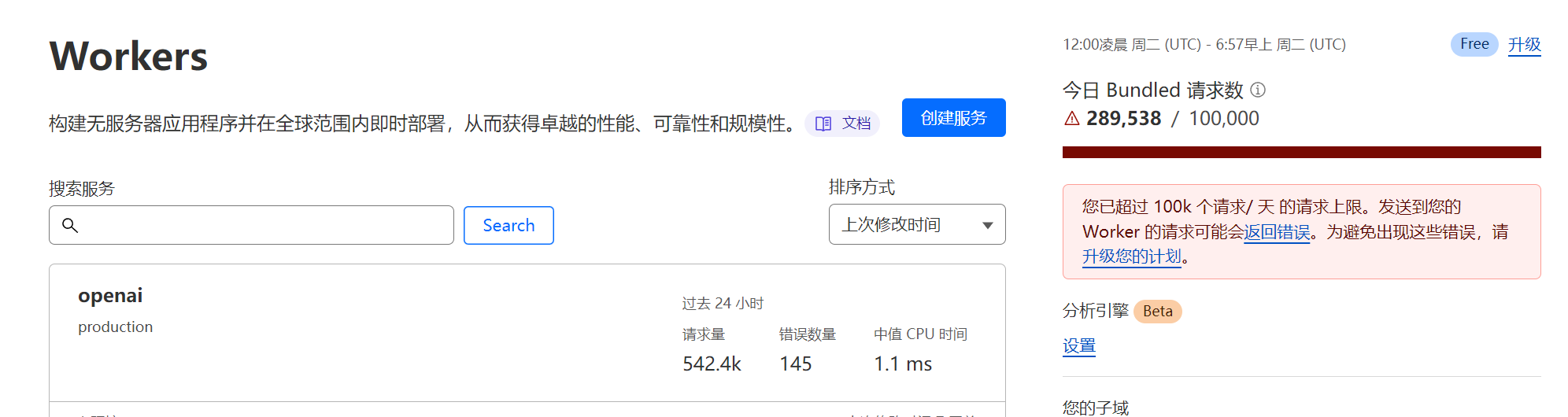
利用Cloudflare Worker中转api.openai.com
- 新建一个 Cloudflare Worker
- 复制 cf_worker.js 里的代码粘贴到 Worker 中并部署
- 给 Worker 绑定一个没有被墙的域名
- 使用自己的域名代替 api.openai.com
使用CloudFlare Pages进行中转
1、部署中转API+ Openai API余额查询 (使用sess-xxxx的Authorization查询,有效时间未知)
-
Fork本项目点击Use this template按钮创建一个新的代码库。 -
登录到Cloudflare控制台.
-
在帐户主页中,选择
pages>Create a project>Connect to Git -
选择你 Fork 的项目存储库,在
Set up builds and deployments部分中,全部默认即可。 -
点击
Save and Deploy部署,然后点Continue to project即可看到访问域名
把官方接口的
https://api.openai.com替换为https://xxx.pages.dev即可
Demo
2、只部署中转API
docker 部署(要境外vps)
<details> <summary>e.g.</summary>好像不支持sse 所以不建议
bashdocker run -itd --name openaiproxy \ -p 3000:3000 \ --restart=always \ gindex/openaiproxy:latest
使用
api : http://vpsip:3000/proxy/v1/chat/completions
</details>bashcurl --location 'http://vpsip:3000/proxy/v1/chat/completions' \ --header 'Authorization: Bearer sk-xxxxxxxxxxxxxxx' \ --header 'Content-Type: application/json' \ --data '{ "model": "gpt-3.5-turbo", "messages": [{"role": "user", "content": "Hello!"}] }'
用法
<details> <summary>JavaScript用fetch</summary></details> <details> <summary>用python</summary>javascriptconst requestOptions = { method: 'POST', headers: { "Authorization": "Bearer sk-xxxxxxxxxxxx", "Content-Type": "application/json" }, body: JSON.stringify({ "model": "gpt-3.5-turbo", "messages": [ { "role": "user", "content": "hello word" } ] }) }; fetch("https://openai.1rmb.tk/v1/chat/completions", requestOptions) .then(response => response.text()) .then(result => console.log(result)) .catch(error => console.log('error', error));
</details> <details> <summary>用nodejs chatgpt库</summary>pythonimport requests url = "https://openai.1rmb.tk/v1/chat/completions" api_key = 'sk-xxxxxxxxxxxxxxxxxxxx' headers = { 'Authorization': f'Bearer {api_key}', 'Content-Type': 'application/json' } payload = { "model": "gpt-3.5-turbo", "messages": [ { "role": "user", "content": "hello word" } ] } try: response = requests.post(url, headers=headers, json=payload) response.raise_for_status() # 抛出异常,如果响应码不是200 data = response.json() print(data) except requests.exceptions.RequestException as e: print(f"请求错误: {e}") except json.JSONDecodeError as e: print(f"无效的 JSON 响应: {e}")
transitive-bullshit/chatgpt-api
</details> <details> <summary>查询余额</summary>javascriptimport { ChatGPTAPI } from 'chatgpt' async function example() { const api = new ChatGPTAPI({ apiKey: "sk-xxxxxxxxxxxxxx", // proxy+/v1 apiBaseUrl:"https://openai.1rmb.tk/v1" }) const res = await api.sendMessage('Hello World!') console.log(res.text) } example()
</details>javascriptconst headers = { 'content-type': 'application/json', 'Authorization': `Bearer sk-xxxxxxxxxxxxxxxxx` } // 查是否订阅 const subscription = await fetch("https://openai.1rmb.tk/v1/dashboard/billing/subscription", { method: 'get', headers: headers }) if (!subscription.ok) { const data = await subscription.json() // console.log(data); return data // throw new Error('API request failed') } else { const subscriptionData = await subscription.json() const endDate = subscriptionData.access_until const startDate = new Date(endDate - 90 * 24 * 60 * 60); console.log(formatDate(endDate, "YYYY-MM-DD")); console.log(formatDate(startDate, "YYYY-MM-DD")); const response = await fetch(`https://openai.1rmb.tk/v1/dashboard/billing/usage?start_date=${formatDate(startDate, "YYYY-MM-DD")}&end_date=${formatDate(endDate, "YYYY-MM-DD")}`, { method: 'get', headers: headers }) const usageData = await response.json(); // 账号类型 const plan = subscriptionData.plan.id console.log(usageData); }
Star History

Contributors
Showing top 1 contributor by commit count.

Related Repositories

NousResearch/hermes-agent
The agent that grows with you

f/prompts.chat
f.k.a. Awesome ChatGPT Prompts. Share, discover, and collect prompts from the community. Free and open source — self-host for your organization with complete privacy.

langflow-ai/langflow
Langflow is a powerful tool for building and deploying AI-powered agents and workflows.

langchain-ai/langchain
The agent engineering platform.

microsoft/generative-ai-for-beginners
21 Lessons, Get Started Building with Generative AI

ChatGPTNextWeb/NextChat
✨ Light and Fast AI Assistant. Support: Web | iOS | MacOS | Android | Linux | Windows