

Chat2API
Chat2API enables zero-cost access to leading AI models by leveraging official web UIs. It supports providers such as DeepSeek, GLM, Kimi, MiniMax, Qwen, and Z.ai, and seamlessly integrates with tools like openlcaw, Cline, and Roo-Code.
Chat2API enables zero-cost access to leading AI models by leveraging official web UIs. It supports providers such as DeepSeek, GLM, Kimi, MiniMax, Qwen, and Z.ai, and seamlessly integrates with tools like openlcaw, Cline, and Roo-Code — making any OpenAI-compatible client work out of the box. The project is written primarily in TypeScript, distributed under the Other license, first published in 2026. It has gained significant community traction with 1,194 stars and 297 forks on GitHub. Key topics include: chatgpt-api, deepseek-chat, free-api, glm-5, kimi-k2.
Chat2API
<p align="center"> <img src="build/icons.png" alt="Chat2API Logo" width="128" height="128"> </p> <p align="center"> <img src="https://img.shields.io/badge/Release-v1.3.0-blue?style=flat-square&logo=github" alt="Release"> <img src="https://img.shields.io/badge/License-GPL--3.0-blue?style=flat-square" alt="License"> <br> <a href="https://www.electronjs.org/"><img src="https://img.shields.io/badge/Electron-33+-47848F?style=flat-square&logo=electron&logoColor=white" alt="Electron"></a> <a href="https://react.dev/"><img src="https://img.shields.io/badge/React-18-61DAFB?style=flat-square&logo=react&logoColor=black" alt="React"></a> <a href="https://www.typescriptlang.org/"><img src="https://img.shields.io/badge/TypeScript-5-3178C6?style=flat-square&logo=typescript&logoColor=white" alt="TypeScript"></a> <img src="https://img.shields.io/badge/Platform-macOS%20%7C%20Windows%20%7C%20Linux-lightgrey?style=flat-square" alt="Platform"> </p> <p align="center"> <strong><a href="README_CN.md">中文</a> | <a href="https://chat2api-doc.vercel.app/">Official Website</a> | <a href="https://chat2api-doc.vercel.app/docs">Documentation</a></strong> </p> <p align="center"> <strong>Multi-platform AI Service Unified Management Tool</strong> </p> <p align="center"> Chat2API enables zero-cost access to leading AI models by leveraging official web UIs. It supports providers such as DeepSeek, GLM, Kimi, MiniMax, Qwen, and Z.ai, and seamlessly integrates with tools like openlcaw, Cline, and Roo-Code — making any OpenAI-compatible client work out of the box. </p>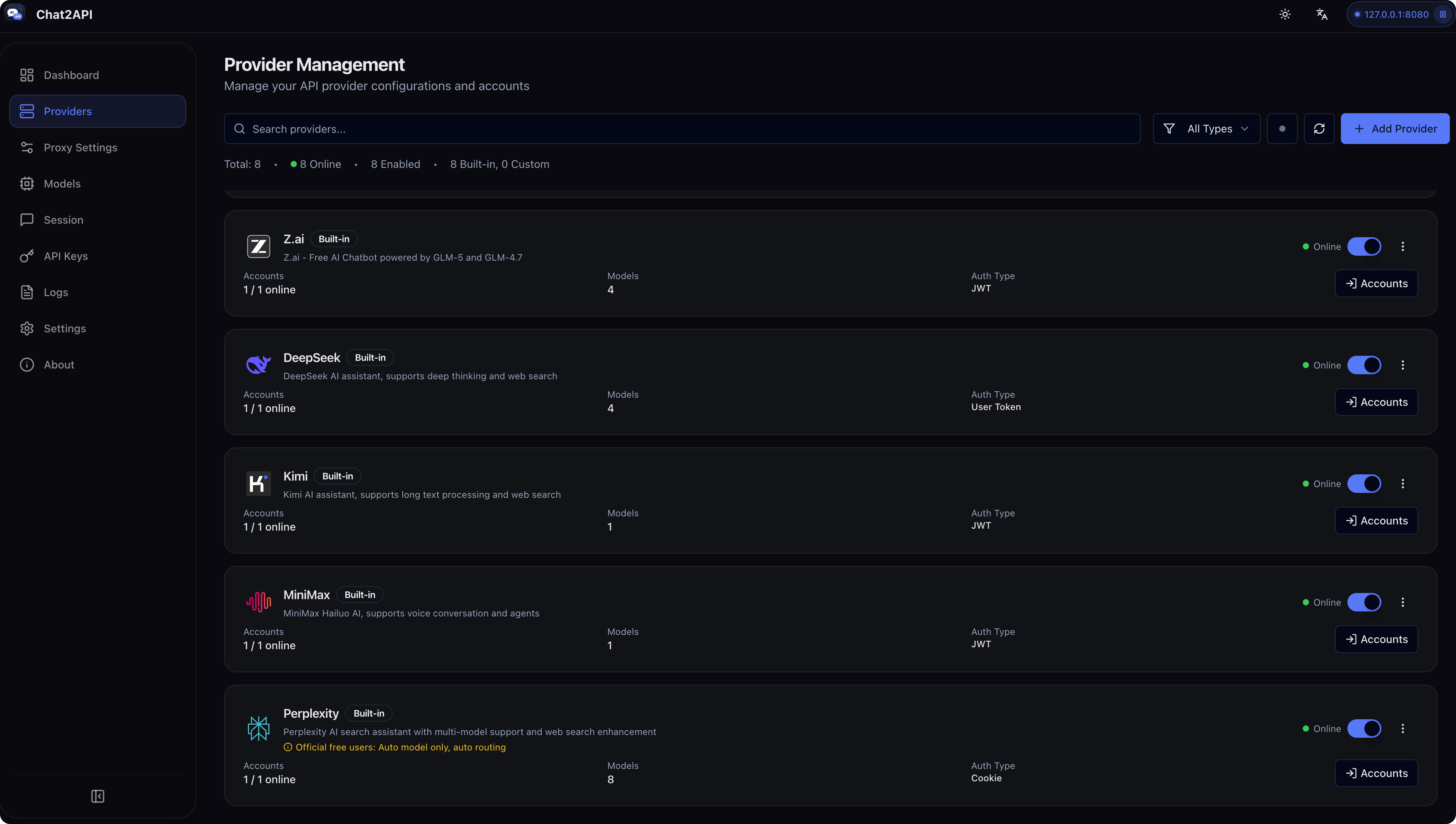
✨ Features
- OpenAI Compatible API: Provides standard OpenAI-compatible API endpoints for seamless integration
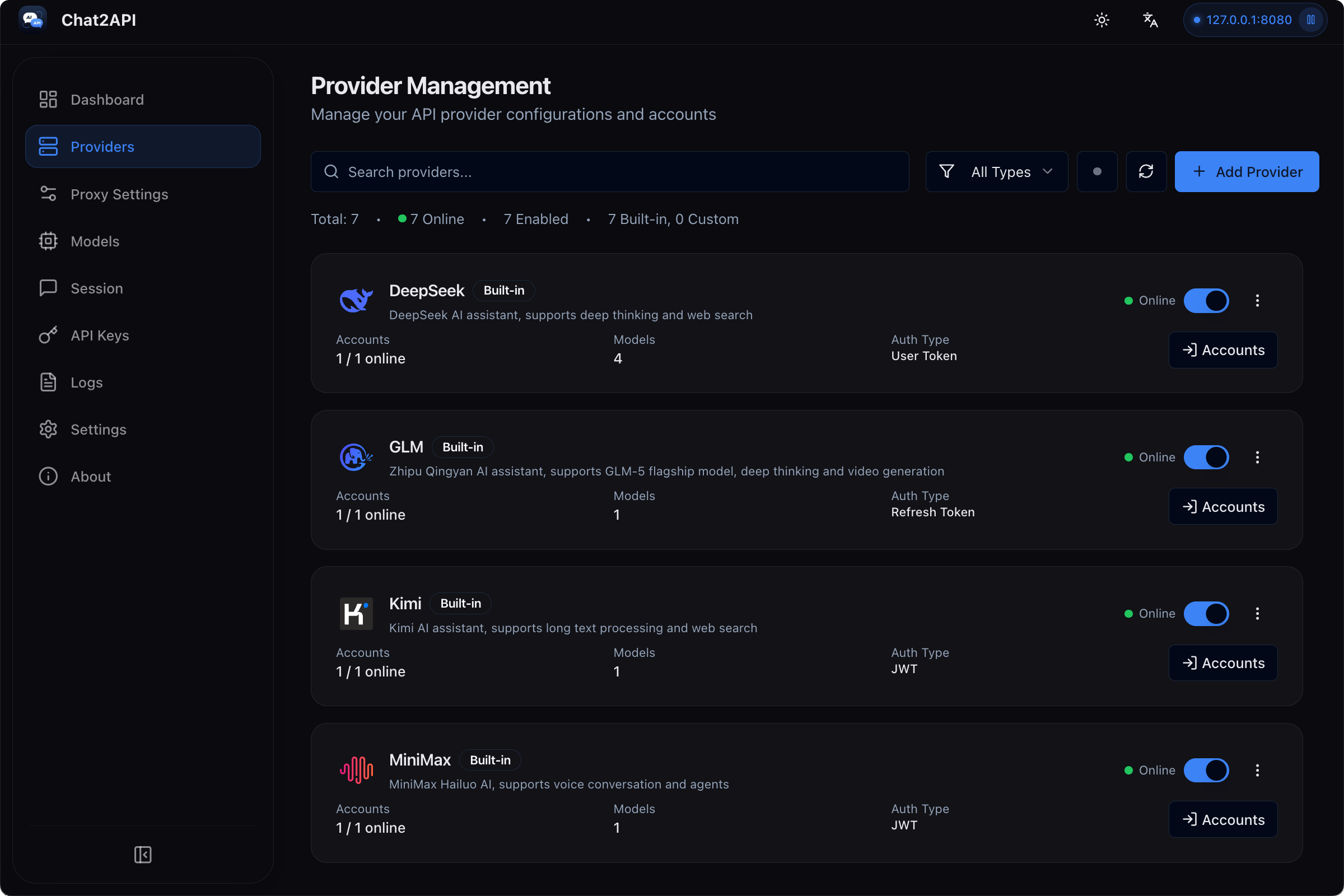
- Multi-Provider Support: Connect DeepSeek, GLM, Kimi, MiniMax, Perplexity 🆕, Qwen, Z.ai and more
- 🆕 Context Management: Intelligent conversation context management with sliding window, token limit, and summary strategies
- 🆕 Function Calling Support: Universal tool calling capability for all models via prompt engineering, compatible with Cherry Studio, Kilo Code, and other clients
- 🆕 Model Mapping: Flexible model name mapping with wildcard support and preferred provider/account selection
- 🆕 Custom Parameters: Support for custom HTTP headers to enable web search, thinking mode, and deep research features
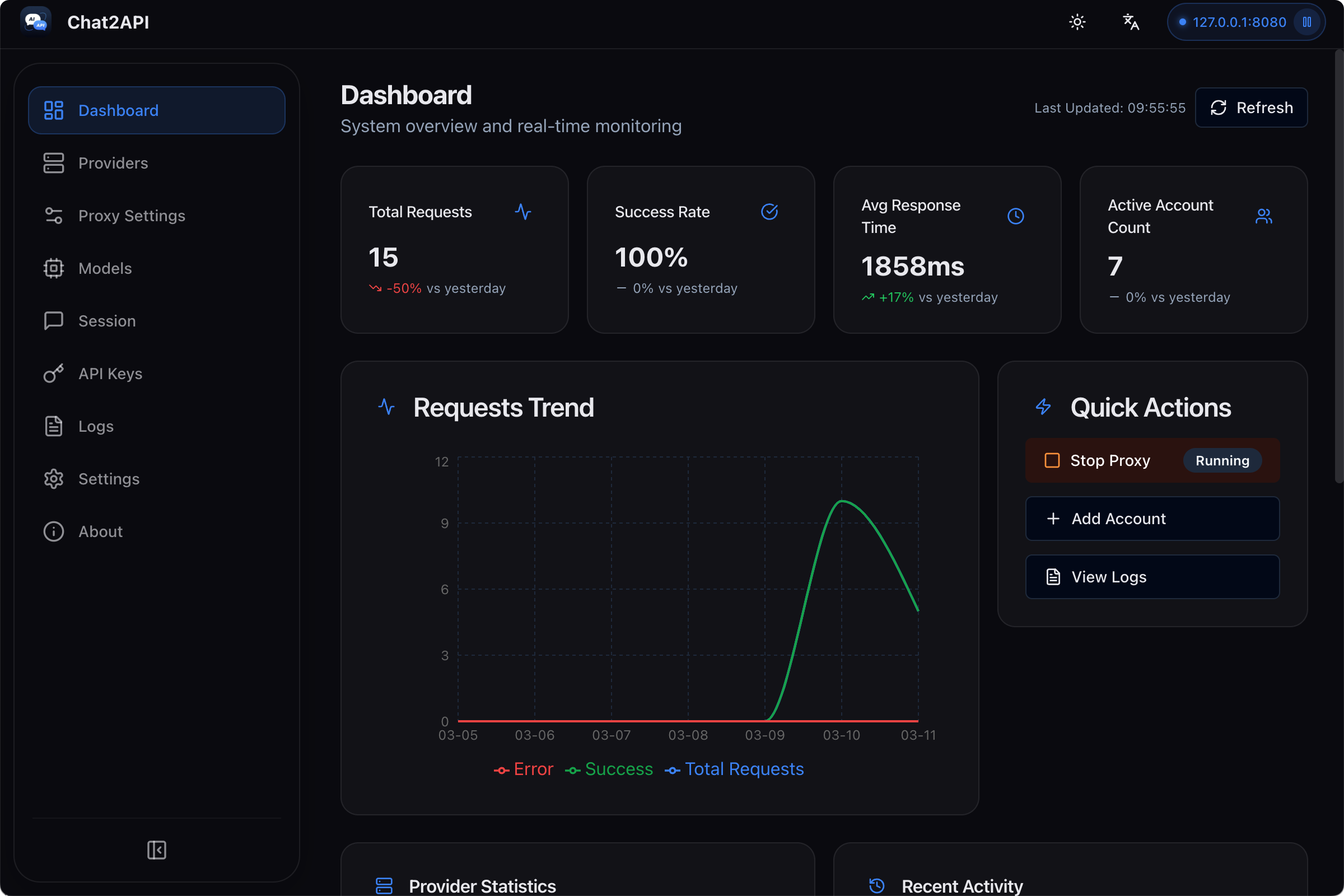
- Dashboard Monitoring: Real-time request traffic, token usage, and success rates
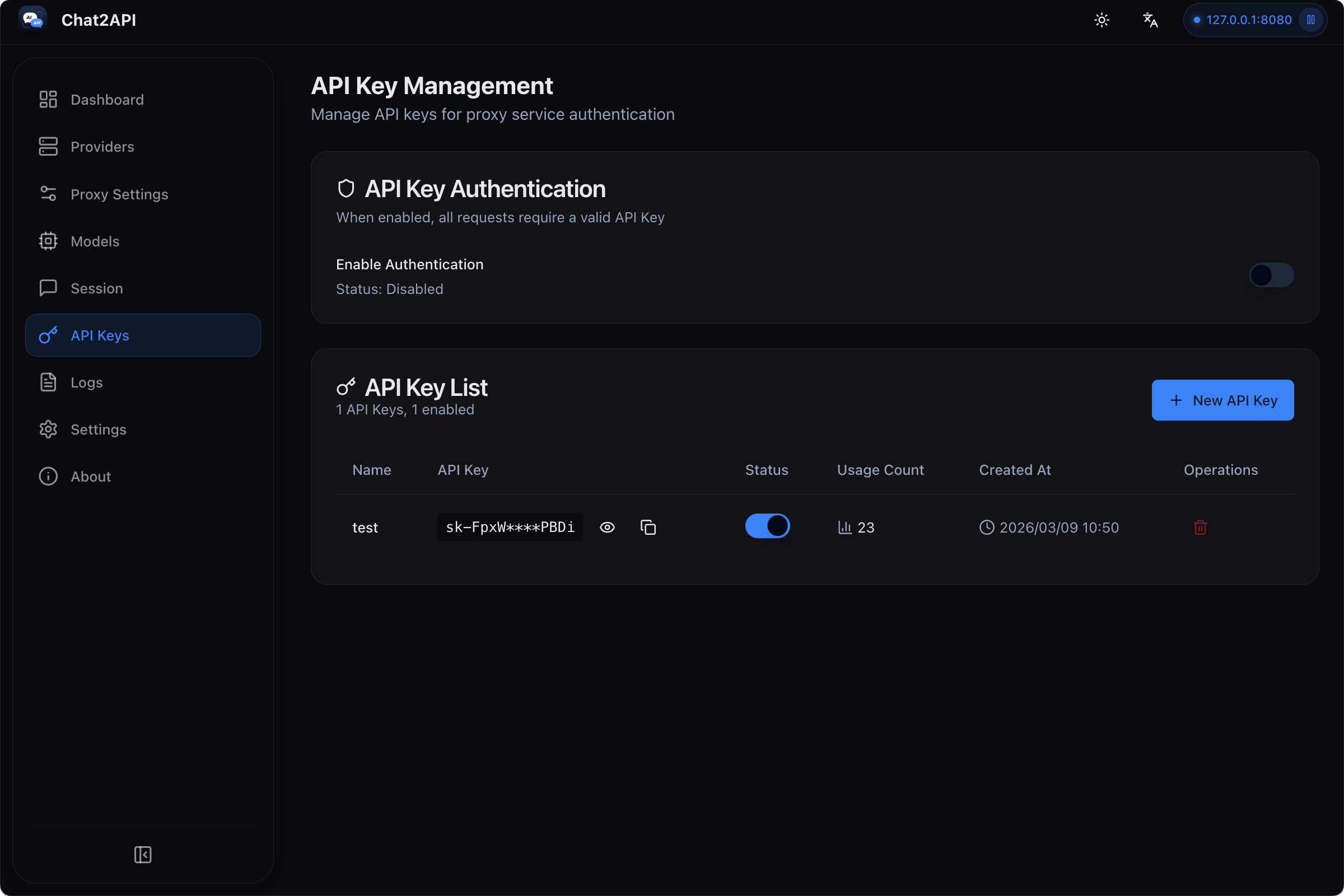
- API Key Management: Generate and manage keys for your local proxy
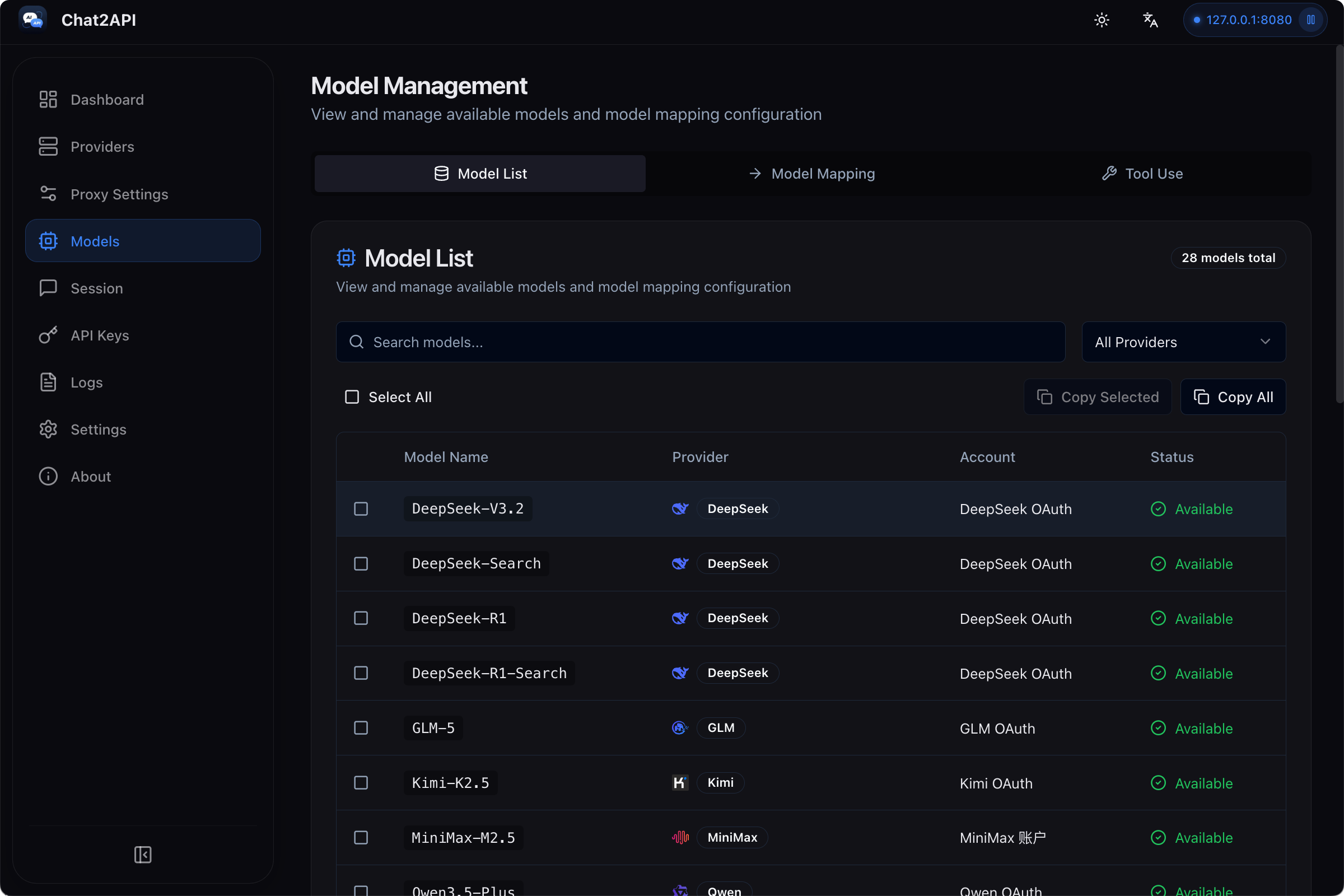
- Model Management: View and manage available models from all providers
- Request Logs: Detailed request logging for debugging and analysis
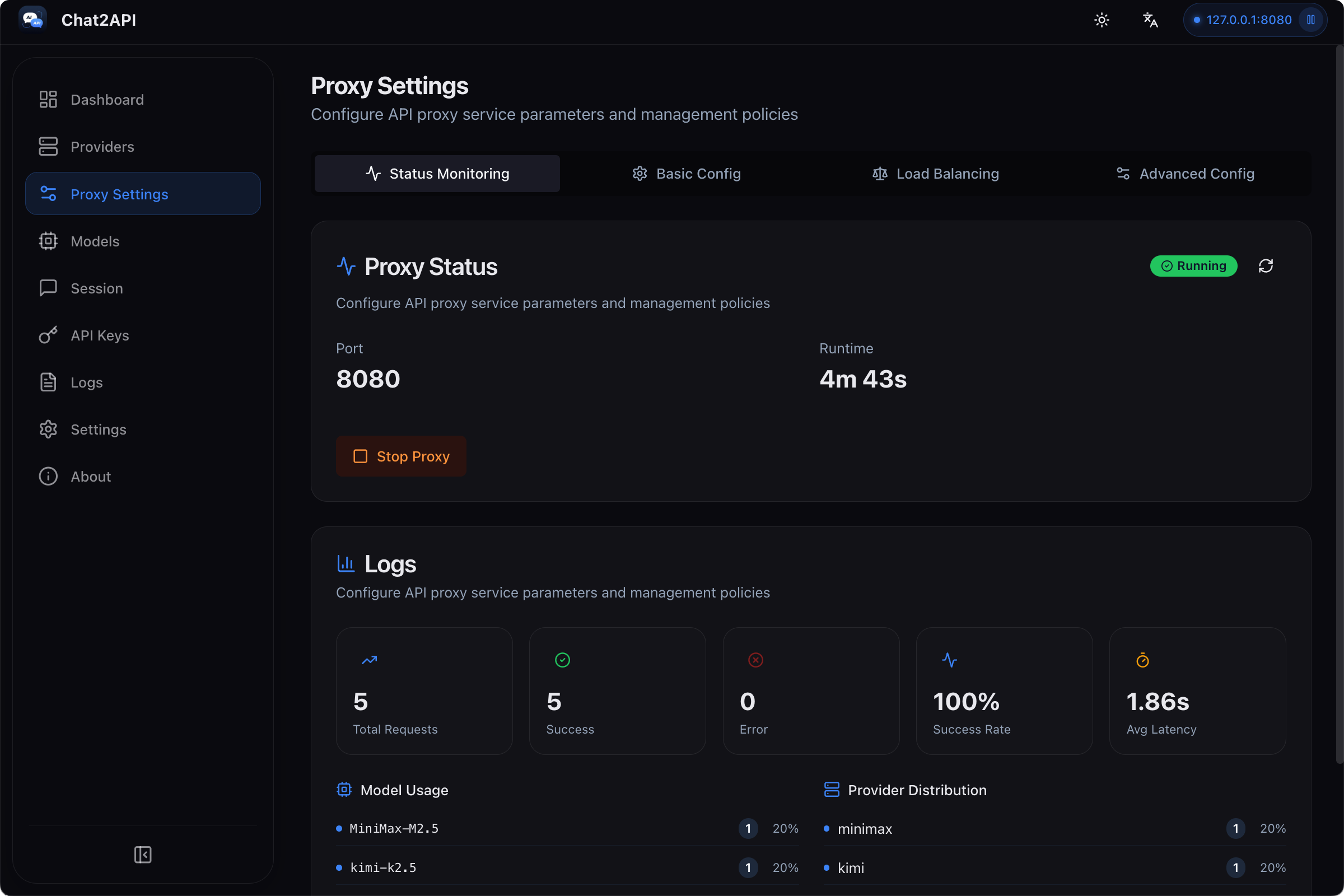
- Proxy Configuration: Flexible proxy settings and routing strategies
- System Tray Integration: Quick access to status from menu bar
- Multilingual: English and Simplified Chinese support
- Modern UI: Clean, responsive interface with dark/light theme support
🤖 Supported Providers
| Provider | Auth Type | OAuth | Models |
|---|---|---|---|
| DeepSeek | User Token | Yes | deepseek-v4-flash, deepseek-v4-pro |
| GLM | Refresh Token | Yes | GLM-5.1 |
| Kimi | JWT Token | Yes | Kimi-K2.6 |
| MiniMax | JWT Token | Yes | MiniMax-M2.7 |
| Mimo | Cookie | Yes | MiMo-V2.5-Pro, MiMo-V2.5, MiMo-V2-Flash |
| Perplexity | Cookie | Yes | Auto |
| Qwen (CN) | SSO Ticket | Yes | Qwen3.6, Qwen3.7-Max, Qwen3.5-Flash, Qwen3-Max, Qwen3-Max-Thinking-Preview, Qwen3-Coder |
| Qwen AI (Global) | JWT Token | Yes | Qwen3.7-Max, Qwen3.6-Plus, Qwen3.6-35B-A3B, Qwen3.6-27B, Qwen3-Coder |
| Z.ai | JWT Token | Yes | Temporarily unavailable due to frontend captcha risk control |
Provider adaptation notes and manual model-addition guides are in docs/providers.
📥 Installation
Download
Download the latest release from GitHub Releases:
| Platform | Download |
|---|---|
| macOS (Apple Silicon) | Chat2API-x.x.x-arm64.dmg |
| macOS (Intel) | Chat2API-x.x.x-x64.dmg |
| Windows | Chat2API-x.x.x-x64-setup.exe |
| Linux | Chat2API-x.x.x-x64.AppImage or .deb |
Build from Source
Requirements:
- Node.js 18+
- npm
- Git
bash# Clone the repository git clone https://github.com/xiaoY233/Chat2API.git cd Chat2API # Install dependencies npm install # Start development server npx electron-vite dev 2>&1
Build for Production
bashnpm run build # Build the application npm run build:mac # Build for macOS (dmg, zip) npm run build:win # Build for Windows (nsis) npm run build:linux # Build for Linux (AppImage, deb) npm run build:all # Build for all platforms
📖 Usage
Step 1: Launch the App
After installation, launch Chat2API. You'll see the main dashboard.
Step 2: Add a Provider
- Navigate to Providers from the sidebar
- Click Add Provider button
- Select a built-in provider (e.g., DeepSeek)
- Enter your authentication credentials
For example, to get a DeepSeek token:
- Visit DeepSeek Chat
- Start any conversation
- Press
F12to open Developer Tools - Go to Application > Local Storage
- Find
userTokenand copy its value
Step 3: Configure Proxy
- Navigate to Proxy Settings from the sidebar
- Set the port (default: 8080)
- Choose a load balancing strategy:
- Round Robin: Distributes requests evenly across accounts
- Fill First: Uses one account until limit is reached
- Failover: Automatically switches on failure
- Click Start Proxy
Step 4: Test the API
Using Python (OpenAI SDK):
pythonfrom openai import OpenAI client = OpenAI( api_key="your-api-key", base_url="http://localhost:8080/v1" ) response = client.chat.completions.create( model="deepseek-v4-flash", messages=[ {"role": "user", "content": "Hello, who are you?"} ] ) print(response.choices[0].message.content)
Step 5: Manage API Keys (Optional)
For security, you can enable API Key authentication:
- Go to API Keys page
- Click New API Key
- Enter a name and description
- Copy the generated key
📸 Screenshots
| Dashboard | Providers |
|---|---|
 |  |
| Proxy Settings | API Keys |
|---|---|
 |  |
| Models | Session |
|---|---|
 |  |
⚙️ Settings
- Port: Change the proxy listening port (default: 8080)
- Routing Strategy: Round Robin or Fill First
- Auto-start: Launch proxy automatically on app startup
- Theme: Light, Dark, or System preference
- Language: English or Simplified Chinese
🏗️ Architecture
Chat2API/
├── src/
│   ├── main/                    # Electron main process
│   │   ├── index.ts            # App entry point
│   │   ├── tray.ts             # System tray integration
│   │   ├── proxy/              # Proxy server management
│   │   ├── ipc/                # IPC handlers
│   │   └── utils/              # Utilities
│   ├── preload/                # Context bridge
│   └── renderer/               # React frontend
│       ├── components/         # UI components
│       ├── pages/              # Page components
│       ├── stores/             # Zustand state
│       └── hooks/              # Custom hooks
├── build/                      # Build resources
└── scripts/                    # Build scripts
🔧 Tech Stack
| Component | Technology |
|---|---|
| Framework | Electron 33+ |
| Frontend | React 18 + TypeScript |
| Styling | Tailwind CSS |
| State | Zustand |
| Build | Vite + electron-vite |
| Packaging | electron-builder |
| Server | Koa |
📁 Data Storage
Application data is stored in ~/.chat2api/ directory:
config.json- Application configurationproviders.json- Provider settingsaccounts.json- Account credentials (encrypted)logs/- Request logs
❓ FAQ
macOS: "App is damaged and can't be opened"
Due to macOS security mechanisms, apps downloaded outside the App Store may trigger this warning. Run the following command to fix it:
bashsudo xattr -rd com.apple.quarantine "/Applications/Chat2API.app"
How to update?
Check for updates in the About page, or download the latest version from GitHub Releases.
🤝 Contributing
- Fork the project
- Create a feature branch (
git checkout -b feature/amazing-feature) - Commit changes (
git commit -m 'Add amazing feature') - Push to branch (
git push origin feature/amazing-feature) - Open a Pull Request
📄 License
GNU General Public License v3.0. See LICENSE for details.
This means:
- ✅ Free to use, modify, and distribute
- ✅ Derivative works must be open-sourced under the same license
- ✅ Must preserve original copyright notices
🙏 Acknowledgments
- Electron - Cross-platform framework
- React - UI framework
- TypeScript - Type-safe JavaScript
- Tailwind CSS - CSS framework
- Zustand - State management
- Koa - HTTP server
Contributors
Showing top 3 contributors by commit count.


Related Repositories

xtekky/gpt4free
The official gpt4free repository | various collection of powerful language models | opus 4.6 gpt 5.3 kimi 2.5 deepseek v3.2 gemini 3
mouredev/Hello-Python
Curso para aprender el lenguaje de programación Python desde cero y para principiantes. 100 clases, 44 horas en vídeo, código, proyectos y grupo de chat. Fundamentos, frontend, backend, testing, IA...

GaiZhenbiao/ChuanhuChatGPT
GUI for ChatGPT API and many LLMs. Supports agents, file-based QA, GPT finetuning and query with web search. All with a neat UI.

sashabaranov/go-openai
OpenAI ChatGPT, GPT-5, GPT-Image-1, Whisper API clients for Go

rockbenben/ChatGPT-Shortcut
🚀💪Maximize your efficiency and productivity. The ultimate hub to manage, customize, and share prompts. (English/中文/Español/العربية). 让生产力加倍的 AI 快捷指令。更高效地管理提示词,在分享社区中发现适用于不同场景的灵感。

zilliztech/GPTCache
Semantic cache for LLMs. Fully integrated with LangChain and llama_index.