

Enclosure picroft
Mycroft interface for Raspberry Pi environment
Picroft is an enclosure for a Raspberry Pi 3, 3B+ or 4 connected to a speaker and microphone, bringing Mycroft to anyone who wants a simple voice interface they have complete control over. This is built on top of the official Raspbian Buster Lite image. The project is written primarily in Shell, distributed under the GNU Lesser General Public License v3.0 license, first published in 2017. Key topics include: artificial-intelligence, hacktoberfest, machine-learning, mycroft, open-source.
It's Alive!
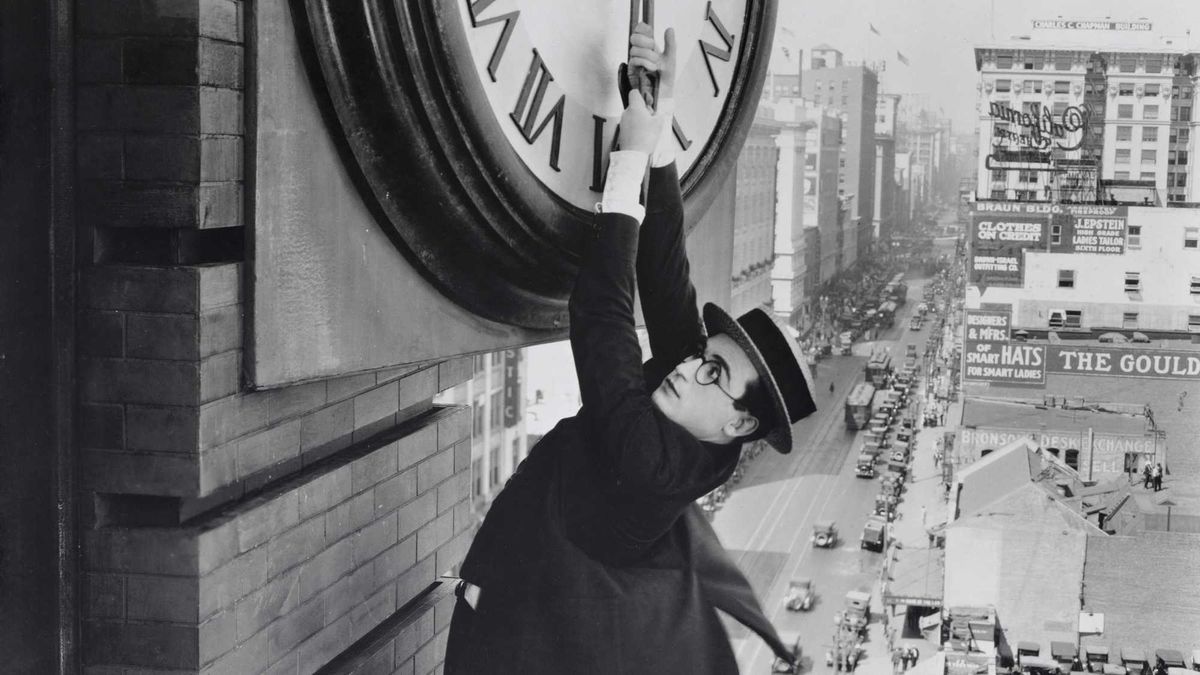
Picroft - Buster Keaton (Pork Pi) release
Picroft is an enclosure for a Raspberry Pi 3, 3B+ or 4 connected to a speaker and
microphone, bringing Mycroft to anyone who wants a simple voice interface they
have complete control over. This is built on top of the official Raspbian
Buster Lite image.
The entire project is available as a pre-built micro-SD image ready to be
burned and placed into a Raspberry Pi. You can download the pre-built image
here:
 Picroft Stable 2020-09-07 image
SHA-256: 3d3c99c53793224b84de02e816435230f2bbe6272b71d8909afee43e5ef9a402
Picroft Release Candidate 2021-06-04 image
SHA-256: 2d5a81375036a1dc4ce30051ea9e9181f4019c8f61264db3a43d87d03df854a6
A list of current and past releases can be found at: https://downloads.mycroft.ai/releases/picroft/
Optionally you can build it yourself by following the Recipe for building the image
Requirements
- Raspberry Pi 3, 3B+, or 4
<br>Older Raspberry Pi versions do not have sufficient processing power,
and if they work they will be very slow - Speaker
<br>Any analog speaker, or an HDMI monitor with speaker - Microphone
<br>A list of Community tested hardware is available in our documentation. - 2.5 Amp or better power supply
<br>Don't skimp on this! It might appear to work, but you'll have weird
issues with a cheapo supply. - MicroSD Card
<br>8 GB or larger - HDMI Monitor and keyboard, only required during setup
Installation
- Download and burn the image to the SD card.<br/>See the RaspberryPi.org's
guide to
Installing Operating System Images
for detailed instructions on how to burn an image to your SD card. - Insert the SD card into your Raspberry Pi
- Connect speaker, microphone, monitor and keyboard
- Apply power
- Follow the on-screen prompts to setup Picroft
- Follow the verbal prompts to pair your device to an account at
Mycroft Home - Talk to Mycroft and enjoy!
Usage
Simply speak to Picroft as you would to any Mycroft. For example:
"Hey Mycroft, what time is it?"
"Mycroft, how tall was Abraham Lincoln?"
Older Versions
Help and more info
To re-run the setup wizard, use mycroft-setup-wizard.
Check out the Picroft wiki here.
There's also the general Documentation.
Customization
audio_setup.shconfigures your specific audio setup.custom_setup.shis a stub meant to initialize anything before Mycroft
starts. For example, initializing connected devices, or launching services.
Getting Help
There is an active Picroft community within the Mycroft's Mattermost chat which all are welcome to join!
FAQ
Q1) Why "Buster Keaton (Pork Pi)"?
This image is built on top of Raspbian "Buster" for running on a Raspberry Pi.
Buster Keaton is best known
for his silent films, but also his signature Pork Pie hats that he designed
and made himself. Coincidentally, Buster Keaton's classic film
"Safety Last!"
came out of copyright in 2019.
The photo at the top of this page we thought was Buster Keaton wearing his
signature hat. It turns out that it is actually a slightly more contemporary
Harold Lloyd.
Q2) Can I run this with a the Raspbian desktop GUI?
Sadly, not really. A Raspberry Pi is powerful, but still not well suited to do
everything at once. You can add other basic services on top of Picroft, but
the desktop GUI requires too many additional resources and neither Mycroft nor
the GUI end up running well.
Q3) Can I run this with anything else?
Depends on what you want to add. Serving simple webpages or polling devices
periodically is probably fine. Mining bitcoin won't.
Q4) Can I run this on a Pi4?
Yes!
Contributors
Showing top 12 contributors by commit count.





Related Repositories

Significant-Gravitas/AutoGPT
AutoGPT is the vision of accessible AI for everyone, to use and to build on. Our mission is to provide the tools, so that you can focus on what matters.

f/prompts.chat
f.k.a. Awesome ChatGPT Prompts. Share, discover, and collect prompts from the community. Free and open source — self-host for your organization with complete privacy.

rasbt/LLMs-from-scratch
Implement a ChatGPT-like LLM in PyTorch from scratch, step by step

hacksider/Deep-Live-Cam
real time face swap and one-click video deepfake with only a single image

thedotmack/claude-mem
Persistent Context Across Sessions for Every Agent – Captures everything your agent does during sessions, compresses it with AI, and injects relevant context back into future sessions. Works with Claude Code, OpenClaw, Codex, Gemini, Hermes, Copilot, OpenCode + More

OpenHands/OpenHands
🙌 OpenHands: AI-Driven Development