

RunOnce
Run LLM-generated one-off scripts via the "Run Code Here" option in the Windows 11 context menu.
Right-click, "Run Here" for tens to hundreds of lines of code generated by large language models as "one-time" programs. The project is written primarily in C#, distributed under the GNU General Public License v3.0 license, first published in 2026. Key topics include: code-runner, context-menu, csharp, desktop-app, developer-tools.
RunOnce
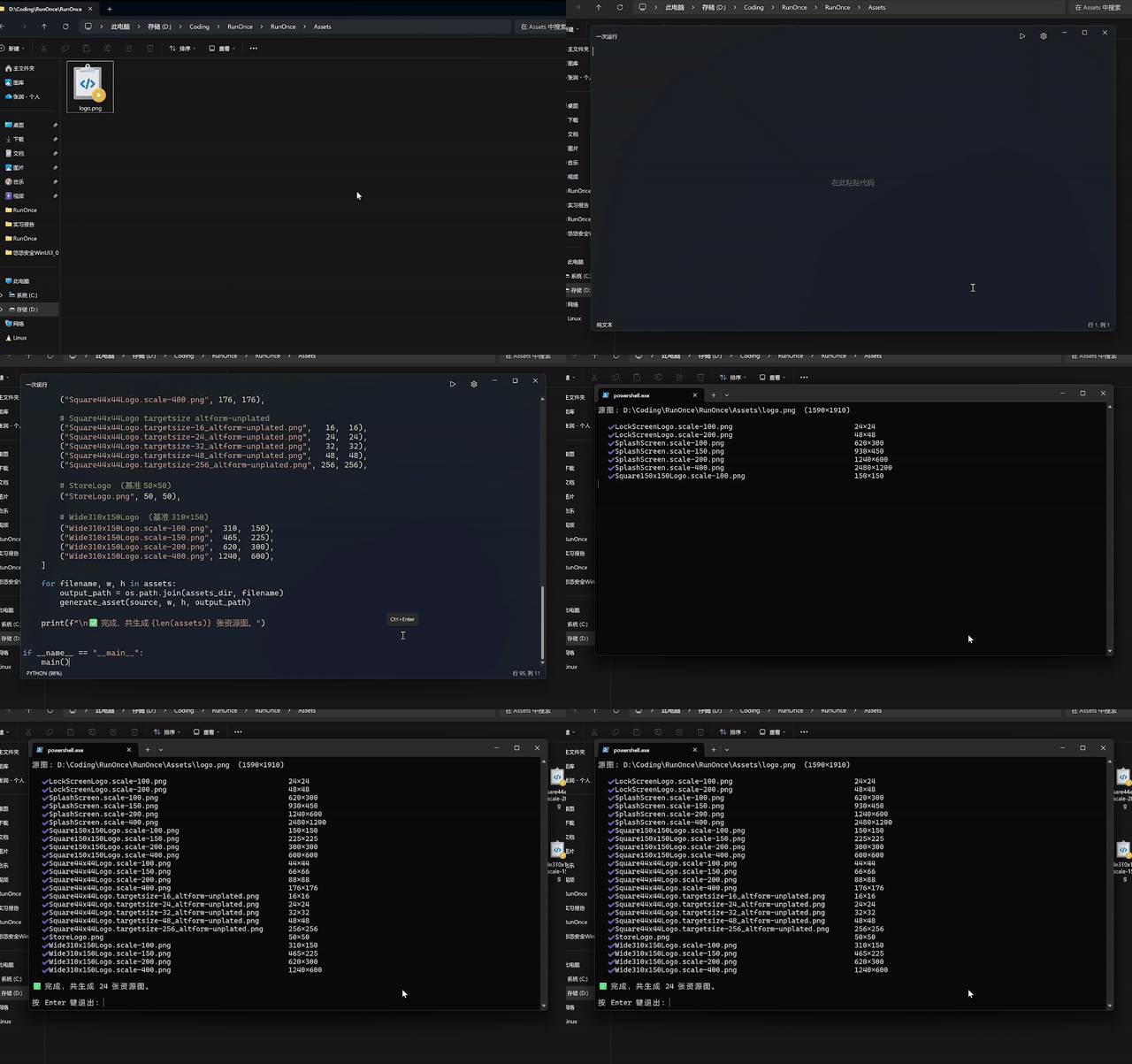
Right-click, "Run Here" for tens to hundreds of lines of code generated by large language models as "one-time" programs.
Installation
After installation, the program will automatically register a Windows 11 context menu item: Run Code Here.
Language Support
Supports the following languages:
batpowershellpythonluanimgo
UTF-8 Runtime Environment
On Chinese systems, the default runtime environment for some languages (such as lua) may cause encoding issues.
Switch to the UTF-8 runtime environment in settings to resolve these problems.
Mode Selection: Ensure Compatibility and Ensure Cleanup
These two modes control the generation path of temporary files. For general scripts, the Ensure Cleanup mode is sufficient.
However, if your script contains statements like os.path.abspath(__file__) that retrieve the actual script path, you'll need to use Ensure Compatibility mode.
Note that in Ensure Compatibility mode, temporary files may remain in the directory if not properly cleaned up due to abnormal terminal closure or other reasons.
Built-in Large Language Model Integration (contributed by @Tritium0041)
RunOnce supports built-in large language model integration. Scripts generated by the model will be automatically pasted into the editor.
Configure the API KEY in Settings → LLM Settings. OpenAI-compatible API calls are supported.
Contributors
Showing top 2 contributors by commit count.


Related Repositories

judge0/judge0
Robust, fast, scalable, and sandboxed open-source online code execution system for humans and AI.

michaelb/sniprun
A neovim plugin to run lines/blocs of code (independently of the rest of the file), supporting multiples languages

benlubas/molten-nvim
A neovim plugin for interactively running code with the jupyter kernel. Fork of magma-nvim with improvements in image rendering, performance, and more
judge0/ide
✨ Simple, free and open-source online code editor.

mokeyish/obsidian-code-emitter
An obsidian plugin that allows code blocks executed interactively in sandbox like jupyter notebooks. Supported language rust、kotlin、python、Javascript、TypeScript etc.

pianocomposer321/yabs.nvim
Yet Another Build System/Code Runner for Neovim, written in lua