

Scan
Free document to PDF scanner
A modern, web-based document scanner built with React. Scan documents using your device's camera or upload existing images, process them for clarity, and convert them to PDF format. The project is written primarily in TypeScript, distributed under the MIT License license, first published in 2024. Key topics include: pdf, pdf-generation, scanner-web, scanning, scanning-tool.
📄 Scan
A modern, web-based document scanner built with React. Scan documents using your device's camera or upload existing images, process them for clarity, and convert them to PDF format.
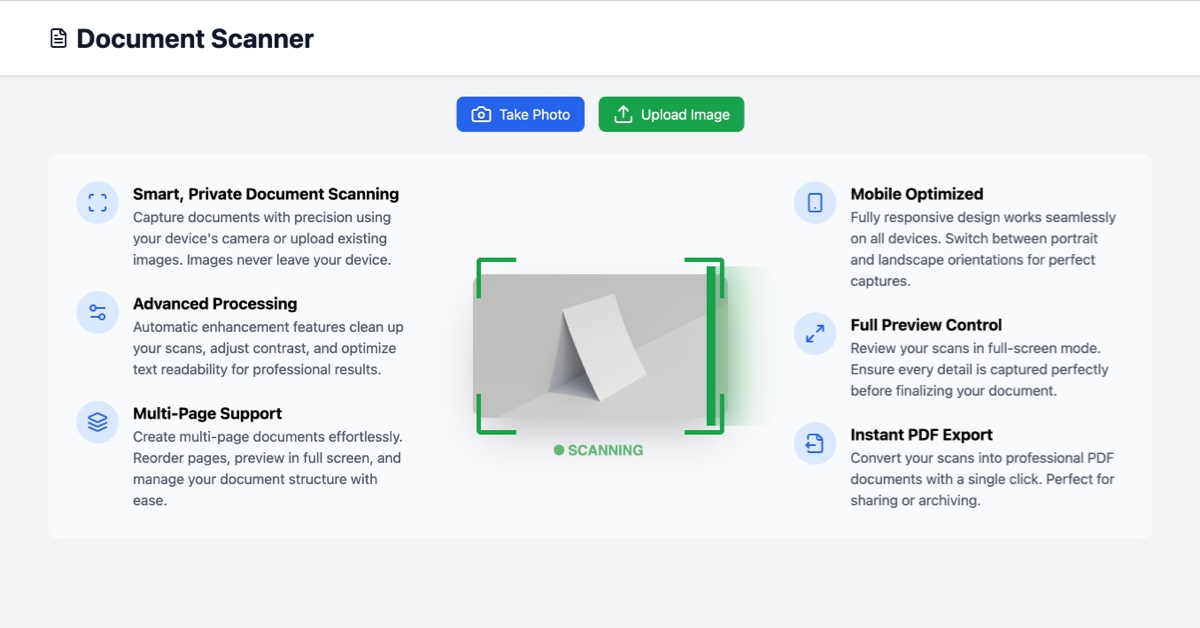
✨ Features
- 📱 Mobile-optimized interface
- 📸 Capture documents using device camera
- 📤 Upload existing images
- ✂️ Smart document cropping
- 🔄 Portrait and landscape orientation support
- 📑 Multi-page document support
- 🔍 Image enhancement and processing
- 📋 Page reordering capabilities
- 🔎 Full-screen preview mode
- 📁 Export to PDF
🚀 Getting Started
Prerequisites
- Node.js 18 or higher
- npm or yarn
Installation
- Clone the repository:
bashgit clone https://github.com/addyosmani/scan.git cd scan
- Install dependencies:
bashnpm install
- Start the development server:
bashnpm run dev
🛠️ Tech Stack
- React - UI framework
- TypeScript - Type safety
- Tailwind CSS - Styling
- Vite - Build tool
- react-webcam - Camera access
- react-easy-crop - Image cropping
- jsPDF - PDF generation
- Lucide React - Icons
📱 Usage
-
Capture or Upload
- Click "Take Photo" to use your device's camera
- Click "Upload Image" to select an existing image
-
Crop and Adjust
- Use the cropping tool to select the document area
- Toggle between portrait and landscape orientation
- Confirm or cancel the crop
-
Manage Pages
- Add multiple pages to create a multi-page document
- Reorder pages using the arrow buttons
- Preview pages in full screen
- Delete unwanted pages
-
Export
- Click "Download PDF" to generate and download your document
- Use "Reset" to start over
🤝 Contributing
Contributions are welcome! Please feel free to submit a Pull Request.
- Fork the project
- Create your feature branch (
git checkout -b feature/AmazingFeature) - Commit your changes (
git commit -m 'Add some AmazingFeature') - Push to the branch (
git push origin feature/AmazingFeature) - Open a Pull Request
📝 License
This project is licensed under the MIT License - see the LICENSE file for details.
🙏 Acknowledgments
- OpenCV.js for image processing
- react-easy-crop for the cropping interface
- jsPDF for PDF generation
📧 Contact
Addy Osmani - @addyosmani
Project Link: https://github.com/addyosmani/scan
Contributors
Showing top 1 contributor by commit count.

Related Repositories

microsoft/markitdown
Python tool for converting files and office documents to Markdown.

justjavac/free-programming-books-zh_CN
:books: 免费的计算机编程类中文书籍,欢迎投稿

Stirling-Tools/Stirling-PDF
#1 PDF Application on GitHub that lets you edit PDFs on any device anywhere

opendatalab/MinerU
Transforms complex documents like PDFs and Office docs into LLM-ready markdown/JSON for your Agentic workflows.

docling-project/docling
Get your documents ready for gen AI

siyuan-note/siyuan
A privacy-first, self-hosted, fully open source personal knowledge management software, written in typescript and golang.