

Fztea
🐬🧋 Remote control your flipper from the local terminal or over SSH
A [bubbletea](https://github.com/charmbracelet/bubbletea)-bubble and TUI to interact with your [flipper zero](https://flipperzero.one/). The flipper will be automatically detected, if multiple flippers are connected, the first one will be used. The project is written primarily in Go, distributed under the MIT License license, first published in 2022. Key topics include: bubbletea, flipper, flipper-zero, flipperzero, serial-communication.
🐬🧋 Fztea



A bubbletea-bubble and TUI to interact with your flipper zero.
The flipper will be automatically detected, if multiple flippers are connected, the first one will be used.
🚀 Installation
bash# using go directly $ go install github.com/jon4hz/fztea@latest # from aur (btw) $ yay -S fztea-bin # local pkg manager ## debian / ubuntu $ dpkg -i fztea-v0.6.2-linux-amd64.deb ## rhel / fedora / suse $ rpm -i fztea-v0.6.2-linux-amd64.rpm ## alpine $ apk add --allow-untrusted fztea-v0.6.2-linux-amd64.apk # homebrew (macOS & linux) $ brew install jon4hz/homebrew-tap/fztea # windows # -> I'm sure you'll figure something out :)
✨ Usage
bash# trying to autodetect that dolphin $ fztea # no flipper found automatically :( $ fztea -p /dev/ttyACM0
⚡️ SSH
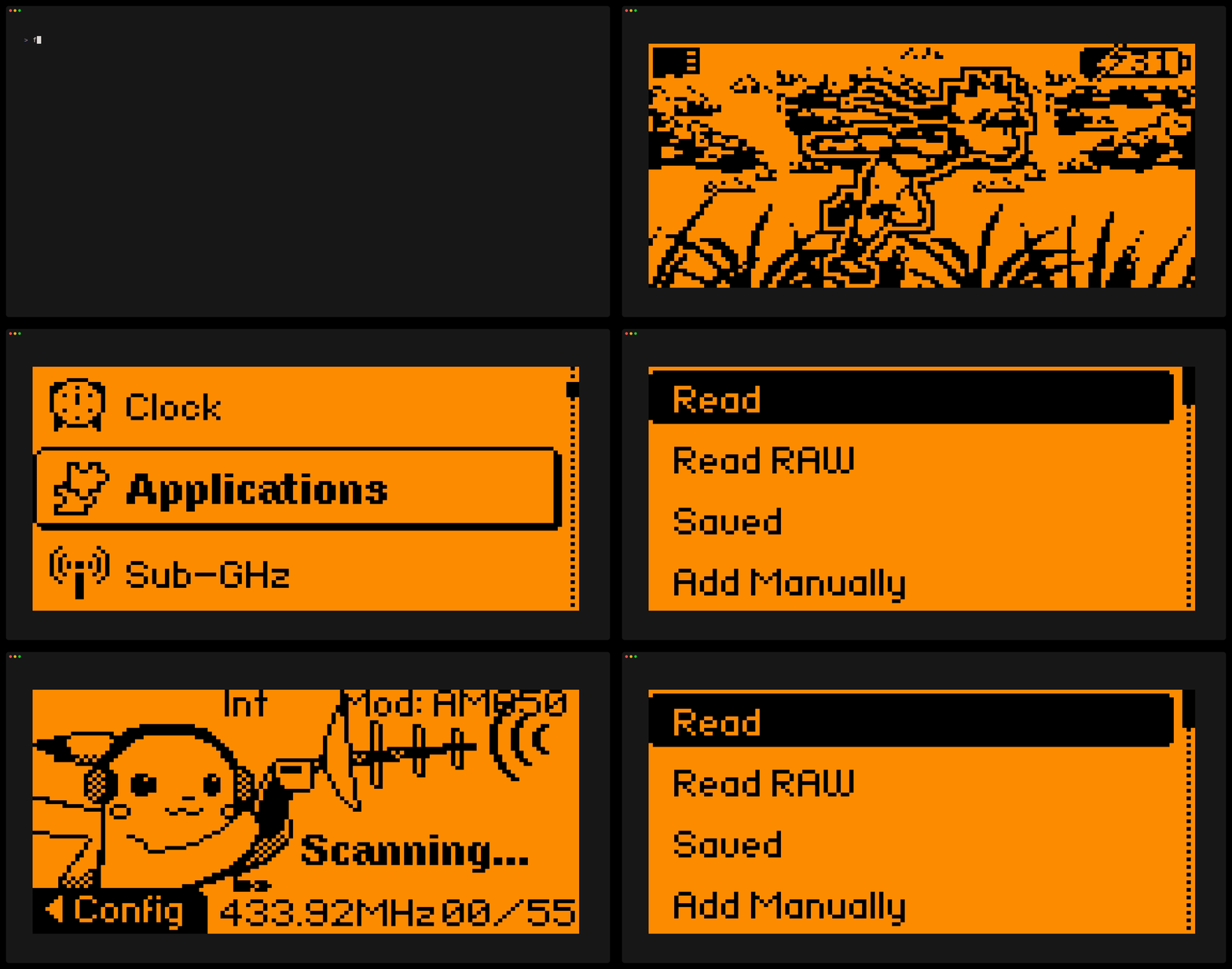
fztea also allows you to start an ssh server, serving the flipper zero ui over a remote connection.
Why? - Why not!
bash# start the ssh server listening on localhost:2222 (default) $ fztea server -l 127.0.0.1:2222 # connect to the server (from the same machine) $ ssh localhost -p 2222
By default, fztea doesn't require any authentication but you can specify an authorized_keys file if you want to.
bash# use authorized_keys for authentication $ fztea server -l 127.0.0.1:2222 -k ~/.ssh/authorized_keys
📸 Screenshots
You can take a screenshot of the flipper using ctrl+s at any time. Fztea will store the screenshot in the working directoy, by default in a 1024x512px resolution.
The size of the screenshot can be customized using the --screenshot-resolution flag.
$ fztea --screenshot-resolution=1920x1080
⌨️ Button Mapping
| Key | Flipper Event | Keypress Type |
|---|---|---|
| w, ↑ | up | short |
| d, → | right | short |
| s, ↓ | down | short |
| a, ← | left | short |
| o, enter, space | ok | short |
| b, back, esc | back | short |
| W, shift + ↑ | up | long |
| D, shift + → | right | long |
| S, shift + ↓ | down | long |
| A, shift + ← | left | long |
| O | ok | long |
| B | back | long |
🌈 Custom colors
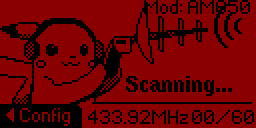
You can set custom fore- and background colors using the --bg-color and --fg-color flags.
$ fztea --bg-color="#8A0000" --fg-color="#000000"
Results in:
🎬 Demo
Local
SSH
Contributors
Showing top 3 contributors by commit count.
![dependabot[bot]](https://avatars.githubusercontent.com/in/29110?v=4)


Related Repositories

yorukot/superfile
Pretty fancy and modern terminal file manager

dlvhdr/gh-dash
A rich terminal UI for GitHub that doesn't break your flow.

Gaurav-Gosain/tuios
Terminal UI OS (Terminal Multiplexer)

go-musicfox/go-musicfox
go-musicfox是用Go写的又一款网易云音乐命令行客户端,支持UnblockNeteaseMusic、各种音质级别、lastfm、MPRIS、MacOS交互响应(睡眠暂停、蓝牙耳机连接断开响应、菜单栏控制等)...

idursun/jjui
jjui is a TUI designed for interacting with the Jujutsu version control system.

floatpane/matcha
A beautiful and functional email client for your terminal, built with Go and the charming Bubble Tea TUI library. Never leave your command line to check your inbox or send an email again!