

GLTFSceneKit
glTF loader for SceneKit
Add the following to your [Podfile](http://guides.cocoapods.org/using/the-podfile.html): The project is written primarily in Swift, distributed under the MIT License license, first published in 2017. Key topics include: gltf, gltf-loader, scenekit, scenekit-framework, swift.

GLTFSceneKit
glTF loader for SceneKit
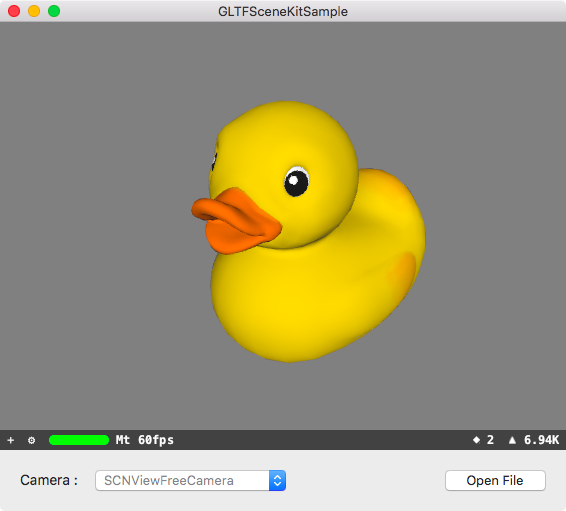
Installation
Using CocoaPods
Add the following to your Podfile:
rbpod 'GLTFSceneKit'
Using Carthage
Add the following to your Cartfile:
github "magicien/GLTFSceneKit" ~> 0.4.0
Using Swift Package Manager
- Open your project with Xcode
- Select
File>Swift Packages>Add Package Dependency... - Put
https://github.com/magicien/GLTFSceneKitin the search box and clickNext
Usage
Swift
import GLTFSceneKit

var scene: SCNScene
do {
  let sceneSource = try GLTFSceneSource(named: "art.scnassets/Box/glTF/Box.gltf")
  scene = try sceneSource.scene()
} catch {
  print("\(error.localizedDescription)")
  return
}
Objective-C
@import GLTFSceneKit;

GLTFSceneSource *source = [[GLTFSceneSource alloc] initWithURL:url options:nil];
NSError *error;
SCNScene *scene = [source sceneWithOptions:nil error:&error];
if (error != nil) {
  NSLog(@"%@", error);
  return;
}
See also
GLTFQuickLook - QuickLook plugin for glTF files
Contributors
Showing top 9 contributors by commit count.





Related Repositories

google/filament
Filament is a real-time physically based rendering engine for Android, iOS, Windows, Linux, macOS, and WebGL2

playcanvas/engine
Powerful web graphics runtime built on WebGL, WebGPU, WebXR and glTF

CesiumGS/cesium
An open-source JavaScript library for world-class 3D globes and maps :earth_americas:

assimp/assimp
The official Open-Asset-Importer-Library Repository. Loads 40+ 3D-file-formats into one unified and clean data structure.
google/model-viewer
Easily display interactive 3D models on the web and in AR!

zeux/meshoptimizer
Mesh optimization library that makes meshes smaller and faster to render