

Ardupilotblue
Howto use BeagleBone Blue with ArduPilot
Howto use [BeagleBone Blue](https://github.com/jadonk/beaglebone-blue) with [ArduPilot](https://github.com/ArduPilot/ardupilot) The project is distributed under the GNU General Public License v3.0 license, first published in 2017. Key topics include: arducopter, ardupilot, arduplane, ardurover, ardusub.
BeagleBone Blue
Howto use BeagleBone Blue with ArduPilot
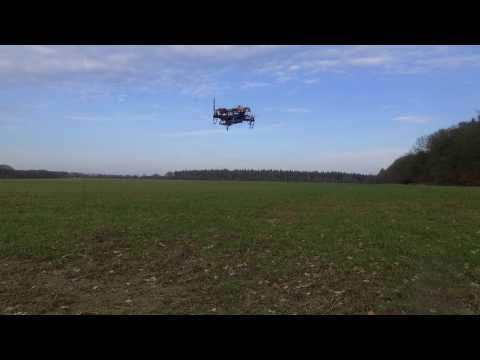
Hardware

Receiver
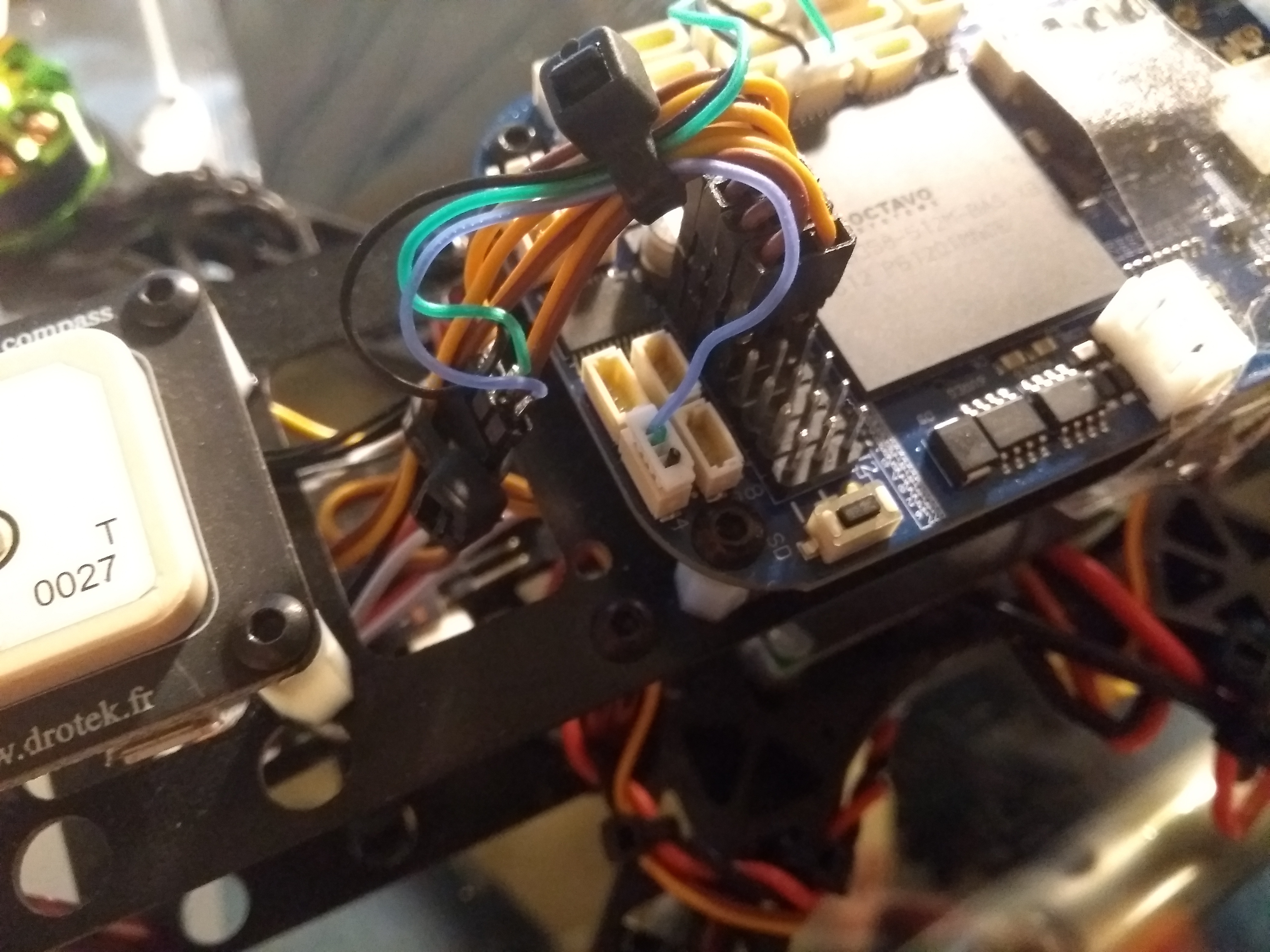
Since 17.01.2018 you can use the DSM2 connector or connector E4 pin 4 on your BealgeBone Blue.
Before 17.01.2018 the RC receiver signal has to be connected to connector E4 pin 4. This pin is a multi protocol pin (S.BUS, PPM-Sum, Spektrum Satellit DSM), the protocol will be automatically detected. Make sure the signal does not exceed 3.3 volts, otherwise your BeagleBone Blue can be damaged.
Tested receiver
| Name | Protocol | DSM2 connector | E4 connector (pin 4) | Voltage divider needed |
|---|---|---|---|---|
| FrSky X8R | SBUS | not tested | working | no, 3.3V output |
| FrSky X6R | SBUS | not tested | working | no, 3.3V output |
| OrangeRx Satellite Receiver | DSM | working | not tested | no, 3.3V output |
PWM / Servo
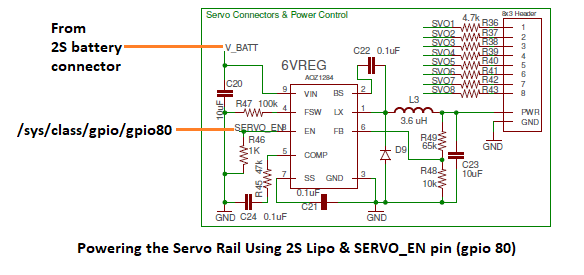
If you connect servos to the BeagleBone Blue then keep in mind that power is not applied by default because it is not necessary for ESCs. To enable power add: /bin/echo 1 > /sys/class/gpio/gpio80/value to /etc/rc.local.
GPS
I recommend to use a u-blox M8N GPS. Connect the GPS to the GPS connector. Make sure the signal does not exceed 3.3 volts, otherwise your BeagleBone Blue can be damaged.
Software
You can follow this guide, but @imfatant has written a realy great ArduPilot Blue beginners guide https://github.com/imfatant/test.
Prepare BeagleBone Blue
- Update software:
sudo apt update && sudo apt upgrade -y - Install software:
sudo apt install -y bb-cape-overlays cpufrequtils - Set clock to 1GHz:
sudo sed -i 's/GOVERNOR="ondemand"/GOVERNOR="performance"/g' /etc/init.d/cpufrequtils - Update scripts:
cd /opt/scripts && sudo git pull - Maximize the microSD card's existing partition:
sudo /opt/scripts/tools/grow_partition.sh - Install RT Kernel 4.9:
sudo /opt/scripts/tools/update_kernel.sh --ti-rt-channel --lts-4_9 - Specify device tree binary to be used at startup:
sudo sed -i 's/#dtb=/dtb=am335x-boneblue.dtb/g' /boot/uEnv.txt - Reboot system:
sudo reboot
Prebuild ArduPilot
- Download ready compiled ArduPilot file from http://bbbmini.org/download/blue/
- Copy file via SCP or microSD on your BeagleBone Blue
Run ArduPilot
ArduCopter:
sudo /home/debian/arducopter (plus parameter)
ArduPlane:
sudo /home/debian/arduplane (plus parameter)
ArduRover:
sudo /home/debian/ardurover (plus parameter)
Parameter mapping:
| start parameter | ArduPilot serial port |
|---|---|
| -A | SERIAL0 |
| -B | SERIAL3 |
| -C | SERIAL1 |
| -D | SERIAL2 |
| -E | SERIAL4 |
| -F | SERIAL5 |
Check http://ardupilot.org/copter/docs/parameters.html#serial0-baud-serial0-baud-rate to set the right value for SERIALx_BAUD and SERIALx_PROTOCOL
To connect a MAVLink groundstation with IP 192.168.178.26 add -C udp:192.168.178.26:14550
To use MAVLink via radio connected to UART4 add -C /dev/ttyO4.
If there is a GPS connected to UART5 add -B /dev/ttyO5.
Example: MAVLink groundstation with IP 192.168.178.26 on port 14550 and GPS connected to /dev/ttyO5 UART5.
sudo /home/debian/arducopter-quad -C udp:192.168.178.26:14550 -B /dev/ttyO5
Example: MAVLink groundstation via radio connected to UART4 and GPS connected to /dev/ttyO5 UART5.
sudo /home/debian/arducopter-quad -B /dev/ttyO5 -C /dev/ttyO4
License
<a rel="license" href="http://creativecommons.org/licenses/by-sa/4.0/"><img alt="Creative Commons License" style="border-width:0" src="https://i.creativecommons.org/l/by-sa/4.0/88x31.png" /></a><br /><span xmlns:dct="http://purl.org/dc/terms/" property="dct:title">BeagleBone Blue ArduPilot</span> by <a xmlns:cc="http://creativecommons.org/ns#" href="https://github.com/mirkix" property="cc:attributionName" rel="cc:attributionURL">Mirko Denecke</a> is licensed under a <a rel="license" href="http://creativecommons.org/licenses/by-sa/4.0/">Creative Commons Attribution-ShareAlike 4.0 International License</a>.
UNLESS OTHERWISE MUTUALLY AGREED TO BY THE PARTIES IN WRITING, LICENSOR OFFERS THE WORK AS-IS AND MAKES NO REPRESENTATIONS OR WARRANTIES OF ANY KIND CONCERNING THE WORK, EXPRESS, IMPLIED, STATUTORY OR OTHERWISE, INCLUDING, WITHOUT LIMITATION, WARRANTIES OF TITLE, MERCHANTABILITY, FITNESS FOR A PARTICULAR PURPOSE, NONINFRINGEMENT, OR THE ABSENCE OF LATENT OR OTHER DEFECTS, ACCURACY, OR THE PRESENCE OF ABSENCE OF ERRORS, WHETHER OR NOT DISCOVERABLE. SOME JURISDICTIONS DO NOT ALLOW THE EXCLUSION OF IMPLIED WARRANTIES, SO SUCH EXCLUSION MAY NOT APPLY TO YOU. EXCEPT TO THE EXTENT REQUIRED BY APPLICABLE LAW, IN NO EVENT WILL LICENSOR BE LIABLE TO YOU ON ANY LEGAL THEORY FOR ANY SPECIAL, INCIDENTAL, CONSEQUENTIAL, PUNITIVE OR EXEMPLARY DAMAGES ARISING OUT OF THIS LICENSE OR THE USE OF THE WORK, EVEN IF LICENSOR HAS BEEN ADVISED OF THE POSSIBILITY OF SUCH DAMAGES.
Contributors
Showing top 4 contributors by commit count.


Related Repositories

ArduPilot/ardupilot
ArduPlane, ArduCopter, ArduRover, ArduSub source
ArduPilot/apm_planner
APM Planner Ground Control Station (Qt)

goodrobots/vision_landing
Precision landing using visual targets

mirkix/BBBMINI
BeagleBone ArduPilot DIY Cape
ArduPilot/MethodicConfigurator
A clear ArduPilot configuration sequence