

Lidar slam ros2
ROS 2 LiDAR SLAM for pointcloud-map authoring, benchmarking, and Autoware-compatible map workflows.
**lidar slam ros2** is a ROS 2 LiDAR SLAM for pointcloud-map authoring, benchmarking, and Autoware-compatible map workflows. The project is written primarily in HTML, distributed under the BSD 2-Clause "Simplified" License license, first published in 2020. Key topics include: autoware-compatible, benchmarking, gnss, lidar, lidar-slam.
lidarslam_ros2




Turn a rosbag into a map you can actually drive on.
ROS 2 LiDAR SLAM that outputs an Autoware-ready map bundle — pointcloud_map/,
map_projector_info.yaml, and auto-generated lanelet2 — and proves it by driving
autonomously on that map in AWSIM. Frontend is RKO-LIO (MIT), backend is
graph_based_slam (BSD-2). No GPL components on the default workflow.
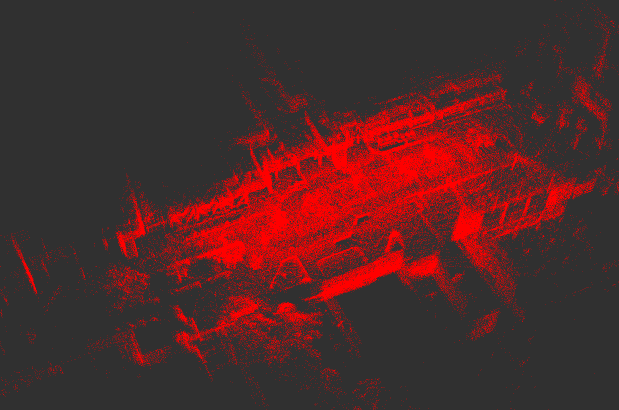
Shinjuku point cloud map built from a demo rosbag with this stack — start at the
Quickstart. For the animated map flythrough and the optional photoreal
render, jump to Photoreal 3DGS map. develop is the
default branch; latest release notes: v0.6.0.
Why lidarslam_ros2
Most LiDAR SLAM stacks stop at a trajectory and a point cloud. This one ships the
artifacts you need downstream:
- Autoware-ready output —
pointcloud_map/+map_projector_info.yamlopen
directly in Autoware map loaders;verify_autoware_map.pyprints
map_verify: PASSon every saved bundle. - lanelet2 auto-generation — drivable lanelets from the SLAM trajectory,
validated for multi-segment Autoware routing. - Driven, not just plotted — the map → autonomous-driving loop is dogfooded
end-to-end in AWSIM (tutorial). - Surveyed ground truth — releases are gated in CI by per-dataset APE
thresholds, including total-station checkpoints on a Livox MID-360
(accuracy). - Loop closure, GPL-free — built-in Scan Context by default, plus opt-in
BEV / SOLiD / STD/BTC-style Triangle descriptors and 3D-BBS verification. - Deterministic offline mapping —
graph_slam_offline_runner(backend,
recorded odometry bag) andscan_matcher_offline_runner(frontend, raw bag)
produce byte-identical trajectories, loop edges and submaps on every run
(verified 3-run on MID-360 and NTU VIRAL); the release gate enforces both
(--offline-determinism-bag/--frontend-determinism-bag). - Globally refined, quality-gated maps — clean-room plane bundle adjustment
refines submap poses offline (default on) under holdout-validated quality
thresholds; APE and crispness improve together on every GT substrate
(evidence). - GNSS georeferencing — optional GNSS constraints and projector metadata for
real-world coordinates.
mermaidflowchart LR bag(["rosbag2"]) --> rko["RKO-LIO<br/>LiDAR-inertial odometry"] rko --> gbs["graph_based_slam<br/>loop closure + graph optimization"] gbs --> bundle["Autoware map bundle<br/>pointcloud_map · lanelet2 · projector info"] bundle --> drive["AWSIM × Autoware<br/>autonomous driving"] bundle -.-> gs3d["3DGS photoreal map<br/>(optional)"]
Quickstart
Try it with Docker (one command, no build)
bashdocker run --rm -v "$PWD/lidarslam_output:/lidarslam_ws/output" \ ghcr.io/rsasaki0109/lidar_slam_ros2:humble
This pulls the prebuilt image, downloads a public Livox MID-360 driving bag
(517 MB, Zenodo, CC-BY 4.0) and runs the
full RKO-LIO + graph_based_slam pipeline headless — a few minutes later
./lidarslam_output/mid360_demo/ holds the Autoware-ready map bundle and
the loop-closed trajectory (traj_corrected.tum). Add
-v lidarslam_demo_data:/lidarslam_ws/datasets to cache the bag between runs;
appending bash instead drops you into an interactive shell.
Build from source
bashcd ~/ros2_ws/src git clone --recursive https://github.com/rsasaki0109/lidarslam_ros2.git cd .. rosdep install --from-paths src --ignore-src -r -y colcon build --symlink-install --cmake-args -DCMAKE_BUILD_TYPE=Release source install/setup.bash
If you cloned without --recursive: git -C src/lidarslam_ros2 submodule update --init --recursive.
Then run one public dataset end to end — NTU VIRAL tnp_01 (~580 s outdoor bag)
through RKO-LIO + graph_based_slam into an Autoware-loadable map:
bashcd src/lidarslam_ros2 bash scripts/download_ntu_viral_tnp01.sh bash scripts/run_autoware_quickstart.sh python3 scripts/verify_autoware_map.py output/.../pointcloud_map
Use your own bag
bashbash scripts/run_autoware_map_beginner.sh /path/to/rosbag2
One command turns the bag into a complete Autoware map bundle:
pointcloud_map/ tiles, map_projector_info.yaml, and a lanelet2_map.osm
generated from the loop-closed trajectory.
Or invoke the launch files directly:
bashros2 launch lidarslam rko_lio_slam.launch.py \ bag_path:=/path/to/rosbag2 \ lidar_topic:=/os_cloud_node/points \ imu_topic:=/os_cloud_node/imu ros2 service call /map_save std_srvs/srv/Empty
Required topics, optional GNSS / IMU pre-integration, and the dynamic-object
filter parameters are documented in docs/workflows.md.
Drive on your map (AWSIM × Autoware)
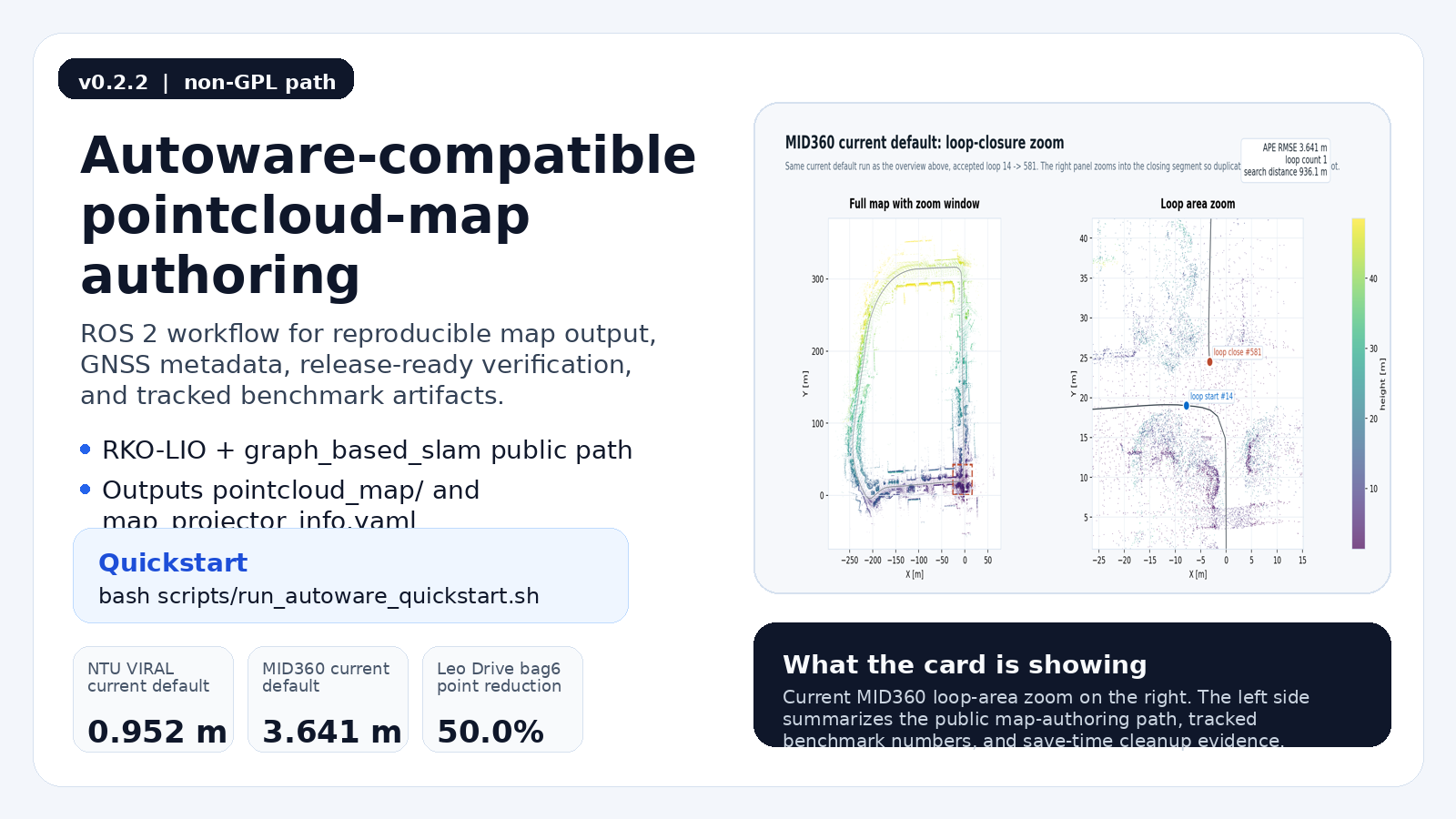
Click the card for the demo video.
bashbash scripts/test_awsim_setup.sh bash scripts/run_awsim_selfmade_map_demo.sh
Builds the Autoware map bundle from your SLAM output, generates lanelet2 from the
trajectory, and brings up AWSIM + Autoware to drive on it. Multi-terminal bringup
and lanelet2 notes: docs/awsim-autonomous-driving-tutorial.md.
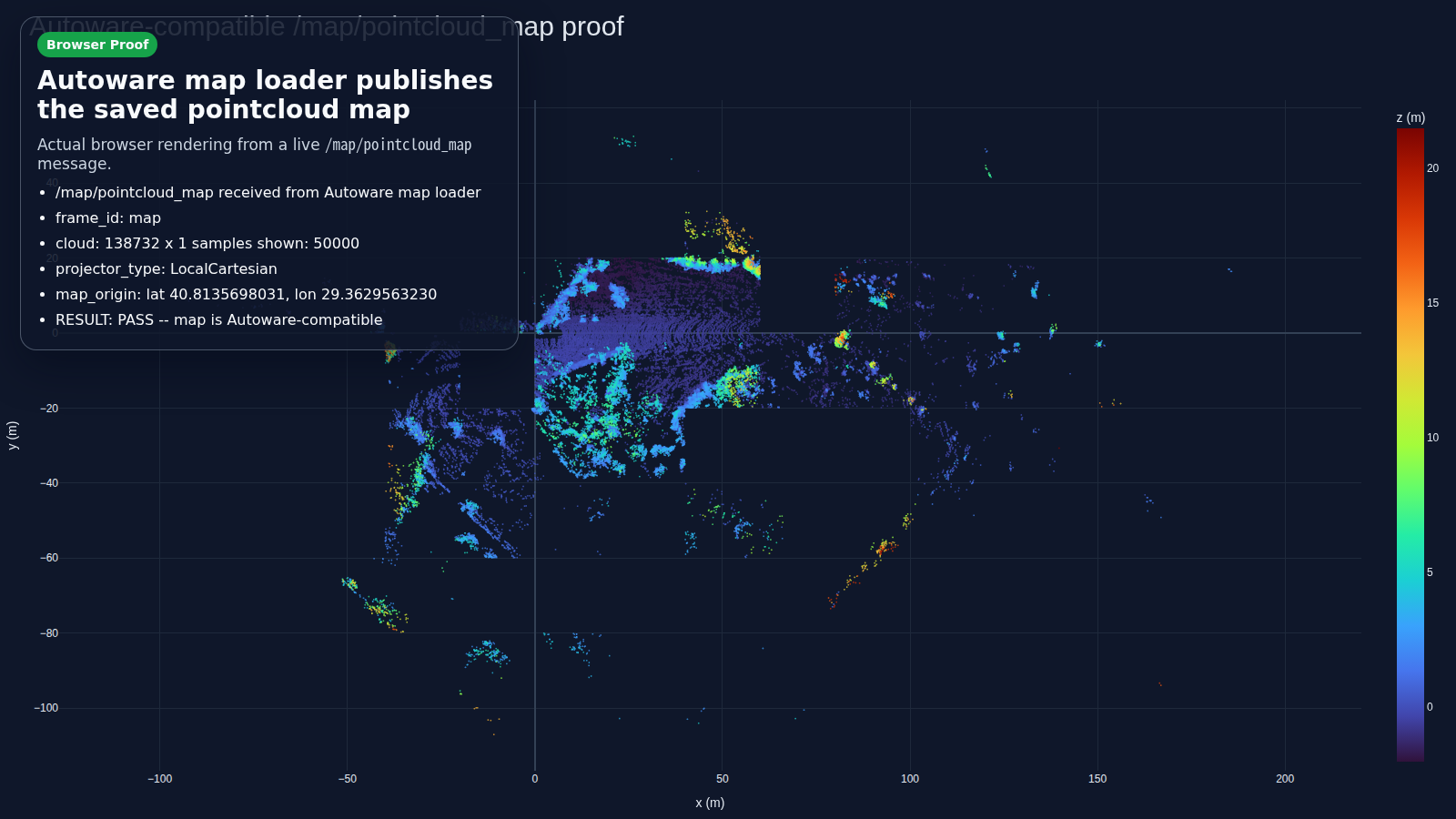
Accuracy
Current numbers from the release-gate profiles (scripts/release_profiles.yaml).
Every release is blocked in CI by these per-dataset thresholds.
| Dataset | Sensor | Reference | APE RMSE | Gate (pass) |
|---|---|---|---|---|
NTU VIRAL tnp_01 (outdoor, ~580 s) | Ouster OS1-16 + VN-100 | Leica prism ground truth | 0.95 m (best 0.87) | ≤ 1.00 m |
| RTK-SLAM Construction Hall 2 (indoor, ~600 s) | Livox MID-360 | total-station checkpoints¹ | 0.154 m (median 0.061) | ≤ 0.30 m |
| RTK-SLAM Construction Hall 1 (indoor, ~741 s) | Livox MID-360 | total-station checkpoints¹ | 0.403 m (median 0.263) | ≤ 0.55 m |
| RTK-SLAM Stadtgarten 2 (outdoor park, ~876 s) | Livox MID-360 | total-station checkpoints¹ | 0.835 m (median 0.327) | report-only² |
| RTK-SLAM Stadtgarten 1 (outdoor park, ~1 km loop) | Livox MID-360 | total-station checkpoints¹ | 1.666 m (median 1.511) | report-only² |
Newer College math-hard (~320 m loop) | Ouster OS0-128 | prism ground truth | reported separately | ≤ 0.10 m |
¹ Surveyed checkpoints from the public RTK-SLAM dataset (CC-BY 4.0), scored like
its published baselines (dense odometry trajectory).
² Outdoor profiles soak as report-only before graduating; the former GLIM
cross-validation gate is also report-only since v0.5. Methodology and
caveats: docs/comparison.md.
Reproduce locally:
bashbash scripts/run_rko_lio_graph_benchmark.sh bash scripts/run_release_readiness_checks.sh --fail-on-profiles
Details and optional MID-360 / production-bundle gates: docs/benchmarking.md.
Photoreal 3DGS map (optional)
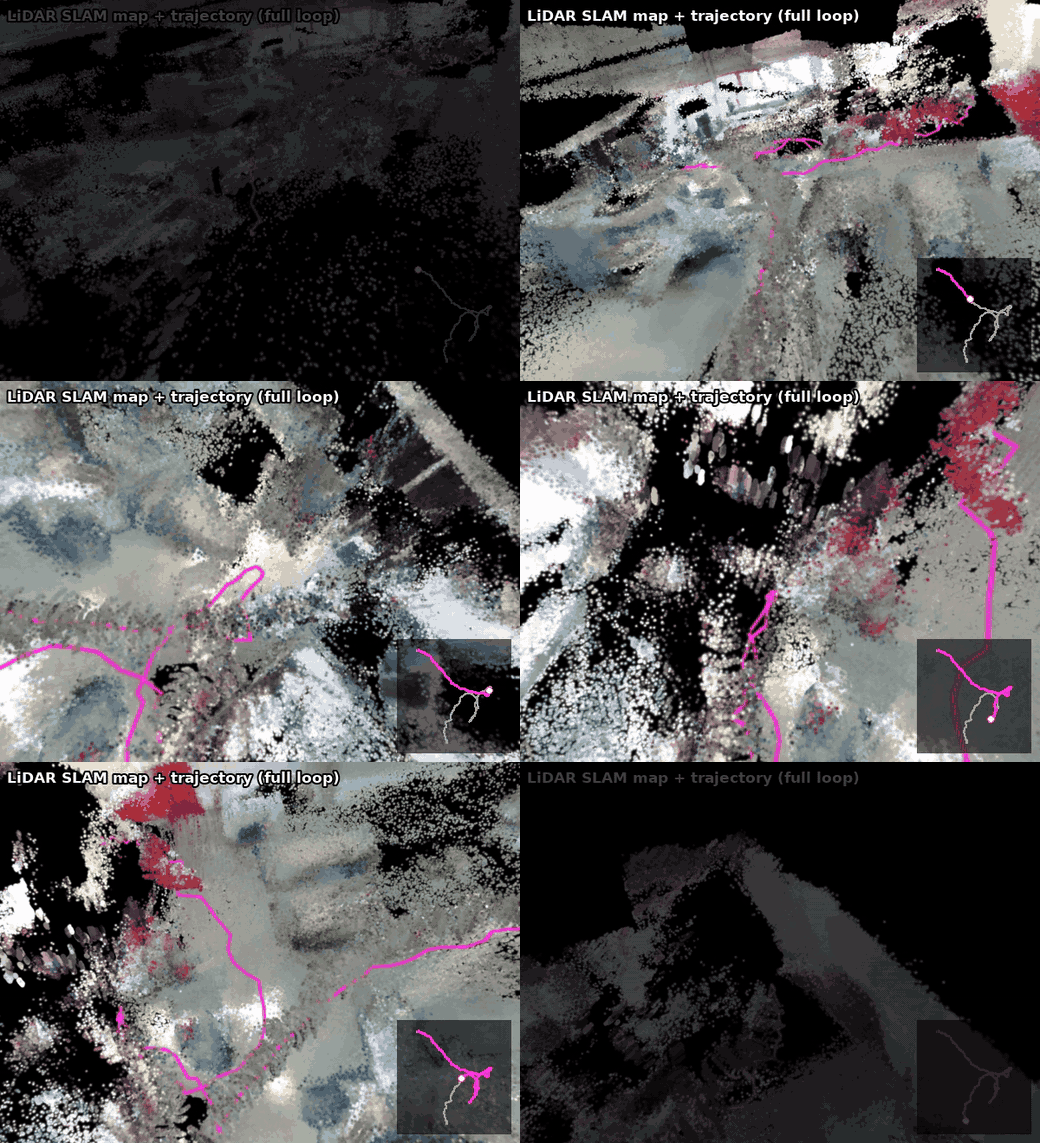
Below, the SLAM deliverable itself — the point-cloud map in real camera
colours (the synced images projected onto the LiDAR points) with the estimated
walking trajectory — as a follow-camera flythrough riding the full 60 m loop of
the RTK-SLAM Construction Hall sequence (CC-BY 4.0), the same sequence the
release gate scores against:
The same SLAM output plus synced camera images can also be trained into a
photoreal 3D Gaussian Splatting scene — LiDAR-primed (no COLMAP), trained with
gsplat (Apache-2.0) — and spun in your browser → (no install, no GPU):
bashpython3 tools/gaussian_splatting/render_map_flythrough.py --help # the flythrough above (--color-mode rgb) bash scripts/run_rtkslam_3dgs_flythrough.sh # photoreal 3DGS (or run_koide_3dgs_flythrough.sh)
Pipeline, quality levers, the interactive viewer, and data-suitability notes: docs/3dgs-map-tutorial.md.
Docs
- Getting started: Autoware quickstart · Operator workflows · Autoware Foxglove
- Pipelines: AWSIM autonomous-driving tutorial · Autoware-compatible map authoring · 3DGS map tutorial
- Benchmarking: Benchmarking and release gate · Comparison
- Project: v0.2.2 release notes · Contributing · Changelog · Releasing
Preview the doc site locally: python3 -m mkdocs serve.
Support and license
| ROS 2 distro | Ubuntu | Scope |
|---|---|---|
| Humble | 22.04 | default workflow build + package tests in CI |
| Jazzy | 24.04 | default workflow build + package tests in CI; Autoware dogfood exercised locally |
graph_based_slam is BSD-2-Clause; RKO-LIO, DLIO, and the optional vendored
3D-BBS are MIT; FAST_GICP is BSD-3-Clause; built-in Scan Context is local. GPL-only
components (Thirdparty/lio-sam, Thirdparty/3d_bbs) are excluded via COLCON_IGNORE.
Quality gates
bashbash scripts/run_default_ci_checks.sh bash scripts/run_release_readiness_checks.sh --ape-threshold 0.10
Reference commands and parameter pointers live in docs/workflows.md.
If this project saves you mapping time, a ⭐ helps others find it.
Contributors
Showing top 9 contributors by commit count.


